Skip to content
View in the app

A better way to browse. Learn more.

www.Head-Case.org

A full-screen app on your home screen with push notifications, badges and more.

To install this app on iOS and iPadOS
  1. Tap the Share icon in Safari
  2. Scroll the menu and tap Add to Home Screen.
  3. Tap Add in the top-right corner.
To install this app on Android
  1. Tap the 3-dot menu (⋮) in the top-right corner of the browser.
  2. Tap Add to Home screen or Install app.
  3. Confirm by tapping Install.

dogpile

Members
  • Joined

  • Last visited

  1. Kinda looks like Yoda at first glance
  2. Ok thanks a bunch Although, a couple of other people think differently...or... are they only referring to the balanced wiring scheme
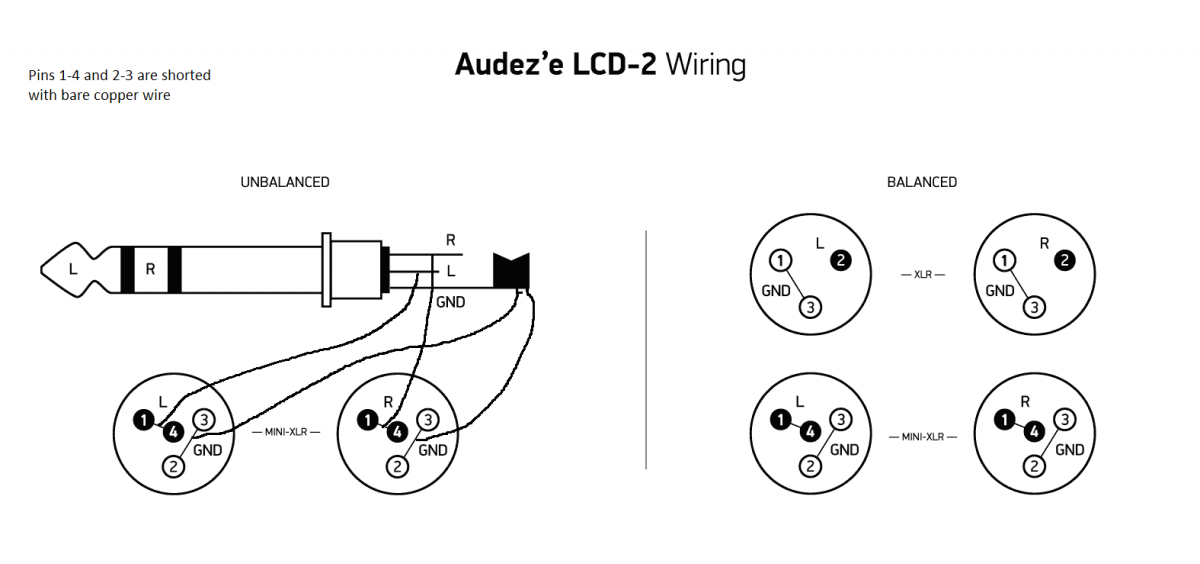
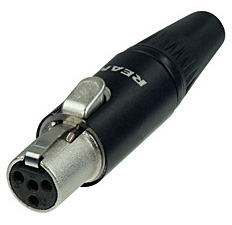
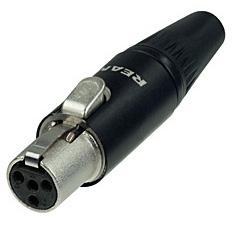
  3. Hello all!! This is my first post here and was hoping that you DIY'ers can help out a noobie. This will be my first attempt at making a headphone cable and would like to know if this is the way to go about it... Unbalanced cable using a 1/4" TRS plug and 2 mini 4-pin XLR's for the headphone end, left and right. Is this the correct way for wire hookup? See diagram below....
Important Information

By using this site, you agree to our Terms of Use.

Account

Navigation

Search

Search

Configure browser push notifications

Chrome (Android)
  1. Tap the lock icon next to the address bar.
  2. Tap Permissions → Notifications.
  3. Adjust your preference.
Chrome (Desktop)
  1. Click the padlock icon in the address bar.
  2. Select Site settings.
  3. Find Notifications and adjust your preference.