

Skip to content
View in the app

A better way to browse. Learn more.

www.Head-Case.org

A full-screen app on your home screen with push notifications, badges and more.

To install this app on iOS and iPadOS
  1. Tap the Share icon in Safari
  2. Scroll the menu and tap Add to Home Screen.
  3. Tap Add in the top-right corner.
To install this app on Android
  1. Tap the 3-dot menu (⋮) in the top-right corner of the browser.
  2. Tap Add to Home screen or Install app.
  3. Confirm by tapping Install.

polszki

Members
  • Joined

  • Last visited

Everything posted by polszki

  1. than I got a great deal!
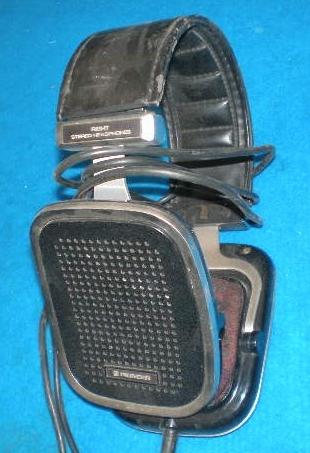
  2. cheers mates, thanks for the quick answers, and yes, it's easy to read the model number on the side, but the headphones are still on their way to me at post service. anyway, how much should a pair of this worth?
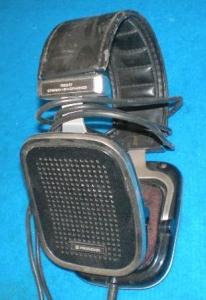
  3. Dear All, I just bought an old pair of pioneer headphones, the seller told me that they are using the ribbon technology. How can I check whether it is true or not? anyone know this headphone? cheers,
Important Information

By using this site, you agree to our Terms of Use.

Account

Navigation

Search

Search

Configure browser push notifications

Chrome (Android)
  1. Tap the lock icon next to the address bar.
  2. Tap Permissions → Notifications.
  3. Adjust your preference.
Chrome (Desktop)
  1. Click the padlock icon in the address bar.
  2. Select Site settings.
  3. Find Notifications and adjust your preference.