

Skip to content
View in the app

A better way to browse. Learn more.

www.Head-Case.org

A full-screen app on your home screen with push notifications, badges and more.

To install this app on iOS and iPadOS
  1. Tap the Share icon in Safari
  2. Scroll the menu and tap Add to Home Screen.
  3. Tap Add in the top-right corner.
To install this app on Android
  1. Tap the 3-dot menu (⋮) in the top-right corner of the browser.
  2. Tap Add to Home screen or Install app.
  3. Confirm by tapping Install.

mmoraw

Members
  • Joined

  • Last visited

Everything posted by mmoraw

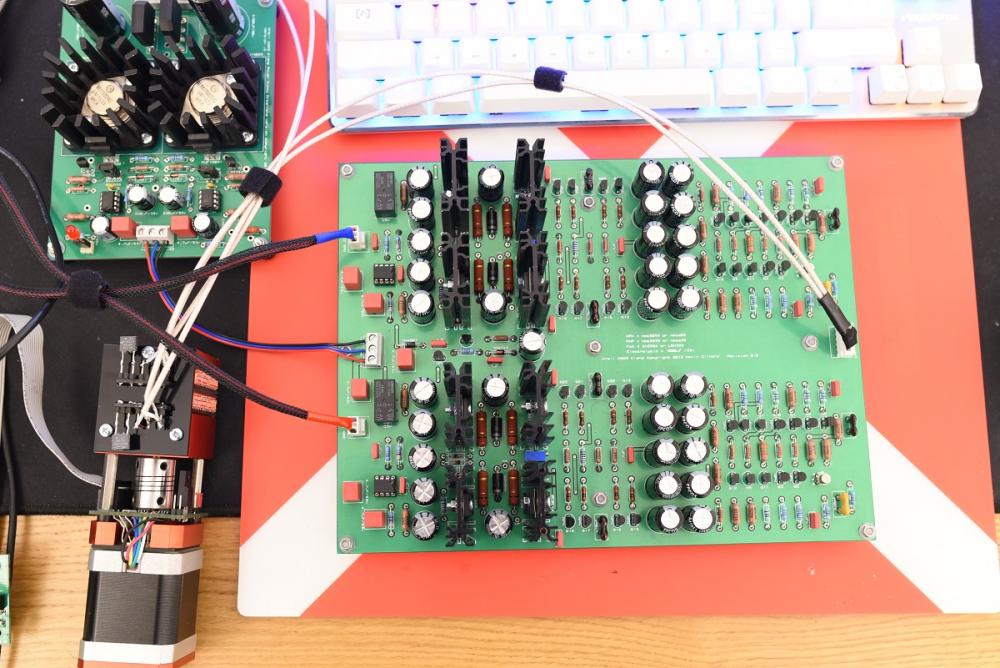
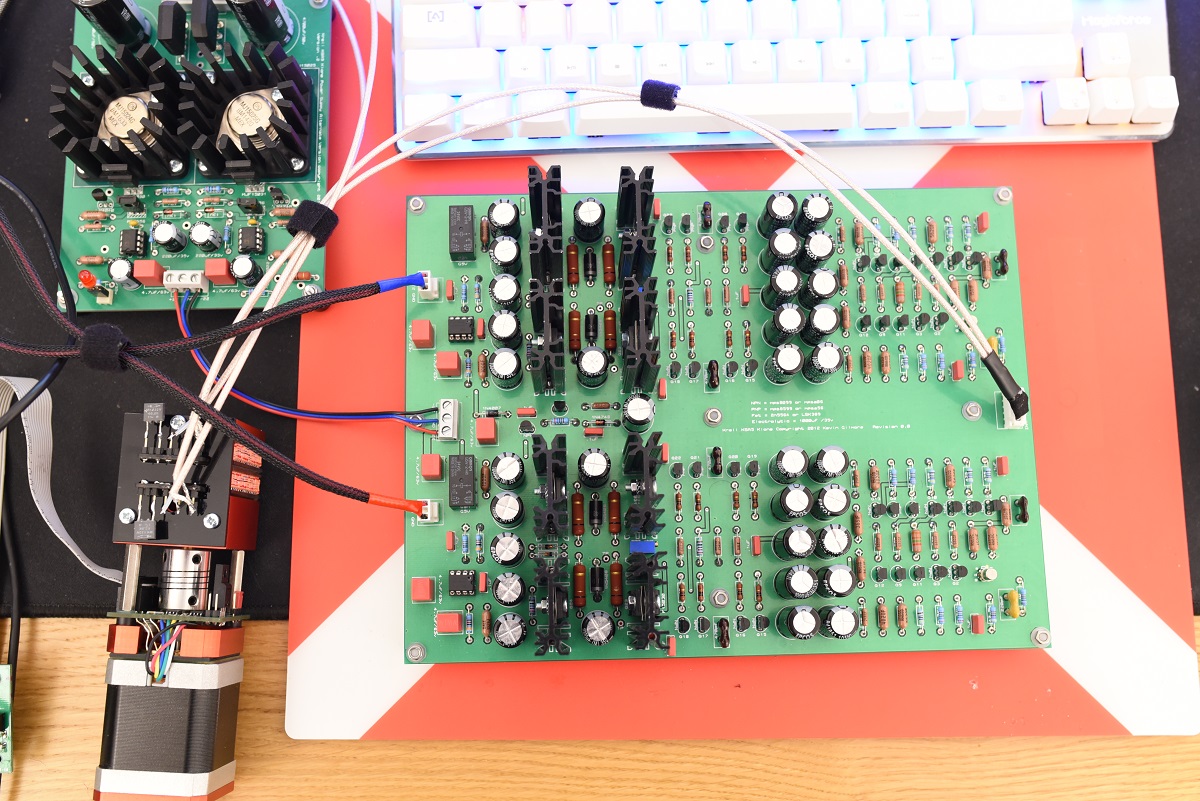
  1. Hi All, Got mine all up last night, or I should rather say, this morning... Sounds terrific. On my side, it was more an experiment, to see if it's any batter than the one I've been using for good few years, now rather than real need for an amp ... Will give it some extended listening sessions over the course of next few days ... I'm planing to try it with all the cans I got, HD800, K701, HD590 and K7xx, I've tried to match all the transistor pairs, although still had some dc offset in range of 40-50mV for both channels, obviously after installing op-amps everything looks absolutely fine. If I decide to keep it (read: case it) I will be putting some protection circuit (epsilon12) on top. I would like to thank you all here, and Kevin for the great work.
  2. Just wonder if still up for sale. Thanks
Important Information

By using this site, you agree to our Terms of Use.

Account

Navigation

Search

Search

Configure browser push notifications

Chrome (Android)
  1. Tap the lock icon next to the address bar.
  2. Tap Permissions → Notifications.
  3. Adjust your preference.
Chrome (Desktop)
  1. Click the padlock icon in the address bar.
  2. Select Site settings.
  3. Find Notifications and adjust your preference.