kevin gilmore
High Rollers
-
Joined
-
Last visited
-
here is what the schematic is supposed to look like srm212.pdf
-
so you need about 4 times the current just to drive the cable. so say 100ma bias. only the D&G can do this. or a 150+ watt speaker amp and a really large boost transformer. say a pair of transformers from a mc2300.
-
while you are at it, use the 3rd generation sicfet for the current source. requires extra 12v power supply.
-
updated with a few fixes halo acoustics eha-1pro.PDF
-
push pull output stage, +/-250 volt power. not enough i'm getting slow in my old age input balance not done yet. (thing with the thumb wheel) halo acoustics eha-1pro.PDF
-
-
there were no output caps on the switchers. there is a input cap, not labeled, 47 uf tantalum 30 volt is what goes in that spot. or anything else that fits.
-
kevin gilmore changed their profile photo
-
yep exactly. on the back of the board as close to the output pins as possible.
-
you can also try a cap something in the range of .1 to 1 uf ceramic soldered to the switcher power supply outputs.
-
nothing with 60db of gain is going to be completely noise free. unless you want to move to a much colder climate. and even then maybe a couple of extra db of s/n. without a volume control in front of the input stage you have no idea how loud, loud is. that residual noise is undetectable when playing music. you can try say 10pf instead of 5pf. anything higher and the frequency response will change.
-
the 470pf cap is on the power supply right? the reason for the 1 meg input caps is to give a minimum stable bias for the input stage. its expecting you to put in front of it a pot, or other much lower impedance resistor. at 50k the remaining noise is far below any possible music at that level that does not significantly lower the input impedance.
-
the resistors are just there to make sure its stable with nothing plugged into it. change the input resistors to as low as possible compatible with what is going to drive it. 10k is probably what i would do.
-
at least the cary has no flammable wool tuning elements.
-
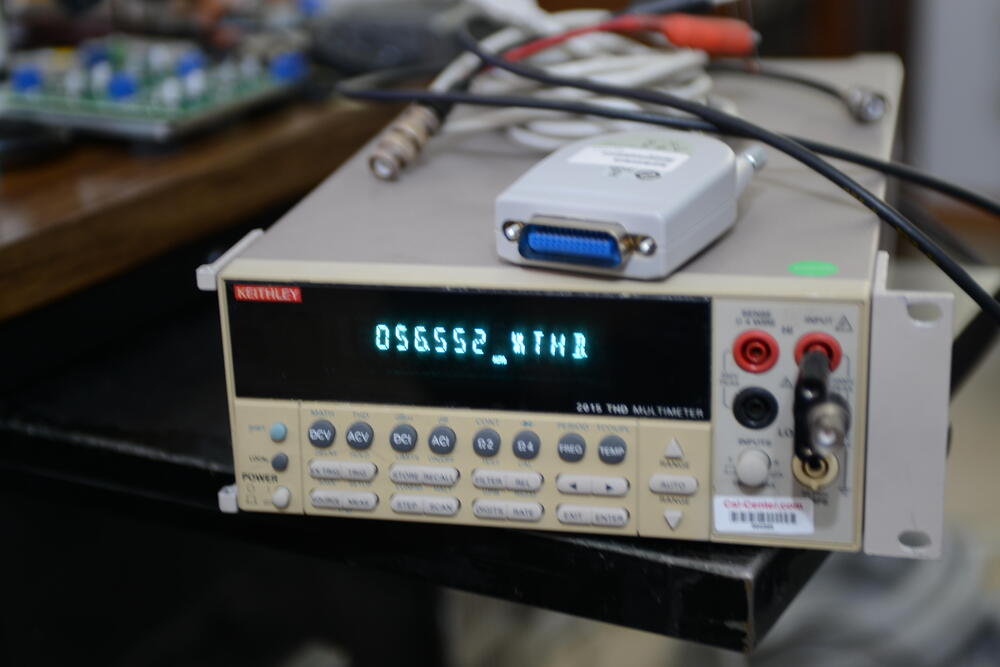
miloz never contacted me. i would likely not respond if he did. get one of each of these from ebay. keithley 2015 6.5 digit thd multimeter and a hp 82357b (or later) usb to gpib adapter. yes, the 82357b is a fake coming out the wrong end of the agilent factory (no shielding on the plastic) in china. but work absolutely identical to the real one which is about $600 new. unlikely to pass fcc radiated noise tests and a windows 11 laptop. then contact james king for the software package. ebay price about $600 total for the 2 pieces. (about $7k brand new) have at it. rated for 2000 volts peak to peak. no attenuators or other hacks needed. many of the used 2015 will require replacement of the display for about $75, and unsoldering about 100 connections. but the software does not require a well lit display except to put it into the right mode after you turn it on. accurate to .002% Thd+N. built in balanced signal generator that matches the same specs. single box solution. better than any stax amp with 50 to 60db of gain. the Noise component overwhelming the signal. no way i would pay $35k for an audio precision and then pray that the required attenuator does not cause trouble. I would much rather pay that much for a set of CCB brakes and wheels. retired 9 years now. i only do things that are fun. like 30 to 130 in the Z06. over and over and over. and yet no tickets (yet).
-
knock your socks off.