Skip to content
View in the app

A better way to browse. Learn more.

www.Head-Case.org

A full-screen app on your home screen with push notifications, badges and more.

To install this app on iOS and iPadOS
  1. Tap the Share icon in Safari
  2. Scroll the menu and tap Add to Home Screen.
  3. Tap Add in the top-right corner.
To install this app on Android
  1. Tap the 3-dot menu (⋮) in the top-right corner of the browser.
  2. Tap Add to Home screen or Install app.
  3. Confirm by tapping Install.

hausera

Members
  • Joined

  • Last visited

  1. I just started using Tidal. Is it worth getting Bluetooth streamer like the Walkman versus using the iPhone six? Also, is the Walkman the only budget portable device that can stream Tidal? Thank you very much.
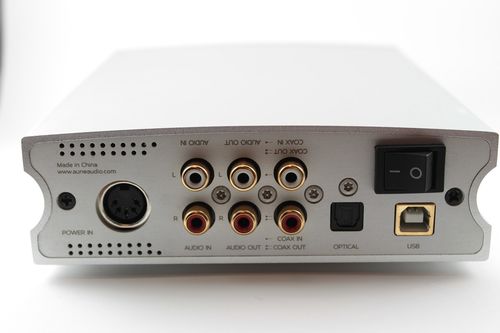
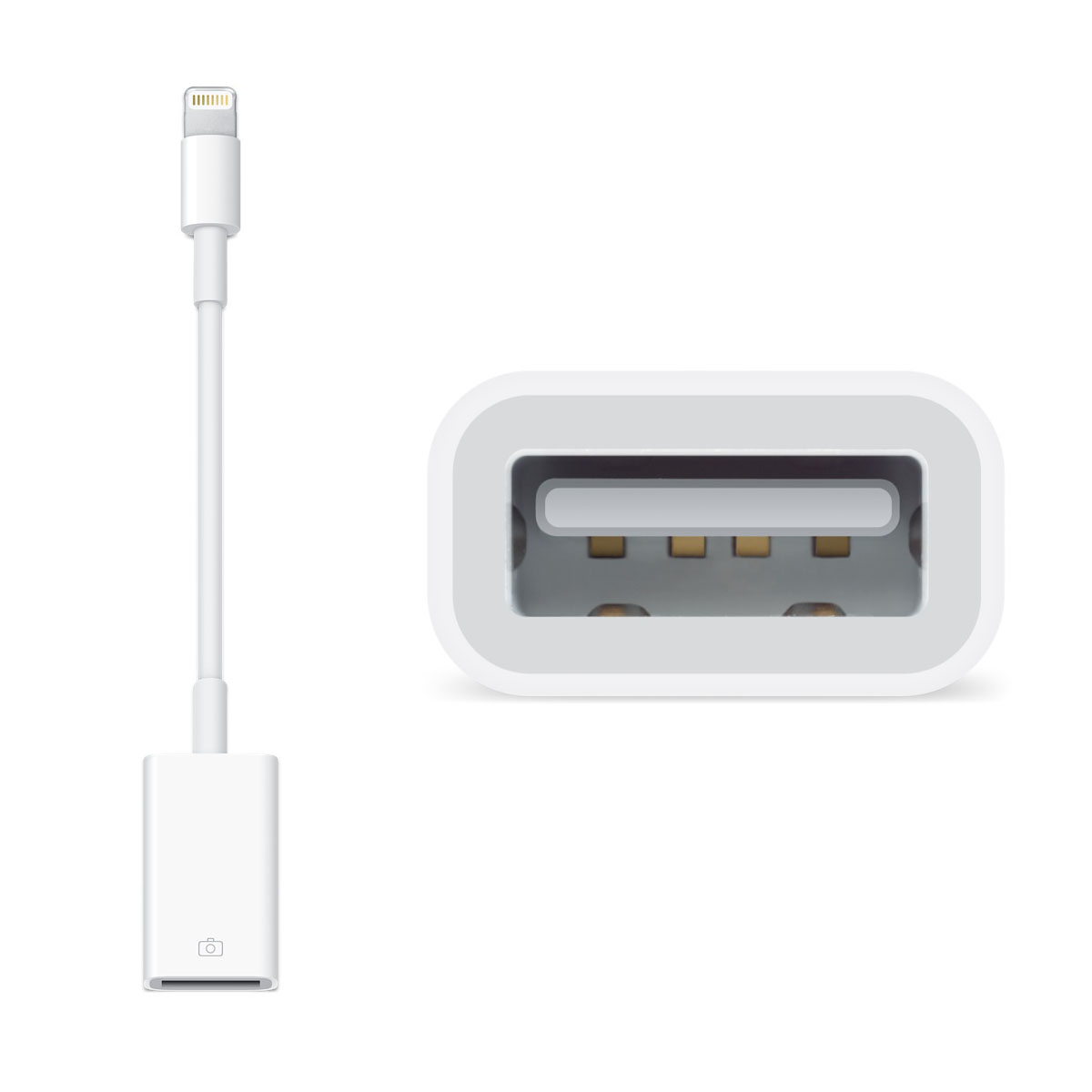
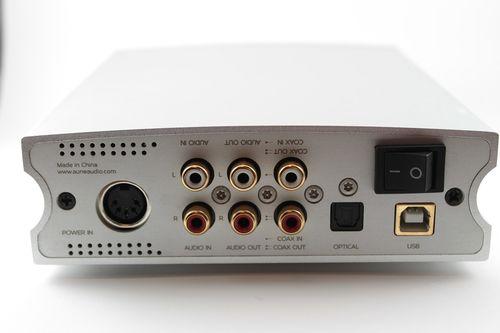
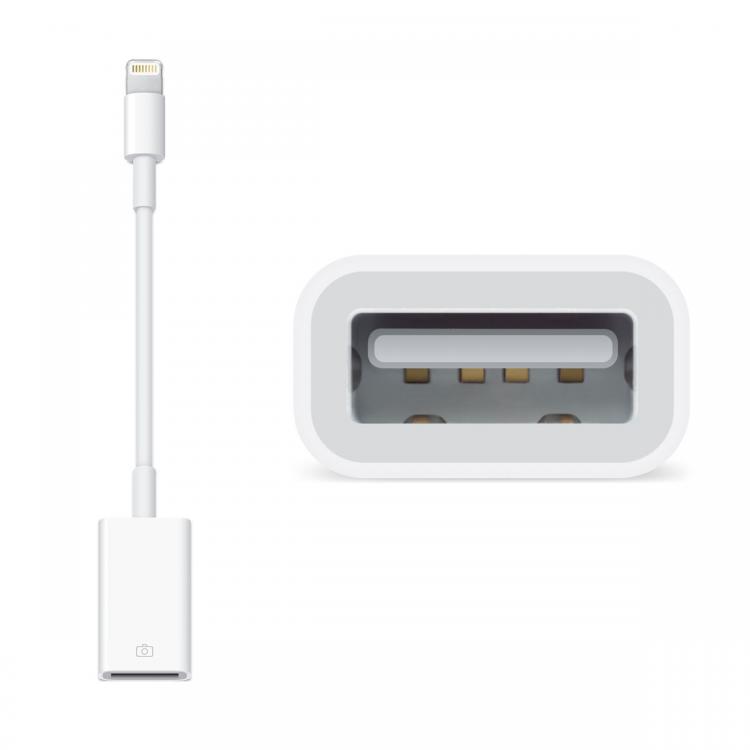
  2. Hello, I'm new to audiophile headphones and I mean completely. I bought based upon recommendations on various websites an Aune X1S. I play Spotify with my iPhone 6 and sometimes my Mac. I understand that I can use an RCA cord to do analog. I want to know how I can connect it digitally? I read that I need an Apple lightning camera connector. Is this the one? Here is the back of the Aune X1S: Thanks for any help that you can give
Important Information

By using this site, you agree to our Terms of Use.

Account

Navigation

Search

Search

Configure browser push notifications

Chrome (Android)
  1. Tap the lock icon next to the address bar.
  2. Tap Permissions → Notifications.
  3. Adjust your preference.
Chrome (Desktop)
  1. Click the padlock icon in the address bar.
  2. Select Site settings.
  3. Find Notifications and adjust your preference.