Tiago Carneiro
Members
-
Joined
-
Last visited
Everything posted by Tiago Carneiro
-
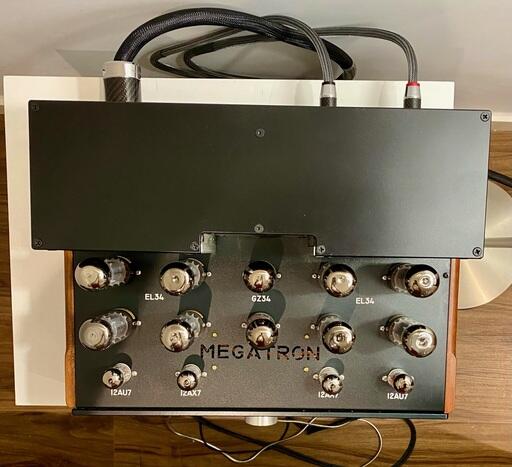
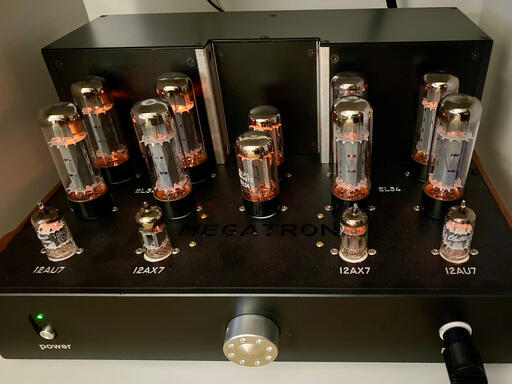
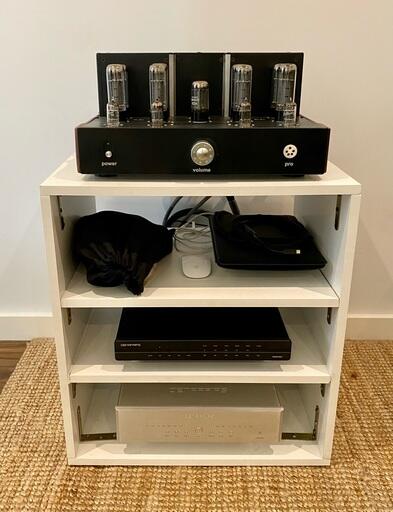
Hello to all I can briefly tell my experience with Thuan. I bought last year a Megatron, but according to the photos i believe it is a different construction (don´t know if mine it´s an upgrade or it's a previous construction). All aspects with Thuan have been very positive, concerning my Energiser (quality and reliability), all upgrades that i asked for, many doubts that i've been having since that time till present (not only regarding to the Megatron but also in general). My Energiser is running 2 Quads of EL34 power Tubes, a pair of GZ34 rectifier tubes, pair of 12ax7 and pair ot 12au7 pre-amp tubes. The sound is excellent and kept improving during some months; now it is stable and working at full potencial (i believe so). The only issue i had was due to a electrical power peak that smoked the fuse - i bought a new one (now i opted for an audiophile grade fuse) and it's been behaving perfectly so far. I don´t question any of the above statements or experiences, but in my case (fortunatelly) everything worked fine. I know that he is an enthusiast and is making all its gear on the spare time, apart from its main job. That's why i also have been more tolerant (dispite the fact that this is an expensive gear). Nevertheless, all the support i needed was given, faster or slower, but i was answerd. I just wanted to share my experience and hoping that experience was only a bad luck.