Capt. Happy
Members
-
Joined
-
Last visited
-
I found this thread on Head-fi, and I was able to verify that my transformer secondaries were reading the correct voltages. I tested it and it's working great!
-
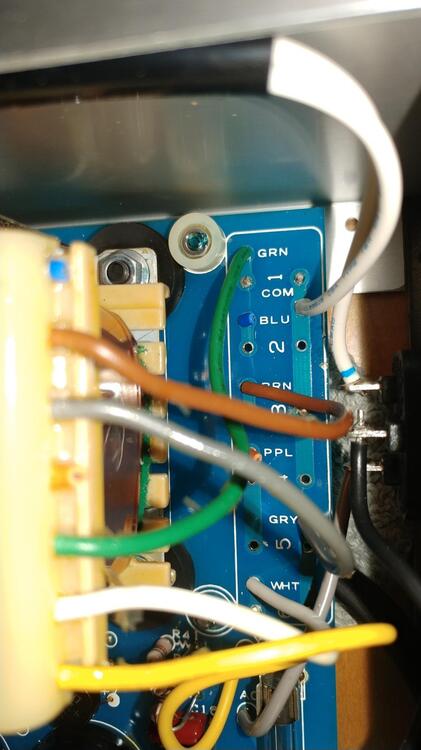
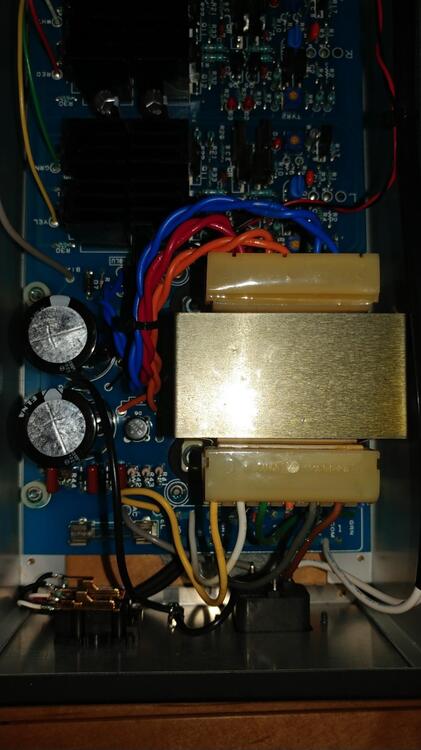
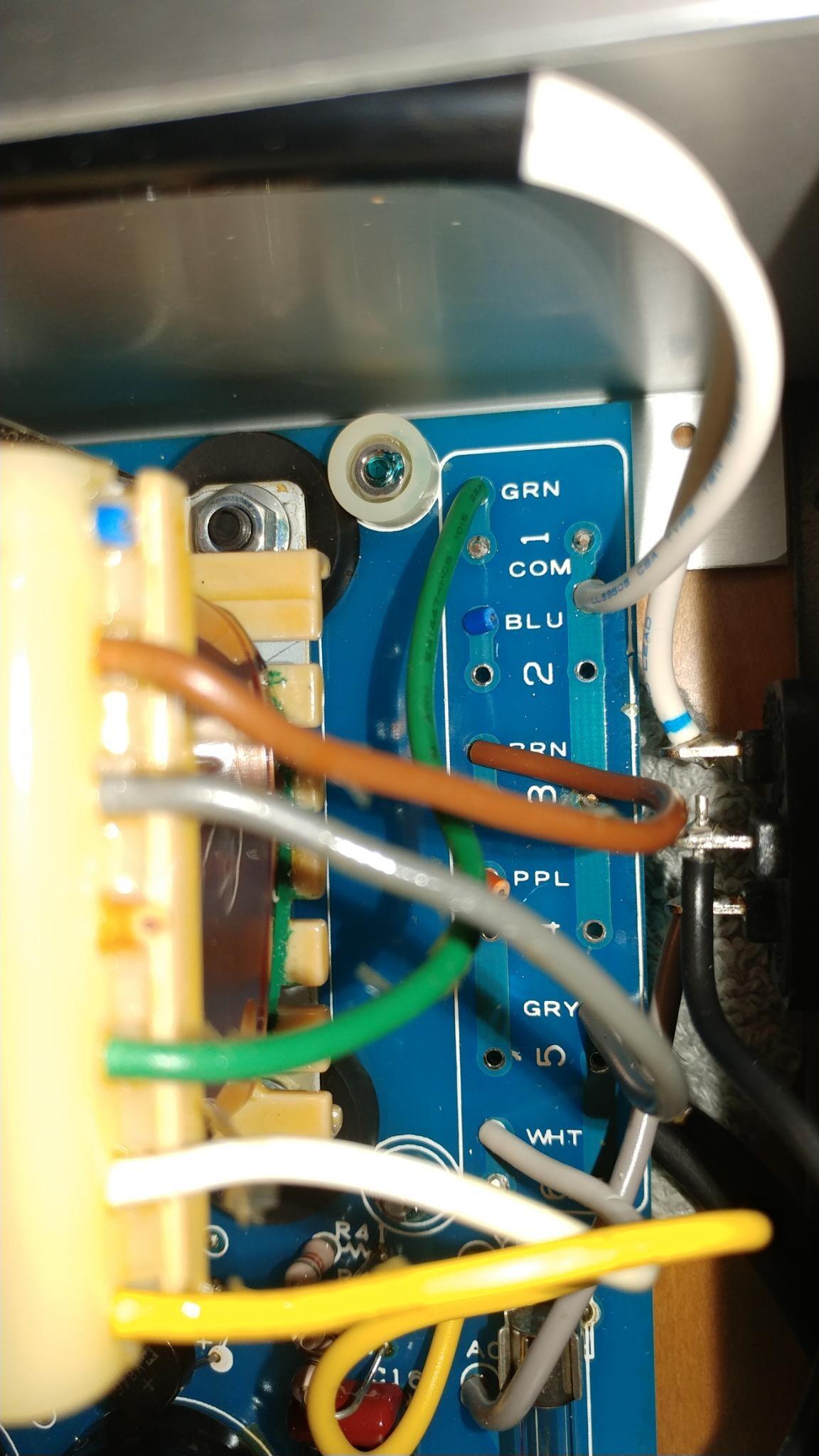
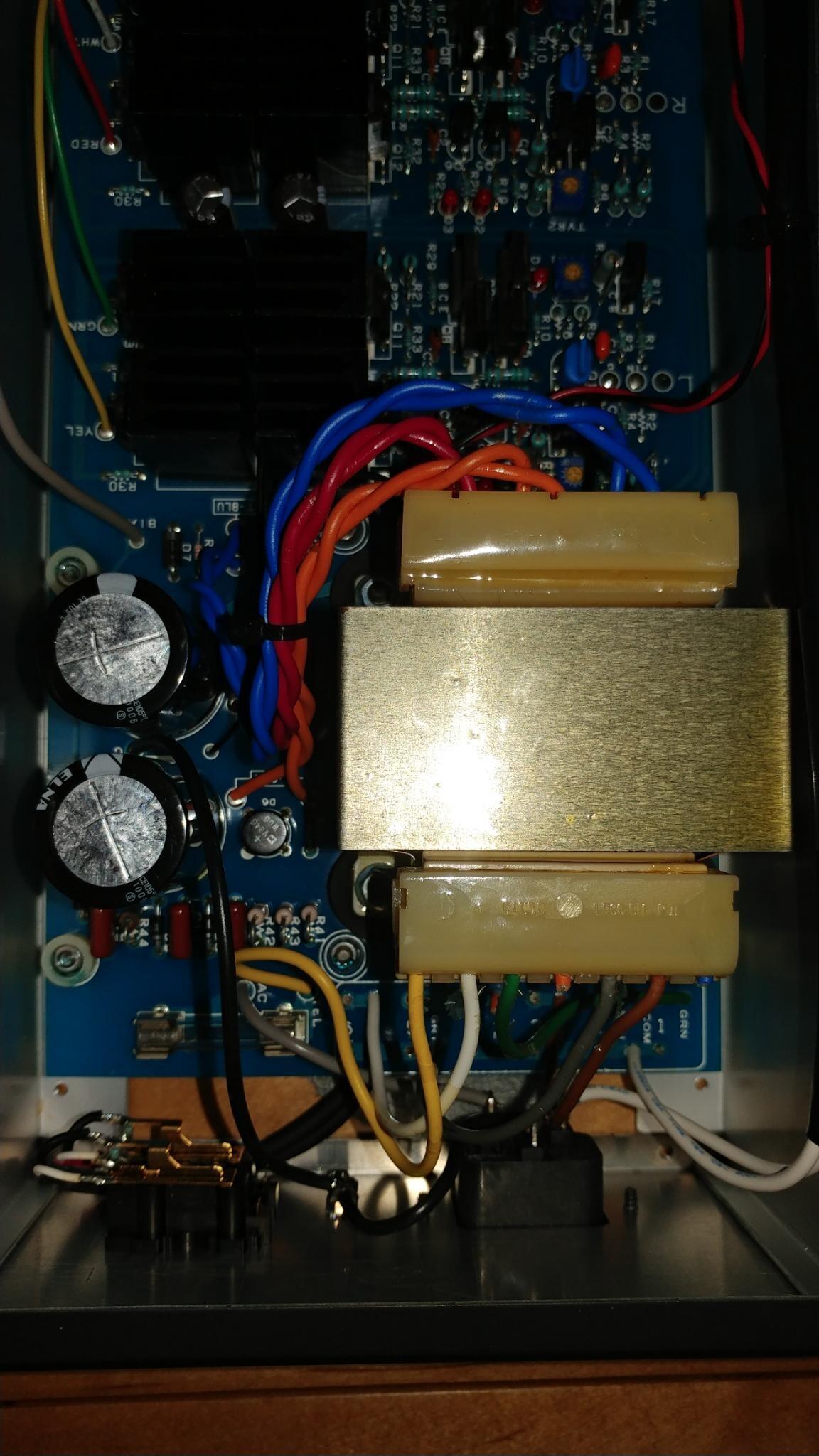
What are the output voltages on the transformer supposed to read? Stax coated the transformer cover with glue and I broke the leads from the transformer going to the tie pins while opening it. I was able to repair them and I'm about 90% sure they're in the right spots, but I want to be able to validate the output voltages from the transformer so I don't break the amp when I plug it in.
-
I have a 100V SRM 323A that I am trying to rewire for 120V. I haven't been able to find a diagram for the transformer, so I was hoping that someone could help me figure out how to rewire it. Right now the yellow, white, and grey wires are connected to one side of the plug and the brown and green wires are connected to the other. The blue and orange wires have been cut off, but I should be able to reconnect them with some careful soldering.