Skip to content
View in the app

A better way to browse. Learn more.

www.Head-Case.org

A full-screen app on your home screen with push notifications, badges and more.

To install this app on iOS and iPadOS
  1. Tap the Share icon in Safari
  2. Scroll the menu and tap Add to Home Screen.
  3. Tap Add in the top-right corner.
To install this app on Android
  1. Tap the 3-dot menu (⋮) in the top-right corner of the browser.
  2. Tap Add to Home screen or Install app.
  3. Confirm by tapping Install.

EchoRoot

Members
  • Joined

  • Last visited

Everything posted by EchoRoot

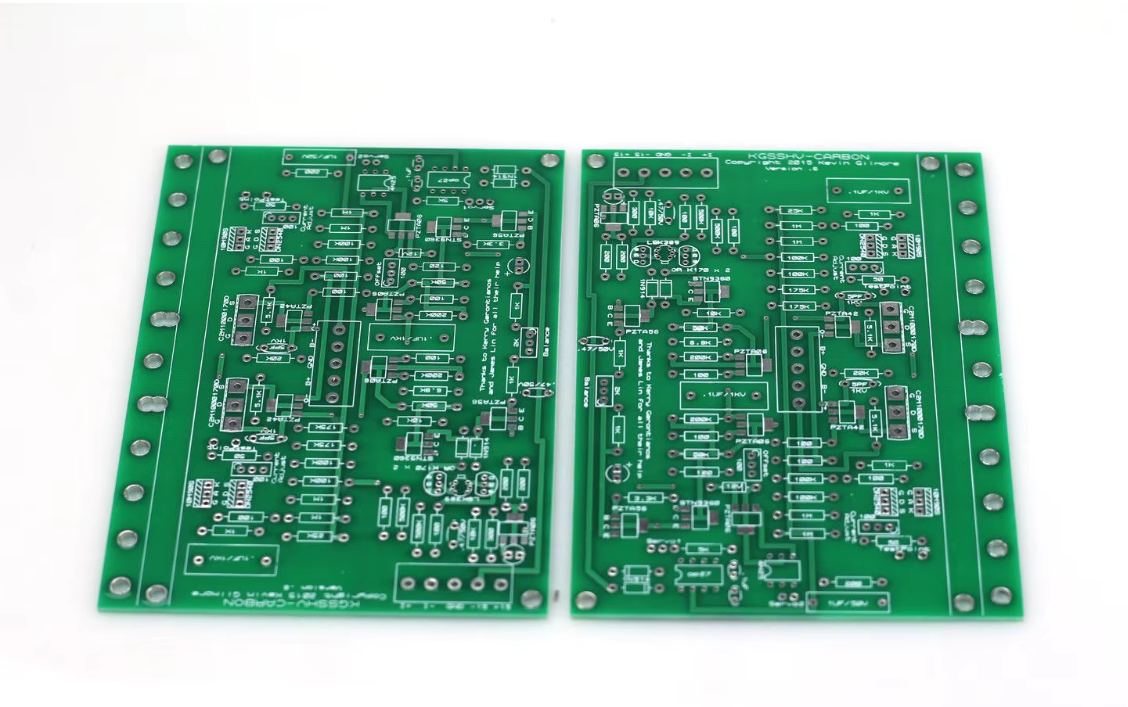
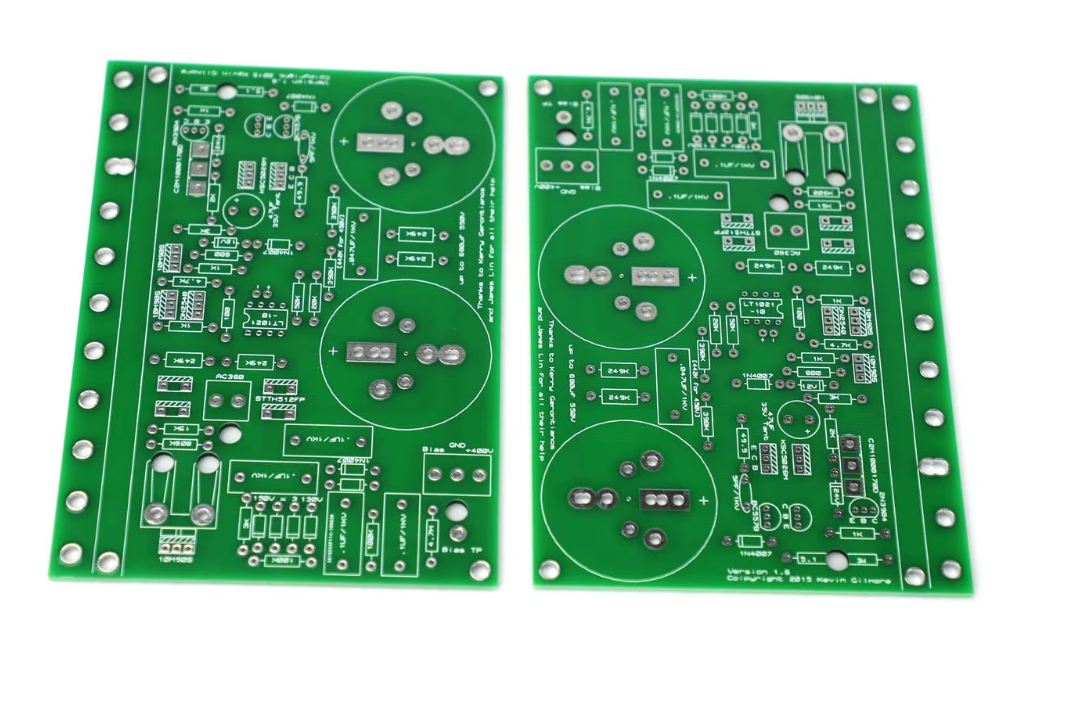
  1. Aliexpress 1 Aliexpress 2 I had a chance to look through the Google Drive that was kindly shared. From what I’ve gathered, the KGSSHV Carbon requires three PCB components: the amplifier board, the high-voltage power supply, and the low-voltage power supply. I was able to find the v5 version of the amplifier board. The power supply boards weren’t labeled directly, but seem to be referred to as “Golden Reference.” I’d really appreciate it if someone could help me clarify a few things: – Would it be acceptable to use the ZEROZONE PCB from AliExpress? (Link is at the top) – Is the HV Dual PCB available commercially, or does it need to be custom-made? – I’ve heard that off-the-shelf transformers can’t be used and must be custom-wound. Is that correct? – If anyone happens to have spare PCBs, would you be willing to share or sell them? I’d be happy to pay via eBay and can use a shipping agent that covers both the US and Europe. I’m learning so much from this thread—thank you all for your generosity and support.
  2. Thank you, Joamat, for your warm welcome and for sharing the materials. I’ve reviewed them thoroughly and truly appreciate your support.
  3. Hello. I'm a beginner looking to get into DIY, and I've just carefully read through this thread. I'm interested in building the KGSSHV Carbon. Unfortunately, all the zip files on the first page are gone. Is there anyone who could kindly help me?

Important Information

By using this site, you agree to our Terms of Use.

Account

Navigation

Search

Search

Configure browser push notifications

Chrome (Android)
  1. Tap the lock icon next to the address bar.
  2. Tap Permissions → Notifications.
  3. Adjust your preference.
Chrome (Desktop)
  1. Click the padlock icon in the address bar.
  2. Select Site settings.
  3. Find Notifications and adjust your preference.