Bigrock2150
Members
-
Joined
-
Last visited
-
Wow! If the object of this forum is to drive away new forum members, I must say congrats! From my first post I've been ganged up on for no reason other than I'm new and don't have a high post count. I'm not really in to silly high school cliques. Peace.
-
Or you could have just said you don't like them...
-
I absolutely love my AD2000's, they compliment my Denon MD5000's really well. The AD2000's have a great Midrange while the Denons are a bit recessed in the mid department. I don't find the pads to be too big of a problem, the AD's are so light that I can barely feel the drivers on my ears.
-
Yikes, I didn't know my post would cause so much controversy. I'm from Head-fi and Smegggy has been helping us (around 5-6 people) as we make our own Thunderpants. Please don't "shovel" me? I'll have to check what that means but I think I get the point. I don't plan on selling them nor do I plan on changing what I call them. I think smeggy knows that I have no intention of smearing his name in anyway.
-
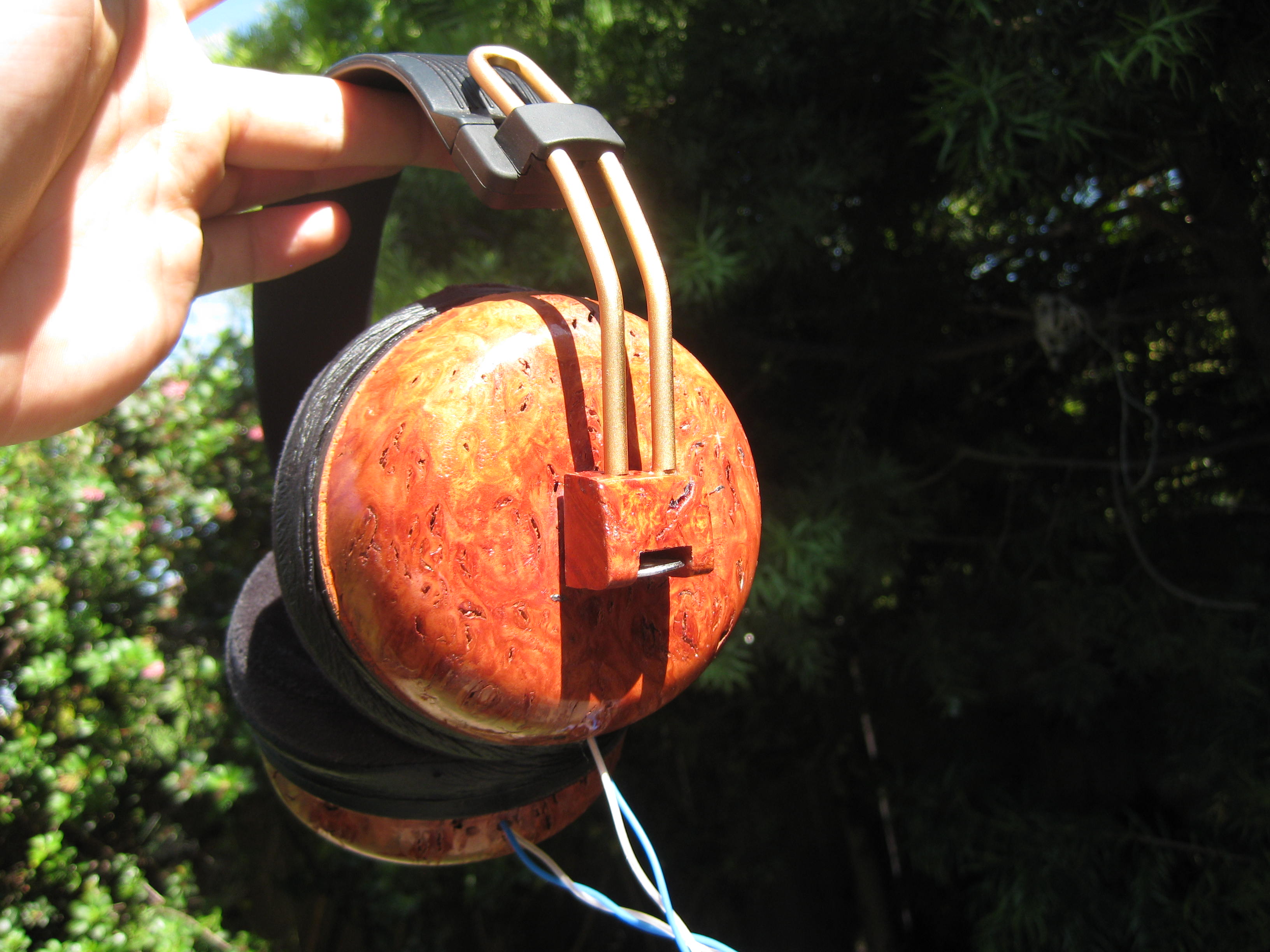
How about those DIY Thunderpants? Here's one of mine. The Jarrah Burl Pants! [ATTACH=CONFIG]3735[/ATTACH][ATTACH=CONFIG]3736[/ATTACH]