

Skip to content
View in the app

A better way to browse. Learn more.

www.Head-Case.org

A full-screen app on your home screen with push notifications, badges and more.

To install this app on iOS and iPadOS
  1. Tap the Share icon in Safari
  2. Scroll the menu and tap Add to Home Screen.
  3. Tap Add in the top-right corner.
To install this app on Android
  1. Tap the 3-dot menu (⋮) in the top-right corner of the browser.
  2. Tap Add to Home screen or Install app.
  3. Confirm by tapping Install.

azrael3000

Members
  • Joined

  • Last visited

  1. Looks nice Matthew, still waiting for my parts but they should be here any time now. Have fun with the soldering 🧙‍♂️
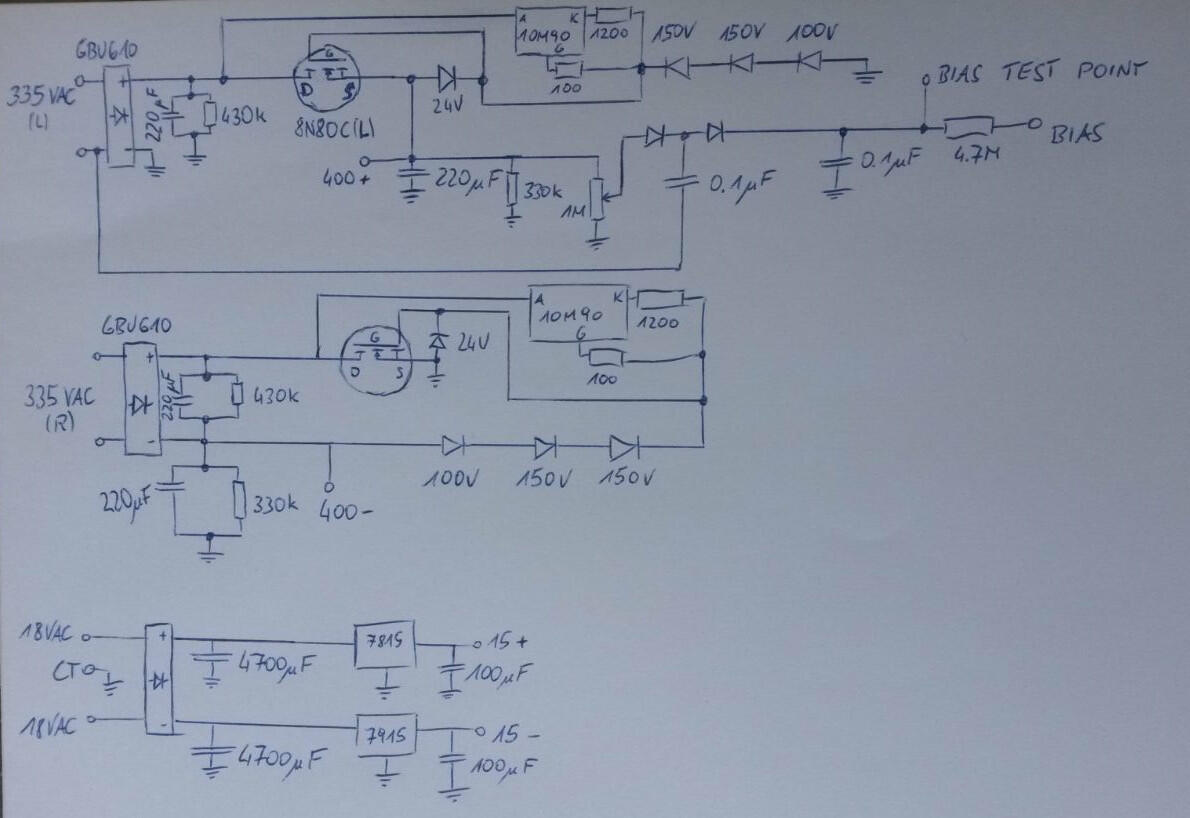
  2. I did a quick drawing from the boards. If anyone spots a mistake please let me know. Valve: Thanks for the notes, much appreciated.
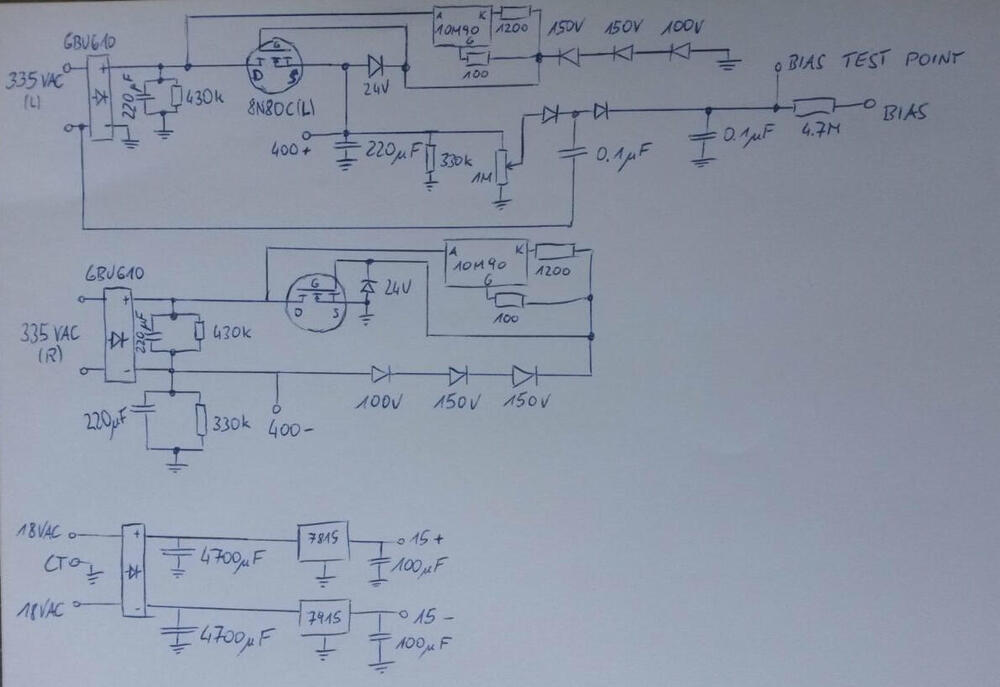
  3. Hi Matthew, I'm in the same boat, I recently got the boards from Birgir and I'm currently building my BOM plus learning a lot about electronics as I don't want to build it just for the sake of building it, but also understand what it does. I have drawn the schematics on a sheet of paper but they need tiding up, so if someone has an electronic version I would not mind. Cheers, Arno
Important Information

By using this site, you agree to our Terms of Use.

Account

Navigation

Search

Search

Configure browser push notifications

Chrome (Android)
  1. Tap the lock icon next to the address bar.
  2. Tap Permissions → Notifications.
  3. Adjust your preference.
Chrome (Desktop)
  1. Click the padlock icon in the address bar.
  2. Select Site settings.
  3. Find Notifications and adjust your preference.