

Skip to content
View in the app

A better way to browse. Learn more.

www.Head-Case.org

A full-screen app on your home screen with push notifications, badges and more.

To install this app on iOS and iPadOS
  1. Tap the Share icon in Safari
  2. Scroll the menu and tap Add to Home Screen.
  3. Tap Add in the top-right corner.
To install this app on Android
  1. Tap the 3-dot menu (⋮) in the top-right corner of the browser.
  2. Tap Add to Home screen or Install app.
  3. Confirm by tapping Install.

Djoulfr

Members
  • Joined

  • Last visited

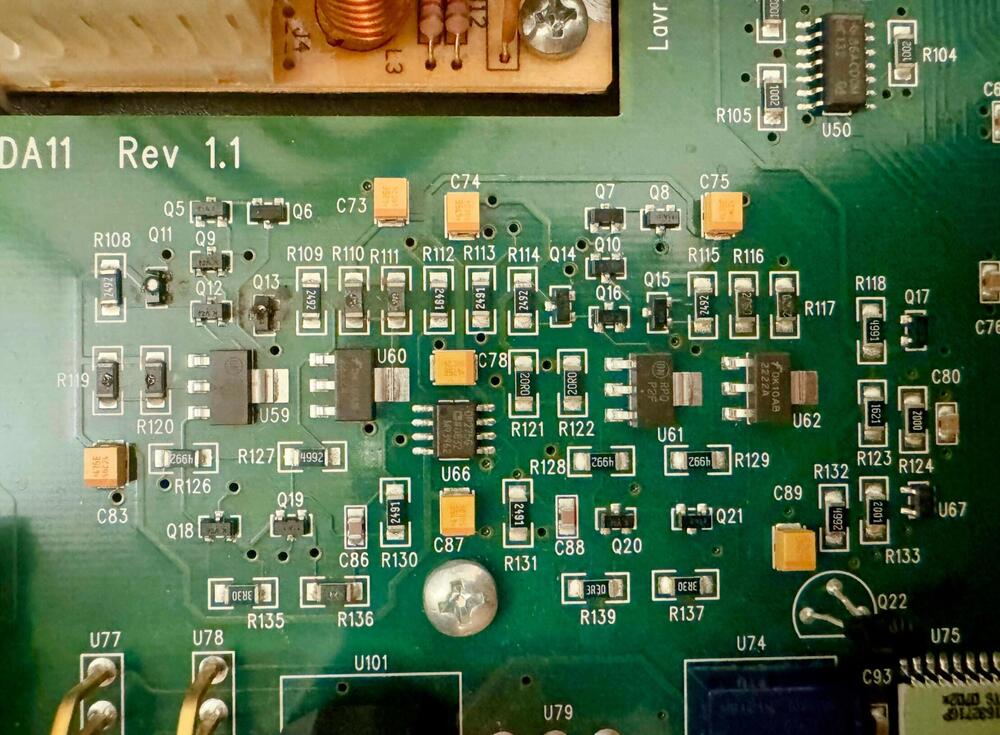
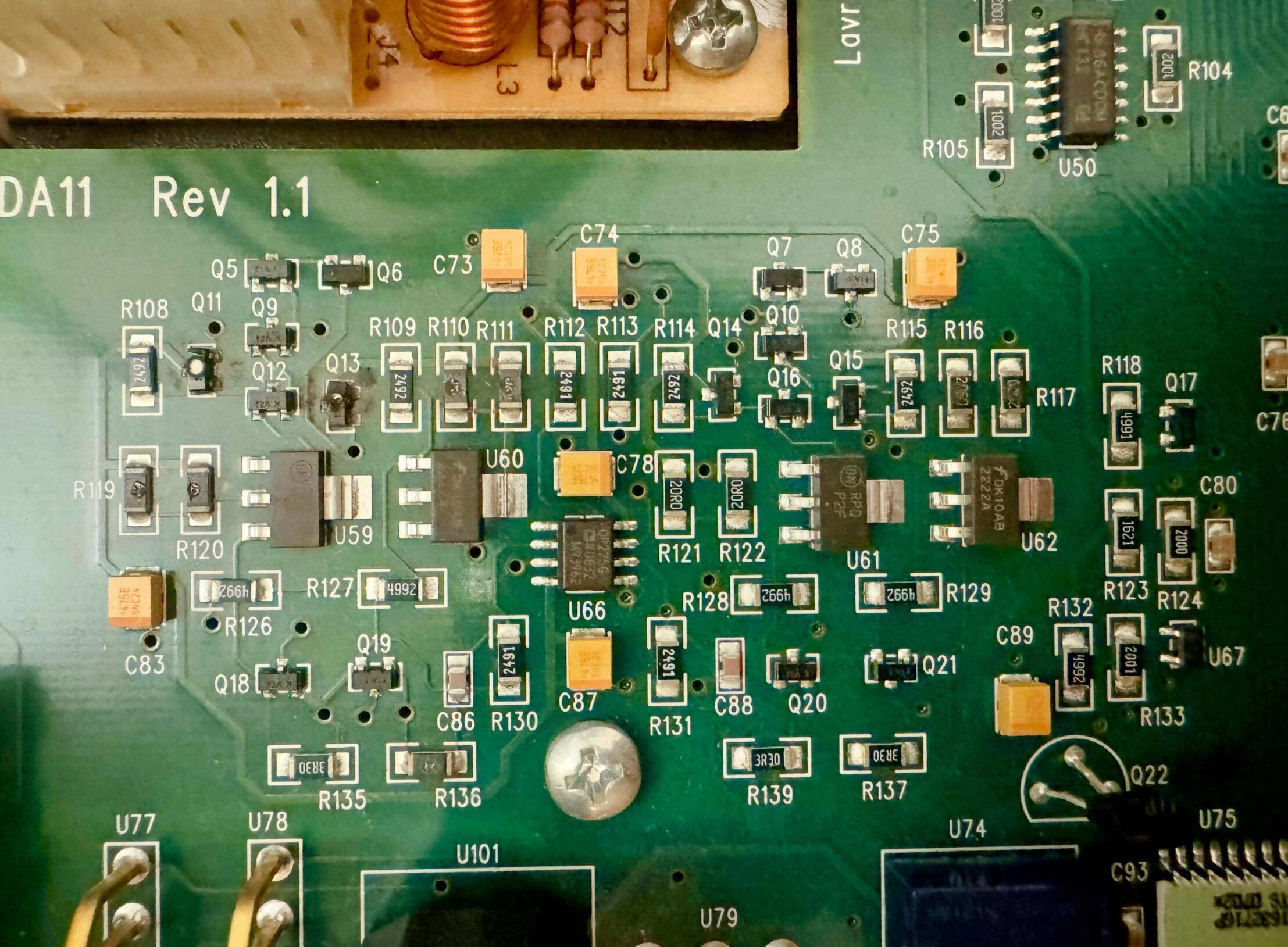
  1. Hey, I'm trying to repair the headphone output on my Lavry DA11 DAC which has a few burnt components. Unfortunately, the markings on some transistors, capacitors and resistors are now completely unreadable. I've contacted Lavry support but they won't share the component specs (understandable from an IP perspective, but frustrating for repairs). Does anyone here own a working Lavry DA11 and would be willing to take some clear, close-up photos of the components around the headphone output circuit? This would help me identify the correct replacement parts. I really love this DAC and don't want to throw it away or sell it broken. Would be super grateful for any help! thx
Account

Navigation

Search

Search

Configure browser push notifications

Chrome (Android)
  1. Tap the lock icon next to the address bar.
  2. Tap Permissions → Notifications.
  3. Adjust your preference.
Chrome (Desktop)
  1. Click the padlock icon in the address bar.
  2. Select Site settings.
  3. Find Notifications and adjust your preference.