Skip to content
View in the app

A better way to browse. Learn more.

www.Head-Case.org

A full-screen app on your home screen with push notifications, badges and more.

To install this app on iOS and iPadOS
  1. Tap the Share icon in Safari
  2. Scroll the menu and tap Add to Home Screen.
  3. Tap Add in the top-right corner.
To install this app on Android
  1. Tap the 3-dot menu (⋮) in the top-right corner of the browser.
  2. Tap Add to Home screen or Install app.
  3. Confirm by tapping Install.

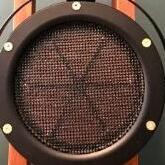
Stax 717 with moded case

Featured Replies

so what do we have here
stax 717
in a huge metal case
now the weight has increased from 5 kg to 11 kg
it seems like the case is made well, all the places for fastenings are made accurately
the main thing is that it works

IMG_20250830_193626.jpg

IMG_20250830_193651.jpg

IMG_20250830_193655.jpg


MVIMG_20250830_194423.jpg


MVIMG_20250830_195754.jpg


Geez, that baby is ready for war. Some people just have too much time I guess.

Certainly has an intimidating look and aura to it.  Hmnn, “HEAVY GOOD”.

  • Author
7 hours ago, ESL-1 said:

 Hmnn, “HEAVY GOOD”.

Yx9KUHRuFgZpQ-Q_zGe5WdHMHaHCQDkkkow8x6cx

Please sign in to comment

You will be able to leave a comment after signing in

Sign In Now

Important Information

By using this site, you agree to our Terms of Use.

Account

Navigation

Search

Search

Configure browser push notifications

Chrome (Android)
  1. Tap the lock icon next to the address bar.
  2. Tap Permissions → Notifications.
  3. Adjust your preference.
Chrome (Desktop)
  1. Click the padlock icon in the address bar.
  2. Select Site settings.
  3. Find Notifications and adjust your preference.