Willem Brandsma
Members
-
Joined
-
Last visited
-
Cable looks awfully similar to Cicoil high voltage ribbon cable. If they used that (Or much more likely something that is a clone of that) that would actually be highly commendable. That stuff is fantastic for high voltage.
-
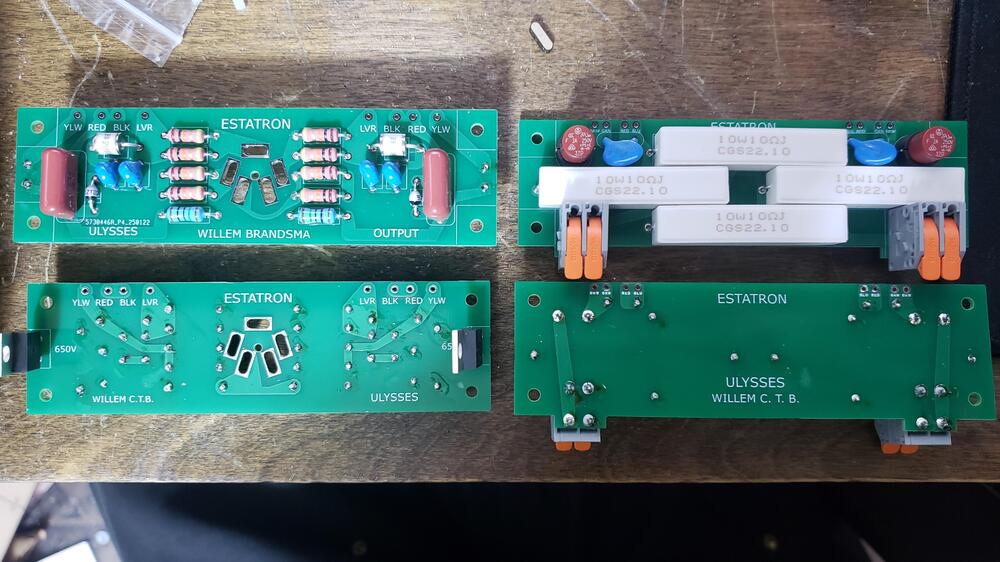
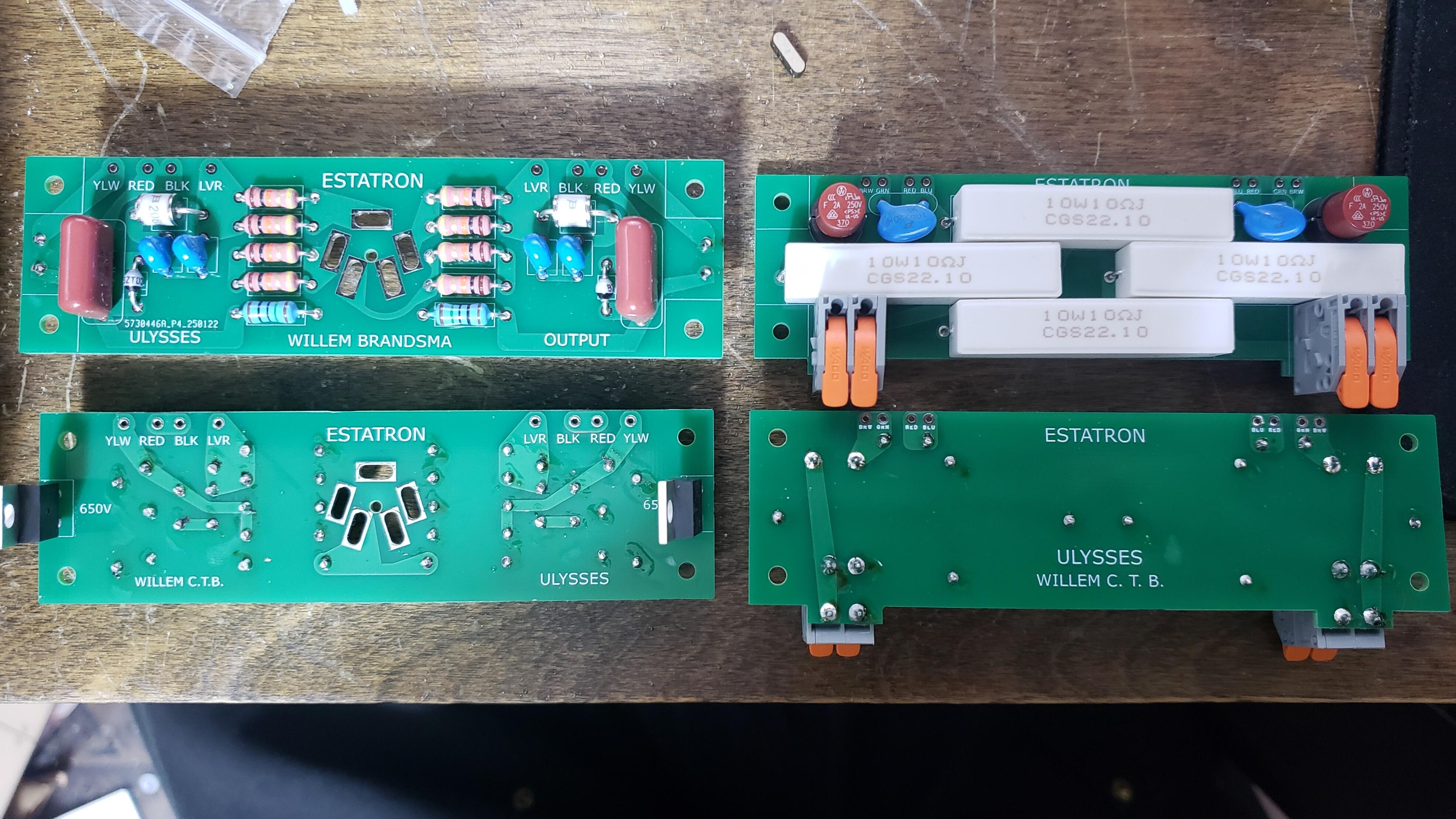
Hello! I'm the guy who designed this thing. It has a max 240V bias because I assumed it would be safer, would provide compatibility with older Stax models, and shouldn't have any downsides aside from reduced sensitivity. There are separate 1uF caps on each channel because each channel has it's own biasing circuit. This was done to eliminate channel imbalance. The port is a pro-bias socket because I realized that most people won't be using this to drive normal bias headphones, as none are currently manufactured, and I could reduce the complexity of the plug significantly by putting the bracing bolt in the center of it. I have included a picture of the PCB board for your entertainment. The bias circuits are simple villard voltage doublers with a zeners to stop it from going too high. Whatever the positive voltage swing is the bias will be roughly double that. I can probably convert them to roughly 580V by simply replacing the zeners with higher voltage MOVs. If you would like to test it yourself I would be more than happy to send one too you. I am also happy to answer any questions you have, and I am very open to criticism.