Leaderboard
-
cutestory
High Rollers3Points1644Posts -
Dusty Chalk
Moderators3Points49160Posts -
mikeymad
High Rollers2Points13849Posts -
Dreadhead
High Rollers2Points8820Posts




Popular Content
Showing content with the highest reputation on 10/28/13 in Posts
-
2 pointsSpent the day with my sister, she took me out to a very nice meal and movie for my birthday. Really excellent.2 points
-
1 pointIs that not how websites are made nowadays? I guess I'll need to change my ways... ok, well, at least I don't use vi anymore.1 point
-
1 point
-
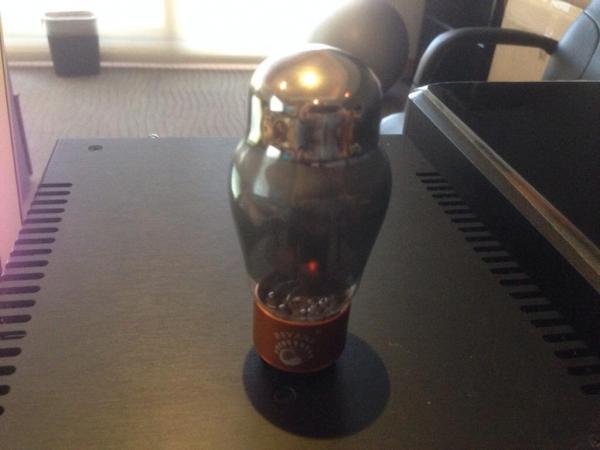
1 pointUpdate: The Psvane tube I bought looks like it has some kind of shielding internally: It's smoky on the sides and silvery at the top. In any case, with this tube it's entirely noiseless now.
 1 point
 -
Feel free to donate any time. I will count them all towards the raffle. After I posted, I thought I might open it up to another website (thedivewatchconnection.com) which is a small website, a lot like HC but watch oriented.1 point
-
1 pointI ended up going with the Empire Builder, it arrived today. I'm pretty impressed. These are nice bags. The bag was a little heavier than I expected when empty. The size looks about perfect for my overpacking on trips, and in fact is a bit smaller than I expected so I can see it getting some daily use to the office as well. Messenger slinging seems like it will be fine for general commuting/traveling. Thanks for the advice.1 point
-
1 point
-
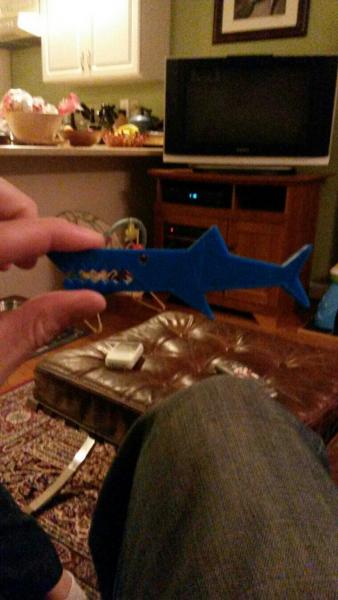
1 pointSort of got my 3D Printer working. Have some warping issues to sort out.
 1 point
 -
1 pointI love how most tube sellers' websites look like they were developed in vi in the 90's.1 point