


Grahame
High Rollers
-
Joined
-
Last visited
Everything posted by Grahame
-
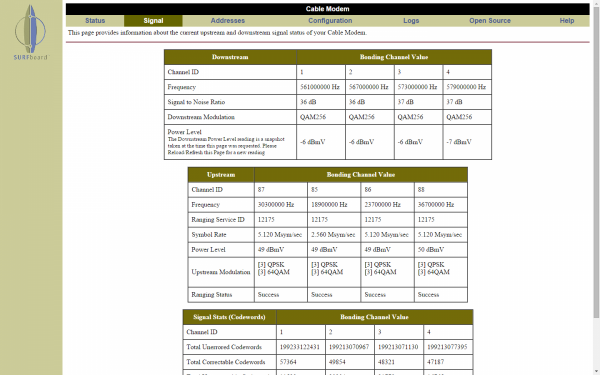
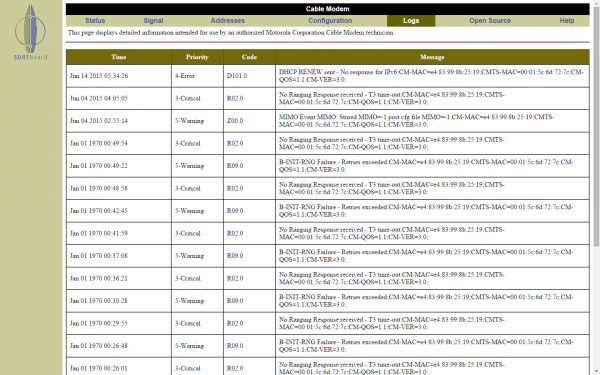
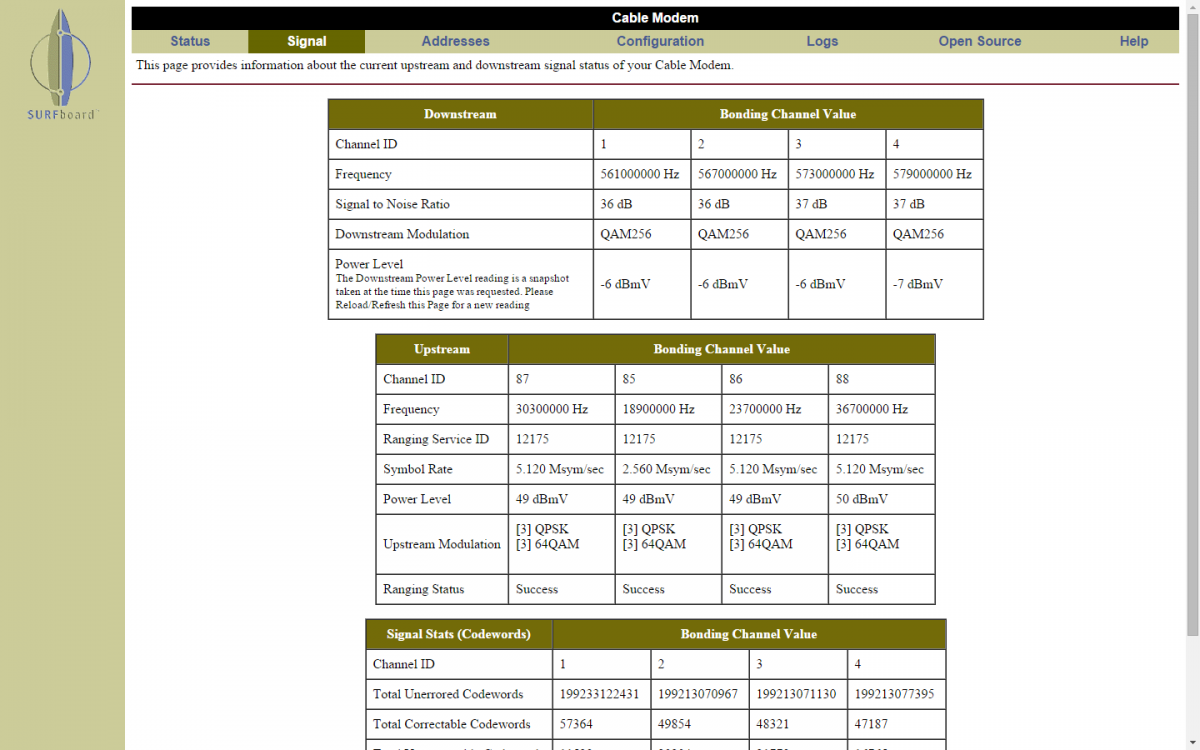
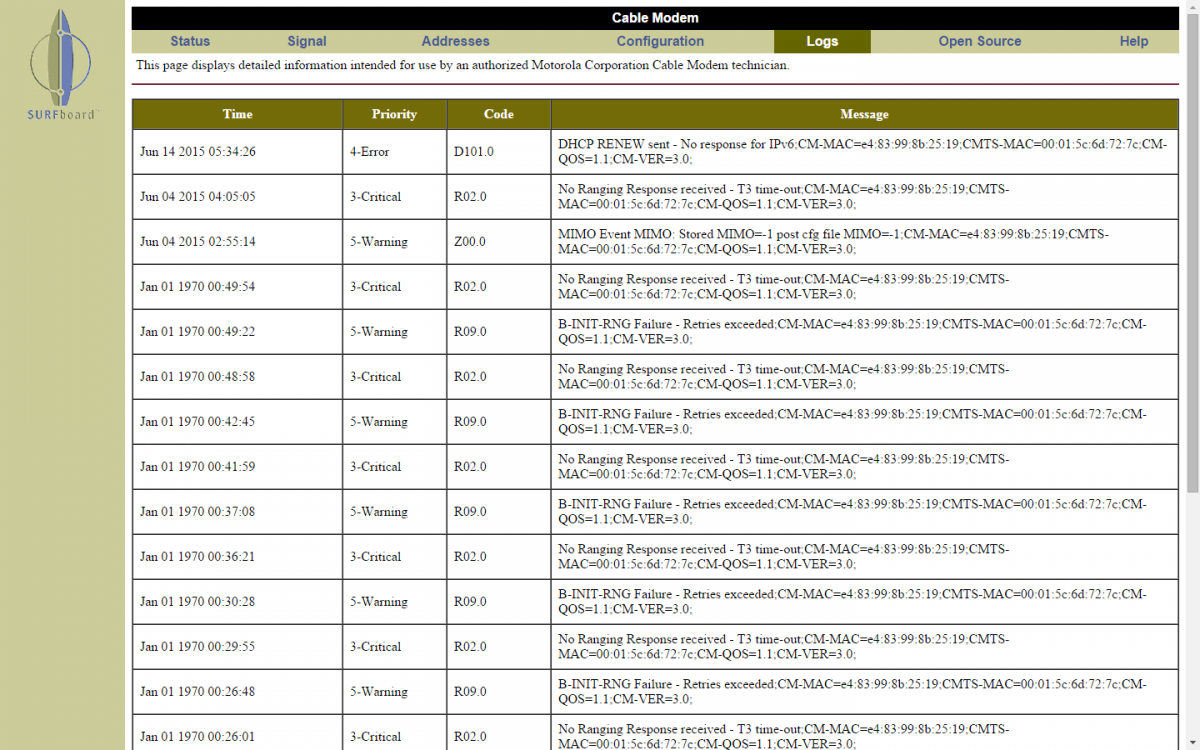
Apple seemed to remove all their scanner apps, because they could be used for "other purposes" .... If you know your modems IP address (typically its the default gateway seen from the router), you can look at status information from its built in webserver (if it has one) So on my network its http://192.168.100.1/ giving me ... You can look at the logs to see if there are any issues after reboot and it has aquired (local) network time ....
-
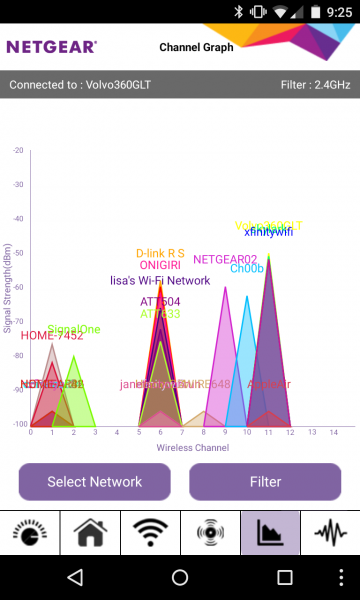
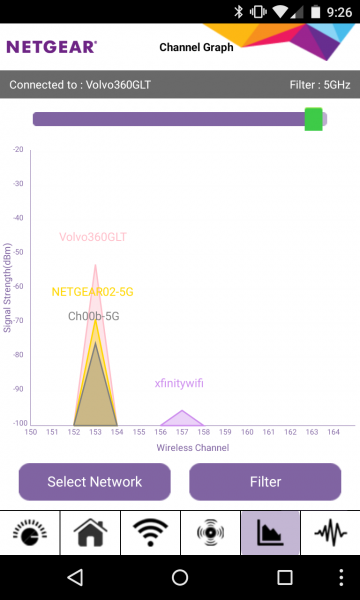
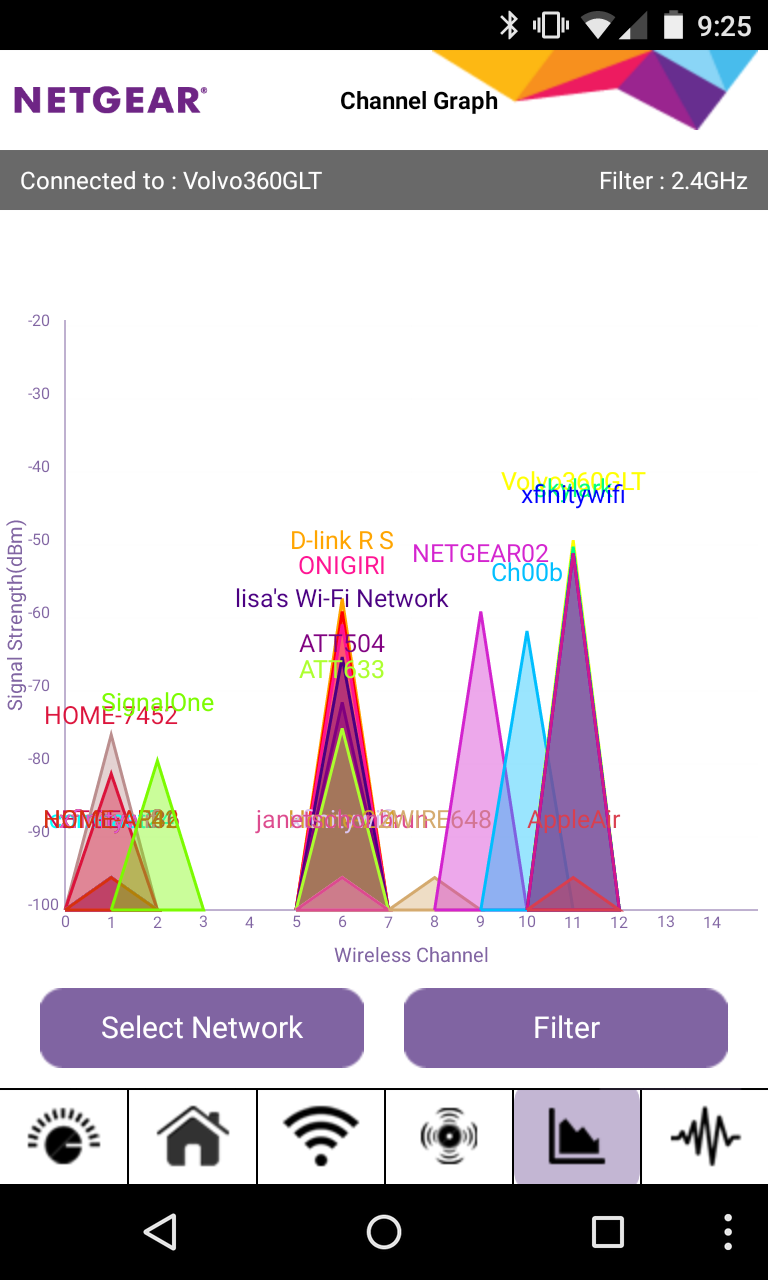
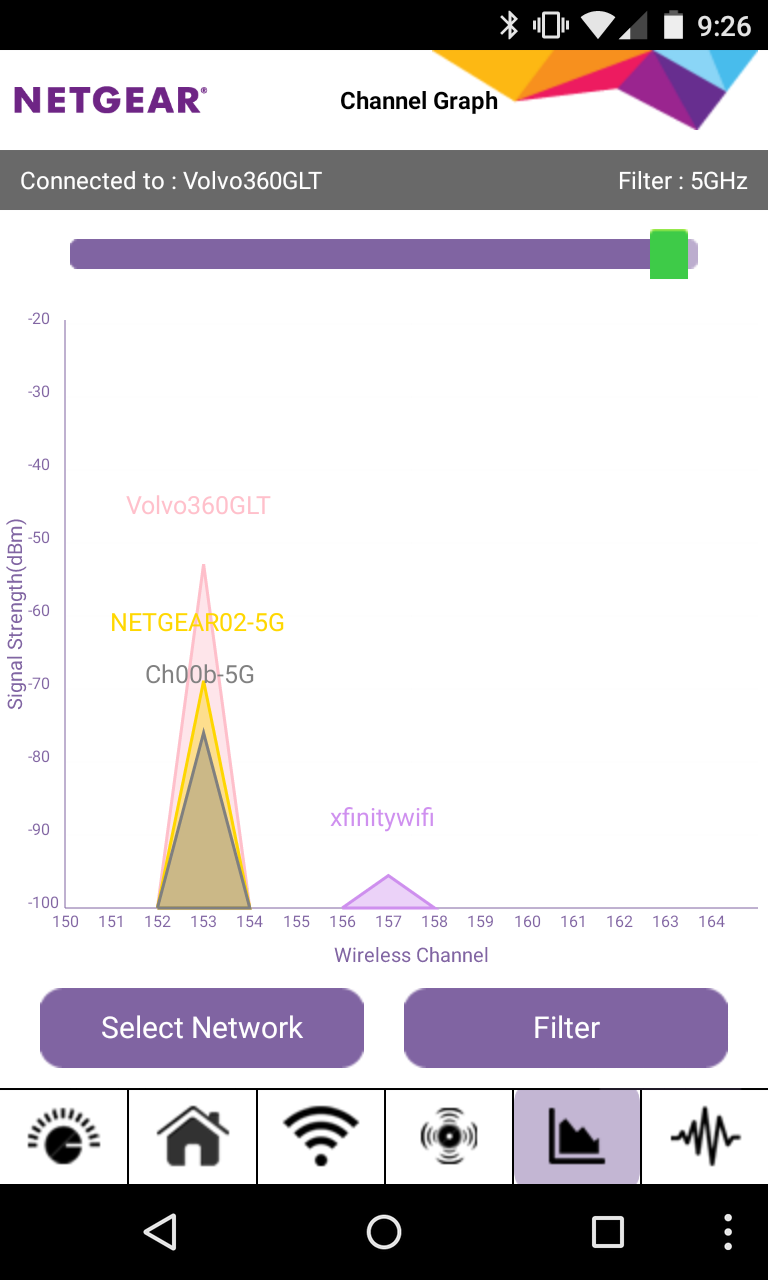
If you have Android /non apple gear, you can run various scanners to see how congested your local airwaves are. Apartment living does have some downsides
-
Shelly, drop in on your neighbors, just to be sure. And remind them to cache their 4K "nature documentaries" ahead of time
-
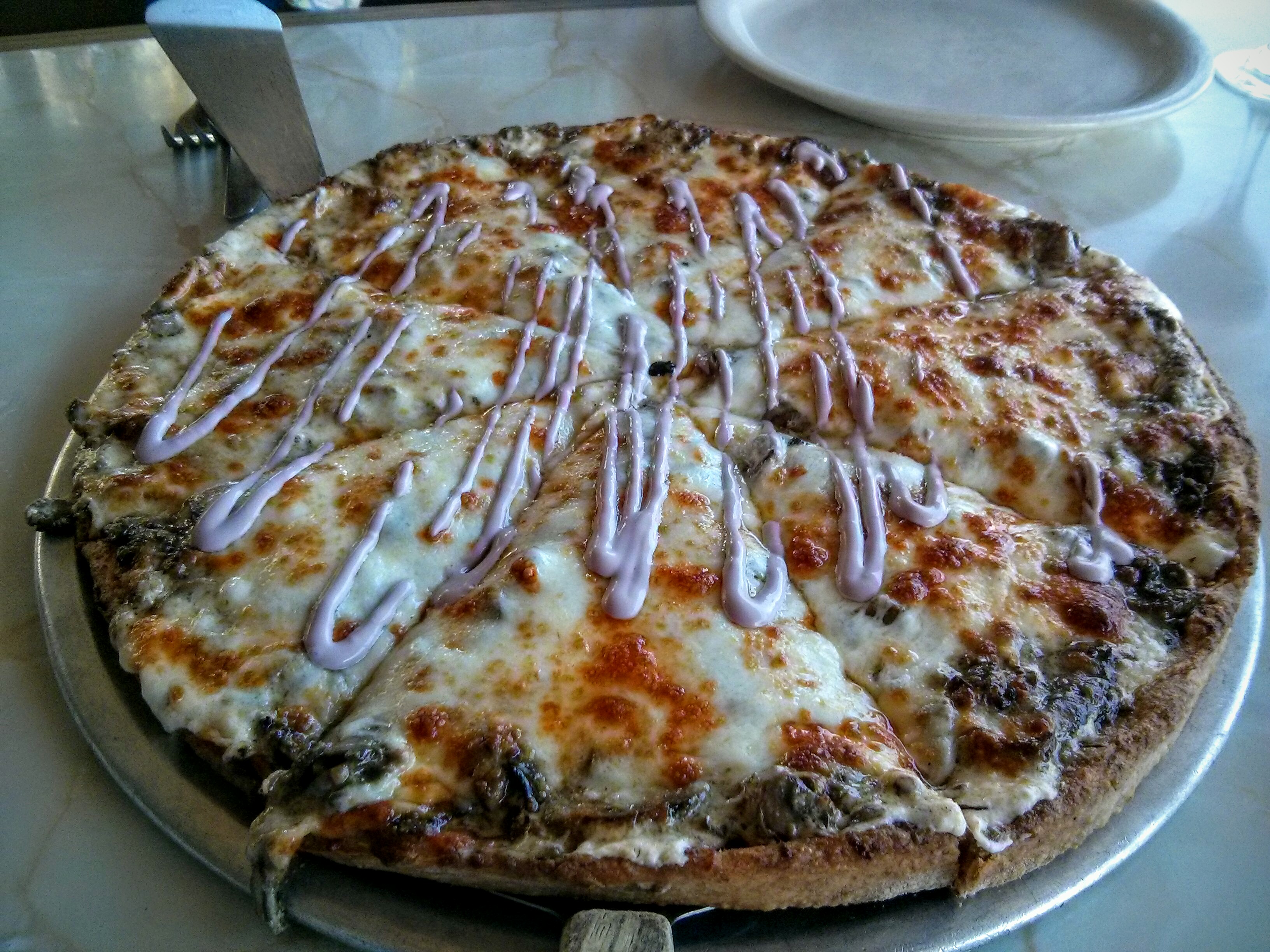
oblig.Previously... Wouldn't want any of that irresponsible chocolate. And from today's break room ... What my what's?Rip Buggy. (((Hugs))) Steve.55 Gallon Drum ... http://www.amazon.com/Passion-Natural-Water-Based-Lubricant-Gallon/dp/B005MR3IVOIf you weren't, er, color perceptually challenged, you might have seen that is was a red wine reduction, as in Food Network Award Winning "For the Love of Mushroom" BE AWARE. THIS IS NOT A TRADITIONAL PIZZA. - A Rich and Filling pizza on a Whole Wheat blended crust with a White Sauce, a Garlic/Herb/ Mushroom sauté, Mozzarella & Provolone cheeses Garnished by a Flavorful Red Wine reduction. (No Red Sauce) This pizza was created for a food competition and has been described by YELP reviewers as thick as stroganoff or a thick, crunchy, "lasagnaish" filling on a crust.Pizza
 Ask your accountant if being dead is right for you.My FriendWirecutter says http://thewirecutter.com/reviews/best-cable-modem/ Use only approved hardware, so they can't use the "we don't support that model" response when/if there are issues. What plan (max upload / download speeds) determines the minimum number of up/down channels required to support those speeds. Are you (or your isp) planning to upgrade in the near future, bear that in mind. SB-6141 available in black http://www.amazon.com/ARRIS-Motorola-SurfBoard-SB6141-DOCSIS/dp/B00YUU5628 Don't forget http://thewirecutter.com/reviews/best-wi-fi-router/So how many funded "Hits" is that?Your vowel selection is on pointIce cream (sandwich) for dessert
 Tasty Thai Curry





Important Information
By using this site, you agree to our Terms of Use.
Account
Navigation
Search
Configure browser push notifications
Chrome (Android)
- Tap the lock icon next to the address bar.
- Tap Permissions → Notifications.
- Adjust your preference.
Chrome (Desktop)
- Click the padlock icon in the address bar.
- Select Site settings.
- Find Notifications and adjust your preference.
Safari (iOS 16.4+)
- Ensure the site is installed via Add to Home Screen.
- Open Settings App → Notifications.
- Find your app name and adjust your preference.
Safari (macOS)
- Go to Safari → Preferences.
- Click the Websites tab.
- Select Notifications in the sidebar.
- Find this website and adjust your preference.
Edge (Android)
- Tap the lock icon next to the address bar.
- Tap Permissions.
- Find Notifications and adjust your preference.
Edge (Desktop)
- Click the padlock icon in the address bar.
- Click Permissions for this site.
- Find Notifications and adjust your preference.
Firefox (Android)
- Go to Settings → Site permissions.
- Tap Notifications.
- Find this site in the list and adjust your preference.
Firefox (Desktop)
- Open Firefox Settings.
- Search for Notifications.
- Find this site in the list and adjust your preference.