Leaderboard
-
thrice
High Rollers6Points2606Posts -
Hopstretch
High Rollers2Points16809Posts -
justin
Manufacturer/MoT2Points6669Posts -
Torpedo
High Rollers2Points10911Posts




Popular Content
Showing content with the highest reputation on 01/09/14 in Posts
-
1 point
-
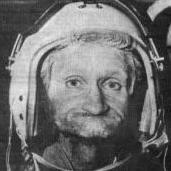
1 pointLooks like an Orpheus on a vegetarian diet. Makes me feel Jaded.......1 point
-
1 pointI'd like to apologize up front to any non-fucktard chin beards out there, but this picture just doesn't inspire a ton of confidence for me.1 point
-
1 pointi know it takes me a long time to build products that DO already exist, but maybe selling products i haven't even started to design yet is the future1 point
-
1 point
-
1 point
-
1 point
-
1 pointForgot to reply to this when I was on holiday: I have the following nice road bikes: Calfee Dragonfly Custom (really a semi-custom as only head tube is different from stock), SRAM Red 2012 (20 speed), MadFiber wheels, Quarq power meter Giant TCR Advance SL0 (2010), SRAM Red 2010, Zipp 404 wheels I also have the beater Trek 1200 which is now being left in Barbados, a Neuvation FC100 for use on the computrainer, a Cannondale Slice TT/Tri bike and a Giant AnthemX 29er mountain bike. I also have a cyclocross bike on order (and paid for) but it doesn't appear that it's going to show up anytime soon1 point