

Leaderboard
-
Voltron
High Rollers26Points34632Posts -
shellylh
High Rollers11Points18865Posts -
Knuckledragger
High Rollers9Points16524Posts -
Augsburger
High Rollers8Points13165Posts




Popular Content
Showing content with the highest reputation on 11/30/19 in Posts
-
7 pointsI may be going on a limb here but I am guessing you prefer your 780p monitor over your friend's 4K Samsung. My brother in law had the same preference when he told his wife on their twenty second anniversary that he preferred the warmth of cubic zirconium over the cold sterile diamond.7 points
-
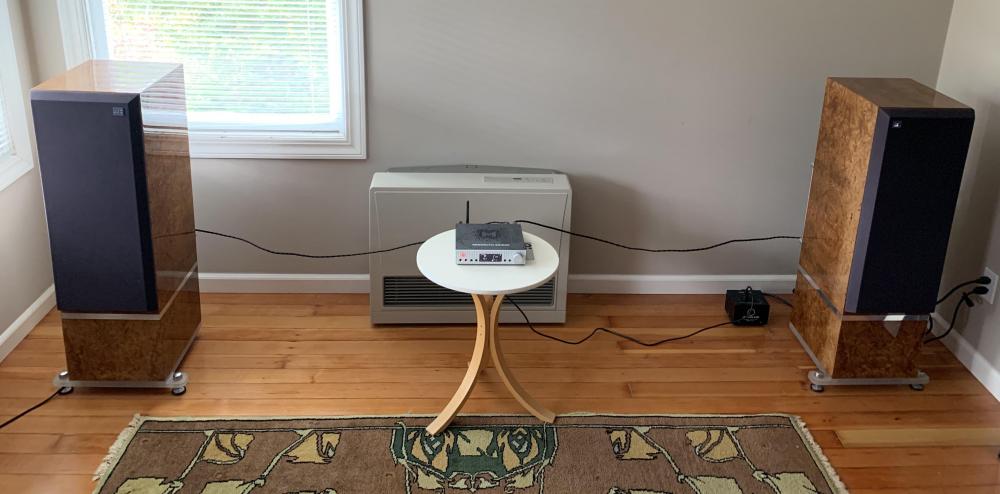
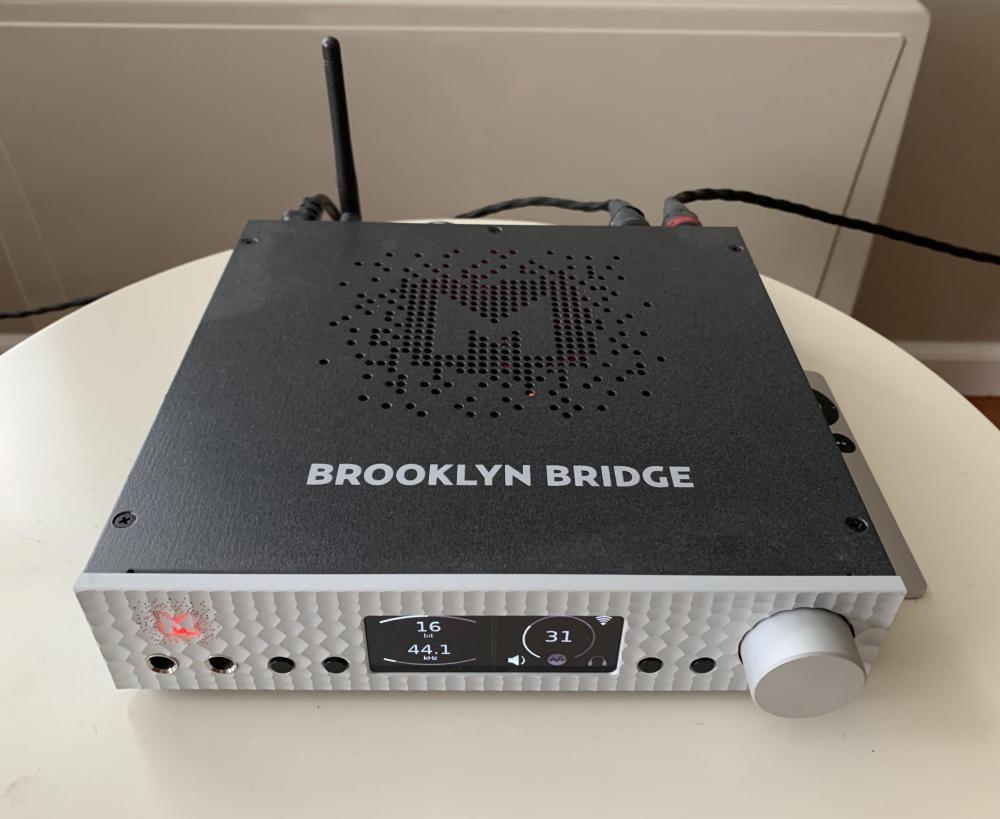
5 pointsGoing with the opposite ratio in the bedroom setup. Obviously, I need to even everything up and get my cables lengthened and organized differently, but this setup is incredibly satisfying.
 5 points
 -
3 points2 points2 points2 points1 pointTest Tone @ Home live right now: http://mixlr.com/illuminator/chat1 point1 pointAs someone who as worked as both a photographer and lighting designer, I like the cut of this dude's gib.1 point1 pointI bought my new impact driver and accessories. Santa has come early.1 point1 point1 point0 points




Important Information
By using this site, you agree to our Terms of Use.
Account
Navigation
Search
Configure browser push notifications
Chrome (Android)
- Tap the lock icon next to the address bar.
- Tap Permissions → Notifications.
- Adjust your preference.
Chrome (Desktop)
- Click the padlock icon in the address bar.
- Select Site settings.
- Find Notifications and adjust your preference.
Safari (iOS 16.4+)
- Ensure the site is installed via Add to Home Screen.
- Open Settings App → Notifications.
- Find your app name and adjust your preference.
Safari (macOS)
- Go to Safari → Preferences.
- Click the Websites tab.
- Select Notifications in the sidebar.
- Find this website and adjust your preference.
Edge (Android)
- Tap the lock icon next to the address bar.
- Tap Permissions.
- Find Notifications and adjust your preference.
Edge (Desktop)
- Click the padlock icon in the address bar.
- Click Permissions for this site.
- Find Notifications and adjust your preference.
Firefox (Android)
- Go to Settings → Site permissions.
- Tap Notifications.
- Find this site in the list and adjust your preference.
Firefox (Desktop)
- Open Firefox Settings.
- Search for Notifications.
- Find this site in the list and adjust your preference.