


swt61
High Rollers
-
Joined
-
Last visited
Everything posted by swt61
-
Keep it down you hooligan!
-
Yeah. The nines confuse people for a while. Not sure why, seems simple enough to me. I try to rarely move forward.
-
I have seen that one before. The individual boards make more sense to me, as you can adjust for the number of players. And it's easier to store. I had a custom leather bag made to hold my set. And my Mom's old set fits in there perfect, as all my boards are the exact same size. Al's Sister wants my own previous set. She probably wants to practice to be able to beat me!
-
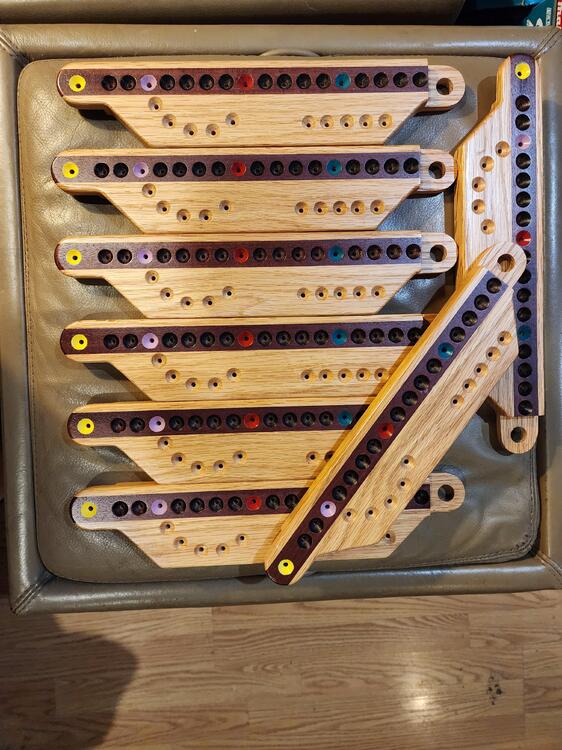
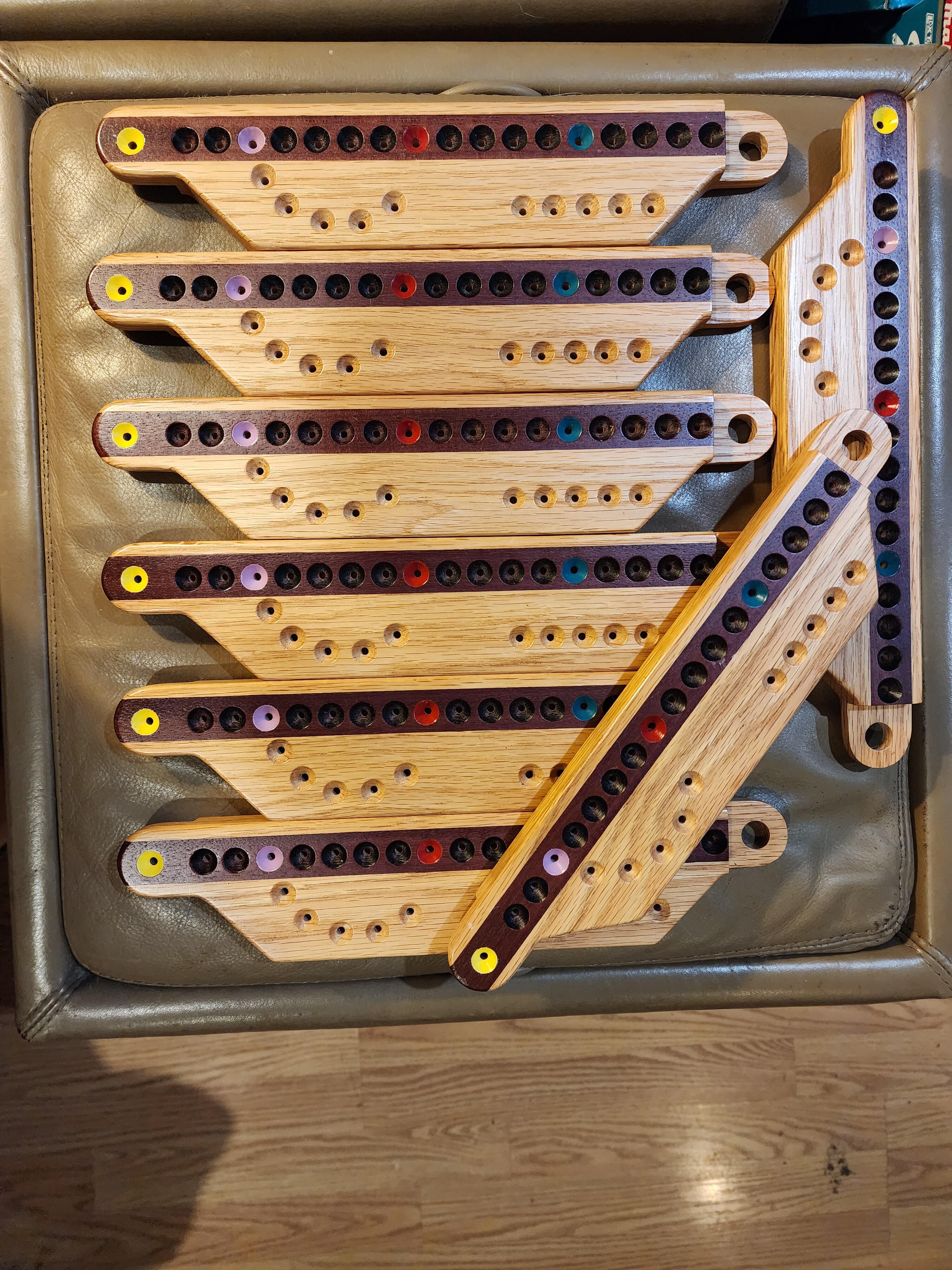
After I redesigned the boards, one of my Winter Texan buddies had a nice template set made for me from 3/8" aluminum. So I now can cut my boards close to size, then use the router template to finish them up, so they're all exactly the same. Then the template for drilling the holes the same. The set in the pic is White Oak with a Purple Heart inlay. I just buy cribbage pegs online, in different colors.
-
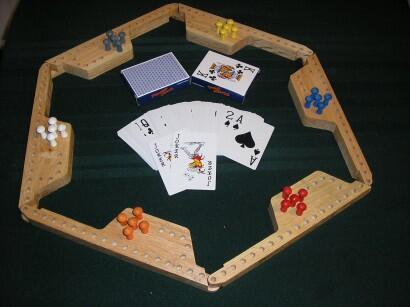
I visited my Mother for Thanksgiving and she's offloading. She gave me a decent Nikon digital camera that she gifted her Husband. But both of them are legally blind now, so photography is out, as well as game playing. My family has always enjoyed playing games together. In Texas my Mom, her Husband and I had several Winter Texan couples as friends. They all lived in motorhomes/fifth wheel trailers in RV parks. There was a game popularized in RV parks called Pegs and Jokers. It's kind of like Sorry, but played with cards on homemade game boards. I thought the original boards were quite fugly, so I designed my own version. The boards join together, so you can accommodate different sized groups. These are the original style boards, that are usually made by retired RVers. Anyway, she gave me the board set that I made for her, which is the first set I ever made. I've made dozens since then, but still like that set a lot.
-
Yeah, with you on that one. So thanks guys. I still doubt that I'll be able to produce a great picture, but who knows, maybe I'll take more time to learn. It'll actually be nice to have a camera other than my cell phone.
-
I recognized that pic of the mountain gift shop in Talkeetna, AK.
-
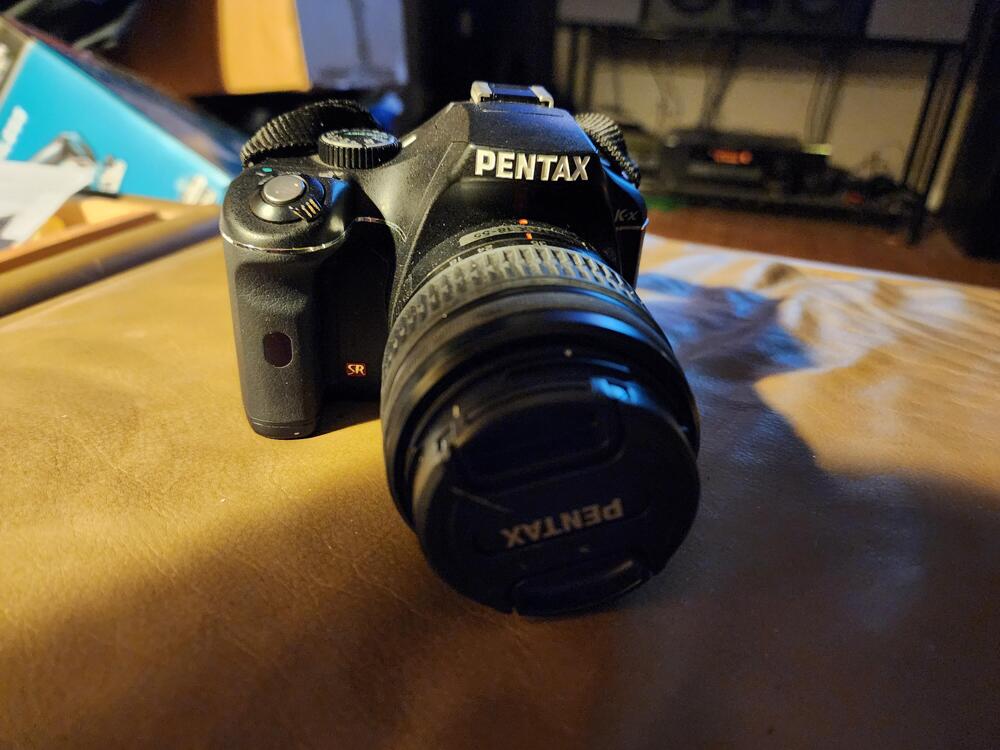
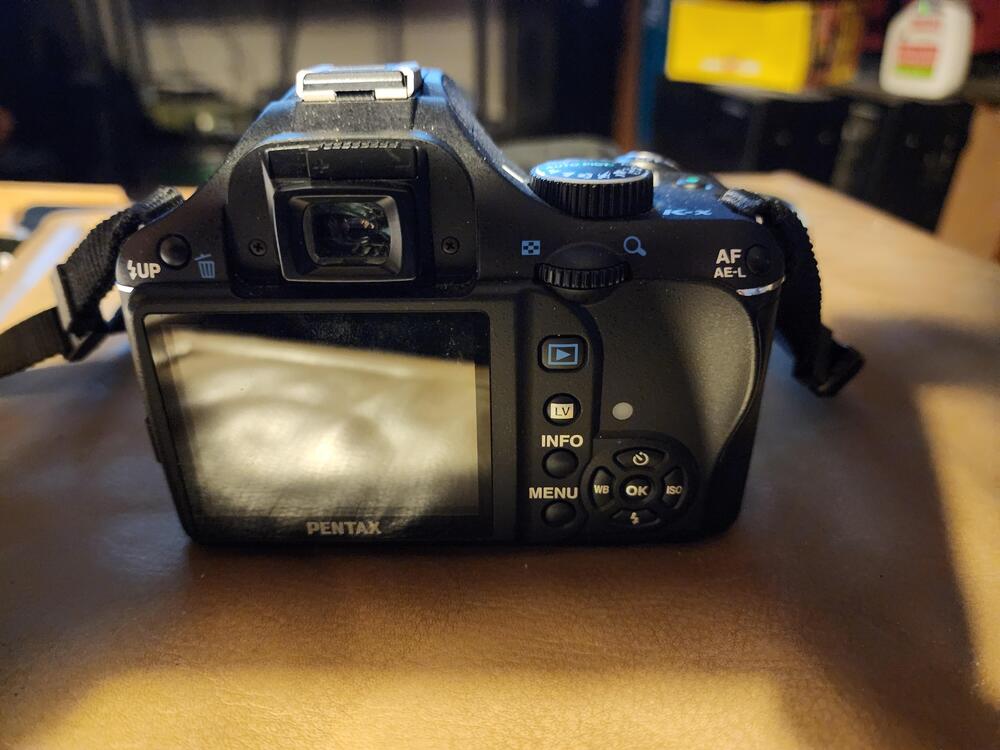
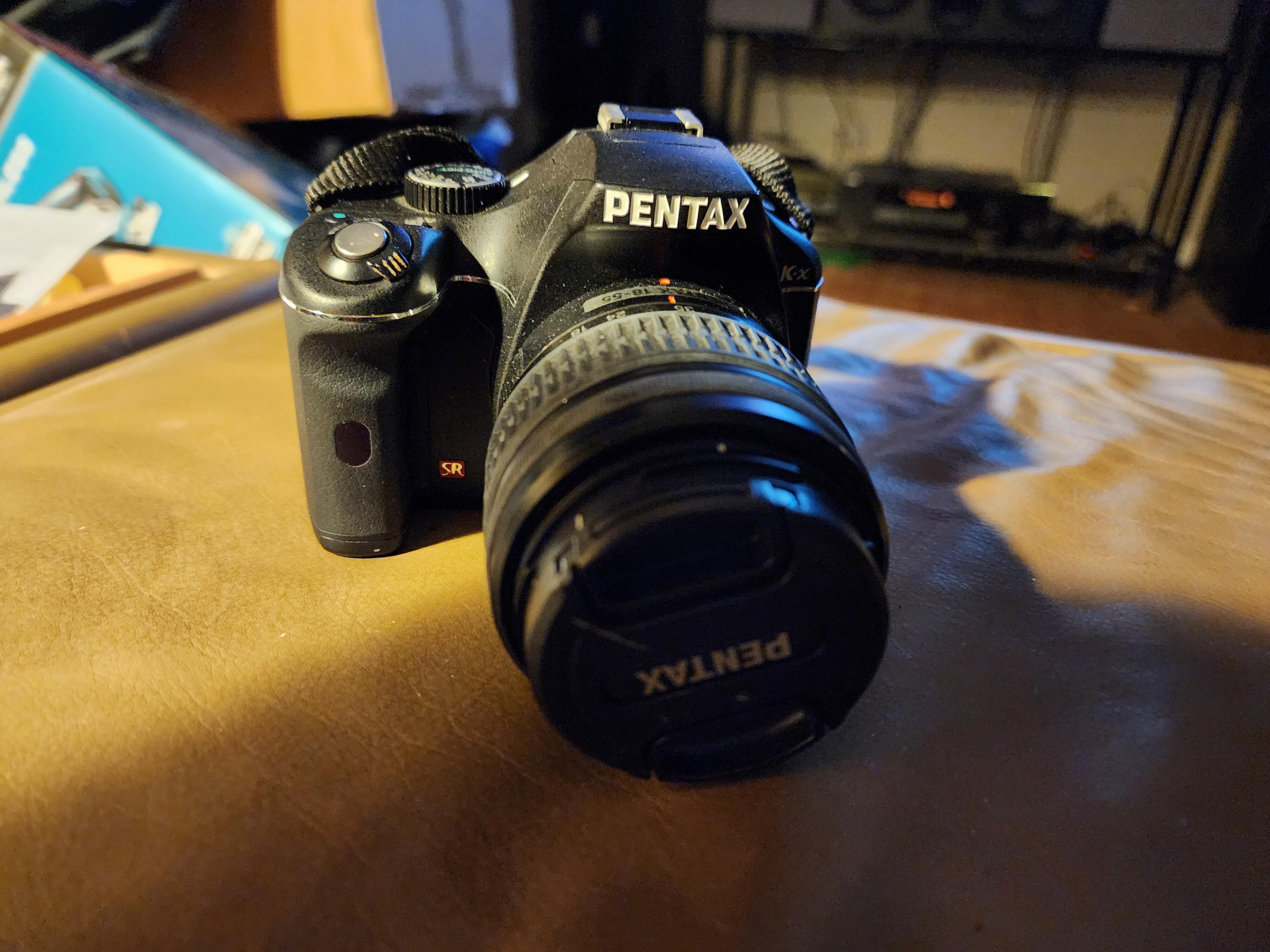
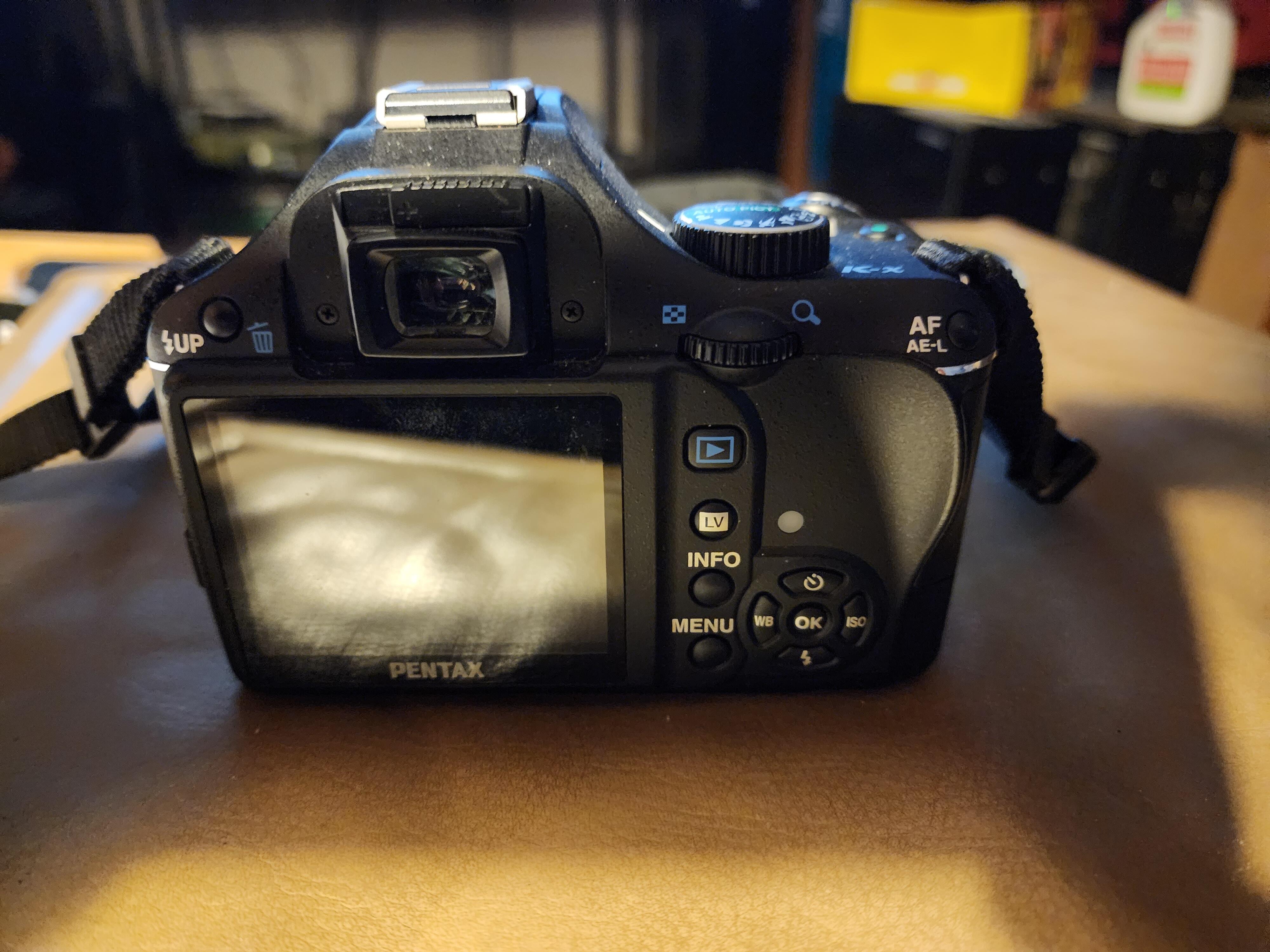
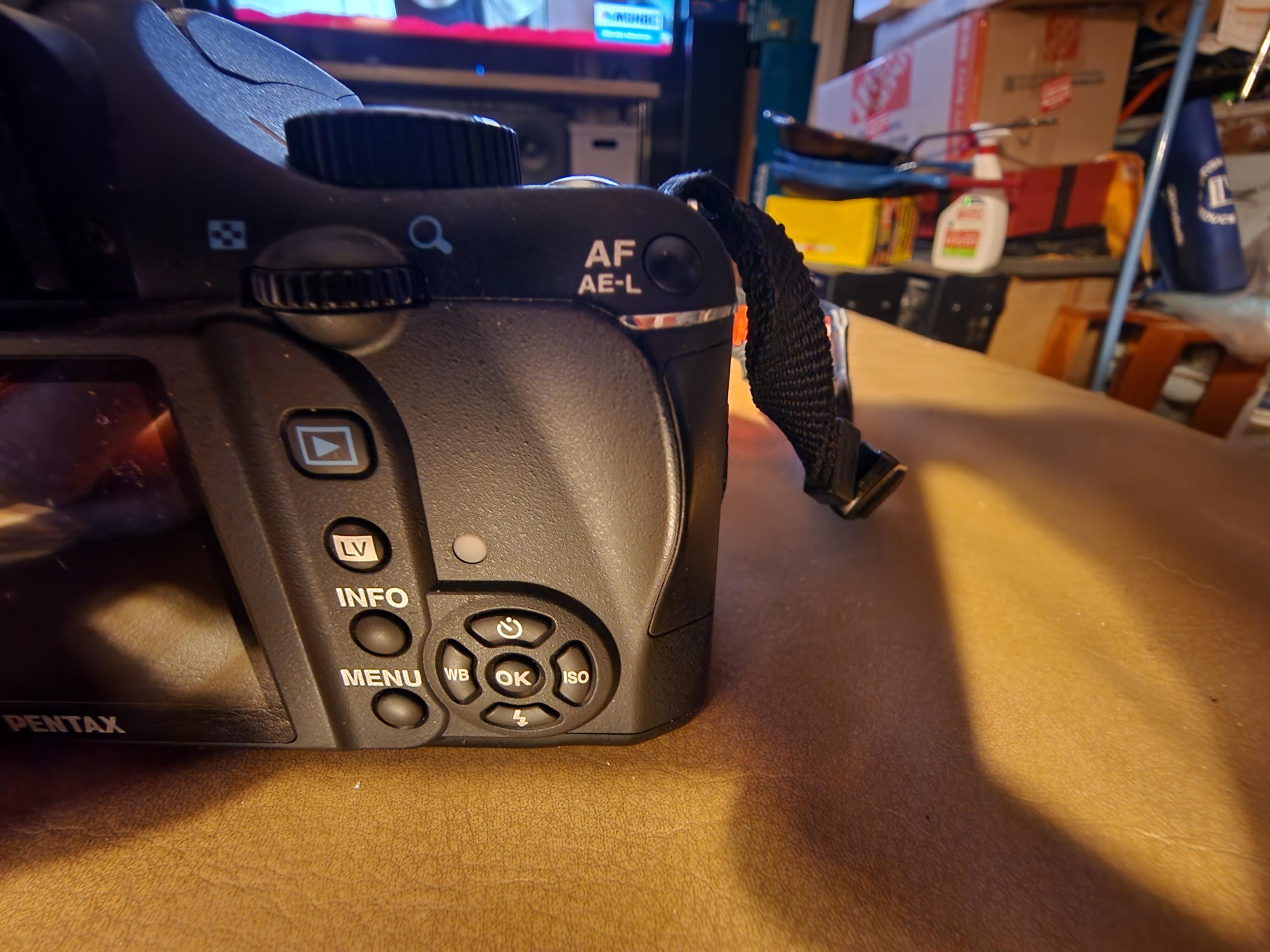
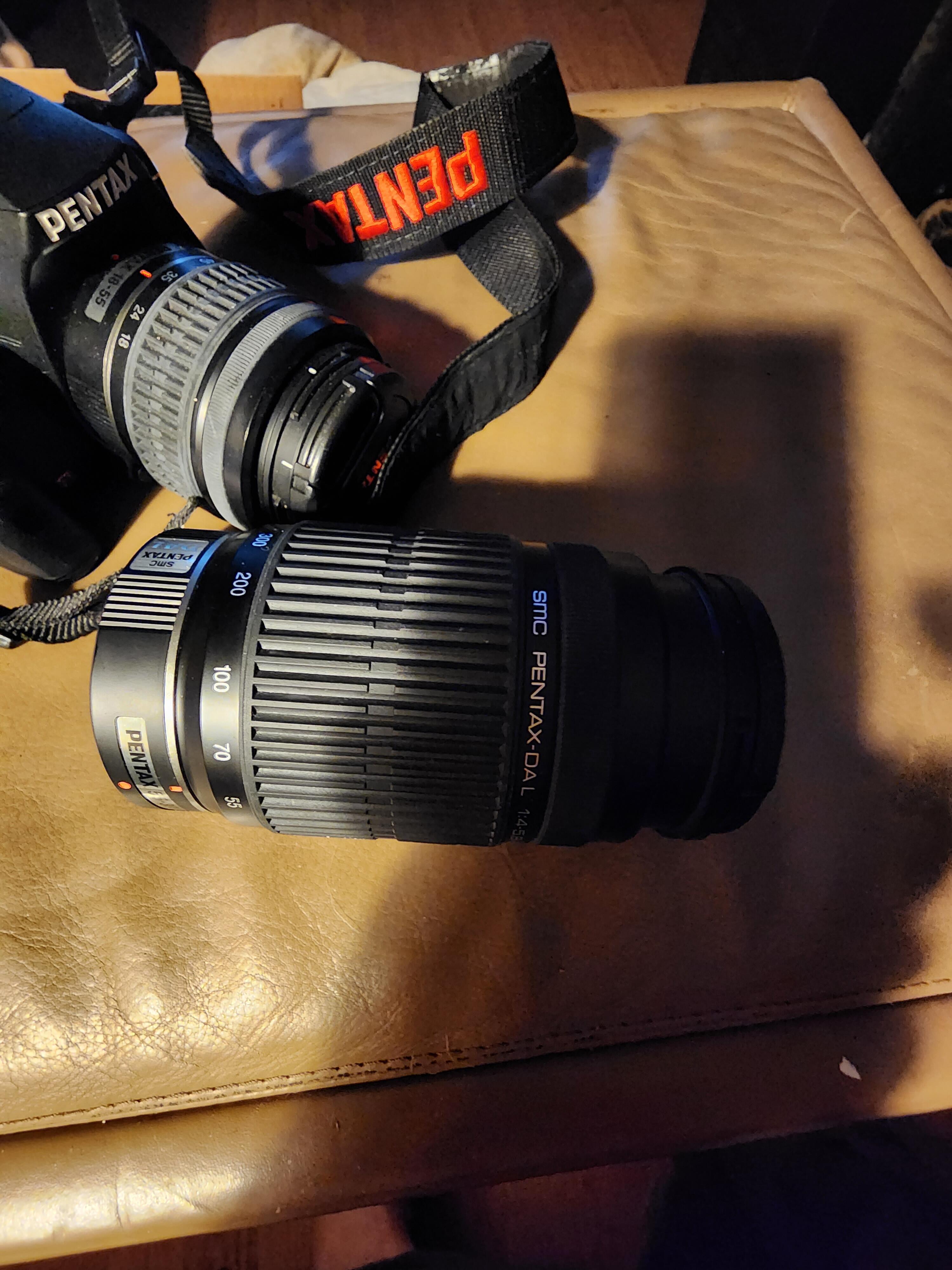
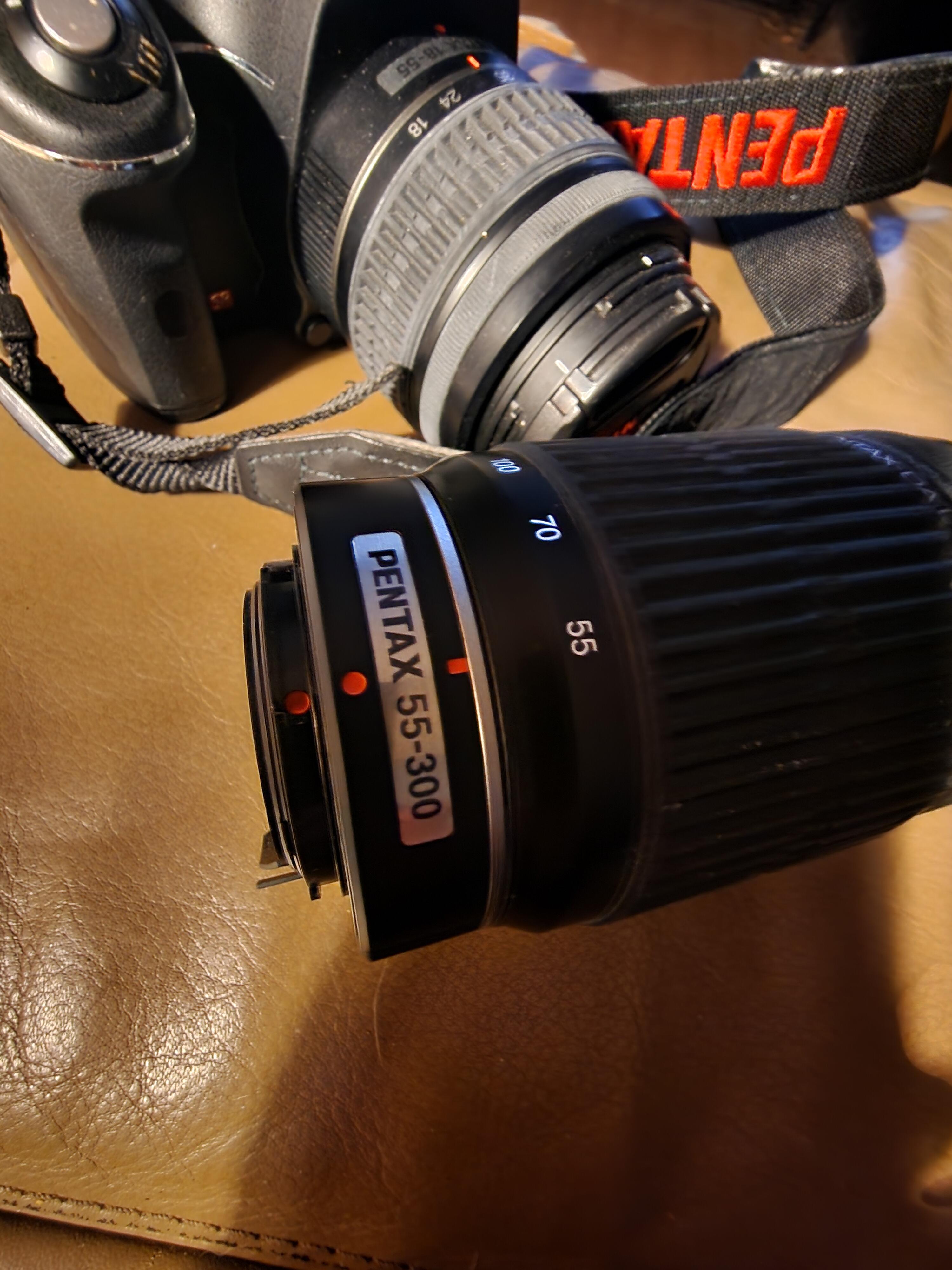
Visited my Mother for Thanksgiving. She had saved a camera for me that she wanted me to have. I'm not much of a photographer, and an expensive camera would be wasted on me. But I'm completely ignorant to what I have here. Is this just junk, or will it be a decent camera that I should hold onto?
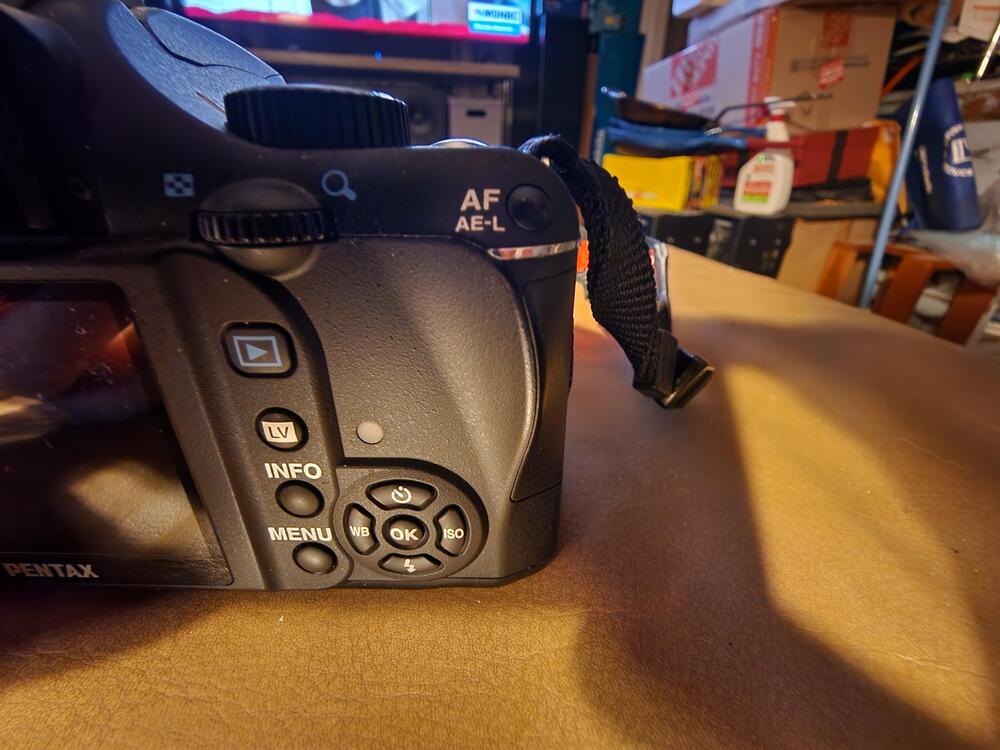
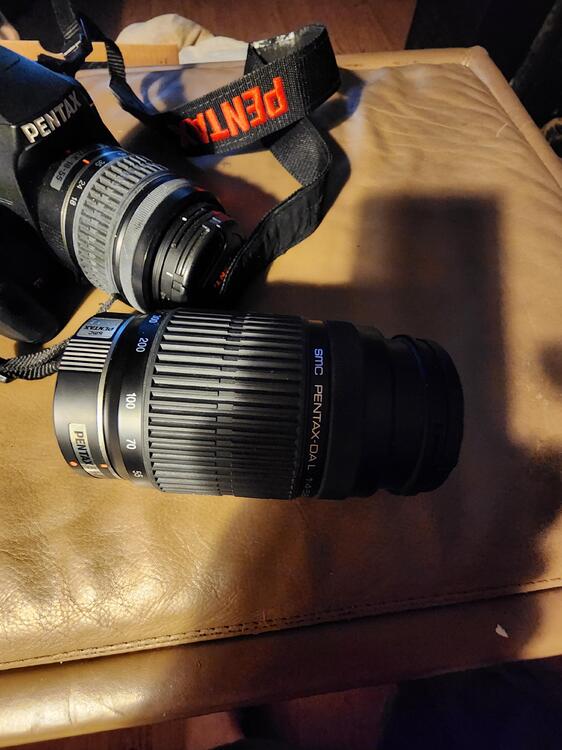
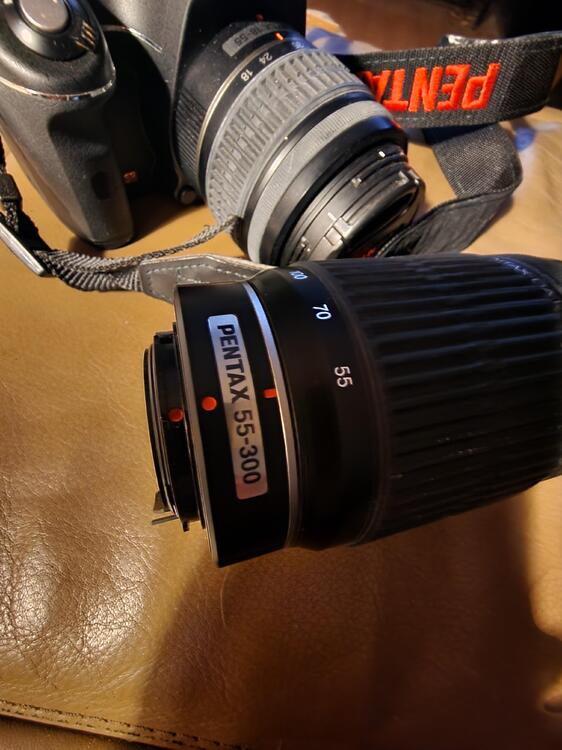
-
Happy Birthday!
-
I think the desire not to ruffle feathers when other people have strong opinions on both sides, is the reason for many not wanting to post. I also believe that history has shown that to be a very dangerous action. I hate war, but war is going to continue until humans are gone as a species. It's sad, but it's true. Sometimes you have to take a stand. I am appalled at Hamas' terrorist methods. I believe that they will continue to indiscriminately kill jews at any chance given. So the obvious solution is to not give any more chances. I don't apologize for my stance. Expecting a heavily discriminated group of people to accept being slaughtered is as insane as wanting to slaughter them.
-
I'm driving to my Brother's house for Thanksgiving. My ailing Mother recently moved there to live with him and his wonderful wife. I'm worried this may be her last Thanksgiving and absolutely have to be there. My Mother is very excited about my visit and has volunteered me to cook Thanksgiving dinner. There is historic reason for her to do so. I cooked Thanksgiving dinner in Texas for almost 20 years. Most years for around 20 people. My Mother tells everyone that I make a better Thanksgiving dinner than she ever did. That's not really true, but I thoroughly enjoy doing it and do a pretty good job of it. I cook my turkey upside down. You don't get the Norman Rockwell photo opportunity, but it is so much juicier and tastier. And I always make my homemade macaroni. I consider it my best dish of all time, and somehow my Brother has never had it. So that'll be fun. So I actually do make quite a few good dishes. But I fully admit that I can't make a better pumpkin pie than Costco, so I know where to put my efforts and where to offer Costco $7.99 for money well spent.
-
My feelings mirror Al's, but as someone who has never really understood the level of hatred and prejudice against Jewish people, and is old enough to know the reality of that hatred, I'm firmly behind the Jewish community. I do have sympathy for all innocent people trapped in war torn countries. But when people have been trying to wipe you off the face of the earth for as far back as history goes, then I find myself with special consideration for those people. I'm not old enough to have lived during the haulocaust. But I am old enough to have studied it extensively in school and up to the present. And anyone that doesn't believe that Isreal has the right to defend itself and it's people at all cost, well then they aren't being truthful about what really took place in WWII. Those atrocities can't ever be allowed to happen again, and yet there are so many that it seems would turn a blind eye to it once again. I am saddened that these cowards are using innocent people to shield their terrorists acts, but I have a very hard time condemning Isreal for defending against these acts. Live through what they have, and then talk to me about a more metered response!
-
I too am making a pie for Thanksgiving. And by making I mean I bought it at Costco and will drive it to Arizona.
-
"One more job oughta get it One last shot 'fore we quit it"
-
Just havin' a bit of a hard time. But I know it's time.




.gif.654e0d1d8492600db5725c10e6b285a2.gif)

Important Information
By using this site, you agree to our Terms of Use.
Account
Navigation
Search
Configure browser push notifications
Chrome (Android)
- Tap the lock icon next to the address bar.
- Tap Permissions → Notifications.
- Adjust your preference.
Chrome (Desktop)
- Click the padlock icon in the address bar.
- Select Site settings.
- Find Notifications and adjust your preference.
Safari (iOS 16.4+)
- Ensure the site is installed via Add to Home Screen.
- Open Settings App → Notifications.
- Find your app name and adjust your preference.
Safari (macOS)
- Go to Safari → Preferences.
- Click the Websites tab.
- Select Notifications in the sidebar.
- Find this website and adjust your preference.
Edge (Android)
- Tap the lock icon next to the address bar.
- Tap Permissions.
- Find Notifications and adjust your preference.
Edge (Desktop)
- Click the padlock icon in the address bar.
- Click Permissions for this site.
- Find Notifications and adjust your preference.
Firefox (Android)
- Go to Settings → Site permissions.
- Tap Notifications.
- Find this site in the list and adjust your preference.
Firefox (Desktop)
- Open Firefox Settings.
- Search for Notifications.
- Find this site in the list and adjust your preference.