


guzziguy
High Rollers
-
Joined
-
Last visited
Everything posted by guzziguy
-
I got off easy. It was a bad igniter and the repair only cost $150. I've been thinking and maybe what I should do is replace the 1T HDD in my laptop with a 256GB SSD. Any comments about this idea? Do you have recommendations for SSD brands and models?
-
I discovered this morning that my furnace is not working. Any computer purchase is oh hold until I see how much this will cost to fix.
-
Happy Birthday, Bryan. Have a great day!
-
You're right. Done!
-
It's out of stock at Microsoft online. The closest Microsoft store is 1.5 hours away.
-
I'm looking at laptops mostly because that's what I've gotten for the last 4 or 5 computers. I no longer travel with my laptop as I use my smart phone as my computer on the road. Also, I'm set up in my living room with a laptop, monitor, external keyboard and external mouse. The vast majority of what I do is read email and browse. I am known to have 5 browsers and over 50 tabs open at one time. Mostly I'd like the quick response that 16M and an SSD would give. My C: driver currently is using 158GB so a 256GB SSD would be fine for the near future. I won't pay more than $700 before sales tax and would prefer to pay less. Maybe I should be looking for a desktop?
-
Brent, how about this one? https://www.bestbuy.com/site/lenovo-yoga-720-2-in-1-13-3-touch-screen-laptop-intel-core-i5-8gb-memory-256gb-solid-state-drive-platinum-silver/6061600.p?skuId=6061600 It has a quad-core I5 instead of the dual-core I7 of the previous deal. Other than that it looks pretty similar.
-
I'll check. It's funny, I was in Best Buy for a couple of hours buying a Galaxy S8+ and switching carriers. I browsed the laptops and, if this one was there, it didn't catch my eye. Too bad. Edit: Nope, there are none available locally. Maybe that's why I missed it.
-
Yep, that would have done it. But, of course, I just read this and the deal has expired. I'll look for something similar tomorrow (Cyber Monday). Thanks for the suggestion though.
-
I've always found HP build quality to be lacking. That's one reason I asked.
-
I thought that I might take advantage of Black Friday/Cyber Monday to replace my laptop. This HP Pavilion has the features I'm looking for and is only a little more than I hoped to pay. However, I'm so out of the Windows laptop market these days that I have no idea if this is a good deal or not. Could anyone please comment on whether I should get this or maybe suggest alternatives? Thanks in advance.
-
Happy Birthday!
-
Hope everybody had a great Turkey Day. I had a nice day with my family.
-
Happy Birthday, Jeff!
-
Happy Birthday, Juan. Hope you had a wonderful day.
-
Happy Birthday, J.P. Have a wonderful day!
-
Best wishes, Jacob. I spent yesterday mostly sleeping after a 30 hour travel "day".
-
Belated Happy Birthday, Mikey. Hope you had a great one!
-
Belated Happy Birthday, Dinny. Hope you had a great one!
-
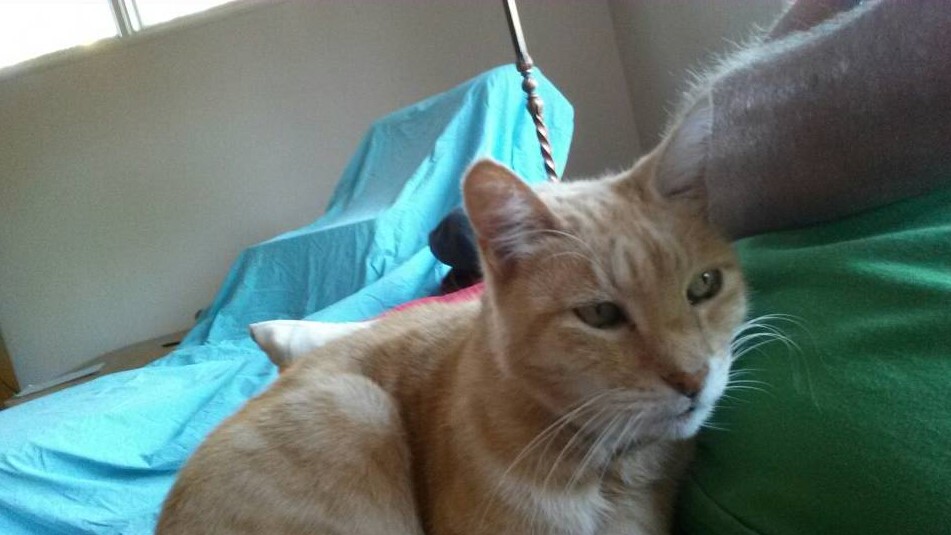
Meanwhile, I'm at a friend's looking after his cat. Say hello to Oliver.
-
Sorry Carl and Bonnie. My deepest condolences to you both.
-
... of Champions.
-
She's a cutie!
-
Happy Entrance Day, Marc! Have a wonderful day.
-


