Leaderboard
-
deepak
High Rollers1Points13970Posts -
jp11801
High Rollers1Points4522Posts -
skullguise
High Rollers1Points8915Posts -
c12mech
Returning Member1Points146Posts



Popular Content
Showing content with the highest reputation on 09/16/12 in all areas
-
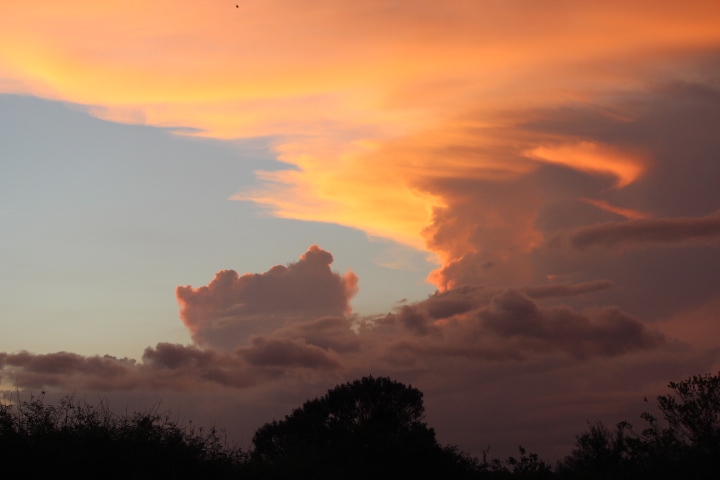
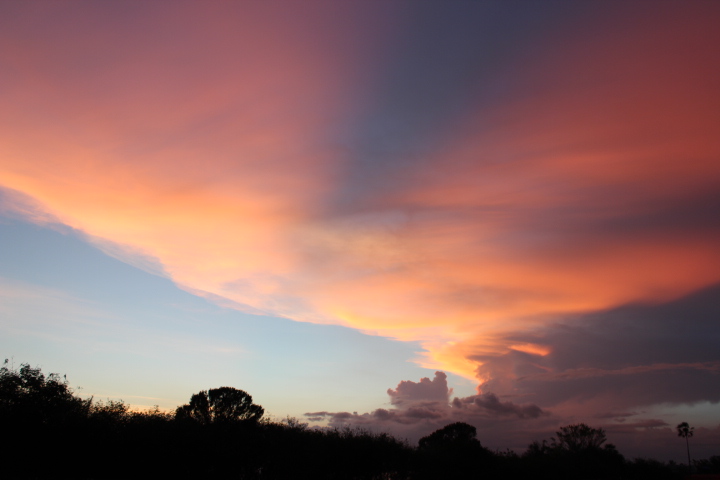
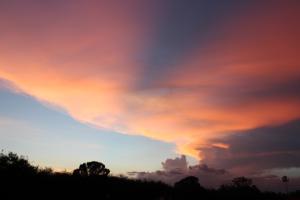
Just after sunset in Guantanamo Bay. These are two of the best shots I've taken. I'm still learning to use my DSLR and trying to change settings quickly. For these everything was set to auto.
 1 point
 -
1 pointThank you everyone. I had a fun time last night with my girlfriend and my best friend and his wife. in my defense I am going to the LBS now to rent a downhill bike. Not planning anything too crazy, just riding some of the not too steep technical downhill stuff. I've been looking forward to it all week... I am sucker for long travel bikes1 point
-
1 pointFeeling lucky not to have beer allergies or ulcers, and hoping everyone else is feeling better. Being in Mayberry gor the first time in about two months and having cocktails are elevating my mood and feeling of well being.1 point
-
1 pointHappy Birthday Deepak! Hope you're having a great time and will top it off with some good vinyl! Or leather.....1 point
-
Al said yes, so JP had to say "NOPE!" (Al was probably right) photo by MexicanDragon, on Flickr Colin in his undershirt. Shocker. photo by MexicanDragon, on Flickr Mike and Raffy post ride, along with Al happy he didn't just get off a 79 mile ride (Century Cycling meet my ass). photo by MexicanDragon, on Flickr Matt Beer (something from Goose Island, IIRC) photo by MexicanDragon, on Flickr The totally straight bar JP led us to photo by MexicanDragon, on Flickr There's an Easter Egg in this pic. (Not a real one, a colloquialism, if you will). It's phone/hair related. photo by MexicanDragon, on Flickr Colin's "Thinker" pose thinking about his drink order. (It was too much for him. He never ordered here.) photo by MexicanDragon, on Flickr What'd "I" do? photo by MexicanDragon, on Flickr My first trip to NYC in over 11 years... photo by MexicanDragon, on Flickr Imagine what it woulda looked like if I would have taken a good shot... photo by MexicanDragon, on Flickr 3000 pounds of Bad Ass Bacon on board. Grahame, how's YOUR trip? photo by MexicanDragon, on Flickr This was just great. photo by MexicanDragon, on Flickr This is why they call it "The Big Apple", right? photo by MexicanDragon, on Flickr Place next to the beer joint everyone stayed too long at. photo by MexicanDragon, on Flickr Still don't like beer. photo by MexicanDragon, on Flickr Bierkraft photo by MexicanDragon, on Flickr Mike schooling raffy photo by MexicanDragon, on Flickr Mike schooling JP photo by MexicanDragon, on Flickr The student revolt photo by MexicanDragon, on Flickr Lunch at some place. (This needs an Instagram filter). photo by MexicanDragon, on Flickr Dinny's in disbelief that Colin was demonstrating his "Oh" face in polite company. photo by MexicanDragon, on Flickr 1000 yards away, someone's day was about to get worse. photo by MexicanDragon, on Flickr "Some Place" in French, I think... but can't be sure. photo by MexicanDragon, on Flickr I took a nap on one of those benches up there. photo by MexicanDragon, on Flickr St. Peter's, I believe photo by MexicanDragon, on Flickr A gorgeous place photo by MexicanDragon, on Flickr Finished the trip out with a non-Sous-Vide'd steak with Colin. Not picutred: Stag's Leap Artemis (I think). Pictured: Colin's entire apartment. photo by MexicanDragon, on Flickr **BRENT**1 point