

Leaderboard
-
Absorbine_Sr
High Rollers8Points8097Posts -
grawk
Administrators6Points29546Posts -
Voltron
High Rollers6Points34606Posts -
The Monkey
Moderators5Points13456Posts




Popular Content
Showing content with the highest reputation on 02/02/14 in Posts
-
2 pointsJust go to innerfidelity.com if you are intelligent and discerning. If not, go to head-fi.org. In any event, just go2 points
-
2 points
-
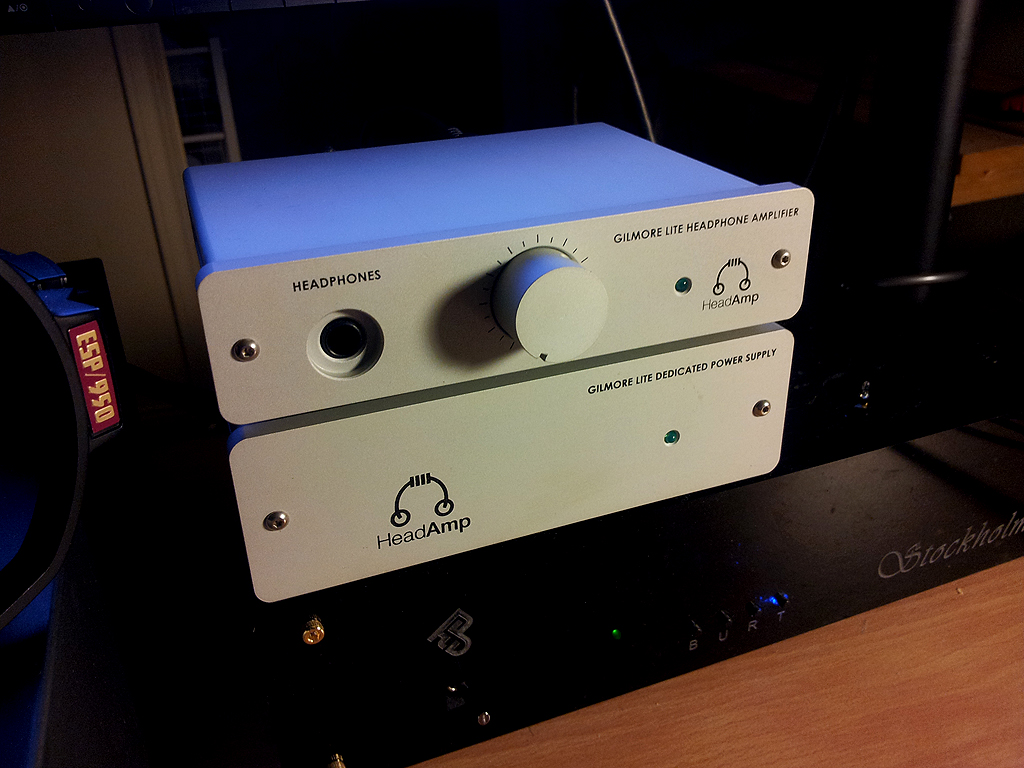
2 points2 points1 pointShocking news. He was perfect as Brandt in The Big Lebowski. As Walter would say, "Good night, sweet Prince."1 point1 point1 point1 pointYou still managed to get drunk after that caveman steak dinner?1 point1 pointhttp://www.amazon.com/Fisher-Price-K5054-Smart-Cycle/dp/B000NWU9NI cool trainer1 point1 point1 point1 pointI think there's a pair of RS-2s available in the HC family for short money.1 pointi'd recommend something with 3 legs, its perfect. it has to be.1 point1 pointspinning She & Him on the new Uturn table Doing well for it's intended purpose - playing tunes as a secondary system..1 point1 point1 pointThe latest addition to the desktop family; have to say .. that is a pretty machine. Now ... just what cans to get? Shit. :
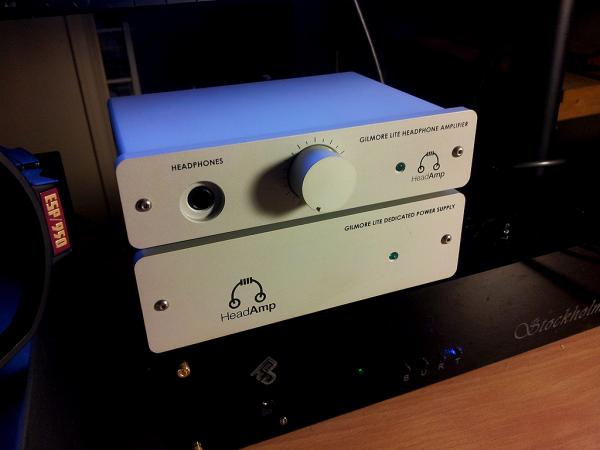 1 pointThe G-lite is an excellent amp for something so bloody tiny. For Doug, I just got off the phone with my friend who has my L-2 on loan. He couldn't praise it enough with the HP-2's but he had one request, an electrostatic amp with the same basic chassis design. So Doug, get cracking!!!!1 point










Important Information
By using this site, you agree to our Terms of Use.
Account
Navigation
Search
Configure browser push notifications
Chrome (Android)
- Tap the lock icon next to the address bar.
- Tap Permissions → Notifications.
- Adjust your preference.
Chrome (Desktop)
- Click the padlock icon in the address bar.
- Select Site settings.
- Find Notifications and adjust your preference.
Safari (iOS 16.4+)
- Ensure the site is installed via Add to Home Screen.
- Open Settings App → Notifications.
- Find your app name and adjust your preference.
Safari (macOS)
- Go to Safari → Preferences.
- Click the Websites tab.
- Select Notifications in the sidebar.
- Find this website and adjust your preference.
Edge (Android)
- Tap the lock icon next to the address bar.
- Tap Permissions.
- Find Notifications and adjust your preference.
Edge (Desktop)
- Click the padlock icon in the address bar.
- Click Permissions for this site.
- Find Notifications and adjust your preference.
Firefox (Android)
- Go to Settings → Site permissions.
- Tap Notifications.
- Find this site in the list and adjust your preference.
Firefox (Desktop)
- Open Firefox Settings.
- Search for Notifications.
- Find this site in the list and adjust your preference.