

Leaderboard




Popular Content
Showing content with the highest reputation on 10/29/21 in Posts
-
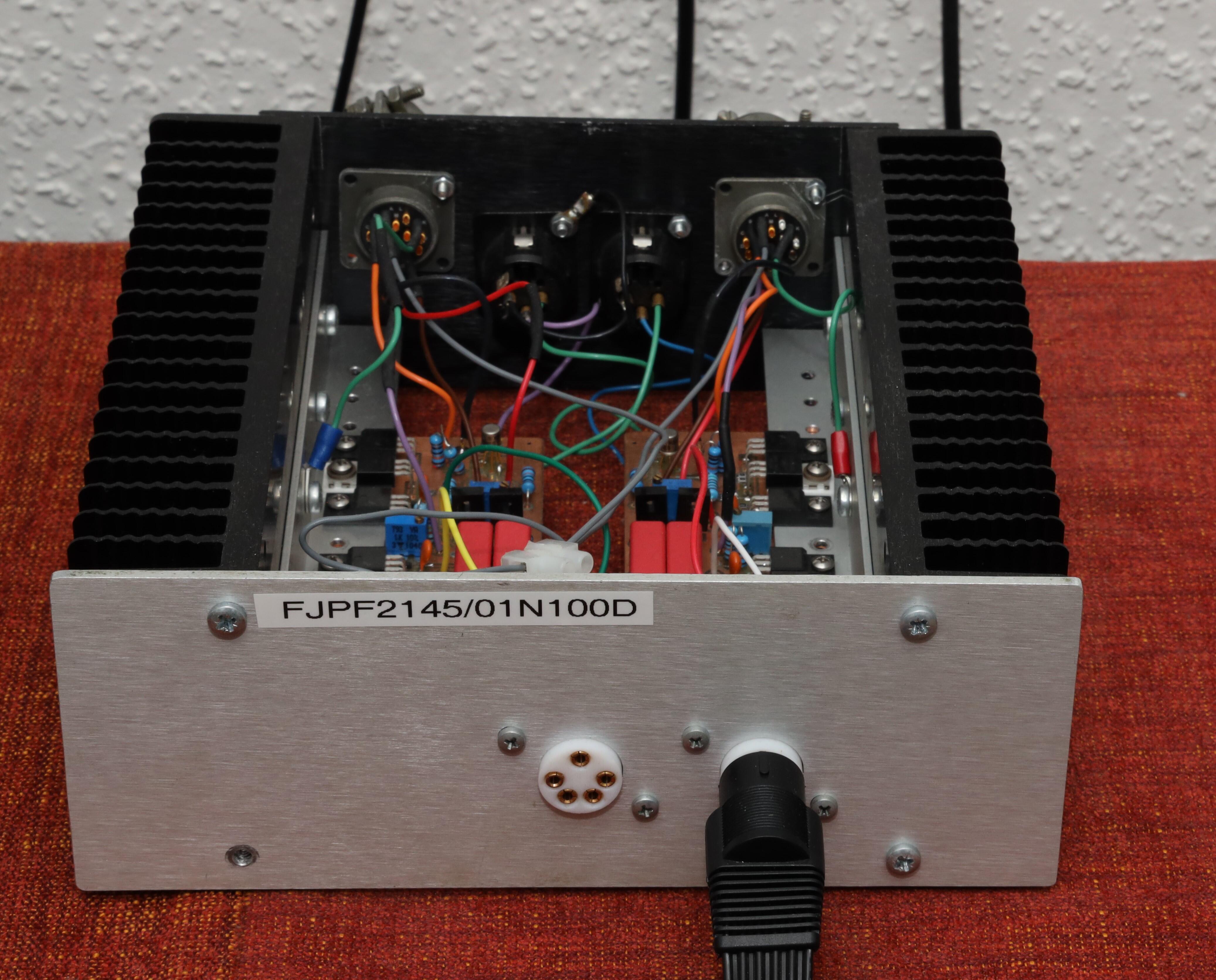
3 points2 points1 point1 point1 point1 point1 point1 point1 pointSo, another quarter has elapsed. Raised the current through output stage from 11 mA to 17 mA ...and, it all sounded shitty bitty. Fired up the desoldering gun. Removed FJPF2145 and replaced them with 2SC4686. Wow, what an upgrade and I’m happy again.
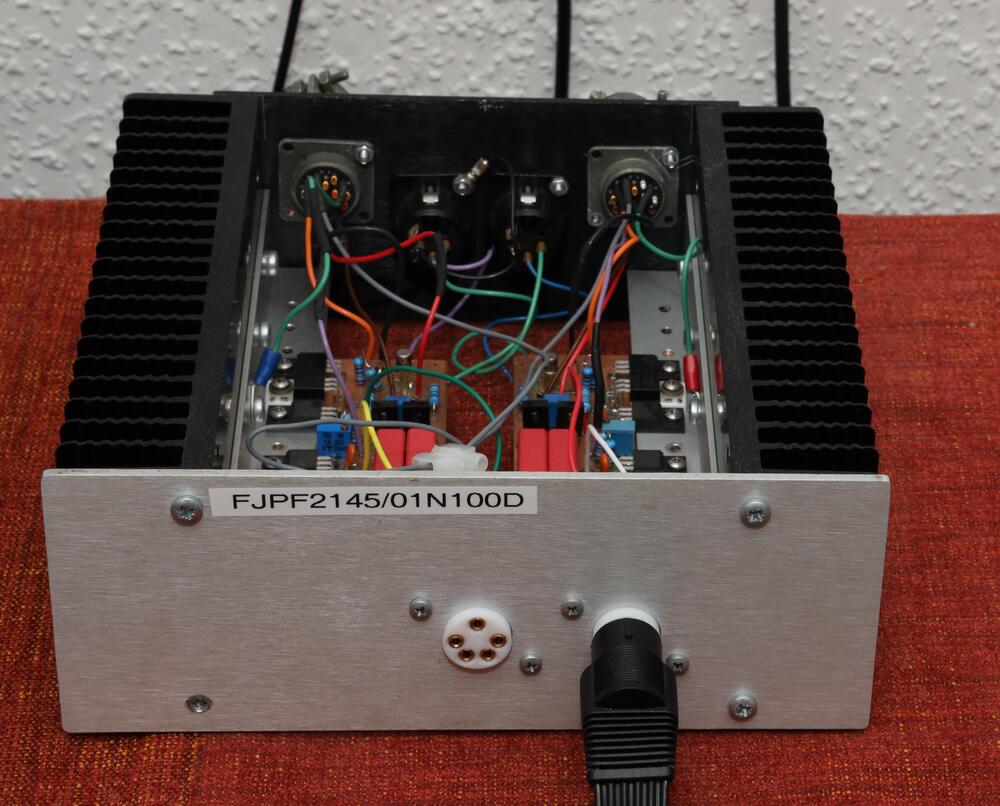
.jpg.8efe4582f8465281819055bf96bbc75d.jpg) 1 pointOscar Peterson & Jon Faddis Oscar Peterson, Jon Faddis 1975 Example:1 pointMan, these 74-75 colabs are really good. Oscar Peterson And Clark Terry Oscar Peterson, Clark Terry 1975 Example: On to the next one....1 pointmoor Oscar Peterson & Harry Edison Oscar Peterson, Harry Edison 1974 Example:1 point1 point1 point0 points
1 pointOscar Peterson & Jon Faddis Oscar Peterson, Jon Faddis 1975 Example:1 pointMan, these 74-75 colabs are really good. Oscar Peterson And Clark Terry Oscar Peterson, Clark Terry 1975 Example: On to the next one....1 pointmoor Oscar Peterson & Harry Edison Oscar Peterson, Harry Edison 1974 Example:1 point1 point1 point0 points









Important Information
By using this site, you agree to our Terms of Use.
Account
Navigation
Search
Configure browser push notifications
Chrome (Android)
- Tap the lock icon next to the address bar.
- Tap Permissions → Notifications.
- Adjust your preference.
Chrome (Desktop)
- Click the padlock icon in the address bar.
- Select Site settings.
- Find Notifications and adjust your preference.
Safari (iOS 16.4+)
- Ensure the site is installed via Add to Home Screen.
- Open Settings App → Notifications.
- Find your app name and adjust your preference.
Safari (macOS)
- Go to Safari → Preferences.
- Click the Websites tab.
- Select Notifications in the sidebar.
- Find this website and adjust your preference.
Edge (Android)
- Tap the lock icon next to the address bar.
- Tap Permissions.
- Find Notifications and adjust your preference.
Edge (Desktop)
- Click the padlock icon in the address bar.
- Click Permissions for this site.
- Find Notifications and adjust your preference.
Firefox (Android)
- Go to Settings → Site permissions.
- Tap Notifications.
- Find this site in the list and adjust your preference.
Firefox (Desktop)
- Open Firefox Settings.
- Search for Notifications.
- Find this site in the list and adjust your preference.