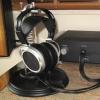
December 18, 20178 yr comment_781006 Here you go - let me know if you need a close up. James I had to compress - if you have an email I can send you a much higher res photo. Report
December 18, 20178 yr comment_781010 Will do but will have to do that when I am at home later as my office system does not allow access to these types of sites. Report
December 18, 20178 yr comment_781013 This is an older amp so it should be ok. I need close up pics of where the red wire from the headphone socket is connected to be sure. I can't read the resistors from this angle. Report
December 18, 20178 yr comment_781015 Thanks spritzer - let me know if this works or if you need another angle: https://imgur.com/gallery/UbcRU I bought the amp in February 2012. Report
December 19, 20178 yr comment_781036 Ehhh what the fuck is wrong with Woo Audio? So this is not up to spec but it is at least closer than many of the latter amp. So this is voltage divider off the main B+ which should be 600V. It's 121K into a 3M6 shunt which gives us 580V. That's ok but then they put a 3M6 ballast resistor... It should be 4M7 so this is close but not correct. I would change it and to a proper high voltage rated resistor too but this is close enough in value to not hurt the phones. On the newer amps I've seen it as low as a few hundred K if there is even a ballast resistor at all... Report
December 19, 20178 yr comment_781039 Thanks - so you think there is low risk of damage using my Stax or should I get rid of the amp? Report
December 19, 20178 yr comment_781067 I think Bigir just gave it the nod of approval that it won’t damage phones. You should at some stage correct the values of the said resistors to bring up to proper spec, but I wouldn’t sell the amp based on ~$1.00 worth of parts and very simple fix. Report
December 19, 20178 yr comment_781071 Yup, low risk of damage but I would buy the roughly 1$ in parts and fix this. Report
December 19, 20178 yr comment_781075 Spritzer and John thanks so much for this. I am not at all familiar with working on amps - could someone explain which part in the photo I would need to replace and what exact part I would need to buy. My email is [email protected] if we want to avoid using up threads here. Report
December 19, 20178 yr comment_781082 So, the resistor that needs to be changed is the one which has orange, blue and green stripes on it - there are two of them, so the one to be changed is the one which has one end connected to the junction of all three resistors, and its other end going to the output socket. This should be replaced with a 4.7 megohm resistor. You can get a suitable one at Mouser electronics. Part number: 594-VR37000004704FR5 or VR37000004704JA100. It's only 19 cents, or 13 cents for the second option. Unfortunately shipping is around $7. The other orange-blu-green resistor should not be changed. You can tell this resistor because with an ohm-meter, there should be zero ohms (or very nearly) between the chassis and the end of the resistor that is away from the junction of the three resistors. Edited December 19, 20178 yr by JimL Report
December 19, 20178 yr comment_781084 Thanks very much Jim - just to confirm I need to change the resistor that is the higher up in the photo and which connects to the red wire that connects to the headphone socket? Sorry for the newbie questions. Report
February 24, 20188 yr comment_785426 Woo has just released their new flagship es-amp 3ES,it seems like another woo stuff as before. eh, a 6sn7 as input stage and 2 300b output tubes with so many expensive wires and coupling capacitors,maybe there are step-up transformers in the chassis below i guess Report
February 24, 20188 yr comment_785428 I'm sure this amp will be of similar quality as the WES...i.e. pretty much shit. Has there ever been one Woo amp that is good? Report
November 28, 20214 yr comment_870025 Hello, Could I post up pictures of the inside of my Woo Wee for someone here to check if it is has the same ballast problem too? I am completely inexperienced about this type of DIY work and would REALLY appreciate the help. Do I open the top or the bottom of the unit? Report
November 28, 20214 yr comment_870034 I'd say go ahead and post them, and if someone feels like jumping in, they will. Report
November 28, 20214 yr comment_870040 Feel free to post pics and we'd be happy to take a look at them. You open up the top panel and there are cans inside of there you need to open up as well. Report
December 29, 20214 yr comment_872261 On 11/28/2021 at 1:18 PM, spritzer said: Feel free to post pics and we'd be happy to take a look at them. You open up the top panel and there are cans inside of there you need to open up as well. I happen pick up a Woo Audio GES here are a few pics could you please have a quick look @spritzer thank you https://imgur.com/gallery/D4yO0oQ Report
December 29, 20214 yr comment_872264 I can't see where the bias is handled, looks to be missing the adjustment for the second stage plate and no output resistors. The bias supply is always where Woo amps have fallen flat without seeing it, hard to give it a clean bill of health. Report
September 12, 20251 yr comment_962026 I’ve bought a Woo Audio GES for my Lambda collection and until know it compares favourably to my Stax 313 and 006T. But as I don’t want to fry my Lambda’s I was hoping someone could check the bias resistors used in the pics of the imgur link below: https://imgur.com/a/JbKgvgW I tried to check the color codes of the resistors myself, but given my limited experience was not able to make the correct calculations like Birgir’s example above. Btw it seems that my GES is different than the two others in this thread. Mine seem to have a different construction of the power supply and uses some Auricaps and Mills resistors. Was this offered as an upgrade by Woo Audio? Report
September 13, 20251 yr comment_962042 That looks like green-brown-green to me which is 5.1M so almost correct but no way that resistor is rated for the voltage. The GES had various upgrades available over the years. Report
September 13, 20251 yr comment_962066 Ok, thanks for your help I will replace the resistor. Would a value of 2W, 400V, max. overload: 800V be sufficiënt in the GES? Report
September 13, 20251 yr comment_962072 No, just use the Vishay VR37's as they are the best money can buy and not expensive Report


Join the conversation
You can post now and register later. If you have an account, sign in now to post with your account.