

Leaderboard
-
naamanf
High Rollers16Points6661Posts -
TMoney
High Rollers7Points4708Posts -
Augsburger
High Rollers6Points13165Posts -
mikeymad
High Rollers6Points13884Posts




Popular Content
Showing content with the highest reputation on 06/12/21 in Posts
-
7 points
-
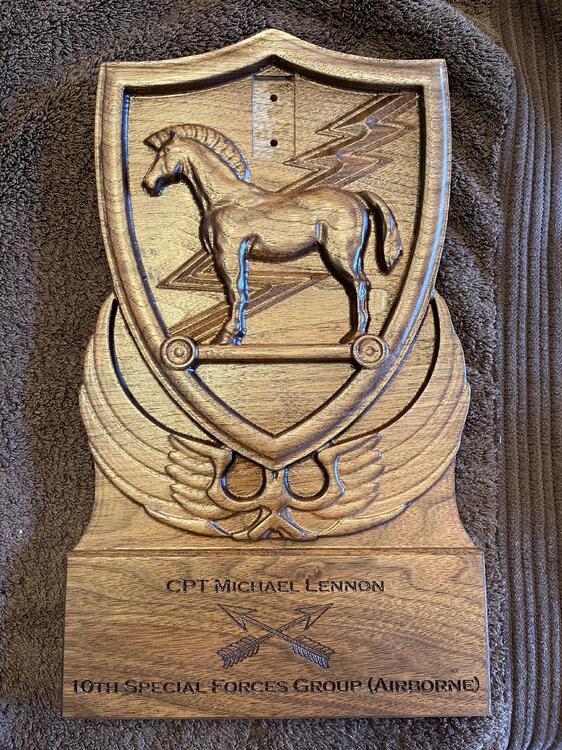
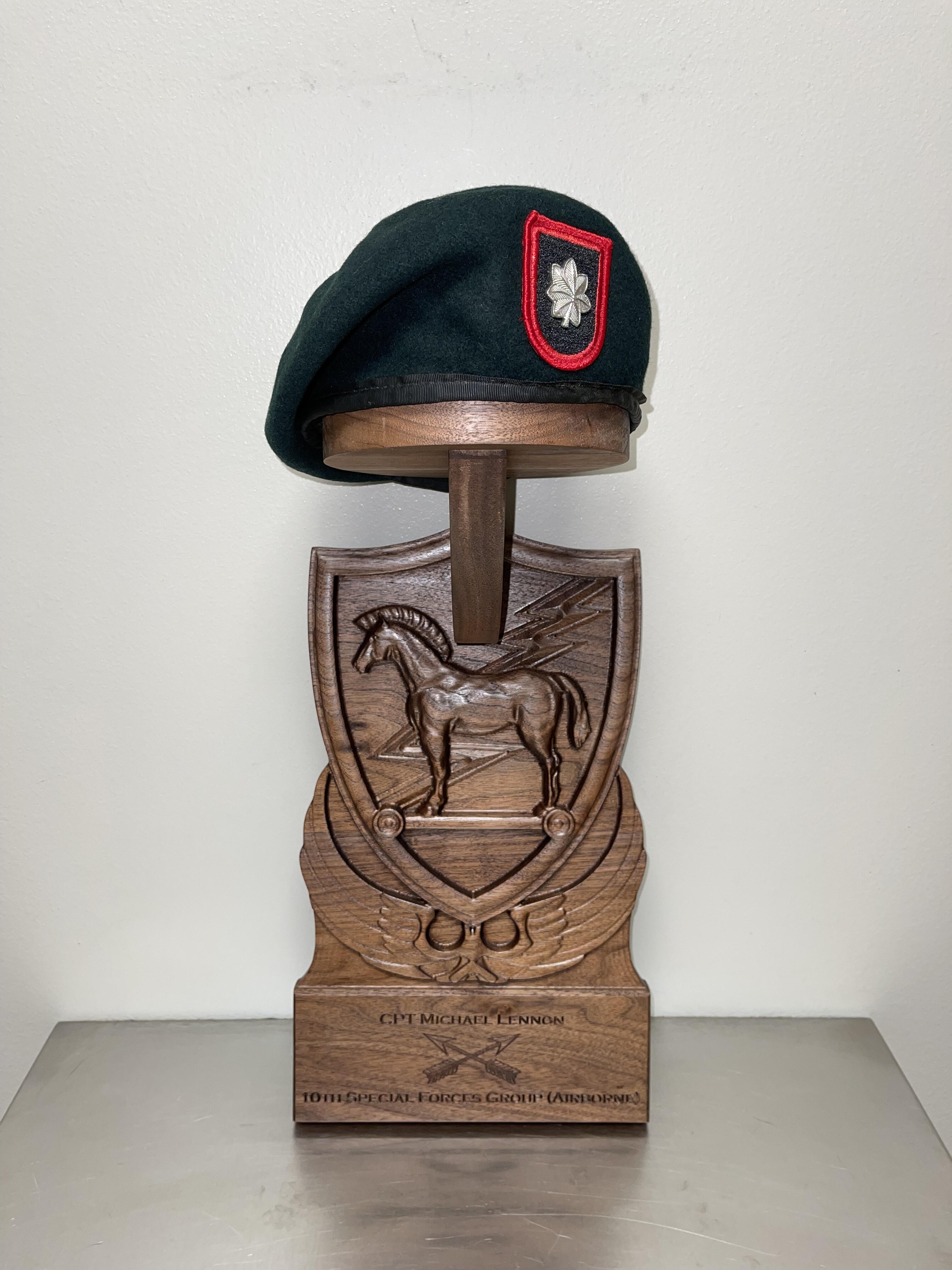
7 pointsMade another one today for one of our Doctors who was SF. Going to have a holder for his green beret.
 7 points
 -
3 points
-
2 points
-
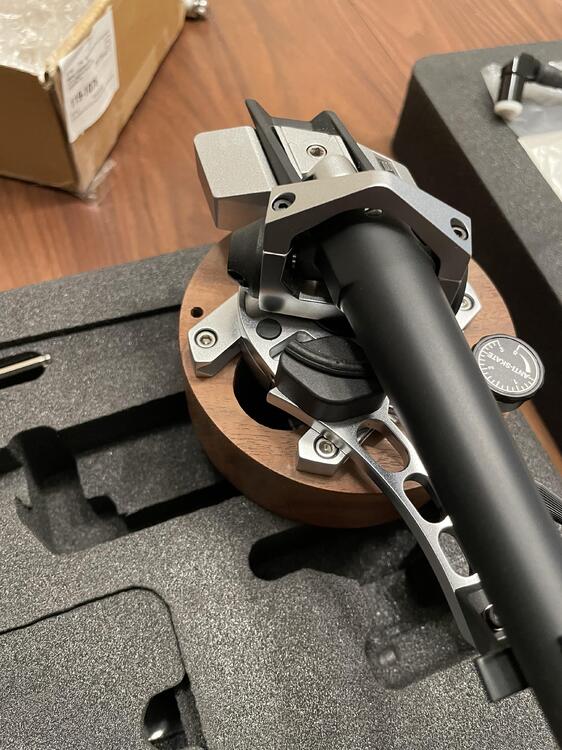
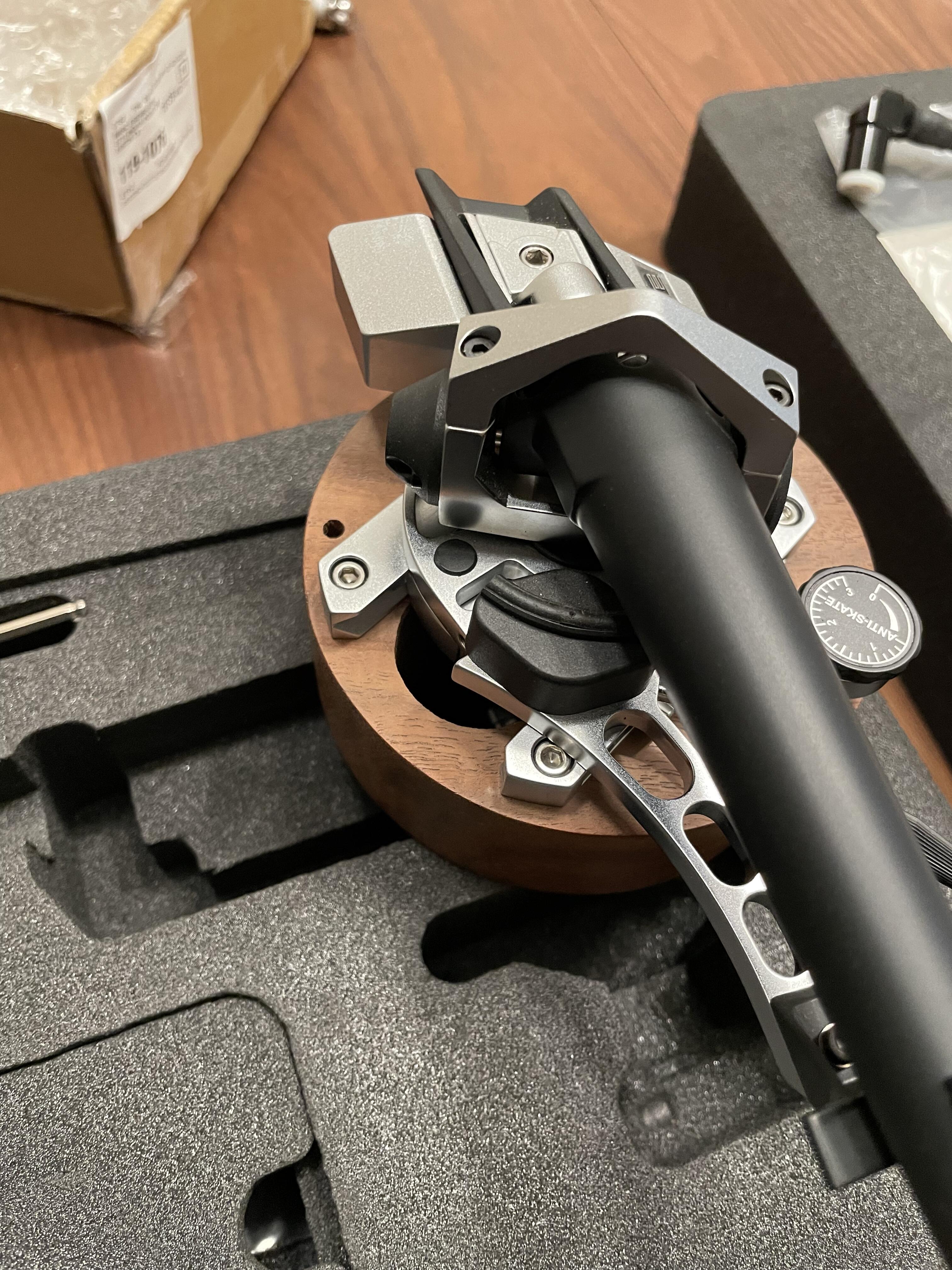
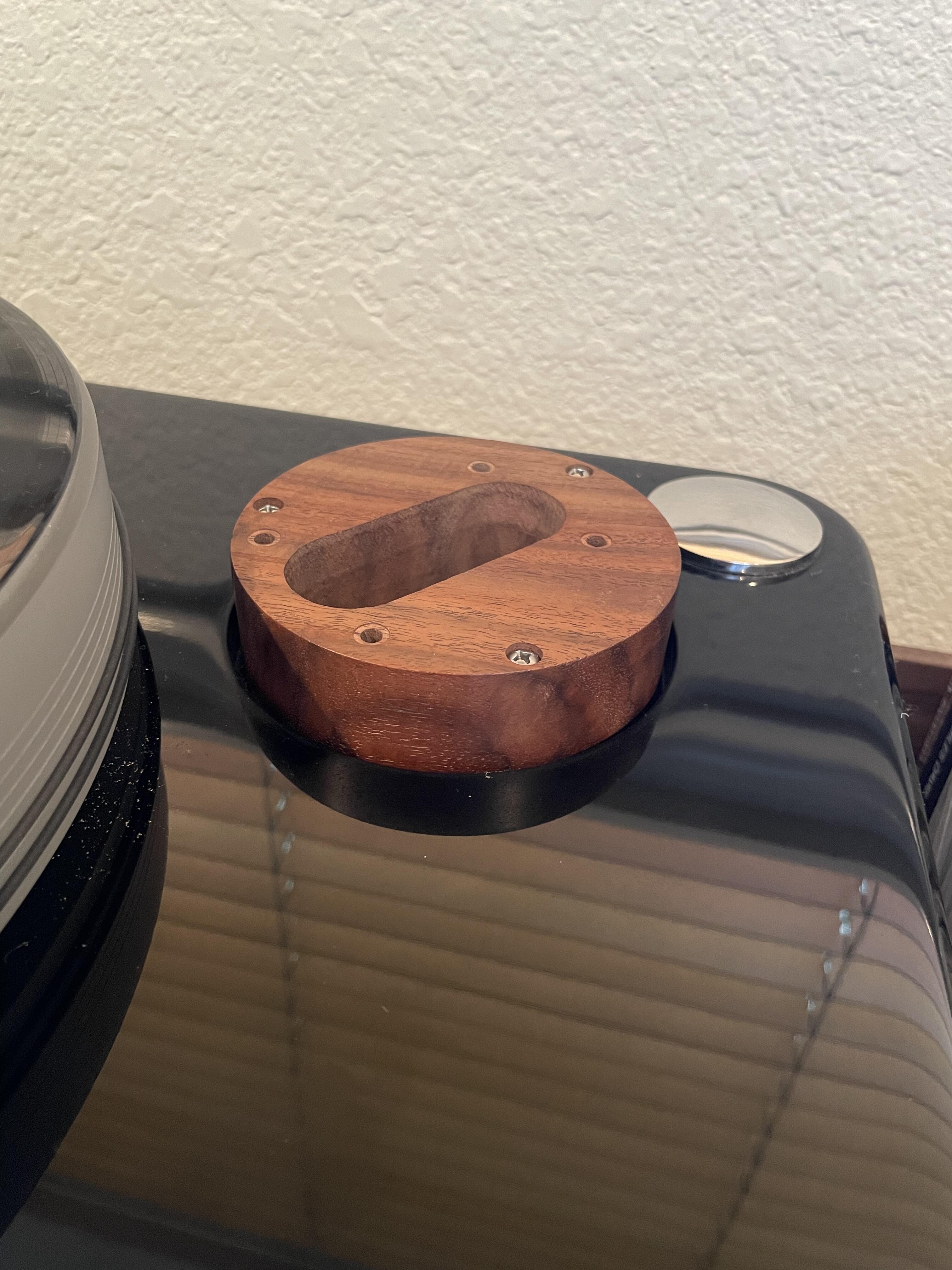
2 pointsIt fits! Well at least the arm does it slides nicely in the slot. The trick is the table is made for a 10.5” arm and putting a 9” arm on it. That made for some tricky math. I do need to make a change to the right angle DIN connector to make it a more favorable mating angle.. then hope it clears the bottom of the plinth. 🤞 is there some software that you can scan a diagram and and make very precise measurements? I transcribed this with a pair of calipers and a angle finder thing. It would be nicer to do that in the future with a few point and click operations
 2 points
 -
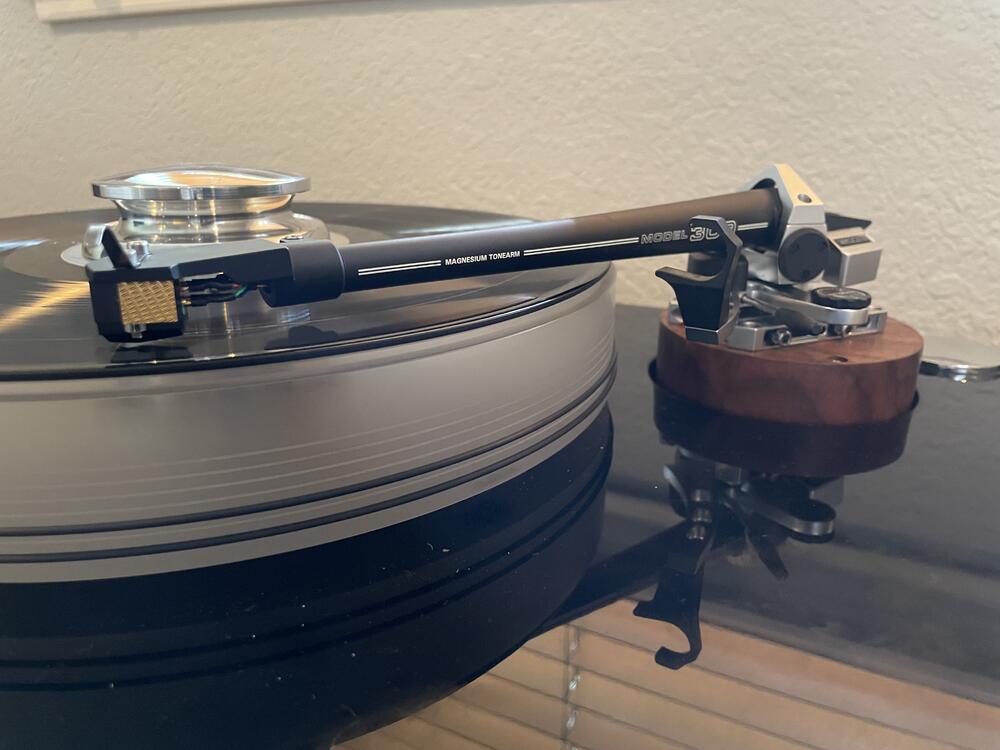
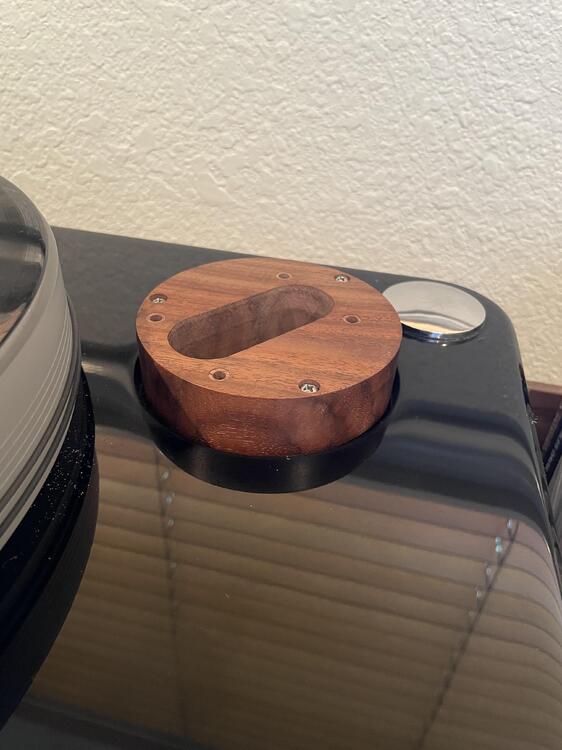
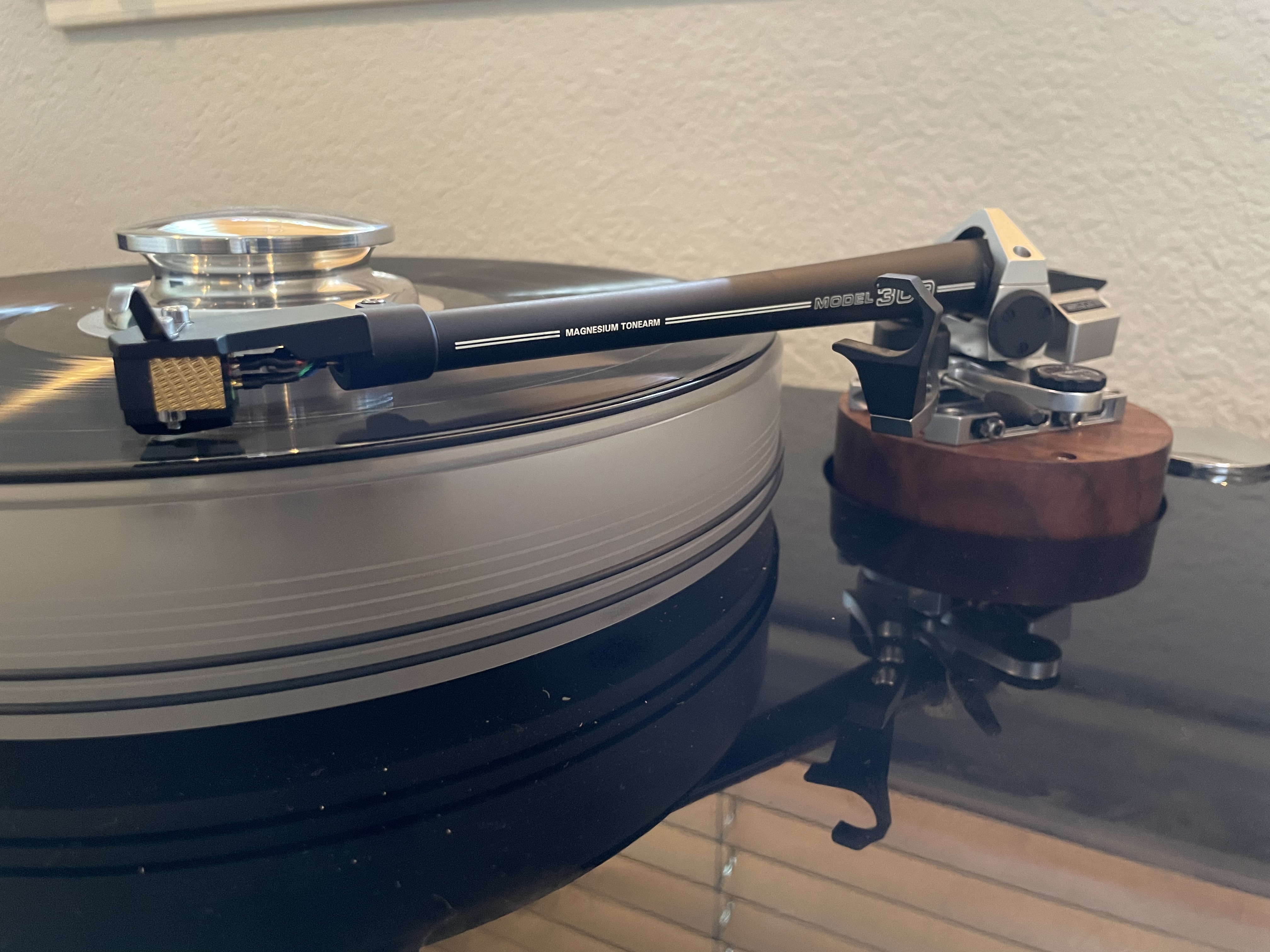
1 pointNo time to finish the armboard, because it was the time for truth! Will it fit and can I get the arm aligned. Well I think so! The SME setup process is pretty complicated - lots of tiny judgments and adjustments needed but the engineering behind the arm is just wonderful! I am almost at the top of the height adjustment - so probably needed a little more height on the board. I would say it has about 1/8” left of adjustment room - I guess useful for those future 300g releases?
 1 point
 -
1 point1 pointYou might start a line of headphone hangers on such design: things like "to Dr Molinaro who gave my wife those wonderful appendages" and things like that. There's some business there if someone doesn't sue you for using wood Very nice holder, Naaman.1 point1 pointToday I explained to my octogenarian mother the concepts of: Steampunk, Lil John, Crunk, Steamcrunk.1 point1 point1 point1 point1 pointWhat The Hell Happened to Head-Case?!?!? TLDR version: The datacenter that the head-case server is located in sustained a power outage on April 4. When the backup generator kicked on it caught fire and that lead to the fire suppression system (a fucking water based one!) kicking on and causing water damage to equipment. The head-case server was in the 'more affected' area of the datacenter and as such was offline until early in the morning on April 24. For further details on the incident you can see here: https://webnx.com/outage-updates/ You may be wondering why during such a long time the site wasn't simply migrated elsewhere, this is a fair question and the answer is simple. As this is a hobby site the backup process hadn't been properly verified as working in quite a while and the latest verified backup was nearly a year old. Migrating the site and loading it from that last verified backup would have meant losing a years worth of content. This was not a valid option and until I could confirm that the drives in the server were dead I wasn't willing to restore that old of a backup. From what I can tell there has been no data loss but I don't currently have a full report as to what if any hardware needed replacing to get the server back online. Due to that lack of info, I don't trust the server and I wouldn't be surprised if there's some additional downtime due to hardware issues. The Future A fresh backup at the time of this post has been taken and moved off-site. Over the next week or so a new backup process will be put in place and verified. After that is done it's very likely that the site will be moved to a new hosting provider. Further details about any move will be provided at the proper time.1 point









Important Information
By using this site, you agree to our Terms of Use.
Account
Navigation
Search
Configure browser push notifications
Chrome (Android)
- Tap the lock icon next to the address bar.
- Tap Permissions → Notifications.
- Adjust your preference.
Chrome (Desktop)
- Click the padlock icon in the address bar.
- Select Site settings.
- Find Notifications and adjust your preference.
Safari (iOS 16.4+)
- Ensure the site is installed via Add to Home Screen.
- Open Settings App → Notifications.
- Find your app name and adjust your preference.
Safari (macOS)
- Go to Safari → Preferences.
- Click the Websites tab.
- Select Notifications in the sidebar.
- Find this website and adjust your preference.
Edge (Android)
- Tap the lock icon next to the address bar.
- Tap Permissions.
- Find Notifications and adjust your preference.
Edge (Desktop)
- Click the padlock icon in the address bar.
- Click Permissions for this site.
- Find Notifications and adjust your preference.
Firefox (Android)
- Go to Settings → Site permissions.
- Tap Notifications.
- Find this site in the list and adjust your preference.
Firefox (Desktop)
- Open Firefox Settings.
- Search for Notifications.
- Find this site in the list and adjust your preference.