


Absorbine_Sr
High Rollers
-
Joined
-
Last visited
Everything posted by Absorbine_Sr
-
It's powering the KLH's right now and I am a very happy listener. Next up is to recap the crossovers in the speakers. Just hope I don't feck them up. But I'm doing a ton of reading on it and will be taking my time. But even with 40 year old caps these things sound pretty damn good to my ears.
-
Something appropriate to power the KLH Model Sixes.
-
I like the Netflix interface. After initial input of email and password that is it. My Vizio tv has a Netflix app and it sucks. This is much better and includes search. Moving between items was fast and the streaming looked good. I will probably use Netflix the most on this and so far I like its implementation.
-
Got mine yesterday. Haven't had a lot of time to play with it yet but so far I like it. It was fairly easy to set up (except for typing via the included remote) and connecting to my Netflix account was simple. My advice so far is to ditch the mini remote and use the updated Remote app from an iPhone or iPad. Picture quality seems good. I just did audio fed to the TV via HDMI and then back out to a dac and to the audio rig, but it sounded ok with both video and audio material. And it's a tiny little sucker.
-
That sounds good.
-
Yep. Someone ordered a glass a couple of weeks ago while I was in there. Since the bottle was open the bartender gave me a sample. Pretty horrific.
-
Happy Birthday Santa!!!
-
Just ordered chili verde and a warm frisee salad.
-
I have a place in Indiana. They don't stock it but they can order it by the bottle for me. If interested shoot me a pm.
-
With Kevin's donation of the KLH Model Sixes and the Wintek receiver I fell into the retro-fi camp. And I just ordered a McIntosh MA5100 to try in place of the Wintek so I'm pretty much getting into the retro mode.
-
No, not for the weirdest cocktail ever, but a little wood restoration and some pleasant drinking. However, I did hear of an interesting new cocktail made with prune juice and wood alcohol - it' called a Shit or Go Blind.
-
Pre-ordered In The Court Of The Crimson King on vinyl: Discipline Global Mobile Shopping Cart
-
Happy Birthday Jim! May there be many wonderful cocktails consumed today. And excuse my shitty typing. Can someone fix the thread title please?
-
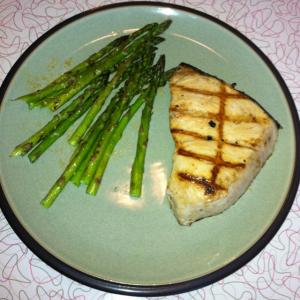
Swordfish and asparagus fresh off the grill.
-
Set up the Wintek receiver and KLH Model Six speakers I generously received from Kevin. To put it mildly I am gobsmacked. Happy ears and a big shit eating grin. Thanks again Kevin. I have some work to do on these but man are they starting out with promise.
-
I've only met Todd a couple of times and he is a great guy. My condolences on this tragic loss.
-
Went up to Dr. Gilmore's to pick up some gear and got a chance to hear his astounding speaker rig. I now have much to aspire to!!
-
Best of luck Ken. Take care of that ticker.
-
It's your place and if the remnant note pleases you, then feck anyone else. IMHO.GABF '11 is sounding like a staggeringly good idea. Adding it to the calendar.Happy Birthday!!

Important Information
By using this site, you agree to our Terms of Use.
Account
Navigation
Search
Configure browser push notifications
Chrome (Android)
- Tap the lock icon next to the address bar.
- Tap Permissions → Notifications.
- Adjust your preference.
Chrome (Desktop)
- Click the padlock icon in the address bar.
- Select Site settings.
- Find Notifications and adjust your preference.
Safari (iOS 16.4+)
- Ensure the site is installed via Add to Home Screen.
- Open Settings App → Notifications.
- Find your app name and adjust your preference.
Safari (macOS)
- Go to Safari → Preferences.
- Click the Websites tab.
- Select Notifications in the sidebar.
- Find this website and adjust your preference.
Edge (Android)
- Tap the lock icon next to the address bar.
- Tap Permissions.
- Find Notifications and adjust your preference.
Edge (Desktop)
- Click the padlock icon in the address bar.
- Click Permissions for this site.
- Find Notifications and adjust your preference.
Firefox (Android)
- Go to Settings → Site permissions.
- Tap Notifications.
- Find this site in the list and adjust your preference.
Firefox (Desktop)
- Open Firefox Settings.
- Search for Notifications.
- Find this site in the list and adjust your preference.