Skip to content
View in the app

A better way to browse. Learn more.

www.Head-Case.org

A full-screen app on your home screen with push notifications, badges and more.

To install this app on iOS and iPadOS
  1. Tap the Share icon in Safari
  2. Scroll the menu and tap Add to Home Screen.
  3. Tap Add in the top-right corner.
To install this app on Android
  1. Tap the 3-dot menu (⋮) in the top-right corner of the browser.
  2. Tap Add to Home screen or Install app.
  3. Confirm by tapping Install.

Leaderboard

Popular Content

Showing content with the highest reputation on 11/04/23 in all areas

  1. 3 points
    No conflict. It's ugly.
  2. But only Captain Kirk pronounces it correctly! 😄
  3. 1 point
    Ugly, demodé, too from the ugly part of the 70's. Definitely an acquired taste.
  4. 1 point
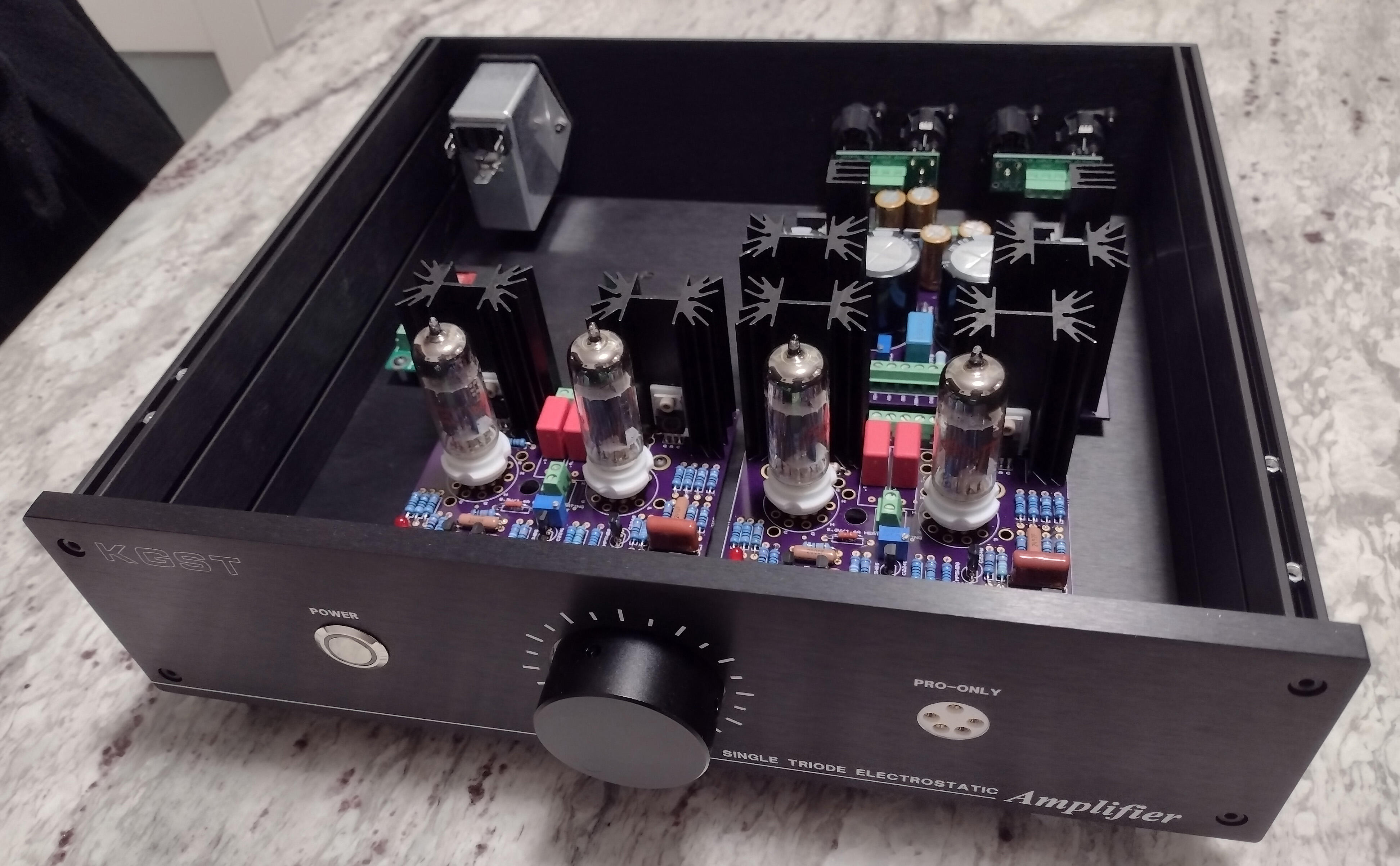
    WIP of a new KGST. I've had the stuffed boards sitting in the closet for who knows how long, so I've decided to finally finish building them. Still waiting on toroids and some other parts, but hopefully I can have this thing playing music within the month.

Important Information

By using this site, you agree to our Terms of Use.

Account

Navigation

Search

Search

Configure browser push notifications

Chrome (Android)
  1. Tap the lock icon next to the address bar.
  2. Tap Permissions → Notifications.
  3. Adjust your preference.
Chrome (Desktop)
  1. Click the padlock icon in the address bar.
  2. Select Site settings.
  3. Find Notifications and adjust your preference.