

Leaderboard
-
grawk
Administrators11Points29549Posts -
n_maher
Administrators10Points27522Posts -
Sherwood
High Rollers8Points3995Posts -
skullguise
High Rollers7Points8927Posts




Popular Content
Showing content with the highest reputation on 06/22/24 in Posts
-
8 points
-
5 points4 pointsWent on a behind the scenes tour of The Marine Mammal Center, organized by the Belvedere/Tiburon Library, accompanied by some of the Brits
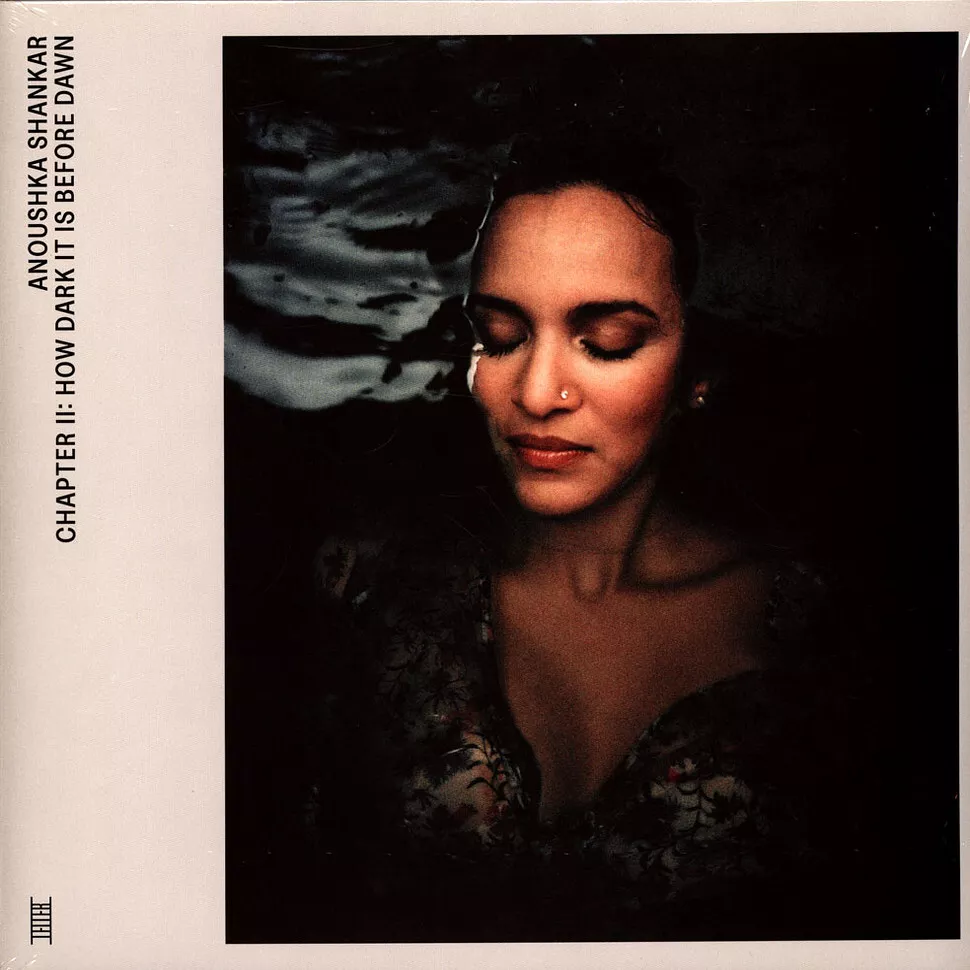
 4 points3 pointsAnoushka Shankar newest EP, Chapter II: How Dark It Is Before Dawn, but also...
 3 points2 points@Grahame I found a bird after your own heart.2 points2 pointsCeltic Woman - Dúlamán "Dúlamán" (Irish for "channel wrack", a type of edible seaweed) is an Irish folk song. The lyrics of the song relate to the Irish practice of gathering seaweed, which has been done for various purposes, including as fertilizer, bathing, and food. Bill McClintock - Somebody's Snowblind1 point1 point^^ Was just coming to post the same thing.....happy to see this!1 point1 point


















































































Important Information
By using this site, you agree to our Terms of Use.
Account
Navigation
Search
Configure browser push notifications
Chrome (Android)
- Tap the lock icon next to the address bar.
- Tap Permissions → Notifications.
- Adjust your preference.
Chrome (Desktop)
- Click the padlock icon in the address bar.
- Select Site settings.
- Find Notifications and adjust your preference.
Safari (iOS 16.4+)
- Ensure the site is installed via Add to Home Screen.
- Open Settings App → Notifications.
- Find your app name and adjust your preference.
Safari (macOS)
- Go to Safari → Preferences.
- Click the Websites tab.
- Select Notifications in the sidebar.
- Find this website and adjust your preference.
Edge (Android)
- Tap the lock icon next to the address bar.
- Tap Permissions.
- Find Notifications and adjust your preference.
Edge (Desktop)
- Click the padlock icon in the address bar.
- Click Permissions for this site.
- Find Notifications and adjust your preference.
Firefox (Android)
- Go to Settings → Site permissions.
- Tap Notifications.
- Find this site in the list and adjust your preference.
Firefox (Desktop)
- Open Firefox Settings.
- Search for Notifications.
- Find this site in the list and adjust your preference.