

Leaderboard
-
n_maher
Administrators6Points27522Posts -
Voltron
High Rollers5Points34626Posts -
Hopstretch
High Rollers4Points16821Posts -
blessingx
High Rollers3Points17838Posts




Popular Content
Showing content with the highest reputation on 12/21/25 in Posts
-
3 points
-
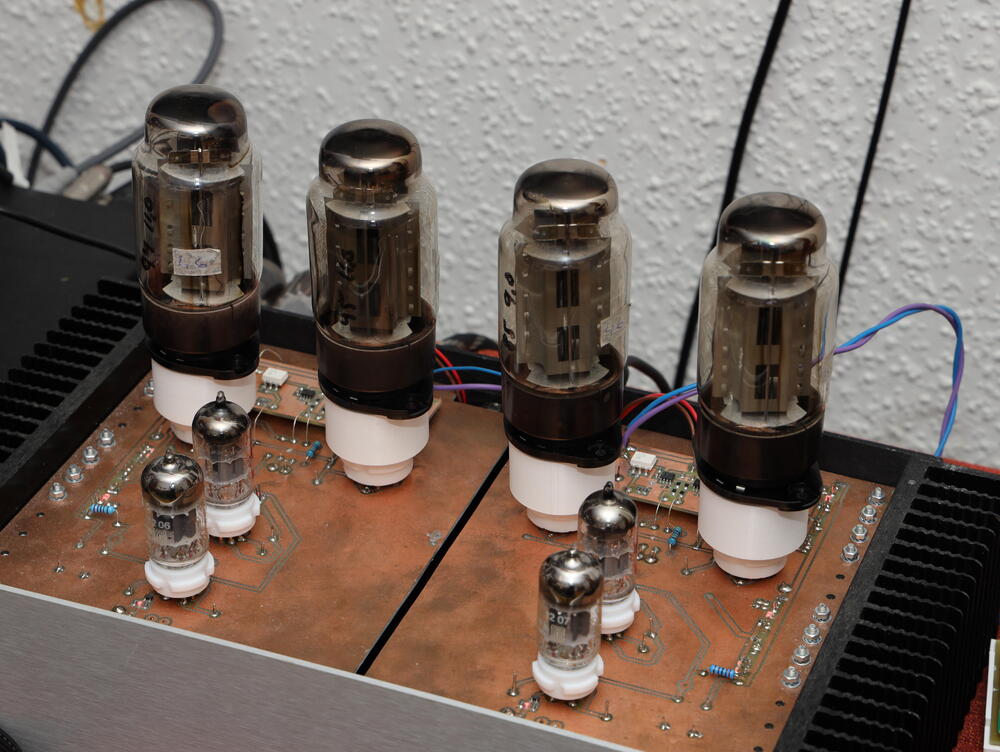
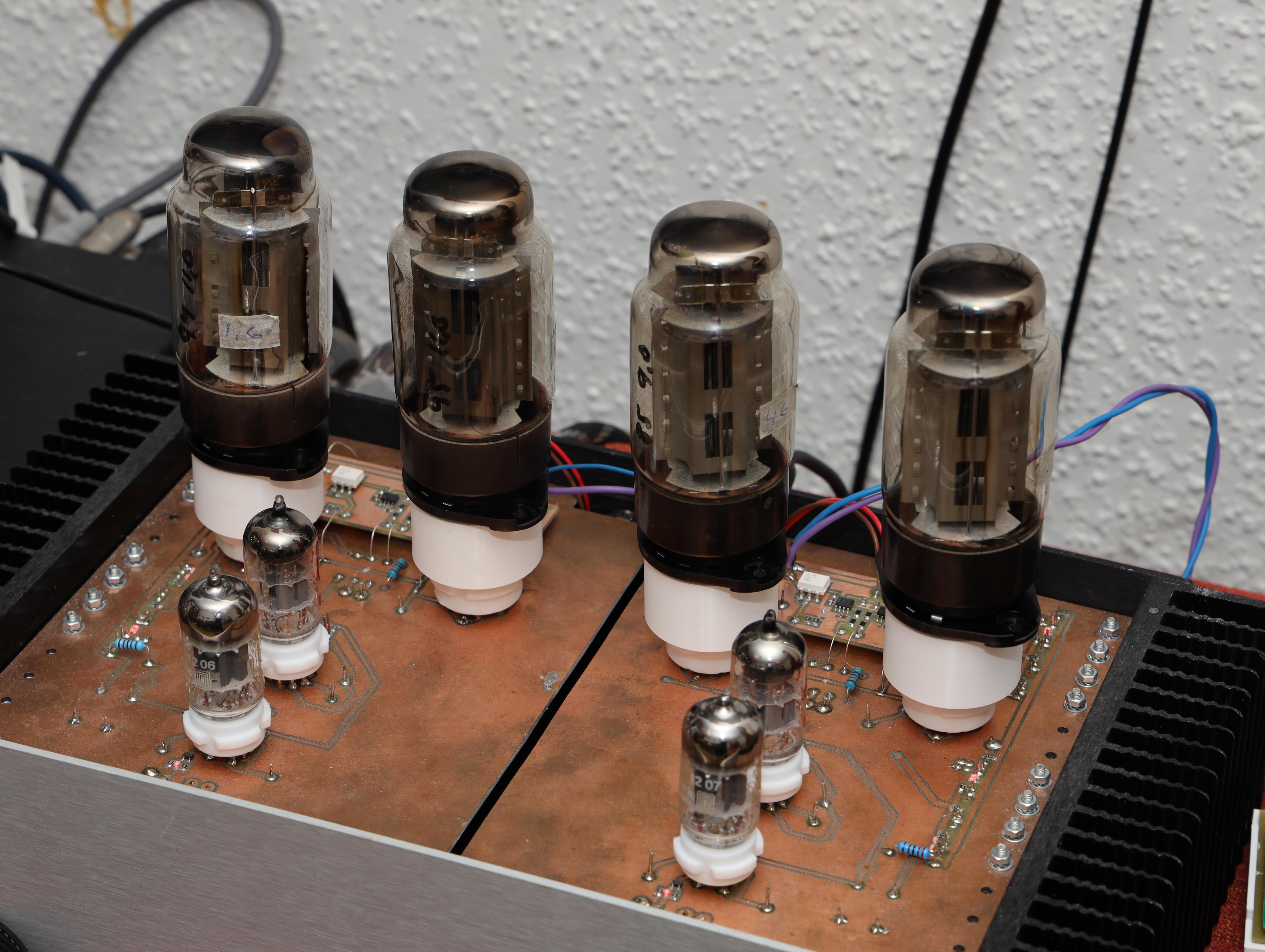
3 points3 points2 pointsAccording to the internets. Another version of the same has a line to the Center as positive. On Ebay - some one is selling one with this wall wart power supply Looking it up on Mouser - it is indeed - Center Positive. (unless he is selling it with a supply that would make it not work) But I think it is safe to say - Center +2 pointsA frendly Head-Caser has kindly lent me four EL156, So, I made myself some EL156 to EL34 adaptors. Here a Megatron SS CCD something with the four EL156. Same friendly fellow has built himself a couple of filament supply for DHT similar to the one in above post.
 2 points1 point1 point1 pointI could listen to the tone of this instrument all night.1 point0 pointsJust heard that Ken Downie of The Black Dog passed. TBD released a fantastic number of IDM gems in the first half of the 90s. My personal favorite is Raxmus:0 points








Important Information
By using this site, you agree to our Terms of Use.
Account
Navigation
Search
Configure browser push notifications
Chrome (Android)
- Tap the lock icon next to the address bar.
- Tap Permissions → Notifications.
- Adjust your preference.
Chrome (Desktop)
- Click the padlock icon in the address bar.
- Select Site settings.
- Find Notifications and adjust your preference.
Safari (iOS 16.4+)
- Ensure the site is installed via Add to Home Screen.
- Open Settings App → Notifications.
- Find your app name and adjust your preference.
Safari (macOS)
- Go to Safari → Preferences.
- Click the Websites tab.
- Select Notifications in the sidebar.
- Find this website and adjust your preference.
Edge (Android)
- Tap the lock icon next to the address bar.
- Tap Permissions.
- Find Notifications and adjust your preference.
Edge (Desktop)
- Click the padlock icon in the address bar.
- Click Permissions for this site.
- Find Notifications and adjust your preference.
Firefox (Android)
- Go to Settings → Site permissions.
- Tap Notifications.
- Find this site in the list and adjust your preference.
Firefox (Desktop)
- Open Firefox Settings.
- Search for Notifications.
- Find this site in the list and adjust your preference.