

Leaderboard
-
dsavitsk
High Rollers14Points4972Posts -
Voltron
High Rollers10Points34630Posts -
VPI
High Rollers7Points9103Posts -
Hopstretch
High Rollers7Points16821Posts




Popular Content
Showing content with the highest reputation on 06/16/20 in all areas
-
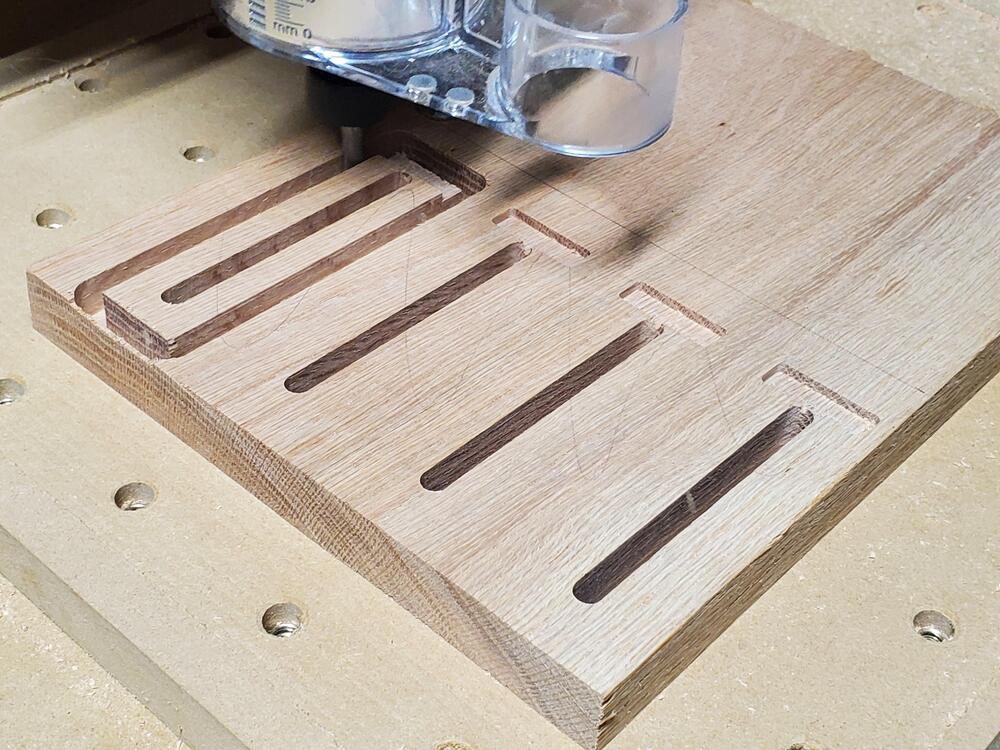
5 pointsMade some simple clamps for the Shapeoko out of some scrap red oak. Don't have a finished picture because I don't have a flush-trim router bit to cut off the tabs. Still learning feeds and speeds so the finish is also questionable.
 5 points
 -
Finally completed the dynahi. I really enjoyed this DIY processing. Based on previous experience, this time I spent more time on selecting parts and adjustment, also increased heat sink size, quiescent current increased to 75mA. The gain keeps the original design value (200K/10K) and there is no background noise even using high efficiency earphones. Thank you everyone for your experience and information on this thread.4 points
-
2 points
-
https://www.shun-teh.com.tw/en/category/Aluminum-Extrusion-Heat-Sink-Above-width-200mm/A03.html This company can cut heat sink size and drill screw thread holes according your drawing, even if you only need two piece. It is good choice if you want to design your own case.1 point
-
1 point\ #ScottishPeopleTwitter Israeli protesters practicing social distancing. You Are Here.1 point1 point





Important Information
By using this site, you agree to our Terms of Use.
Account
Navigation
Search
Configure browser push notifications
Chrome (Android)
- Tap the lock icon next to the address bar.
- Tap Permissions → Notifications.
- Adjust your preference.
Chrome (Desktop)
- Click the padlock icon in the address bar.
- Select Site settings.
- Find Notifications and adjust your preference.
Safari (iOS 16.4+)
- Ensure the site is installed via Add to Home Screen.
- Open Settings App → Notifications.
- Find your app name and adjust your preference.
Safari (macOS)
- Go to Safari → Preferences.
- Click the Websites tab.
- Select Notifications in the sidebar.
- Find this website and adjust your preference.
Edge (Android)
- Tap the lock icon next to the address bar.
- Tap Permissions.
- Find Notifications and adjust your preference.
Edge (Desktop)
- Click the padlock icon in the address bar.
- Click Permissions for this site.
- Find Notifications and adjust your preference.
Firefox (Android)
- Go to Settings → Site permissions.
- Tap Notifications.
- Find this site in the list and adjust your preference.
Firefox (Desktop)
- Open Firefox Settings.
- Search for Notifications.
- Find this site in the list and adjust your preference.