Skip to content
View in the app

A better way to browse. Learn more.

www.Head-Case.org

A full-screen app on your home screen with push notifications, badges and more.

To install this app on iOS and iPadOS
  1. Tap the Share icon in Safari
  2. Scroll the menu and tap Add to Home Screen.
  3. Tap Add in the top-right corner.
To install this app on Android
  1. Tap the 3-dot menu (⋮) in the top-right corner of the browser.
  2. Tap Add to Home screen or Install app.
  3. Confirm by tapping Install.

Leaderboard

Popular Content

Showing content with the highest reputation on 04/08/24 in all areas

  1. I also have Blue Suede Shoes by Carl Perkins
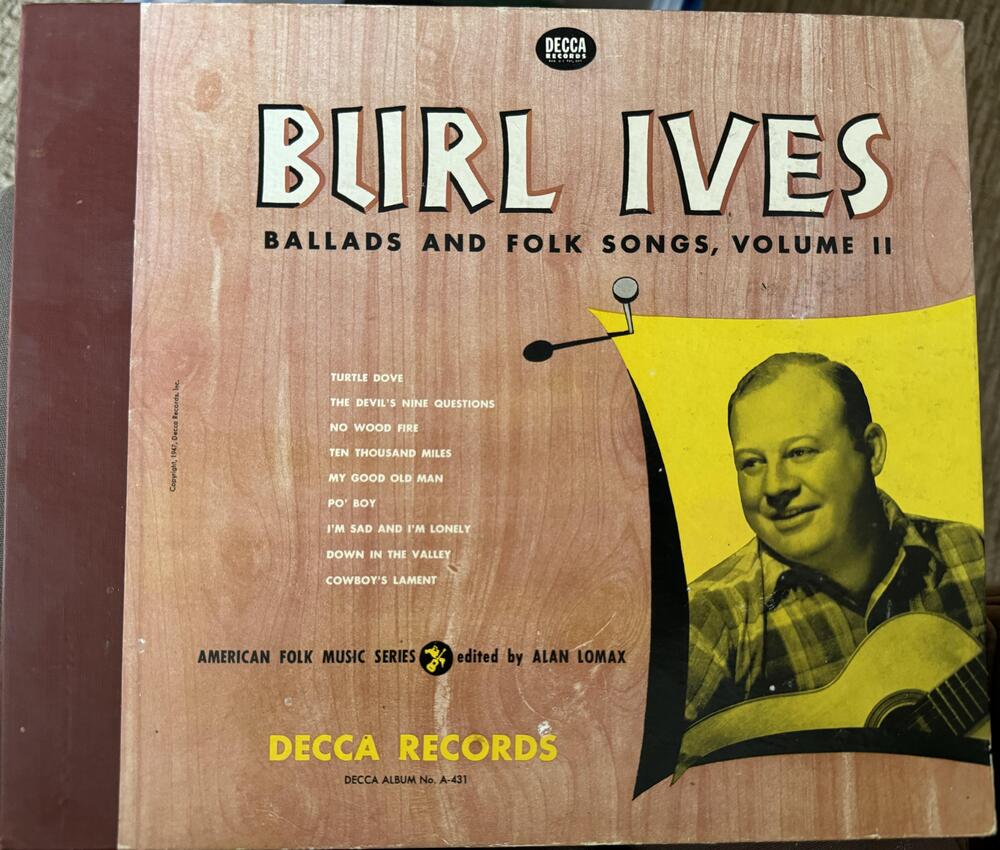
  2. I'm not actually listening to it, but going through some 78s my sister gave me, I found this one: I literally never saw Burl Ives's face without facial hair before that album cover. 😆
  3. Led Zeppelin III by Led Zeppelin (1970) https://album.link/i/580708279 Example: Classic for a reason - not revolutionary, but a nice progression of music and style from II to IV. And yes I have the old gatefold record with the spinny thing for the cover art. 😵‍💫 I do listen to Zep a lot during the course of the year, but it has been a while since I sat down and really listened to an album. Maybe like 6 months or something crazy like that.
  4. In. Never hate asking for support, Mikey.
  5. 1 point
    That's an interesting diffuser.

Important Information

By using this site, you agree to our Terms of Use.

Account

Navigation

Search

Search

Configure browser push notifications

Chrome (Android)
  1. Tap the lock icon next to the address bar.
  2. Tap Permissions → Notifications.
  3. Adjust your preference.
Chrome (Desktop)
  1. Click the padlock icon in the address bar.
  2. Select Site settings.
  3. Find Notifications and adjust your preference.