

Leaderboard
-
Grahame
High Rollers23Points16859Posts -
naamanf
High Rollers15Points6661Posts -
Voltron
High Rollers9Points34627Posts -
Absorbine_Sr
High Rollers7Points8097Posts




Popular Content
Showing content with the highest reputation on 09/11/24 in all areas
-
4 points
-
3 pointsEDIT: https://www.military.com/off-duty/movies/2024/09/10/james-earl-jones-first-movie-role-was-small-part-of-biggest-cold-war-film-ever.html3 points
-
2 points
-
2 points
-
2 points
-
1 point1 pointMultitasking to make the debate tolerable. I much prefer the visuals in the kitchen to that on TV right now.
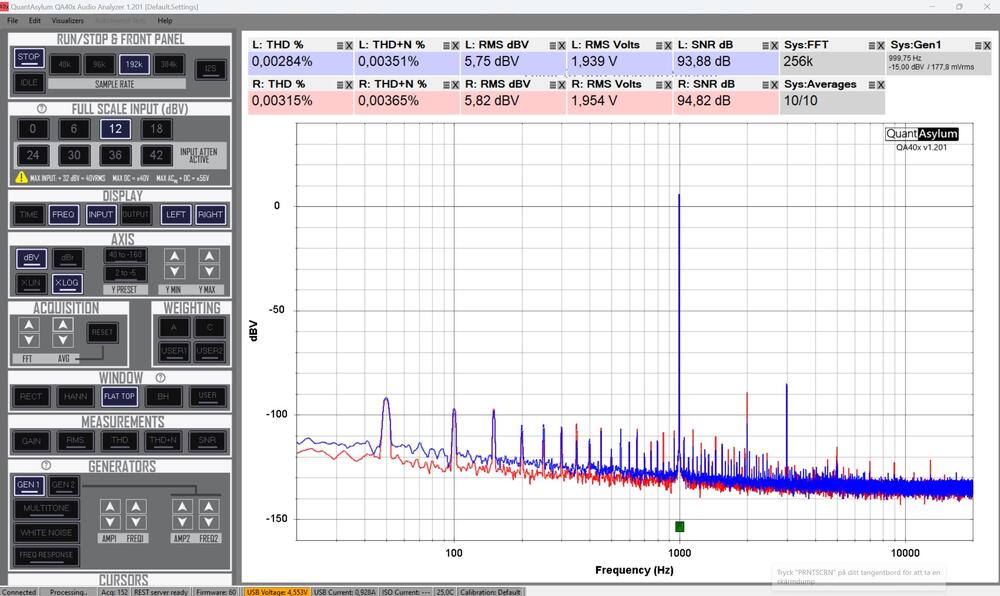
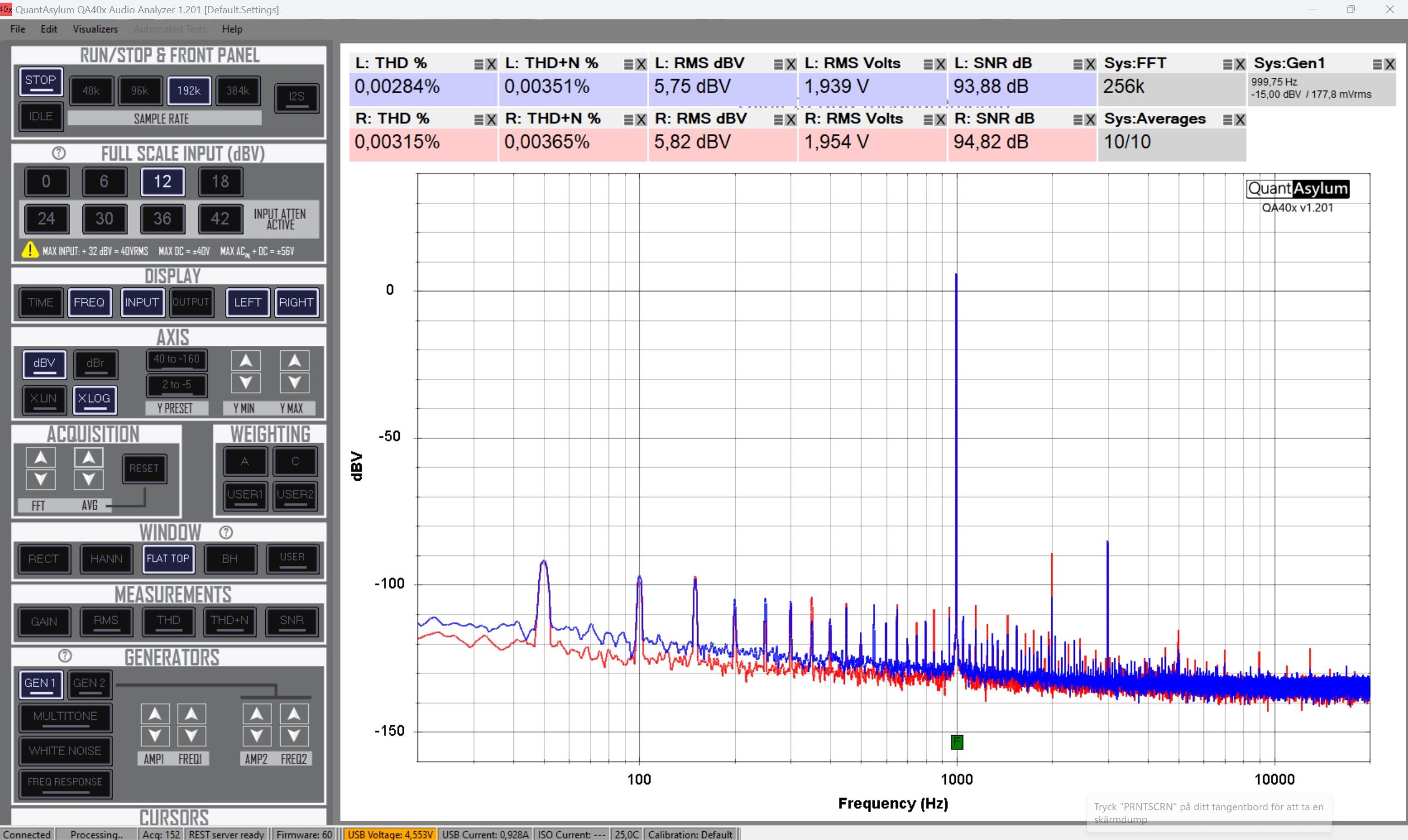
 1 point1 pointGot to work to hear that the employee toilet was leaking. It's a hardware store, but nobody seemed to know what to do. I grabbed a wax ring, wrench and caulk. Had it fixed in about an hour. Was offered 2 hours off at the end of my shift. Seems fair to me. Paid of course.1 point1 point1 point1 pointSo, I got myself QuantAsylum QA-403 Audio Analyzer. Now I can make some simple analyses of amplifiers I build. Screenshot – my CFA3smd something with HD800 headphone, 2Vrms into headphone. Probably room for improvements. But I’m satisfied and I’m not competent enough to make it better.
 1 point













Important Information
By using this site, you agree to our Terms of Use.