


blessingx
High Rollers
-
Joined
-
Last visited
Everything posted by blessingx
-
Well, not to be an apologist, and I don't really have strong evidence to back this up, but we pass along a lot of videos from third parties to display at events, in lobbies, etc. in a variety of A/V systems (from smart to dumb) and the video plays/audio doesn't scenario tends to include 44.1 audio. Not enough that it's standard practice to resample and it certainly may be a codec/wrapper over sample-rate issue, but I'm bringing it up as it may be related here. Force a 48 so likely to play audio in most video system scenarios at a sacrifice of audio bit perfection. Video not a concern for Airport Express so no 48 force there. Who knows the motivation, but common video scenarios tend to be doing a lot more up/down-sampling than most audio scenarios. Or that's my theory. On the Apple TV overall front, gave as a birthday present and with weekends firmware update including iTunes Radio, it seems a great device for a retired couple. Not knocking Pandora/Roku/GoogleTV/Squeezebox/Audioengine D2/etc. as there are several ways to do similar, but for them with an iPad and iPhone already in the house (so some controlling the Apple TV from iOS and some beaming from iOS), it's kinda an amazing thing to witness the speed they ramped up to the device. From Netflix to YouTube to recent trip and their lovely granddaughter photos as screensavers to the Frank Sinatra and Eva Cassidy/Diana Krall iTunes Radio stations, the house came alive.
-
-
Working in video daily... cause it's the video standard. Only oddballs use 44.1 xX.
-
Thanks both of you. Giving as present in about 20 minutes. This should work.
-
Not sure where else to put this, but thought others may be interested... Open Well-Tempered Clavier - Ba©h to Bach — Kickstarter http://feedly.com/k/16N8oad
-
Been generally surprised at relatively popular stuff not there and more obscure bands that are. All licensing of course. Any definitive info on bitrate yet? Overall enjoying the hell out of it. Most of last night was a stream of 'hits' based off 'Afternoon Delight.' Everyone was dancing.
-
Thanks both of you. It's not just for audio, but I suspect it will mostly be used as such.
-
For those with Apple TVs, I'm considering one for a gift and was wondering for those times using it only for audio - any issues running with TV off/unplugged? Appears not from web, but soliciting HC specialists. Person has iPhone/iPad to control.
-
Love this - Best iOS7 Ringtones For iPhone http://www.theawl.com/2013/09/the-top-5-ios7-ringtones "It is twilight. You are living inside of a prism beam. You are slowly falling through a prism beam without worry and with a satiated stomach. All of your childhood pets are running toward you in slow motion and they are hungry for your love."
-
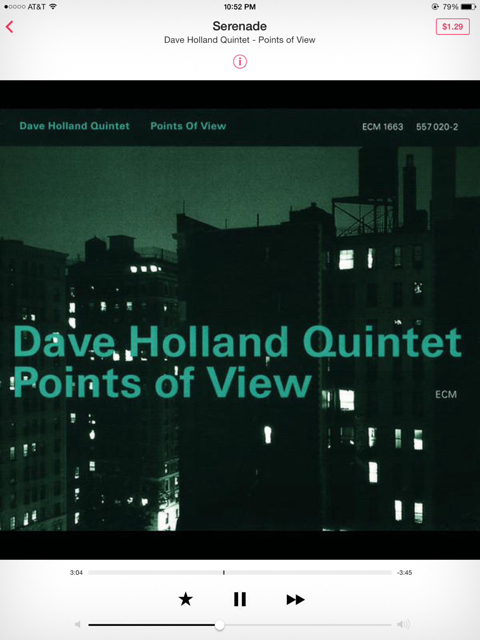
Yeah this was a pretty buggy release. Fortunately, most are easy to recover from/get around. So far most frustrating thing is an updated core third-party app that stopped working my on iOS 6 work phone I can't yet update (but is fine on an iOS 7 iPad). Grrr. Overall though impressed with most of the changes (placement, simplification, settings, etc.).Jazz Showcase on iTunes Radio
 Cool little Tips & TricksAny initial thoughts on iTunes Radio?To be fair at current speeds the user never got to all the digits. Imagine zoom-out faster!Decent Ars review of iOS 7. May be useful for those updating today. iOS 7, thoroughly reviewed | Ars Technica http://feedly.com/k/19elFWA^ The top one.Happy Birthday!RunPee is currently free for iOS. Or go to http://m.runpee.com/Not sure. They're on BT. Just watched 5-14. Wowee Zowee.Turn your old iPod/iPhone dock into a WiFi streamer (iOS/Android/OS X/Windows/Linux). I endorse this! http://www.kickstarter.com/projects/auris/auris-skye-wifi-for-your-dock?ref=livehttp://www.disneyresearch.com/project/ishin-den-shin/


Important Information
By using this site, you agree to our Terms of Use.
Account
Navigation
Search
Configure browser push notifications
Chrome (Android)
- Tap the lock icon next to the address bar.
- Tap Permissions → Notifications.
- Adjust your preference.
Chrome (Desktop)
- Click the padlock icon in the address bar.
- Select Site settings.
- Find Notifications and adjust your preference.
Safari (iOS 16.4+)
- Ensure the site is installed via Add to Home Screen.
- Open Settings App → Notifications.
- Find your app name and adjust your preference.
Safari (macOS)
- Go to Safari → Preferences.
- Click the Websites tab.
- Select Notifications in the sidebar.
- Find this website and adjust your preference.
Edge (Android)
- Tap the lock icon next to the address bar.
- Tap Permissions.
- Find Notifications and adjust your preference.
Edge (Desktop)
- Click the padlock icon in the address bar.
- Click Permissions for this site.
- Find Notifications and adjust your preference.
Firefox (Android)
- Go to Settings → Site permissions.
- Tap Notifications.
- Find this site in the list and adjust your preference.
Firefox (Desktop)
- Open Firefox Settings.
- Search for Notifications.
- Find this site in the list and adjust your preference.