


blessingx
High Rollers
-
Joined
-
Last visited
Everything posted by blessingx
-
VU meant a ton to me. In my feistier days I categorize Americans as passive West Coast/LDS/The Doors or active East Coast/Cocaine/Velvets mindsets. Loved Cale v. Reed debates, and all the bands on the Velvets coattails (Replacements, Sonic Youth, etc.). Followed the Velvet Revolution connection in print and theater. Maybe most though I loved the Lester Bangs-Lou Reed Love/Hate relationship so I'll post one of those interviews in tribute. Always strange, but Lou jumped around over the years. http://www.theguardian.com/music/2011/nov/08/lou-reed-lester-bangs-interview
-
-
-
I know a few here jumped on the Geek Out DAC/amp when offered on Kickstarter. Rumor is the desktop version is going up on Indiegogo in a couple hours. http://parttimeaudiophile.com/2013/10/28/light-harmonic-introduces-desktop-geek-pulse-on-indiegogo/ “Geek Pulse” provides superb sound quality from a wide range of high-resolution formats, in an easy-to-use plug-and-play device. “Pulse”‘s DAC natively decodes PCM files up to 32-bit/384kHz, as well as native decoding of DSD64 and DSD128 files, and features the Patent-Pending 3L buffer introduced by Light Harmonic in Da Vinci DAC. The amplifier is pure Class-A, utilizing a super-quiet DC power supply to produce 3,000 milliwatts of clean power, enough to drive even the most insane headphones, as well as quality desktop speakers. Connectivity is class-leading: inputs include 1-USB 2.0, 1-Toslink, and 2-S/PDIF RCAs; outputs are a 1/4’ headphone jack on the front, and a pair of gold-plated RCA line-out jacks on the back.
-
May be worth a read: http://arstechnica.com/apple/2013/09/dont-let-me-down-apple-ios-7-on-the-ipad-2/
-
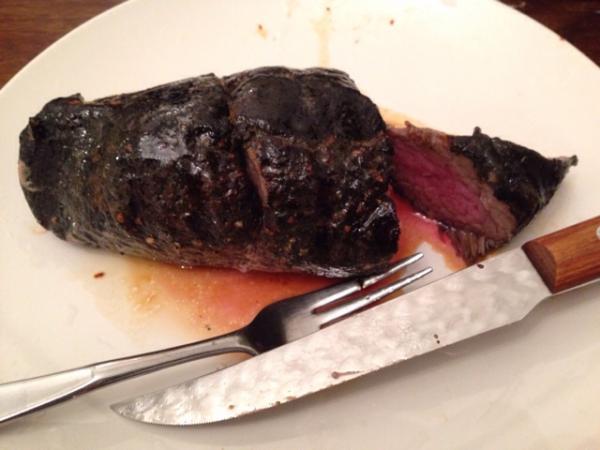
If you're looking for a move, she loves dogs.Has it picked up any other Bluetooth mice or trackpads?Hmm... anyway the link was http://9to5mac.com/2013/10/24/new-ios-remote-icon-in-itunes-tips-upcoming-app-redesign-for-ios-7/ (corrected above) Also another interesting audio player app (plays DSD - through convertion): http://www.eu.onkyo.com/en/articles/onkyo-hf-player-app-offers-precision-equalizer-192-24-playback-on-ios-devices-96729.htmlThere may be hope... New iOS Remote icon in iTunes tips upcoming app redesign for iOS 7 http://9to5mac.com/2013/10/24/new-ios-remote-icon-in-itunes-tips-upcoming-app-redesign-for-ios-7/Day 11 of new diet: Back to Fred's Sirloin.
 Evolution of Western Dance MusicI wonder if ratio differences would play a part here?^ If it's the timing that was the issue the replacement fade isn't substantially faster unfortunately (at least on my iPhone 5).How Apple Makes the Mac Pro http://ow.ly/25QDmkbig great symphony box volume 1 + 2 (currently $.99 each) http://www.amazon.com/Symphony-No-Major-Op-92-Scherzo/dp/album-redirect/B00G04JWHW http://www.amazon.com/Big-Great-Symphonies-Box-Vol/dp/B00G04BDLASympathize. My video team is waiting on significant FCPX updates to bring FCP7 functionality back (especially on the Mac Pro info). The voices to move to Premier are getting louder.iPad mini with retina. iPad air.Stand in center with arms raised. It will float down.16 years late, but just watched the Roseanne finale on YouTube. Kinda miss that show.


Important Information
By using this site, you agree to our Terms of Use.
Account
Navigation
Search
Configure browser push notifications
Chrome (Android)
- Tap the lock icon next to the address bar.
- Tap Permissions → Notifications.
- Adjust your preference.
Chrome (Desktop)
- Click the padlock icon in the address bar.
- Select Site settings.
- Find Notifications and adjust your preference.
Safari (iOS 16.4+)
- Ensure the site is installed via Add to Home Screen.
- Open Settings App → Notifications.
- Find your app name and adjust your preference.
Safari (macOS)
- Go to Safari → Preferences.
- Click the Websites tab.
- Select Notifications in the sidebar.
- Find this website and adjust your preference.
Edge (Android)
- Tap the lock icon next to the address bar.
- Tap Permissions.
- Find Notifications and adjust your preference.
Edge (Desktop)
- Click the padlock icon in the address bar.
- Click Permissions for this site.
- Find Notifications and adjust your preference.
Firefox (Android)
- Go to Settings → Site permissions.
- Tap Notifications.
- Find this site in the list and adjust your preference.
Firefox (Desktop)
- Open Firefox Settings.
- Search for Notifications.
- Find this site in the list and adjust your preference.