


mikeymad
High Rollers
-
Joined
-
Last visited
Everything posted by mikeymad
-
I was not prepped for the Tour this year - it has been many years since I have followed it. But after watching the Highlights of the first two stages, I may get hooked again. I will probably stick with highlights for now, but I may catch a live stream here and there. Good to hear Phil and Bob and again.
-
^hehe, Mine is ”summertime”. I would put it on heavy repeat and let it flow over me. Which was the main reason it was in my queue.
-
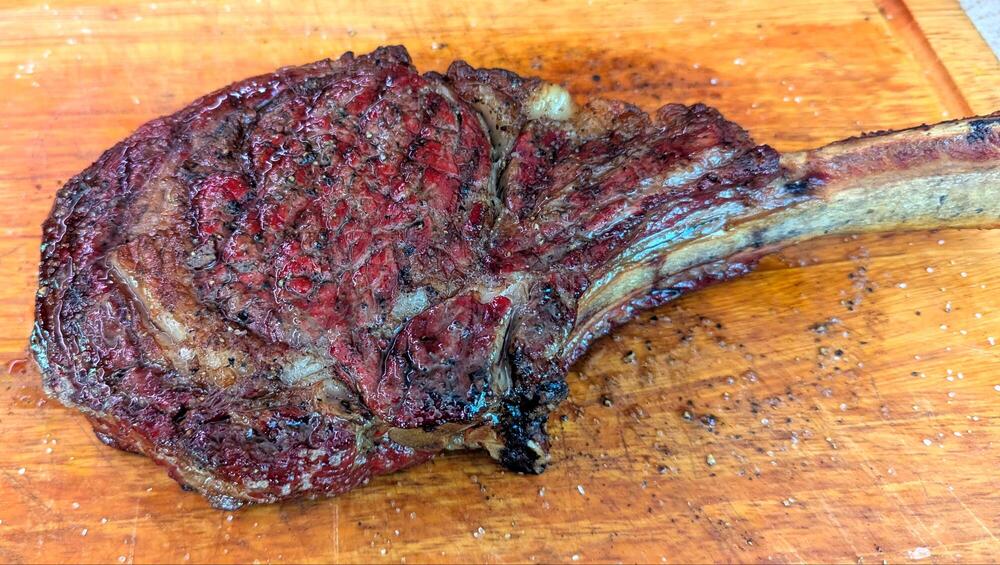
4th tomahawk
-
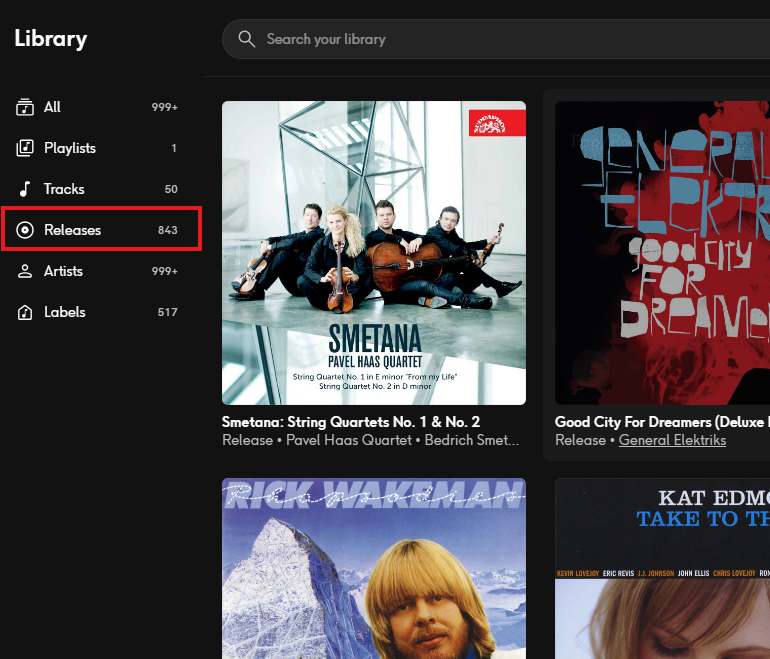
Smetana: String Quartets No. 1 & No. 2 by Pavel Haas Quartet (2015) https://open.qobuz.com/album/qqnxnrnwvtgqa Example: Recommended by my friend Jerry who just got it on Vinyl. Very nice. Also Qobuz updated the Windows app, and now it shows the Library counts... 843 in the queue?? well minus ^^ this one. I thought I was still in the 600s.
-
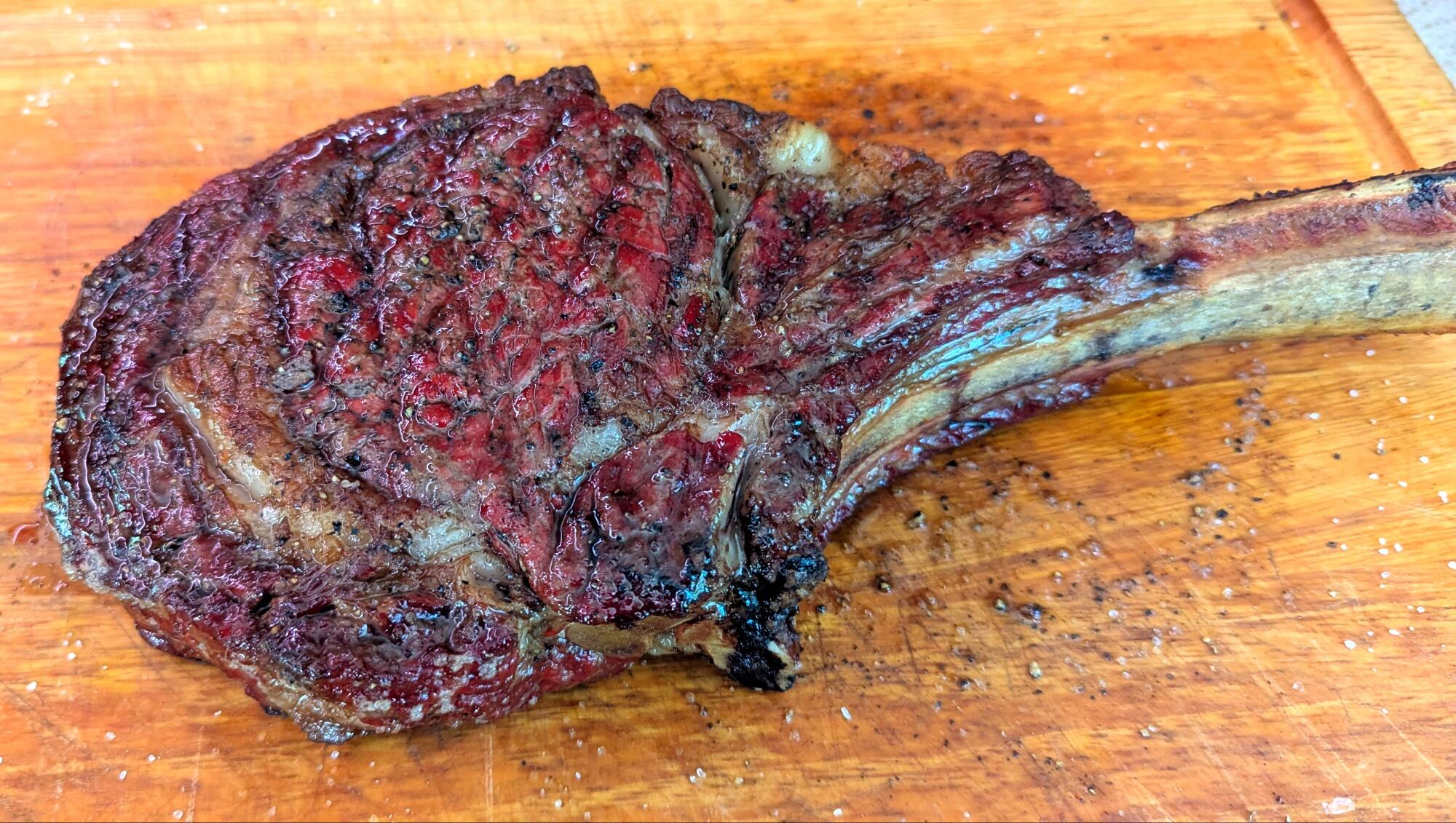
Now I know what they were singing.https://www.instagram.com/reel/DaHPQIBs10m/?igsh=YzNmYml2NGttMW9i I know the forum software does not embed Instagram links, but I came across this in my feed this morning. Bob James playing, Angela, with Wilco. {aka Taxi theme}Be more like Robert -- 🤘Thanks Todd, seems to be running well. I will have to get used to the new visuals, but emotes carried over -I have had a few Sierra albums in my queue for a while, and just have not gotten to them yet, This just dropped (three movements recorded live). I guess I should bump the albums in my queue again.^^ all the flaccid and stiff nose action that you would want. {I came to post the same things} 🤘I enjoyed his more recent work, I had not gotten to his early work in time. RIP African Piano by Abdullah Ibrahim (1973) https://open.qobuz.com/album/0060254708925 Example: Sorry I am late to the game Abdullah, thanks for the tunes.Near field listening for the win.^^ blocked. But I am not the biggest fan of this season. But I was happy about this win.^^ ha, that is what I was going to say - reminds me of my 300sei (then it went silent).Would like to try.New Space doc dropped.There is some amp porn included. Checking out the recent Vienna show. Lot more ribbon/electrostatic than I would have expected.Pardon My French by Eva Hummingbird (2026) https://open.qobuz.com/album/vecdu49h53cl8 Example: New to me - I really liked this series of vignettes by Eva, mostly violin based, but not strictly.^^ still one of the great soundtracks. Edit: This should be in the movie section - but thought I would drop it here.Bœuf Talk (sorry vegans): Fore Part Deux: Hind UK Edit: oops, not a TV show, don't feel like moving it. 😎Posted without comment.





Important Information
By using this site, you agree to our Terms of Use.
Account
Navigation
Search
Configure browser push notifications
Chrome (Android)
- Tap the lock icon next to the address bar.
- Tap Permissions → Notifications.
- Adjust your preference.
Chrome (Desktop)
- Click the padlock icon in the address bar.
- Select Site settings.
- Find Notifications and adjust your preference.
Safari (iOS 16.4+)
- Ensure the site is installed via Add to Home Screen.
- Open Settings App → Notifications.
- Find your app name and adjust your preference.
Safari (macOS)
- Go to Safari → Preferences.
- Click the Websites tab.
- Select Notifications in the sidebar.
- Find this website and adjust your preference.
Edge (Android)
- Tap the lock icon next to the address bar.
- Tap Permissions.
- Find Notifications and adjust your preference.
Edge (Desktop)
- Click the padlock icon in the address bar.
- Click Permissions for this site.
- Find Notifications and adjust your preference.
Firefox (Android)
- Go to Settings → Site permissions.
- Tap Notifications.
- Find this site in the list and adjust your preference.
Firefox (Desktop)
- Open Firefox Settings.
- Search for Notifications.
- Find this site in the list and adjust your preference.