

Leaderboard
-
Augsburger
High Rollers13Points13165Posts -
grawk
Administrators13Points29546Posts -
Voltron
High Rollers12Points34606Posts -
shellylh
High Rollers7Points18863Posts




Popular Content
Showing content with the highest reputation on 05/05/16 in Posts
-
4 points
-
3 points
-
Brubeck - X3! Take 5 was actually composed by Paul Desmond, the Quartet's saxophonist.2 points
-
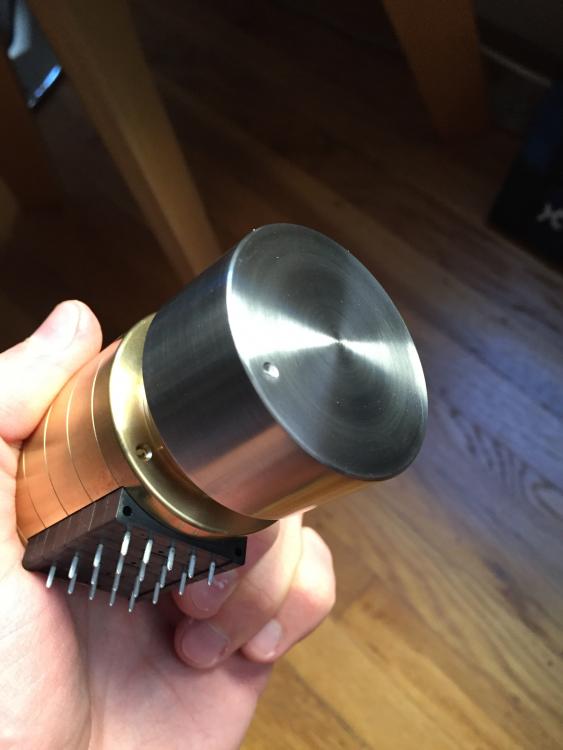
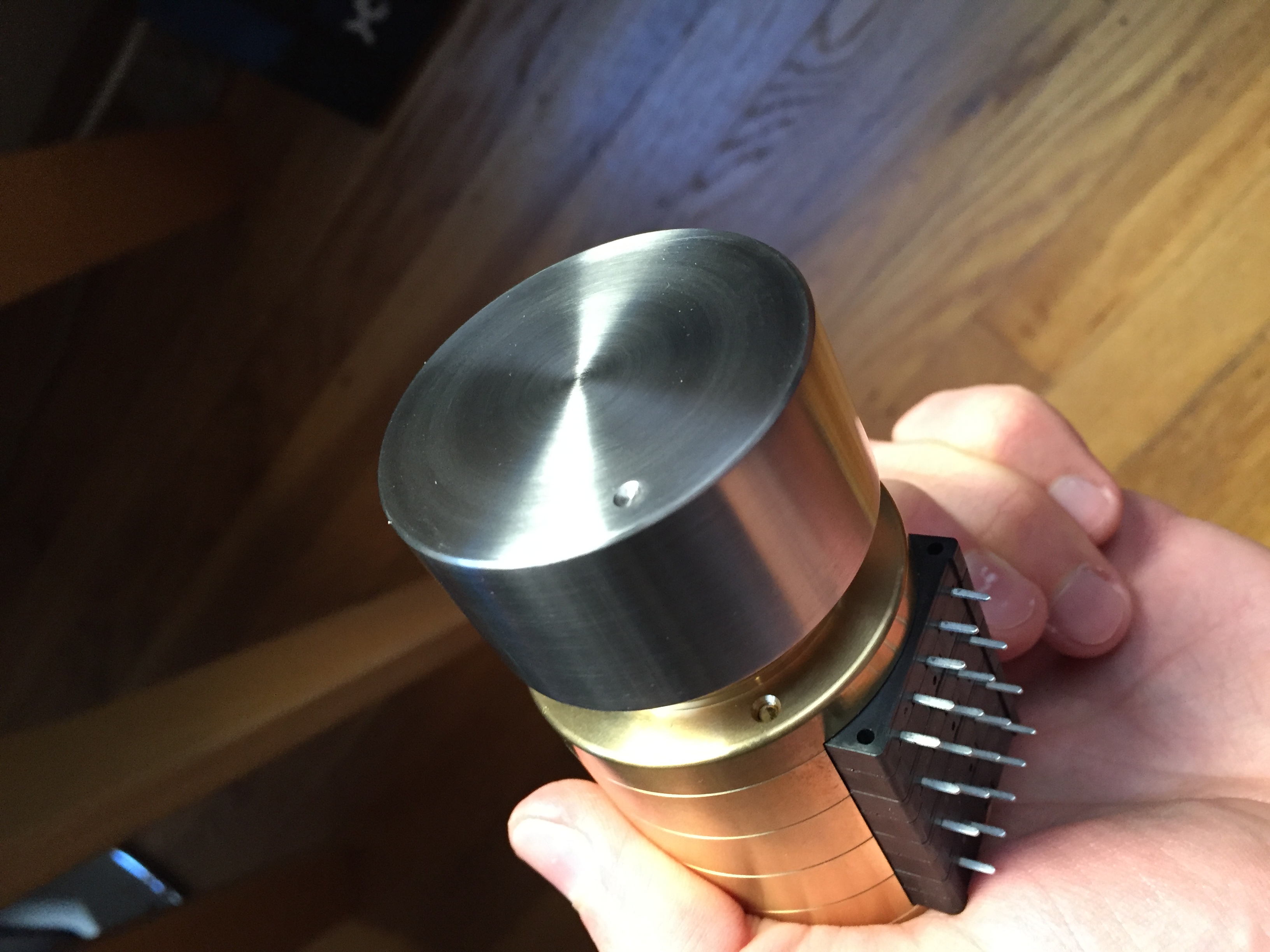
1 point1 pointBike is put together. Took me a couple of hours to do it properly (getting the front wheel centered, getting tight tolerance around the disc brakes etc). Have not really played with any fitting measurements - tomorrow perhaps. Not sure how I can fine tune the gears without a bike stand but I'll see if I can do it with the bike upside down. It's a lot lighter than all the bikes I've had in the past. I'm sure all the fancier ones everyone else has are even lighter. It looks like in person. I'm happy.1 point1 pointThis probably won't get much interest due to the large population meat boilers here but in the olden days this was a favorite way to cook meat and veggies. For anti meat boilers1 point1 point1 point1 point1 point1 point(tries to make a "...grandfathered in..." joke, fails) Perhaps you're not... ...wait for it... ...grandfathered in.1 pointFuck, this is good. Proggy metal hard rock with clean vocals. They may have outdone themselves (The Mountain).1 point1 pointJust received a titanium knob from @vilts for an RK50. Looks and feels pretty fantastic!
 1 point@complin: True, H-Fi has changed a lot given those 2004 - 2008 days when I use to lurk then finally registering years later. Funny thing is when Anakchan banned me because he wanted me to agree to H-fi's Posting Guidelines over a single post made by somebody else (which I did not respond to with a yes or no) I told him have you ever wondered why old timers i.e the true contributors from years and years back just pack up there bags and leave without any goodbye or whatever (i.e Uncle Erik comes to mind), he didn't respond to that. I've seen and read posts on other big reputable forums and not just restricted to audio stuff refer Jude and head-fi as just a big market place filled with lies, hype, shills and censorship, a big major fuck you given to those that really contribute informative facts otherwise you're agreeing to there censorship if you don't agree with them, now the place is full of shit. I think they should update there posting guidelines or forum terms and conditions to have something along the lines, "this forum runs on an explicit level of censorship and frequent alteration and moderation of post including removal of post is endorsed too see fit in Jude's views so it does not ruin sponsorship income and reputation". For those interested (sorry grawk): http://www.head-fi.org/t/684613/most-underrated-and-overrated-headphone-for-a-bit-of-fun/330#post_10366422 I got banned over my response to this post saying it is without common sense of logic that people determine conclusively how a high end finicky headphone is deemed as overrated because the person in the post listened to them through the H/out on a $100 cdp in a store/meet for less then 20 minutes, funny thing is within a few hours I had 3 other long term posters agreeing to me and about 6 people thanking my post before this got all deleted with a warning from sand pounder 3 weeks prior to my ban. Such is life. Sigh1 point










Important Information
By using this site, you agree to our Terms of Use.