

Leaderboard
-
tkam
Administrators13Points5449Posts -
shellylh
High Rollers10Points18865Posts -
Hopstretch
High Rollers8Points16822Posts -
Augsburger
High Rollers6Points13165Posts




Popular Content
Showing content with the highest reputation on 01/31/20 in Posts
-
4 pointsDoing some work on the site today so there will be periods where it's down. Edit: Server move and forum software update have been completed now. The search index has to re-index so it'll be a few hours before that's working normally again.4 points
-
4 pointsYou have likely noticed that the email notifications have been broken for quite some time, they are now fixed and working again.4 points
-
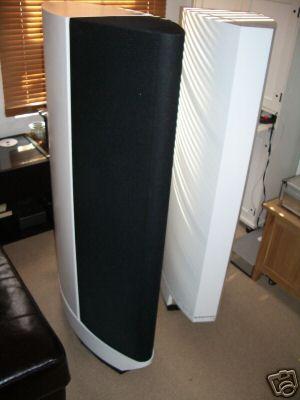
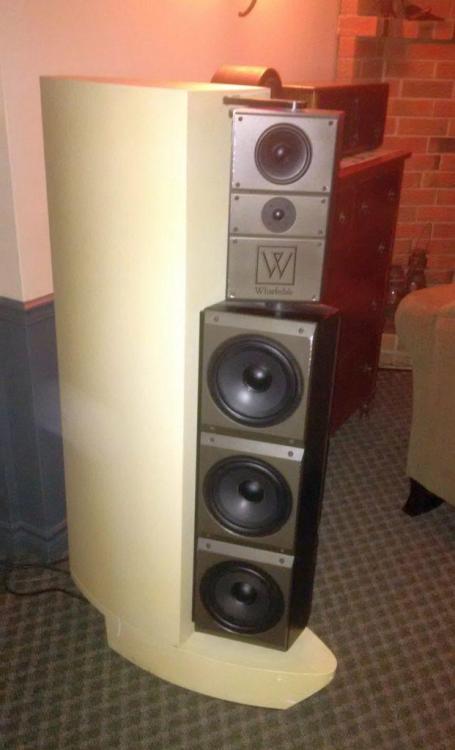
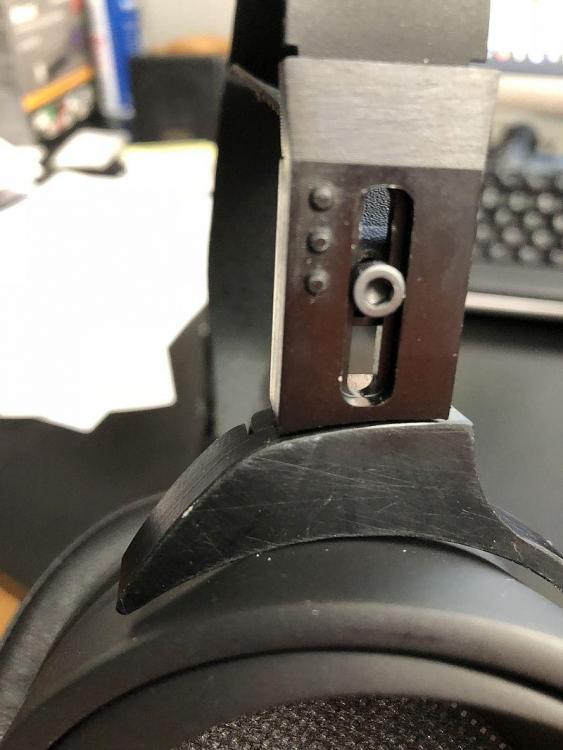
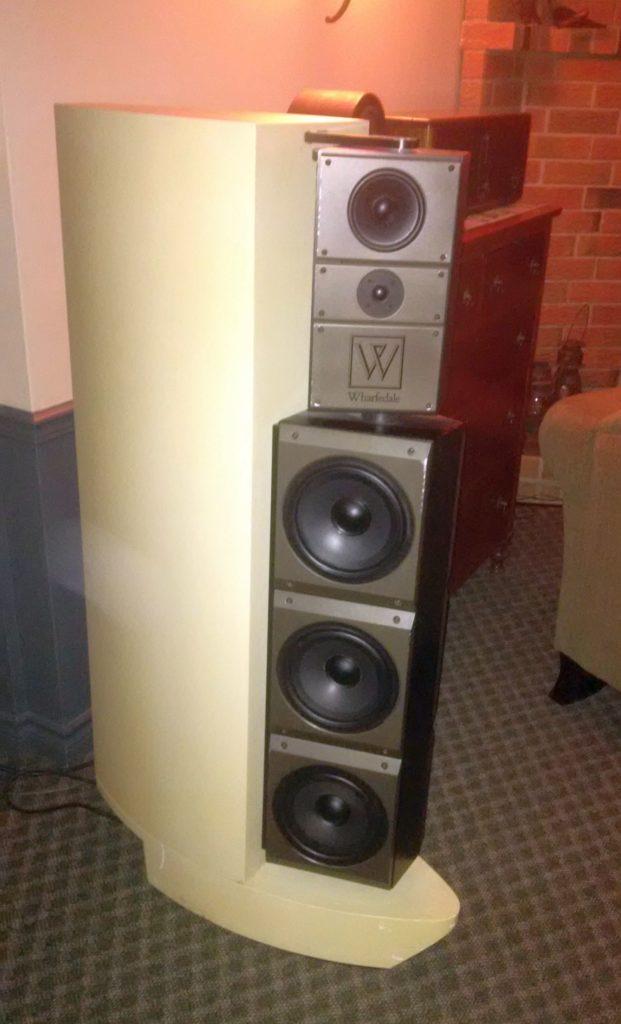
3 points2 points1 pointI think they'll do their best to improve. There are admittedly some corners that may be cut for $500. I think that the more I listen, the less I'll be bothered by the imperfections/issues.1 point1 pointUmmm….. I expected a little more attention to detail. I was about to finish the purchase when I saw your photos. I think I'll wait a little to see if unfortunately your problem has been a coincidence.1 pointIt is all about what features you need. The free solutions like Libre Office, MS Office Online or the Google Apps are great for basic editing and some intermediate level features. Where Microsoft hooks you in to paying for 365 is when you need advanced stuff. My experience is mostly in Word and Excel and my firm could not go without the paid versions. We use the advanced stuff every day.1 pointI prefer LibreOffice – I don't think the official OpenOffice fork is being actively developed. We receive LibreOffice docs from partners from time to time – I always convert them to MS Office docs right away for my coworkers. LibreOffice has been getting much better in feature parity compared to MS Office and they can mostly share documents without a problem using the MS Office 2007+ formats. Mostly I use LibreOffice for opening a difficult file, as it doesn't seem to mind about locks and permissions in the strict sense that MS Office does. In my opinion, most people could probably use LibreOffice as a free MS Office replacement without too much of a problem. Hardcore business users are going to balk at the clunky interface style and less streamlined advanced options (and re-learning), which is why Microsoft's office apps are still in business. I don't like that LibreOffice still uses Java for its Base (database) app, but there have been murmurings of moving it away from Java for years.1 point1 point1 pointI did pick one of these up....unfortunately have not had SO much time to listen, but first impressions and maybe 10-15 hours worth are good. Great bass, soundstage, and top to bottom balance. Some musicality/transparency I still like a little bit better with SR-007 Mk II, but this is no slouch at all! My complaints were that the workmanship can be improved. Mine came with several marks or imperfections on the metal portions of the headband and related, and one ugly mark on one of the earcups. For the $, though....it is REALLY nice!1 point1 pointThe.. and I love being able to say this... new Squarepusher album! https://www.youtube.com/playlist?list=OLAK5uy_lb3RkVZOSxQTx1XBHQ7PeAIzQ_Jd8AAjk https://www.youtube.com/watch?v=GlhV-OKHecI ..is particularly nuts. It runs the gamut, quite a lot of nice mellow stuff on there too. Due to his broken arm and inability to let rip on "real" instruments, it has a very electronic feel, very Hard Normal Daddy-ish. Very happy with that.1 pointThere are definitely feature differences between Mac Office and Windows versions of Microsoft Office applications. Casual users won't notice, but power users (particularly in Excel, but also sometimes in Word) will notice a lot of Windows features are completely missing in the Mac versions. And, of course, some Windows Office applications are completely missing Mac versions (e.g., Access, Publisher, etc.). The great thing about running a Mac is that you can use both, though. Install Windows 10 via Boot Camp or Parallels/Fusion and you can switch over when you're hitting those feature limitations. Some of the Microsoft Office365 licenses allow installation on multiple devices, so then you're only out the cost of the Windows license (which you can bring over from a spare Windows 7 install key: https://www.howtogeek.com/266072/you-can-still-get-windows-10-for-free-with-a-windows-7-8-or-8.1-key/). Then you just have to remember that the CMD key is the Windows key and the Option key is the Alt key. The Office files are totally interoperable between modern versions of Microsoft Office, e.g., 2016+ (and I recommend only using the newer Office 2007+ XML file formats: .docx, .xlsx, .pptx because the file sizes are smaller, they are an open standard, and they get corrupted less often). Other applications are slightly less than 100% compatible with complex Office files, like Apple's iWork apps (Pages, Numbers, Keynote) or LibreOffice.1 pointI'm still on mojave. (I have about $500 worth of upgrades I need to purchase to be all 64 bit). I know a lot of folks who have updated to Catalina and there hasn't been any issues for them that I've heard of. If you check with something like Go64 and the apps you use are ready (or you can easily upgrade), I don't see why you should be worried. https://www.stclairsoft.com/Go64/ Just be sure and backup your entire system before upgrading. If you hate it, you can always erase your drive and clone your backup back onto your mac.1 point1 pointThe ultrarare Wharfedale Option 1. Only 8 pairs ever made during the mid 80s. Full dipoles, actively crossed over and with Quad current dumper amplifiers in the pod at the bottom, and a balanced input. The large enclosure at the back was a bass reflex subwoofer that could be turned off if you only wanted it to go down to only 35Hz. The amplifiers were heat sunk to the bottom pod, which was cast aluminium. The reflex enclosure pod at the back was fibreglass skins around a honeycomb core. It could go to 120dB without breaking out in sweat. Unfortunately, although apparently the sound was stunning, the price tag was about £10k (about £35k in today's money). Now if it was a Mark Levinson Cello speaker, or Apogee etc it would have stood a chance of selling. But it was hobbled by being a Wharfedale, which at the time made high volume consumer audio speakers, and not high end things like Option 1. Crap name too. Brochure-Wharedale-OptionOne.pdf
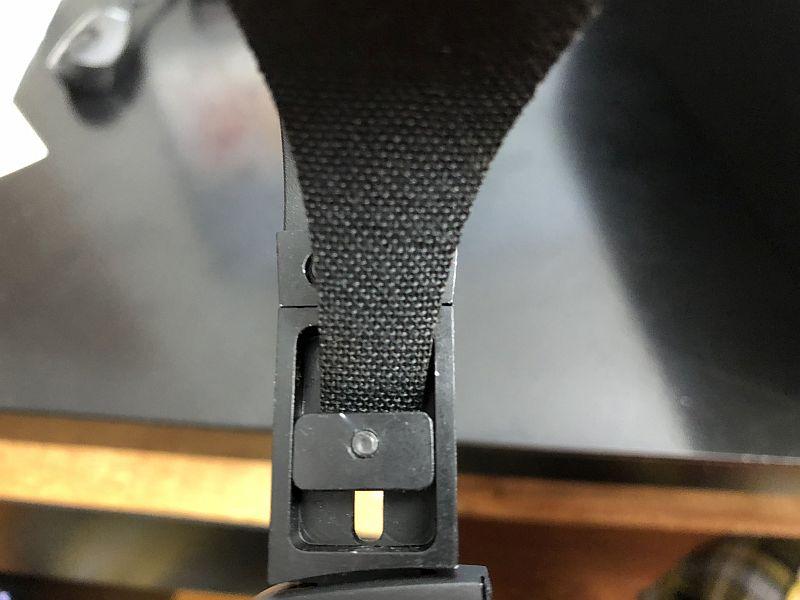
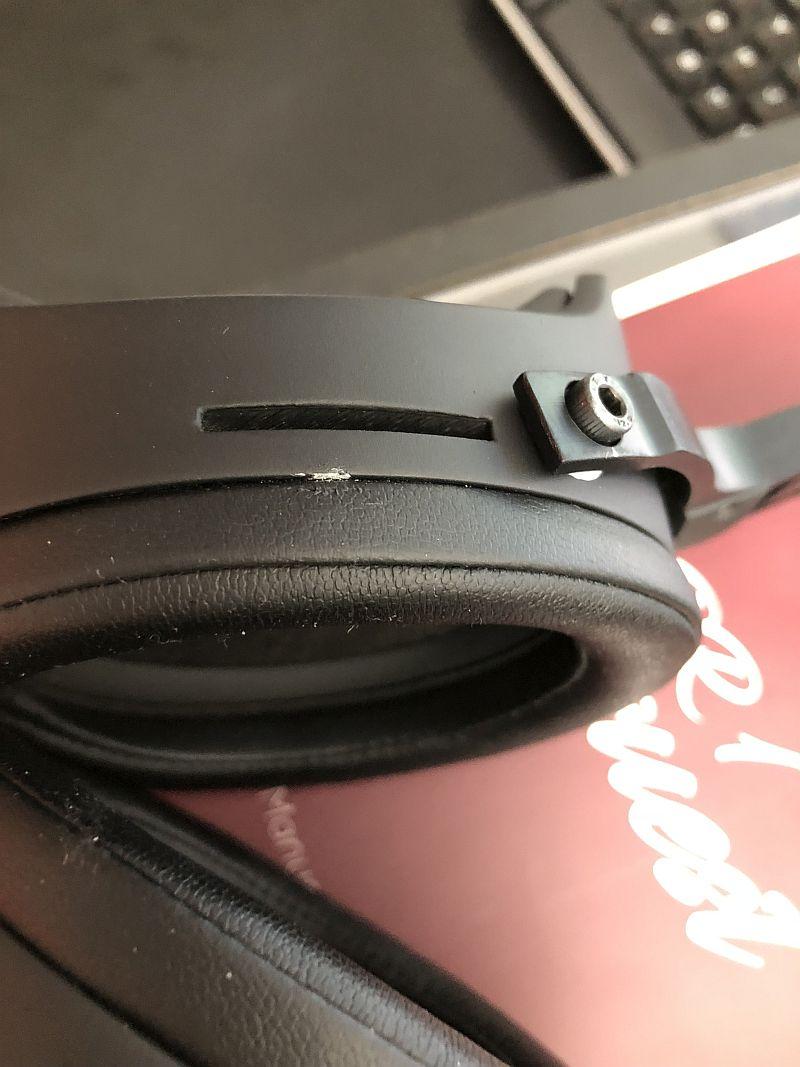
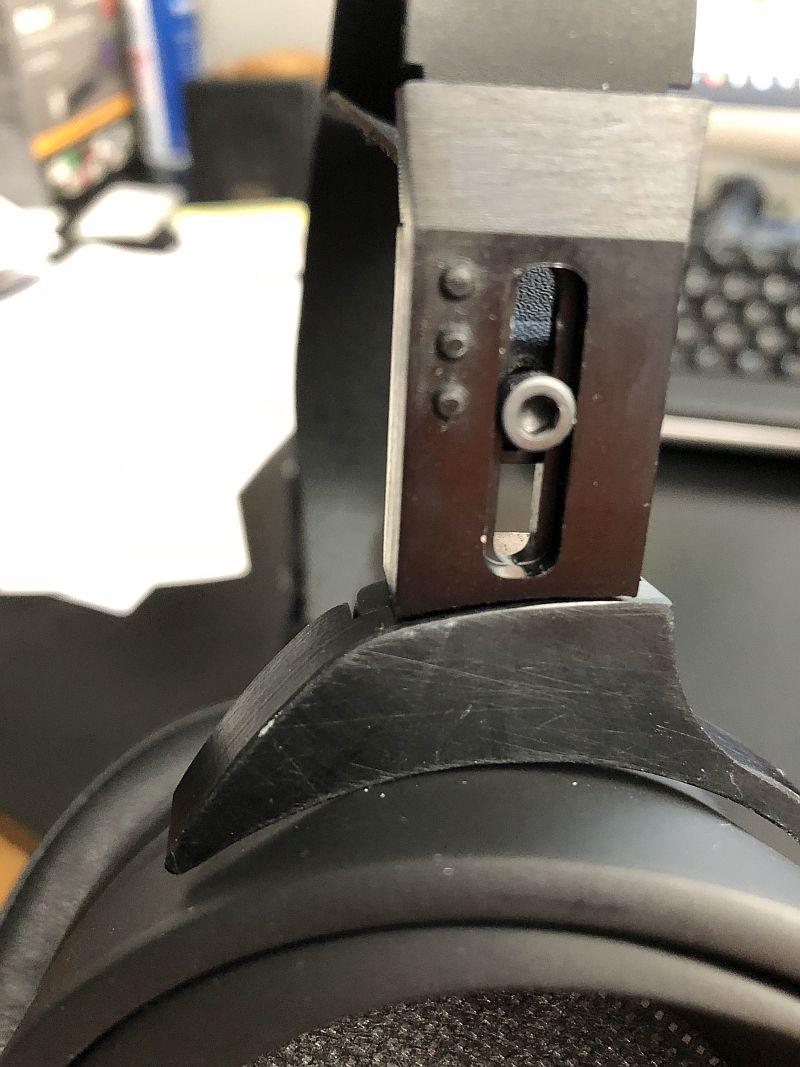
 1 pointThe man, the myth, the sea. Huell "No take hits the floor" Howser.1 point1 point1 point0 pointsPremium has a longer cord and supposedly better packaging. It IS a nice wood box with acrylic top and a badge. I got that because I had the $ to spend and it was the only one in stock. They claimed the scratch in the earcup was likely from shipping, but not sure....it looked like it was well-protected, at least that spot....and it didn't quite line up with anything that looked like it would scratch it. Some pics of my nicks and such below.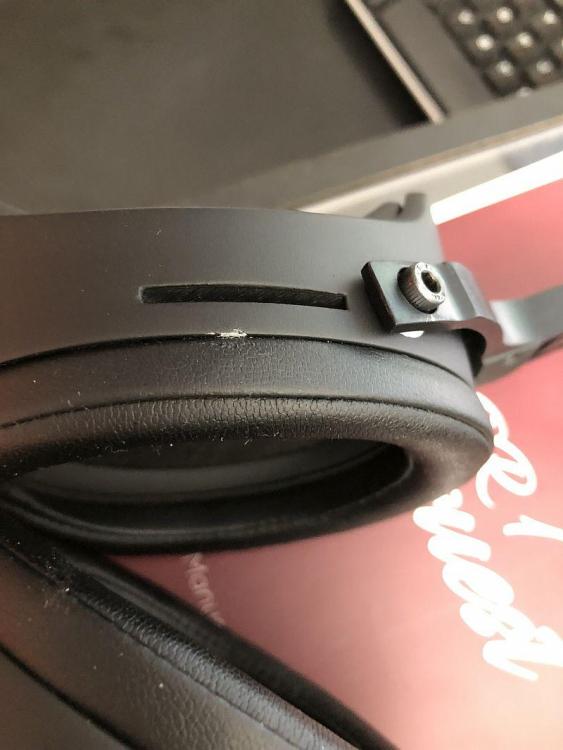
 0 points











Important Information
By using this site, you agree to our Terms of Use.