Leaderboard
-
morphsci
High Rollers13Points13355Posts -
mikeymad
High Rollers13Points13883Posts -
Voltron
High Rollers10Points34626Posts -
skullguise
High Rollers7Points8927Posts




Popular Content
Showing content with the highest reputation on 05/05/26 in all areas
-
Back to the raw and gritty style of their early stuff. Enjoyable, if not remarkable. Qobuz: https://open.qobuz.com/album/gkphye0rw4wtb ex.2 points
-
It was a good time.1 point
-
1 point
-
1 point
-
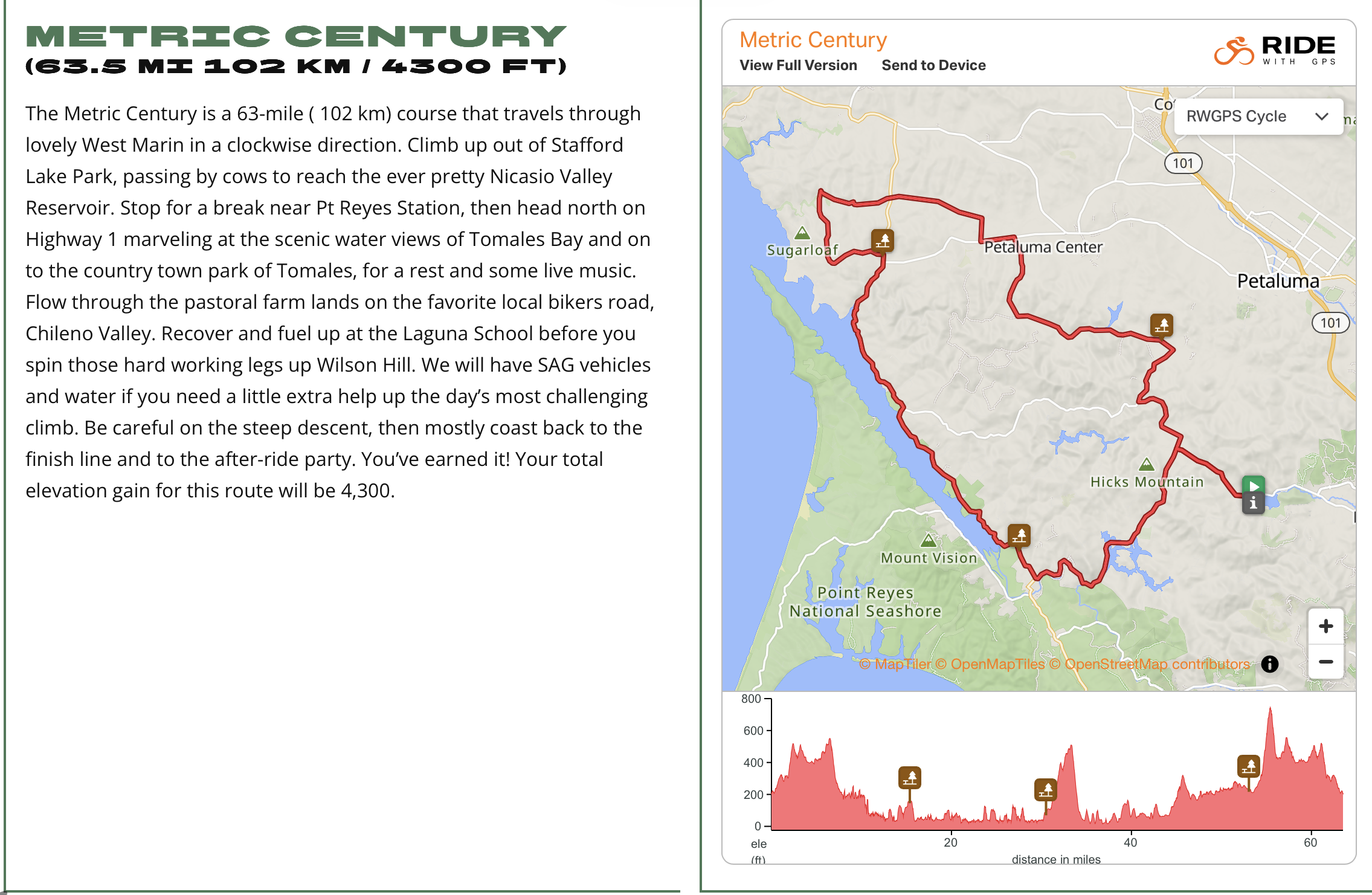
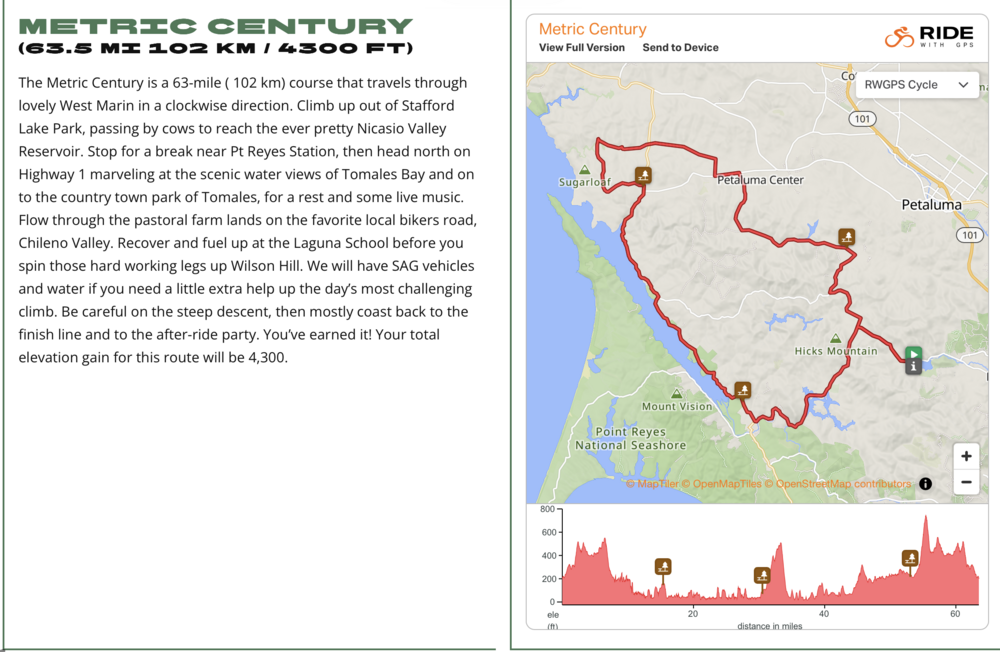
1 pointSigned up for my first (metric) century! I am a little worried about all the climbing, but it is split up into four climbs and a bunch of rollers, none of which are beyond my ability. Should be fun to train for. @Voltron want to come join? https://marincentury.com
 1 point
 -
0 pointsScott Lee of DIY music electronics company PAiA has died. The PAiA website currently has a memorial up for him: https://paia.com/ I never made an PAiA kits, but I was a ware of them for many decades. From Theremins to TB-303 clones to full-on modular synthesizers, PAiA had something for any would-be synthesist handy with a soldering iron.0 points