


Augsburger
High Rollers
-
Joined
-
Last visited
Everything posted by Augsburger
-
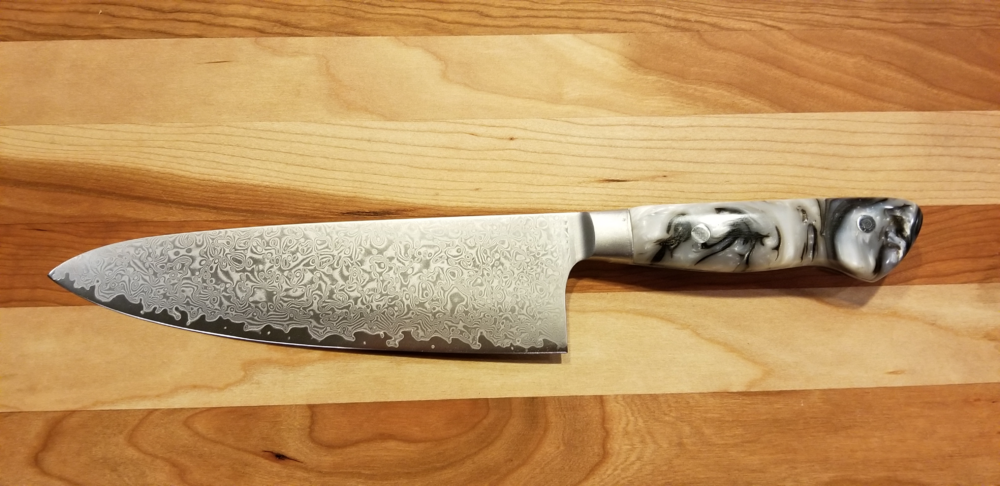
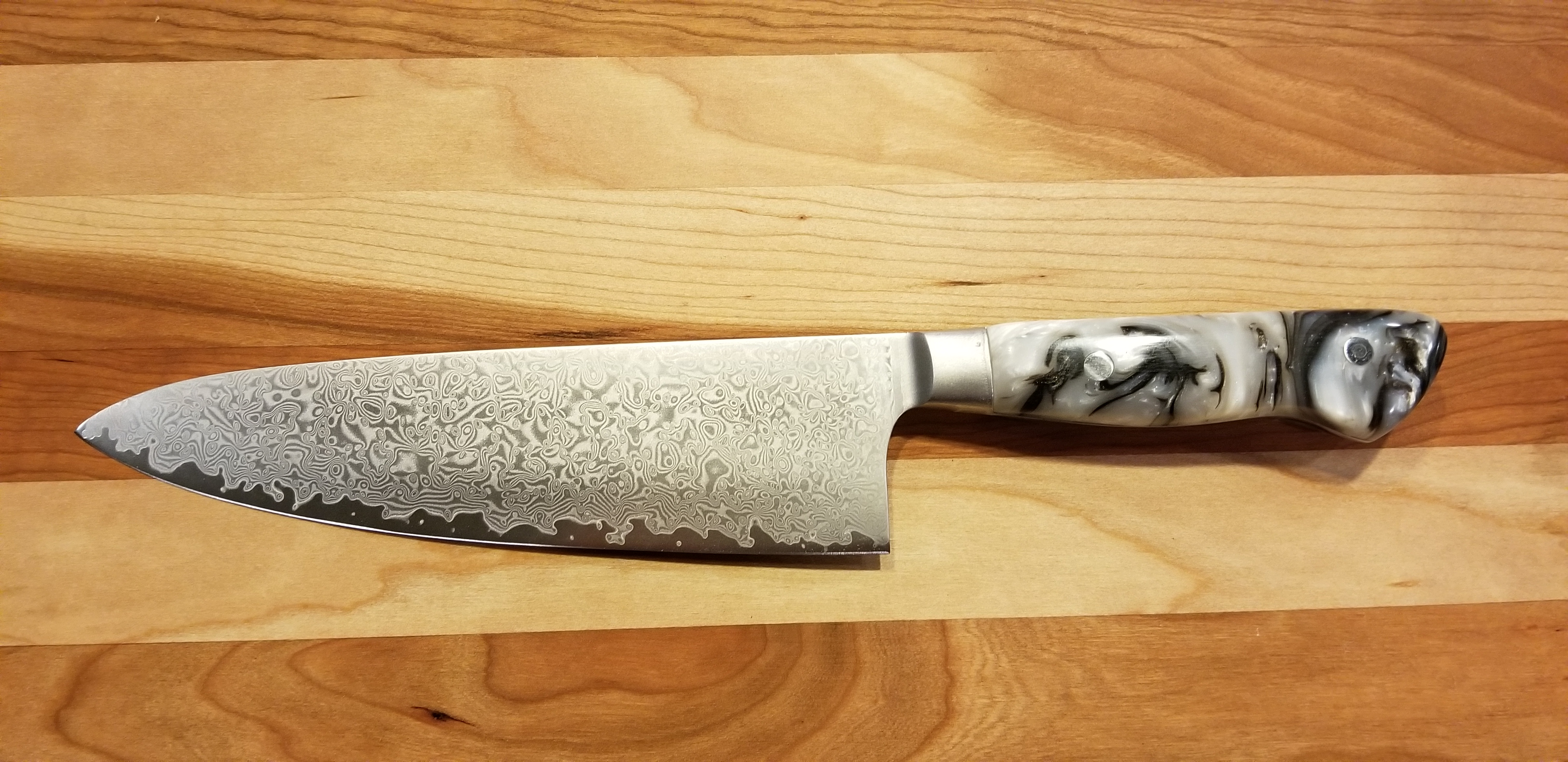
I always suspected you were AI. Well happy birthday anyway. Python HB CodeAs soon as I return from Truckee lake I will let you know.Opening up a nice Chianti for our annual Donner Party BBQ!Happy Birthday Colin!I love Allclad stuff. Seconds sale- https://homeandcooksales.com/?cjevent=412b63e871a411eb80d700430a1c0e13Happy Birthday Ed!Happy Birthday Steve! SGood olive oil helps too.Wow, a hundred degree difference between you and me.A favorite of mine too. See if you can track down some truffle salt and give that a whirl on the pasta. Looks al dente too so you get a pasta chef merit badge.A little early but...Happy belated birthday!Sounds like prison food.Short bike ride, hit 79 degrees today. Just sayin'If we have high winds tomorrow, I'll blame Brent. 😠I don't think you want to see my stick smashing work. I don't take pity well.I can't smash sticks and since like most of you people I am spending a lot of time indoors I decided to make myself another chef knife.
 More tax planning https://youtu.be/yNLNHzjeSd8Can You Hear Me Now?VID-20210128-WA0000 (1).mp4Happy Birthday Mike!My feelings exactly.




Important Information
By using this site, you agree to our Terms of Use.
Account
Navigation
Search
Configure browser push notifications
Chrome (Android)
- Tap the lock icon next to the address bar.
- Tap Permissions → Notifications.
- Adjust your preference.
Chrome (Desktop)
- Click the padlock icon in the address bar.
- Select Site settings.
- Find Notifications and adjust your preference.
Safari (iOS 16.4+)
- Ensure the site is installed via Add to Home Screen.
- Open Settings App → Notifications.
- Find your app name and adjust your preference.
Safari (macOS)
- Go to Safari → Preferences.
- Click the Websites tab.
- Select Notifications in the sidebar.
- Find this website and adjust your preference.
Edge (Android)
- Tap the lock icon next to the address bar.
- Tap Permissions.
- Find Notifications and adjust your preference.
Edge (Desktop)
- Click the padlock icon in the address bar.
- Click Permissions for this site.
- Find Notifications and adjust your preference.
Firefox (Android)
- Go to Settings → Site permissions.
- Tap Notifications.
- Find this site in the list and adjust your preference.
Firefox (Desktop)
- Open Firefox Settings.
- Search for Notifications.
- Find this site in the list and adjust your preference.