

Sherwood
High Rollers
-
Joined
-
Last visited
Everything posted by Sherwood
-
Now you're just baiting me.
-
That would surprise me, coming from AMC. They seem to be all about the slow burn, God bless 'em.
-
Oh, man Naaman, this is just fantastic. Congratulations to you and yours, and be thankful your baby is adorable.
-
Yeah, calling works great.
-
Watched "Community" yet, emelius? You might enjoy. I did, and I also hated Haven, laughed at Modern Family and was frustrated by the predictability of it, and like every one ever enjoyed top gear.
-
Whee! What are you driving with it?
-
It fills me with a kind of longing for something that probably never existed. A real work of art, that show.
-
I sincerely hope you're watching it in a crowd participation setting.
-
This is what happens to people with crippling social problems. I find it funny that his reaction to the situation was not to get over his irrational fears, but to increase the layers of neuroses isolating himself from the world.
-
custom. title.
-
Who but Steve could introduce the boobs here?
-
Dropbox is, in fact, so much better than it seems. Any program that accesses a fixed library can easily access that library stored in dropbox, which means automatic syncing of application data between multiple systems. It's only 2gb, so don't go storing videos on it, but for notes, reader data, document libraries, etc. it's much more than just a cloud storage location. It maintains a persistent address across multiple systems, which is impressive. In simple terms, that means that not only can you easily browse through files in multiple places, but you can have multiple computers work on and change the same set of data from anywhere instantaneously. Fun stuff.
-
MBP, iMac, Airport express and extreme, ipods shuffle, video, touch and iphone, plus my wife's sundry toys, and I just bid on an apple TV. It blows me away, thinking about it. How did it get this bad?
-
He did, surprisingly. I got them for the "going rate", though I'd never sell them at it (unless it was to one of you gentlemen, and I received some unobtainable beer).
-
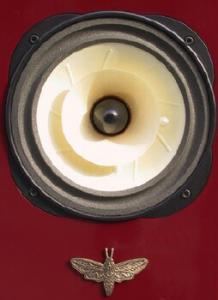
Just bought a(nother) pair of Moth Cicadas. Love 'em.
-
I can vouch for Keith. He's not directly involved with RMAF, just an enthusiastic attendee. As are most of us in the Rocky Mountains.
-
Repo Men. Not very good. When will studios learn to address glarin plot holes with simple dialogue?
-
You've brought up a good point here. Why is it that Cracked.com is so much funnier than Cracked magazine ever was?
-
deal. I've got some leftover fireworks, I think.
-
i.e. it's not worth giving away.
-
grrrr.... what am I supposed to do with this tiny magic mouse that I never stopped hating now?
-
Enjoy, and don't think about any of this for half a month.
-
hothothot
-
I love my comcast. I'm internet only, of course, but still. I get speeds I'm happy with, they don't gouge me (compared to my other options), and it has not gone down once in the 18 months I've been using it. I moved over 1 terrabyte of data in the month of June, with nary a peep from them.
-
Anybody else totally jonesing for some Snow Crash?
