


luvdunhill
High Rollers
-
Joined
-
Last visited
Everything posted by luvdunhill
-
ok, I feel the love again... just talked with Alex. Steve, when will you have the "cans-with-headphoneaddict-like-description" in your hands?
-
You still have some time on the rebates... I'll have mine up and running in the next couple days and can provide some feedback Grawk, never heard of an iTunes server, will have to read up on it...
-
I'm planning to use it as my primary desktop, so not in a strictly HT use... The ReadyNAS can pretend to be a TimeCapsule which might be pretty sweet, we will have to see...
-
Trade-in is less than I hoped. Also, doesn't seem like they are offering the discount anymore either?
-
I decided to bite the bullet. The mini will arrive tomorrow.
-
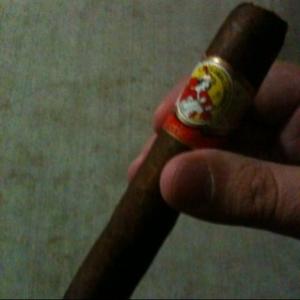
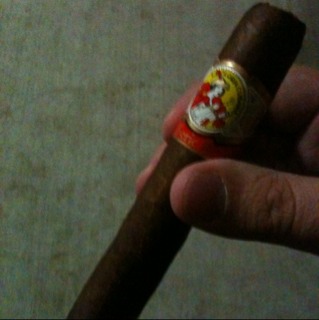
La Gloria Serie R
-
same thing happened to me. However, when I finally figured out what she was trying to sell, I almost busted out laughing. Some sort of impression that fits over an ear bud "Apple iBud compatible" even, according to her. Then I explained that the electronics are "inside" the thing and she sorta nodded politely.
-
I have both a 32sII and 48gx that I still hold onto. Now that I'm working at HP, I think I'll just put them on my desk at work. The real gem was the 42s. I'd love one of those to this day.
-
I don't see any refurb minis at Apple's site. Any other places to look? nm: http://lowendmac.com/deals/best-mac-mini-prices.html
-
(I figure this .. or never, like Reks said) Schr
-
Today was the first day I could particpate in the HP employee discount program. So I did what anyone would do, and bought a new monitor: HP 2709m
-
when do you guys think the mac mini will get refreshed?
-
do you have any idea if that mobo can support the Intel Core i5-750 Lynnfield?
-
two words: duct-tape and K1000
-
Newegg. They have a $150 Visa giftcard rebate now. So, $449.99 - $150 free shipping, no tax. Native support for Squeezeserver looks pretty sweet, that was the sole reason I went with this one. There's a smaller rebate ($50?) on the empty one, but heck at that price which includes two 1TB drives, it was hard to pass up on.
-
I ended up getting: A-200 with WD5000AVDS OPTI VS575C Netgear RND2210 We'll see how well everything works
-
some really good news at work today. Too good, so I'm worried
-
that blows man
-
Running into this perhaps? Gibbs phenomenon - Wikipedia, the free encyclopedia
-
hmm. lots of options. Which of the "green" hard drives do you guys recommend? Something like the WD10EVDS?
-
I like the idea that the Bone can run Android. Thanks Grahame, I may have found my solution So, I might just try the Bone + ReadyNashmmm. so, looking at the HDX, it can download torrents, right? What about the HDX Bone?thanks tkam. I would like something reasonable small (fanless a plus). I would think under $500 would be my target without harddrives.So, now I'm in a similar situation as Doug. I have three main needs: 1.) Squeezecenter 2.) Torrents 3.) 1080p playback via HDMI Things like the Zotac, VIA ARTiGO, and other nettops are one option that can give me 1-3 above, or something like a Netgear ReadyNAS that can do 1-2 and provide RAID in a small formfactor. If I were to go with a nettop, any recommendations on processor and video?
Important Information
By using this site, you agree to our Terms of Use.