

Leaderboard




Popular Content
Showing content with the highest reputation on 07/26/20 in Posts
-
3 points
-
3 points
-
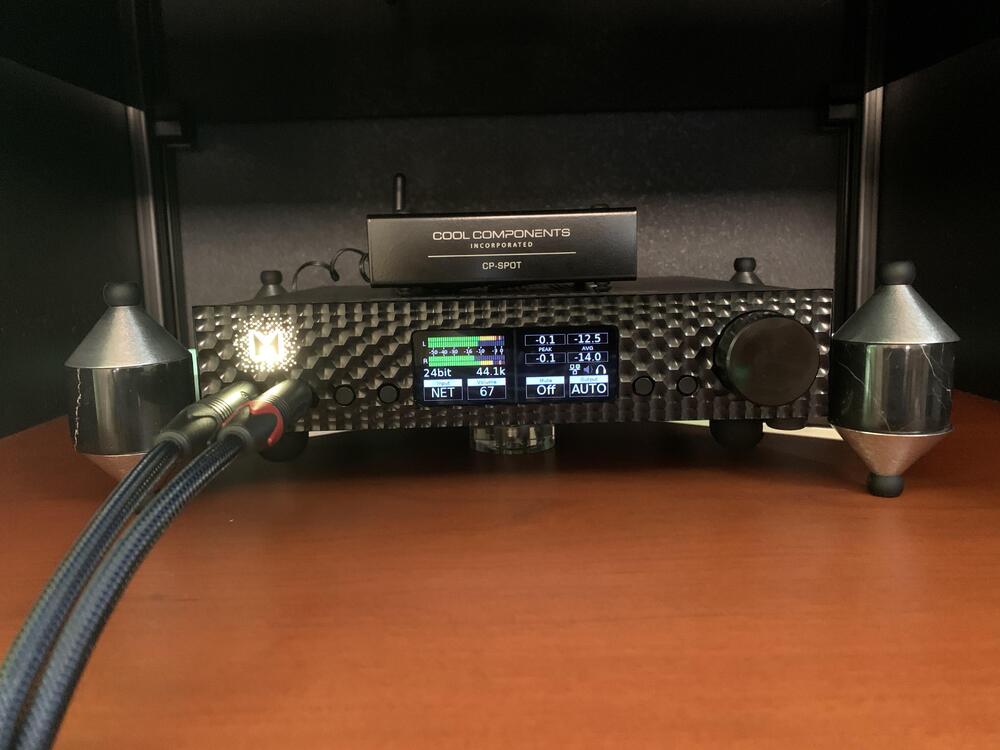
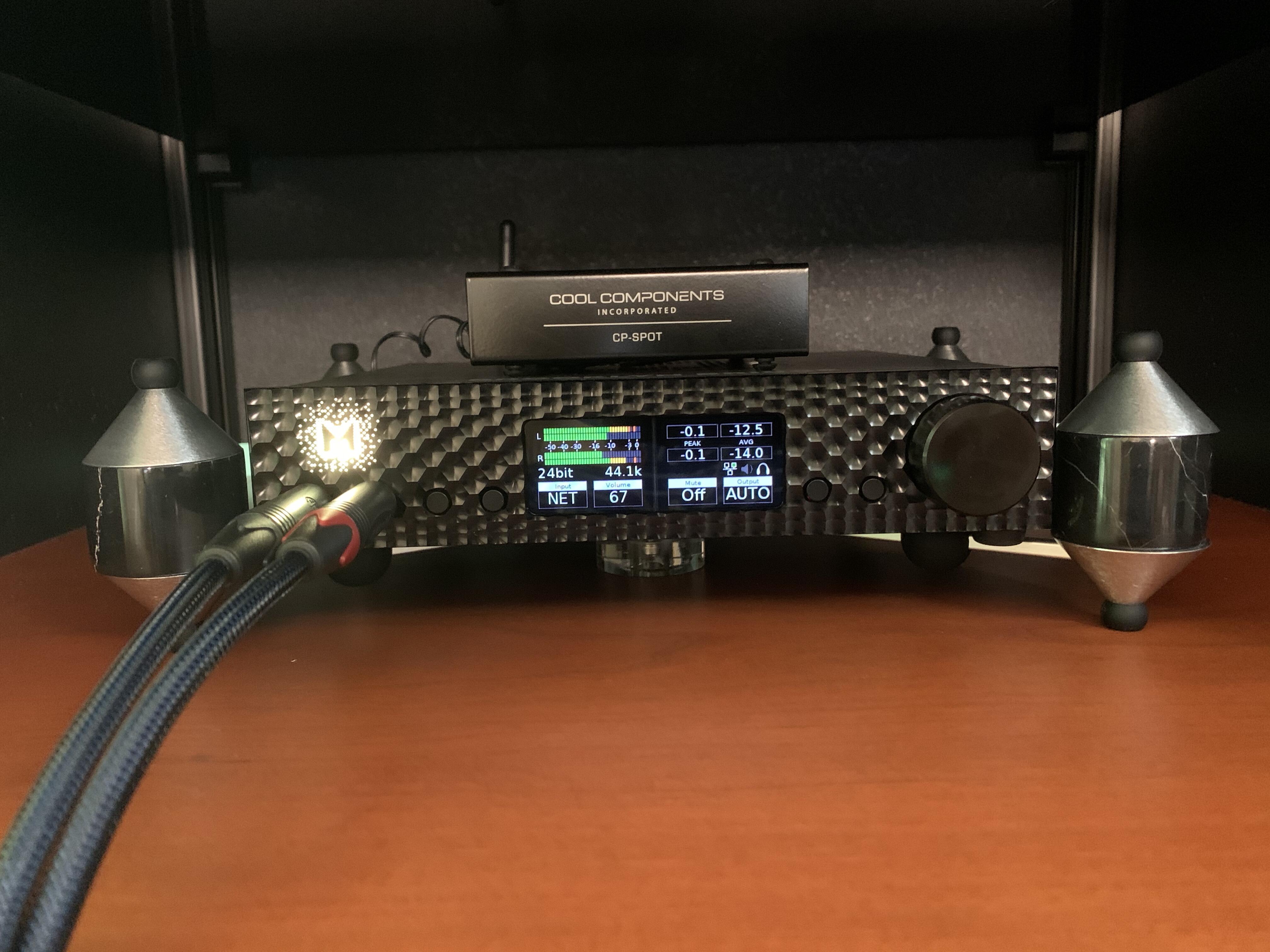
2 points2 pointsYeah, but now it's easier with cellphone cameras. You don't have to dress up and hold the same pose for 15 minutes anymore.2 points2 points2 pointsThe Pootie Pie is a streamer, but I am not sure how that would really differ from a wireless sound card. If you use Roopiee XL You are not restricted to Roon. You can use it any way you use an Airplay, DLNA or Spotify endpoint. So you basically hook it up to a DAC and push music to it using any DLNA or Airplay compliant app.1 pointThis again. Just assume this is on constant rotation for the next month. Doesn’t rise to Jenny Lewis’ last, but perhaps more fitting in these smaller, breakup-with-the-past, Corona-days. Shades of Kathleen Edwards.1 point1 point1 pointI'm not even sure that I can "hold the same pose" for 15 minutes anymore. I'll let both of us know the answer to that, very soon after this damned virus is in check. My sincere apologies for hijacking this thread well beyond it's intended destination.1 point1 pointBelow is Marc's post about building a Roon endpoint. If you install Roopiee XL you will be able to stream using Airplay, DLNA and Spotify, in addition to Roon. It is really easy, even I was able to build two of them. Also known as a Pootie Pie.1 point1 point1 point1 point1 pointlistened to a lot of Peter in my day and watched a lot of Regis back in the day RIP entertainers1 point1 pointBBC News - Peter Green: Fleetwood Mac co-founder dies aged 73 https://www.bbc.co.uk/news/uk-53539989 https://www.guitarworld.com/news/peter-green-fleetwood-mac-co-founder-and-british-blues-icon-dies-aged-73 RIP Peter1 point1 point1 pointNow that I've finished the home renovations and the work has slowed (I cross my fingers so there is no Covid regrowth), I've been able to make up time to listen to music and dedicate myself to my DIY projects. Today I'm listening Opeth "Blackwater Park"1 point1 point1 point1 point1 point1 pointThe first two look interesting and they both use ESS Sabre chips so I know I like that sound (if properly utilized). The Schiit does not do DSD (as far as I can tell) which makes it non comparable since I am looking at affordable DACs that do native DSD. Here is the Mytek on the iFi rack
 1 point1 point0 pointsActress Olivia de Havilland, possibly last of Old Hollywood, dies at 104 https://www.bbc.com/news/entertainment-arts-12717233 https://www.bbc.co.uk/news/entertainment-arts-53546021 Born in Tokyo, grew up in California, settled in Paris. De Havilland’s specialty was the demure, soulful beauty. “Playing bad girls is a bore,” she once claimed. “I have always had more luck with good-girl roles, because they require more from an actress.” But the actor’s soft exterior concealed a core of steel. In the 1940s she successfully sued Warner Bros in a landmark ruling that helped break the stranglehold of the US studio system. As a side note, when younger and I needed an alternative name for a variety of reasons, it was Max Havilland, the last name from her.

 0 points













Important Information
By using this site, you agree to our Terms of Use.
Account
Navigation
Search
Configure browser push notifications
Chrome (Android)
- Tap the lock icon next to the address bar.
- Tap Permissions → Notifications.
- Adjust your preference.
Chrome (Desktop)
- Click the padlock icon in the address bar.
- Select Site settings.
- Find Notifications and adjust your preference.
Safari (iOS 16.4+)
- Ensure the site is installed via Add to Home Screen.
- Open Settings App → Notifications.
- Find your app name and adjust your preference.
Safari (macOS)
- Go to Safari → Preferences.
- Click the Websites tab.
- Select Notifications in the sidebar.
- Find this website and adjust your preference.
Edge (Android)
- Tap the lock icon next to the address bar.
- Tap Permissions.
- Find Notifications and adjust your preference.
Edge (Desktop)
- Click the padlock icon in the address bar.
- Click Permissions for this site.
- Find Notifications and adjust your preference.
Firefox (Android)
- Go to Settings → Site permissions.
- Tap Notifications.
- Find this site in the list and adjust your preference.
Firefox (Desktop)
- Open Firefox Settings.
- Search for Notifications.
- Find this site in the list and adjust your preference.