

Leaderboard
-
blessingx
High Rollers15Points17838Posts -
mikeymad
High Rollers6Points13883Posts -
dsavitsk
High Rollers5Points4972Posts -
skullguise
High Rollers4Points8927Posts




Popular Content
Showing content with the highest reputation on 11/07/25 in all areas
-
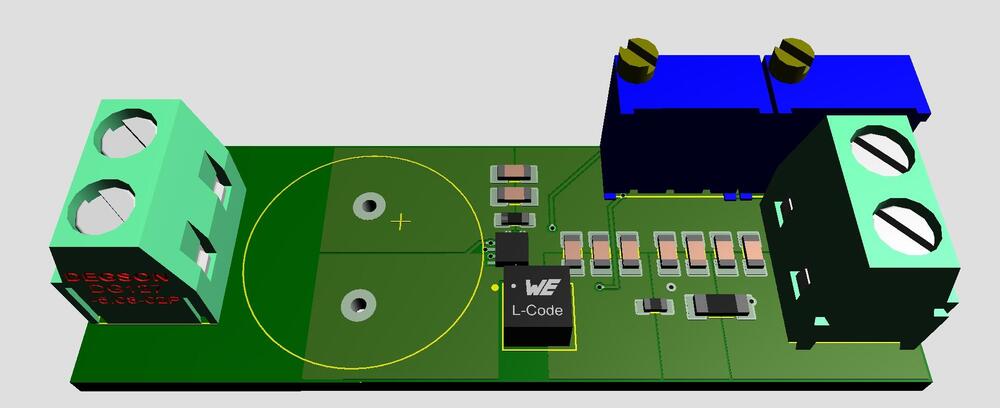
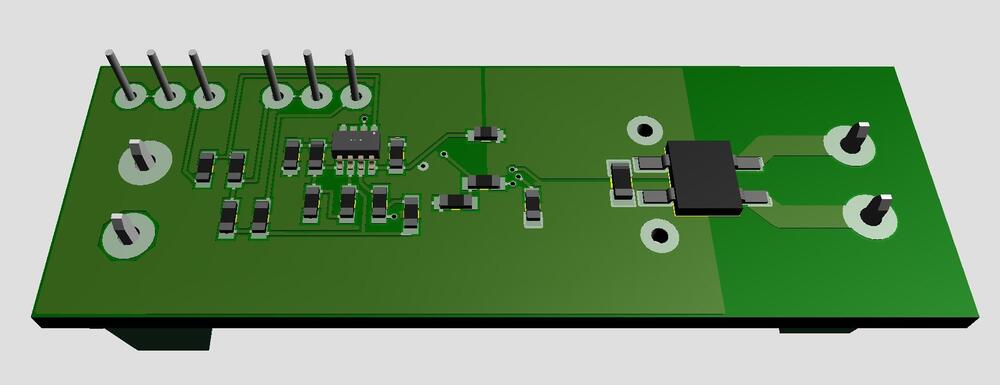
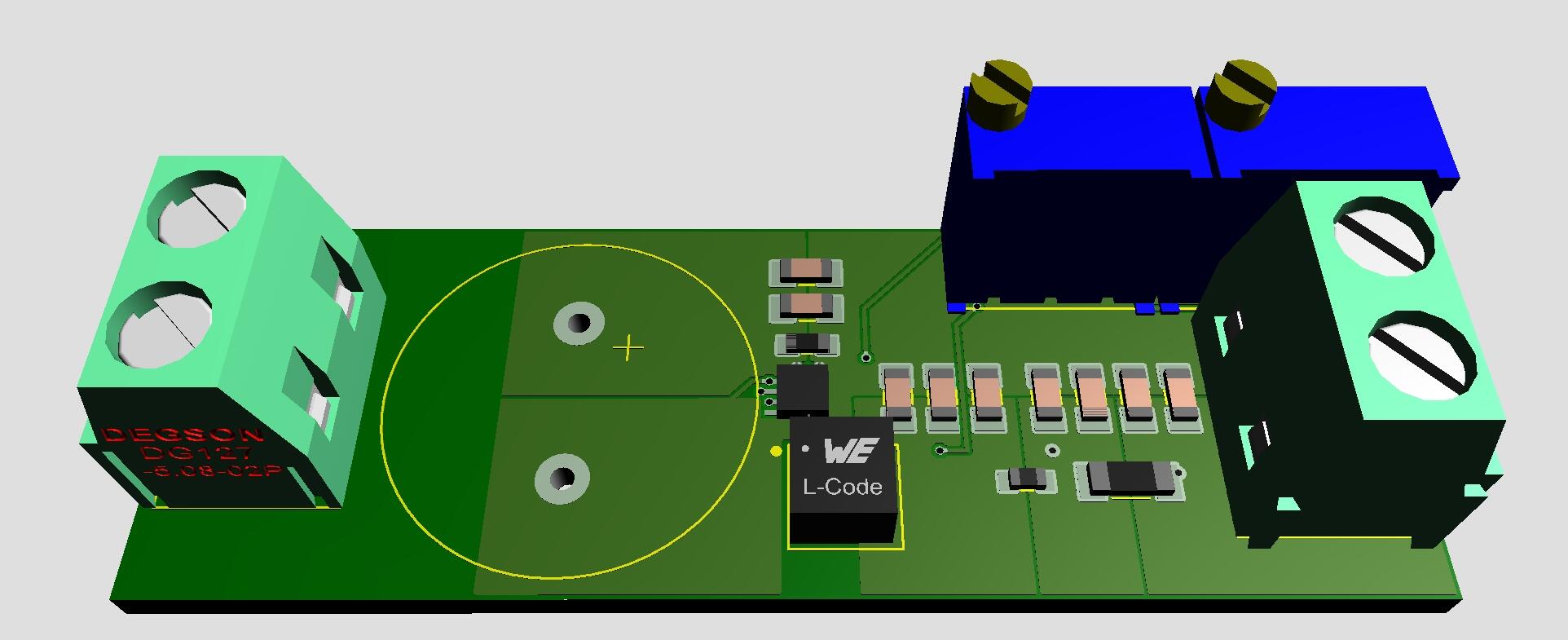
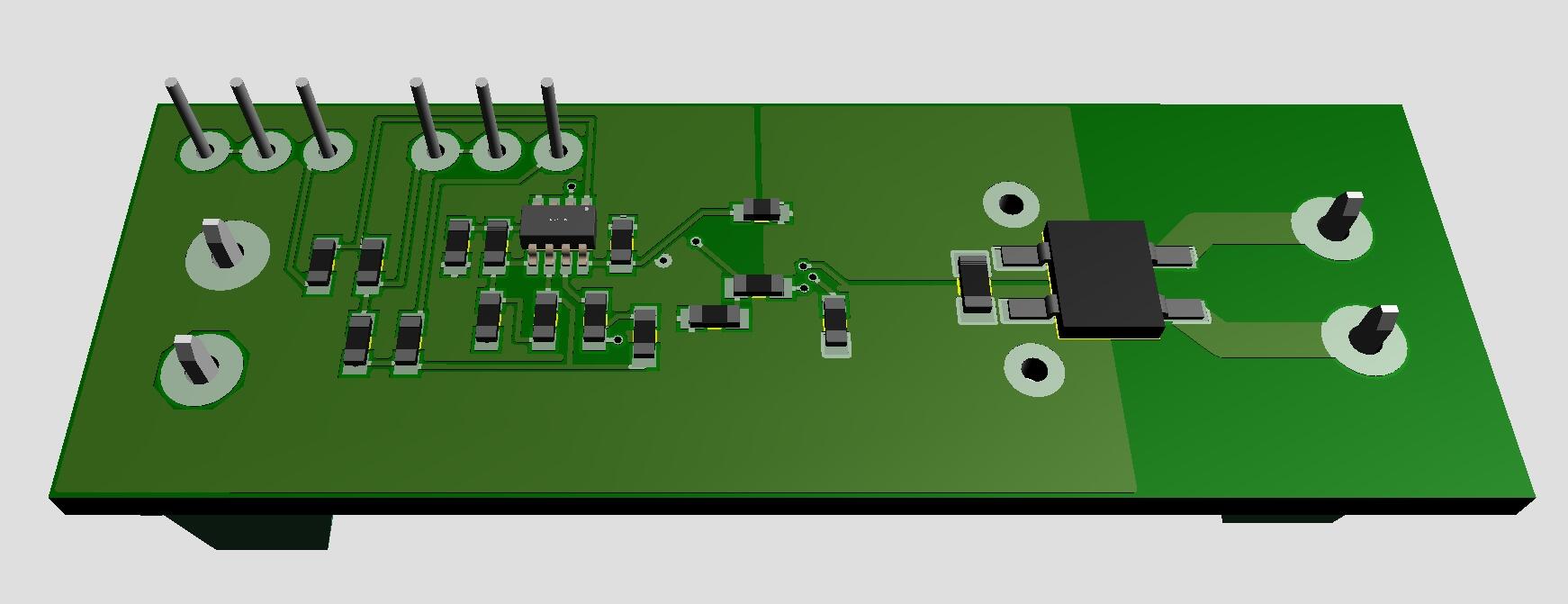
3 pointsOnly in fantasy world... Filament supply for DHT. 9VAC in and 2.5/5.0VDC out. Size 2.07in x 0.7in. All you need is to connect a transformer and a tube to heat.
 2 points2 pointsFlytrap Central https://gardenandgun.com/feature/venus-flytrap/?src=longreads2 pointsI Photographed an Appalachian Family for 15 Years https://www.nytimes.com/2025/11/06/opinion/appalachia-family-photographs-poverty.html?unlocked_article_code=1.zU8.sPlI.uB8LeWerNWJP&smid=nytcore-ios-share&referringSource=articleShare (gift article)
 2 points1 pointmy marriott inner spring mattress is on it's way, to replace my 4 year old costco foam sealy1 pointNice little post-punk number. Medigs. Comments seem to like them.1 point1 point1 pointYup Kpop is still in my feed. (I have not seen a live drone show yet, pretty impressive)1 point1 pointI think I need to update my thread feed... It's this or Wagyu beef.1 point








.thumb.jpg.e56950ebbdfabfb46c42ffd725ee1ba0.jpg)


Important Information
By using this site, you agree to our Terms of Use.
Account
Navigation
Search
Configure browser push notifications
Chrome (Android)
- Tap the lock icon next to the address bar.
- Tap Permissions → Notifications.
- Adjust your preference.
Chrome (Desktop)
- Click the padlock icon in the address bar.
- Select Site settings.
- Find Notifications and adjust your preference.
Safari (iOS 16.4+)
- Ensure the site is installed via Add to Home Screen.
- Open Settings App → Notifications.
- Find your app name and adjust your preference.
Safari (macOS)
- Go to Safari → Preferences.
- Click the Websites tab.
- Select Notifications in the sidebar.
- Find this website and adjust your preference.
Edge (Android)
- Tap the lock icon next to the address bar.
- Tap Permissions.
- Find Notifications and adjust your preference.
Edge (Desktop)
- Click the padlock icon in the address bar.
- Click Permissions for this site.
- Find Notifications and adjust your preference.
Firefox (Android)
- Go to Settings → Site permissions.
- Tap Notifications.
- Find this site in the list and adjust your preference.
Firefox (Desktop)
- Open Firefox Settings.
- Search for Notifications.
- Find this site in the list and adjust your preference.