


Dusty Chalk
Moderators
-
Joined
-
Last visited
Everything posted by Dusty Chalk
-
-
Any recommendations on how to watch The Mandalorian? It’s not on Netflix nor Amazon Prime.
-
@swt61 Would love to see what your woodworking skills could accomplish with luthiery.
-
Prog, RIYL Beardfish, Wobbler, nice use of classical stringed and wind instruments, lively, whimsical http://www.progarchives.com/album.asp?id=69118
-
Keith Jarrett, Budapest Concert pure bliss Definitely going on my Top XXX of 2020 list.
-
I voted for a trans girl as best female singer in the prog magazine readers' poll. I'm so woke.
-
I can't stop listening to this stream, especially the song "Shu!", which starts around 13:56 and goes for about 8 minutes. But the whole thing is laid back sublime dancey grooviness.
-
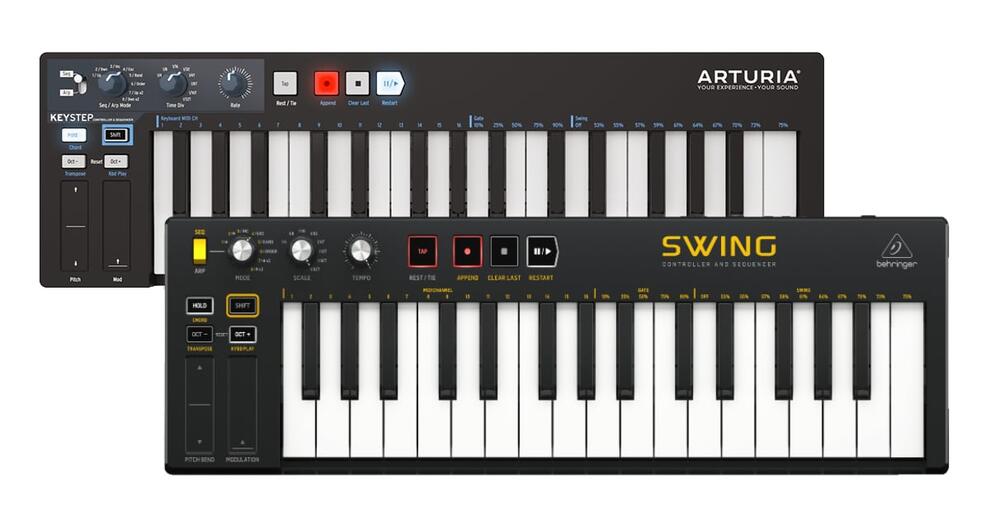
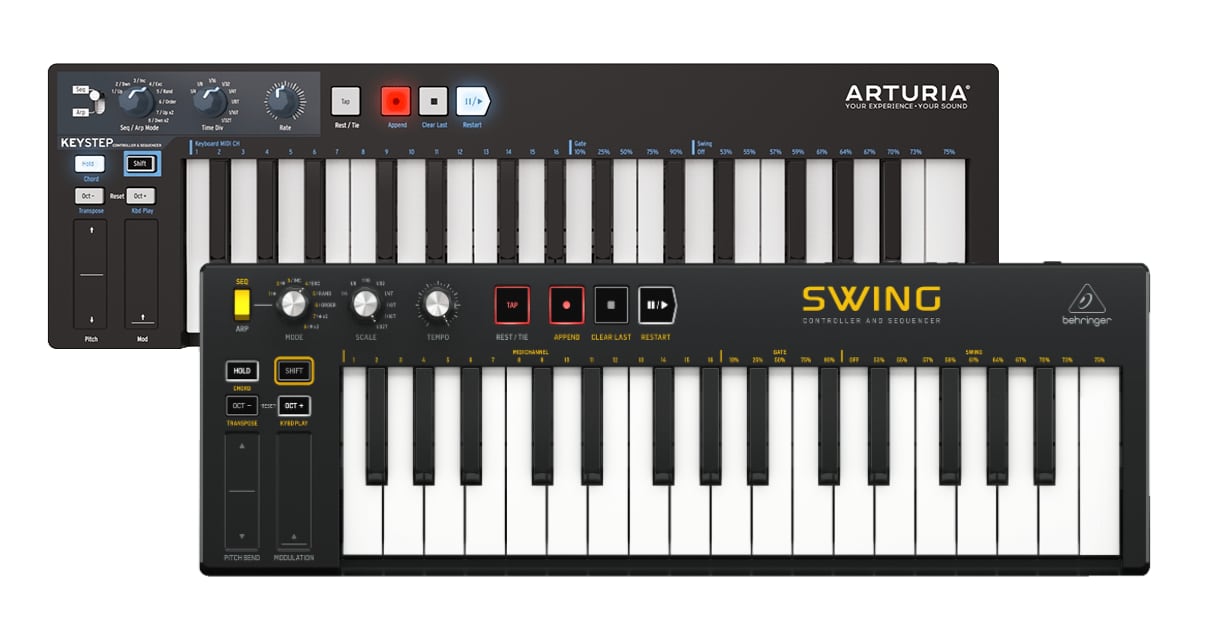
I know. The first image is Arturia's official response, LMAO.
-
Yeah, but it’s Behringer, and I was recently reminded by Behringer why I hate Behringer:

 On repeat. I came in on the second set (BaBa ZuLa, electric saz run through a fuzz), but am enamored with all the acts, especially "Shu!" from islandman (first set). Just wonderful laid back grooves.Thanks for that, as always, just a wealth of information. but no, what I would prefer is to be able to apply filters or amplitude to each individual note, so for example, I could play ABCDE, and then reduce the pressure on B and D , and then increase it, to make the chord “breathe” alternately between dissonance and consonance.Derpy ferret has his inner slinky triggered https://imgur.com/CzX1cYXDefinitely going to have to look into that for my Walkman.It does! 49 keys. That's still more keys than the CME XKey (which I have) or the QuNexus. Looks like the Roli Seaboard has it, as well (also 49 keys). Or for more than 88 keys, the Linnstrument (128 or 200 keys). Which, considering my recent (as of several hours ago) discovery of the 17-tone Turkish scale (12-tone with 5 specially placed half-tones) is of particular interest...hmmm...I wish. No, just on the performance pads.Hey, @grawk, was it you who told me that someone (Stevie Wonder?) had a custom 88 key MIDI controller made with polyphonic aftertouch? I want to say it was during that same discussion as you told me about Fatar. Do you remember the company? My Google-fu is providing nothing. I mean, there's the CS-80, but it's so well known and ancient that it's a non-starter; there's the Kurzweil MIDIBoard (less ancient, less well known, but still enough of a beast that I wouldn't want it shipped).Saturday afternoon lazy jazzy grooviness and space and psychedelia Istanbul Psychedelic | EFG London Jazz Festival 2020 EFG London Jazz Festival is delighted to present Istanbul Sounds, featuring three unique names from different generations of alternative Turkish music, welcoming audiences from Istanbul’s historical sites; psychedelia legends Baba ZuLa and Moğollar, Ilhan Ersahin's Istanbul Sessions, and Montreux Jazz Award winner Islandman. By mixing oriental instruments such as the darbuka, electric saz, and spoons with electronics and modern sounds, BaBa ZuLa creates a sound all their own called Istanbul psychedelia. While a ney can represent the past Sufi-Islamic tradition, and a clarinet is the symbol of the music of the Turkish gypsies - an electric saz together with a wooden spoon can serve as musical compass to Turkish musical roots going as far back as pre-Islamic, shamanic times, through Anatolia reaches all the way up to present-day Istanbul. Their forthcoming new album 'Hayvan Gibi' will be released on Night Dreamer later this year. Islandman provide a unique mix of mellow electronic dance beats with spacey live guitars, backed up with shamanic rhythms. After giving successful performances at festivals such as Cappadox, Sunbeat Festival, Apple Flower Festival, Istanbul Jazz Festival, Montreux Jazz Festival and Boom Festival, the trio continue their stratospheric rise, with an Anatolian tradition of fusing the music of the world with its own. Ilhan Ersahin presents his Istanbul Sessions during the performance - an instrumental and organic jazz, rock and dance group with exceptional musicianship and party vibe to get you up on your feet. This will be their first 'live' appearance after the release of their new album Bir Zamanlar Şimdi is released on Friday 13 November through Nublu Records. Headlining the evening are pioneers Moğollar bringing their psych folk rock. Leading the way since the late '60s, they bring multi-layered and polyphonic mix rich in technicality and folklore. Their music paved the way for the psychedelic Turkish music scene, retaining their monolith stature to this day. This year, they recorded their 12th studio album direct-to-disc with England's Night Dreamer Records using all vintage equipment, continuing their reign as revolutionary Anadolu Pop leaders This concert is kindly supported by İstanbul Metropolitan Municipality’s İstanbul Kültür Ofisi Istanbul Psychedelic | EFG London Jazz Festival 2020 EFG London Jazz Festival is delighted to present Istanbul Sounds, featuring three unique names from different generations of alternative Turkish music, welcoming audiences from Istanbul’s historical sites; psychedelia legends Baba ZuLa and Moğollar, Ilhan Ersahin's Istanbul Sessions, and Montreux Jazz Award winner Islandman. By mixing oriental instruments such as the darbuka, electric saz, and spoons with electronics and modern sounds, BaBa ZuLa creates a sound all their own called Istanbul psychedelia. While a ney can represent the past Sufi-Islamic tradition, and a clarinet is the symbol of the music of the Turkish gypsies - an electric saz together with a wooden spoon can serve as musical compass to Turkish musical roots going as far back as pre-Islamic, shamanic times, through Anatolia reaches all the way up to present-day Istanbul. Their forthcoming new album 'Hayvan Gibi' will be released on Night Dreamer later this year. Islandman provide a unique mix of mellow electronic dance beats with spacey live guitars, backed up with shamanic rhythms. After giving successful performances at festivals such as Cappadox, Sunbeat Festival, Apple Flower Festival, Istanbul Jazz Festival, Montreux Jazz Festival and Boom Festival, the trio continue their stratospheric rise, with an Anatolian tradition of fusing the music of the world with its own. Ilhan Ersahin presents his Istanbul Sessions during the performance - an instrumental and organic jazz, rock and dance group with exceptional musicianship and party vibe to get you up on your feet. This will be their first 'live' appearance after the release of their new album Bir Zamanlar Şimdi is released on Friday 13 November through Nublu Records. Headlining the evening are pioneers Moğollar bringing their psych folk rock. Leading the way since the late '60s, they bring multi-layered and polyphonic mix rich in technicality and folklore. Their music paved the way for the psychedelic Turkish music scene, retaining their monolith stature to this day. This year, they recorded their 12th studio album direct-to-disc with England's Night Dreamer Records using all vintage equipment, continuing their reign as revolutionary Anadolu Pop leaders This concert is kindly supported by İstanbul Metropolitan Municipality’s İstanbul Kültür Ofisi We'd love your feedback! Share your thoughts with us here https://uk.culturecounts.cc/s/6un1nE and be in with a chance to win best-in-house tickets to Jazz Voice 2021 🎉 Donate to the Serious Trust to support great new work with artists, for audiences and communities. You can do this by visiting https://efglondonjazzfestival.org.uk/do… or text 'GIVE2JAZZ £5', 'GIVE2JAZZ £10', or 'GIVE2JAZZ £20', to 70085 Serious Trust is a registered charity 1145535 This year the EFG London Jazz Festival is a digital event that runs from Friday 13 to Sunday 22 November 2020. See the full lineup at http://www.efglondonjazzfestival.org.uk #WEAREJAZZ Subscribe: http://bit.ly/1MdoJsz Facebook: http://bit.ly/fbEFGLJF Twitter: @londonjazzfest Instagram: @londonjazzfest http://www.efglondonjazzfestival.org.uk We'd love your feedback! Share your thoughts with us here https://uk.culturecounts.cc/s/6un1nE and be in with a chance to win best-in-house tickets to Jazz Voice 2021 🎉 Donate to the Serious Trust to support great new work with artists, for audiences and communities. You can do this by visiting https://efglondonjazzfestival.org.uk/do… or text 'GIVE2JAZZ £5', 'GIVE2JAZZ £10', or 'GIVE2JAZZ £20', to 70085 Serious Trust is a registered charity 1145535 This year the EFG London Jazz Festival is a digital event that runs from Friday 13 to Sunday 22 November 2020. See the full lineup at http://www.efglondonjazzfestival.org.uk #WEAREJAZZ Subscribe: http://bit.ly/1MdoJsz Facebook: http://bit.ly/fbEFGLJF Twitter: @londonjazzfest Instagram: @londonjazzfest http://www.efglondonjazzfestival.org.uk https://www.facebook.com/londonjazzfestival/videos/692109178097875/?v=692109178097875¬if_id=1605994225064828¬if_t=live_videoMonopoly is bad, m'kay?https://www.imore.com/apples-new-ipad-air-amazon-black-friday-deal Unrelated:
 So I tried the WhistlePig barrel-aged coffee that comes in their seasonal gift pack. MISTAKE! Lollers I've taken to throwing one or two beans in with whatever else I'm brewing, because I do enjoy a small amount of that flavour, but a pot made entirely out of that is just way too overwhelming. 1 or 2 beans of WhistlePig barrel aged (doesn't even have a roast date) 1/2 Zeke's Mexico Chiapas 1/2 Mom's Organic Market Nicaraguan ...is pretty darn delicious. https://momsorganicmarket.com/moms-coffee/ https://zekescoffee.com/products/mexican-chiapas-z-cupHappy birthday!🎊🎉🎂🎁🎈 (party favour noise)So say we all, Steve.I like that it is "Kivik" for short...hmm...






Important Information
By using this site, you agree to our Terms of Use.