

Leaderboard
-
Hopstretch
High Rollers24Points16809Posts -
mikeymad
High Rollers15Points13849Posts -
VPI
High Rollers13Points9103Posts -
Voltron
High Rollers11Points34606Posts




Popular Content
Showing content with the highest reputation on 05/13/16 in all areas
-
3 pointsOrdered a storage case for a watch. Got this amazing gizmo instead! I cannot wait to call customer service3 points
-
2 points
-
2 points
-
My collection of leads somehow never looks like this1 point
-
1 pointBring on the Blues! The Sharks looked dominant from the first minute to the last. Let's do this!1 point
-
Original Broadway Cast Recording. If it isn't my favorite musical it is right up there.1 point
-
Happy 110th Birthday Richard Overton! America, Glacier National Park. Northern lights over glacial lagoon in Jökulsárlón, Iceland.1 point
-
1 point
-
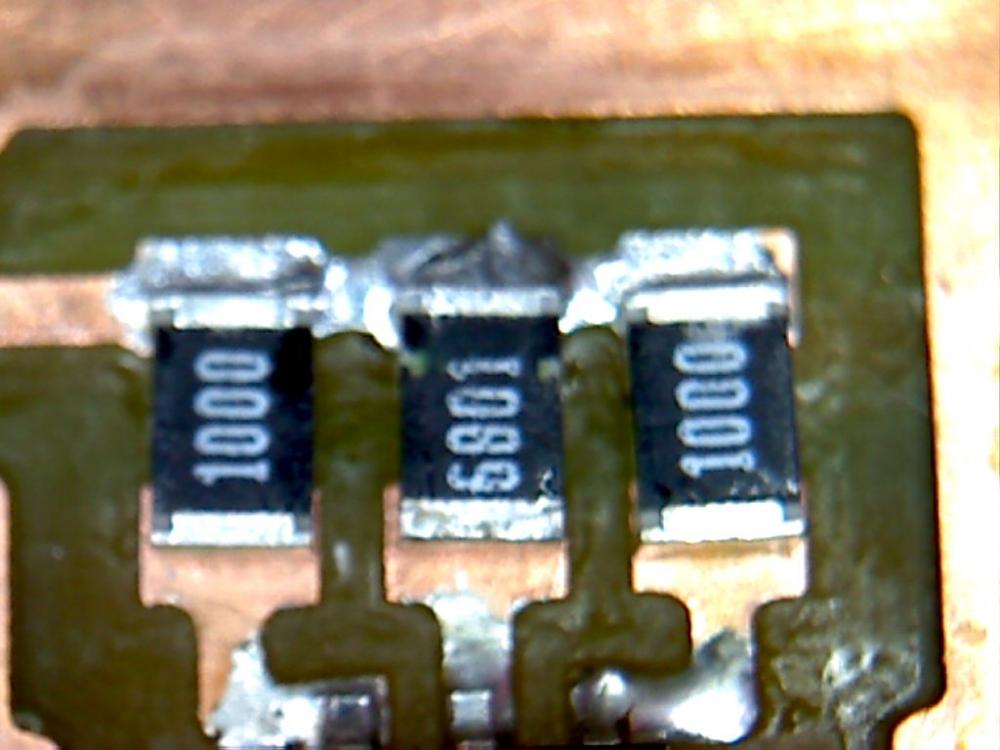
1 pointLast few days I’ve had some annoying noise from one channel of my Grounded Grid. After a few hours on surgery table I found this three small resistors…. …..obviously I missed solder them on both ends. I’ve used the amplifier like this for almost four weeks before the noise started.
 1 point
 -
1 point1 point1 pointHappy pre-gamed Birthday Shelly, keep up the good work! This should deal with Steve's birthday cake ...1 point1 pointSome random person from the other side of the world asked if I could fix a dead channel on his Y1.5 build. Had a couple of other issues to sort out but the dead channel part was easy.1 point










Important Information
By using this site, you agree to our Terms of Use.