

Leaderboard
-
Voltron
High Rollers19Points34606Posts -
Hopstretch
High Rollers11Points16809Posts -
Craig Sawyers
High Rollers8Points5520Posts -
morphsci
High Rollers7Points13347Posts




Popular Content
Showing content with the highest reputation on 12/26/17 in all areas
-
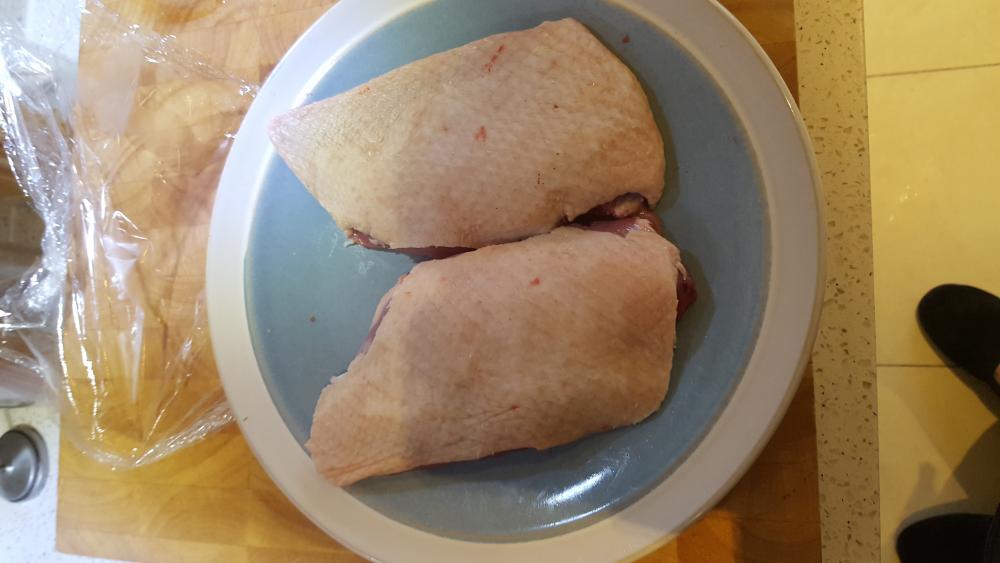
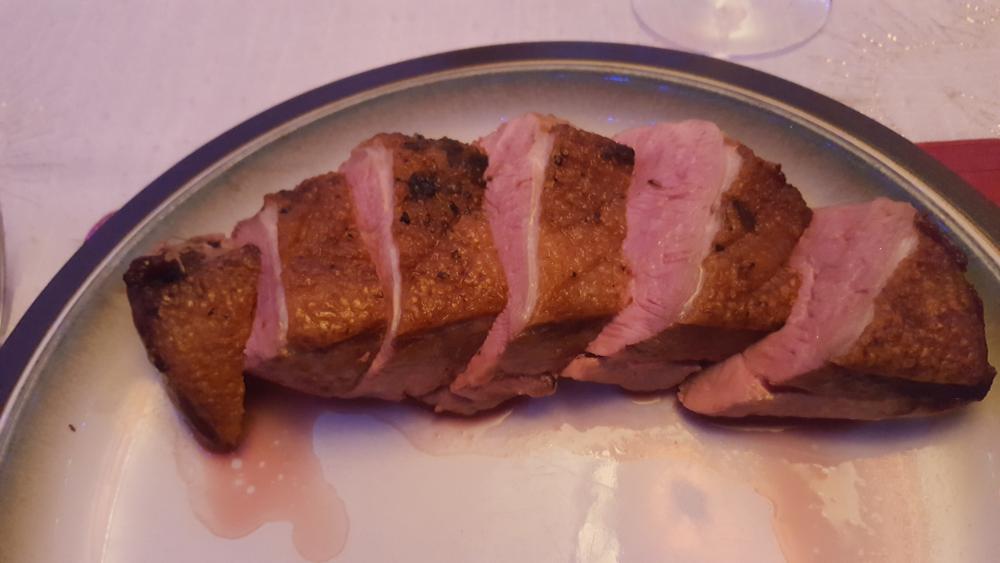
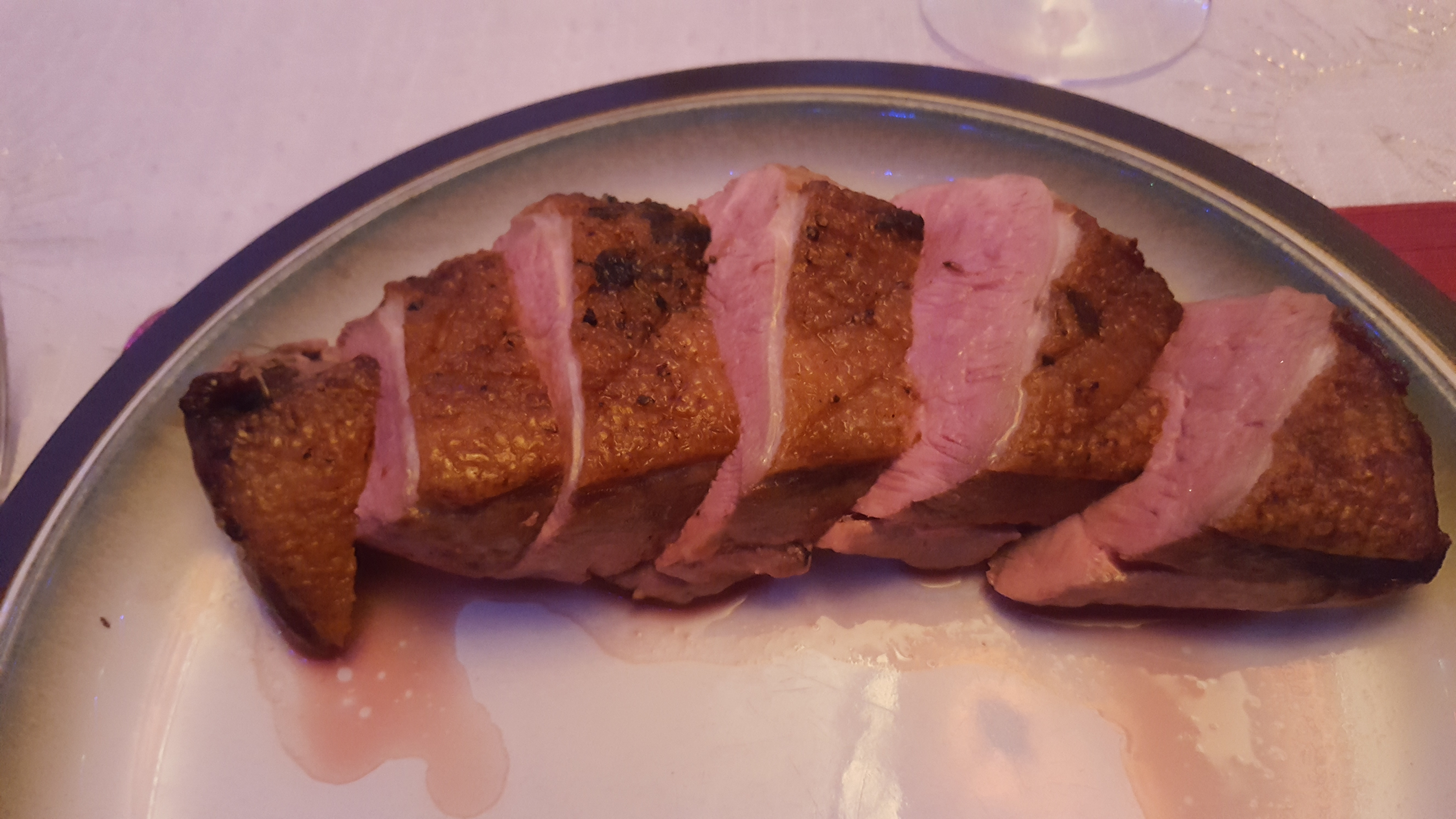
7 pointsChristmas lunch. Butchered a duck. Legs off (cooked confit style for 3 1/2 hours at 85C under goose fat). Wings off. Breasts off. Used remaining carcass, wings, neck chopped up to make a stock. Cooked breasts classic style - skin side down in cold pan, then heat to crisp the skin and render the fat. Into the oven for 7 minutes skin side up to finish, and rest for 5 minutes. With roast vegetables and Amarone. (In the Silence of the Lambs book, he eats his liver with some fava beans and an nice Amarone. When they moved to the film they reckoned not many people had heard of Amarone, so they changed it to Chianti.)

 7 points
 -
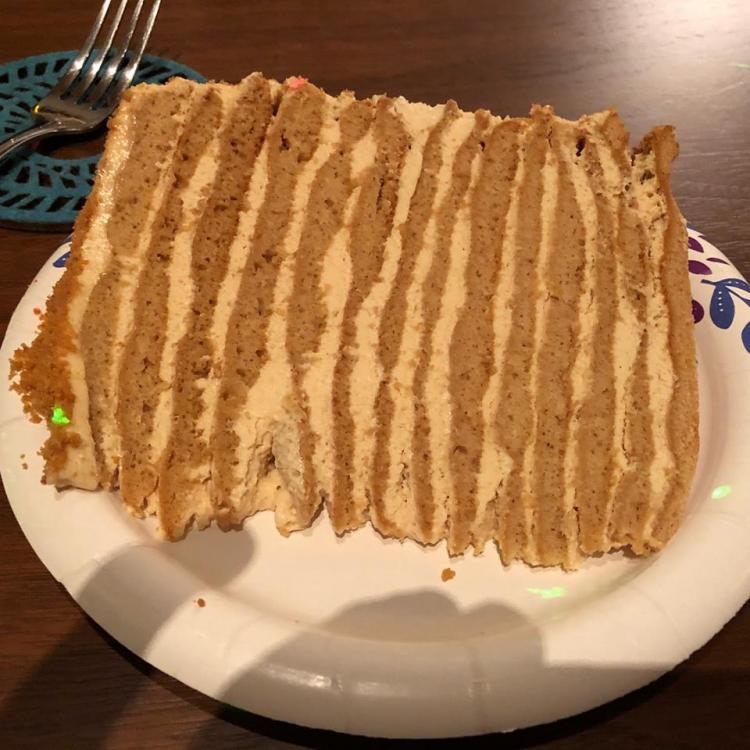
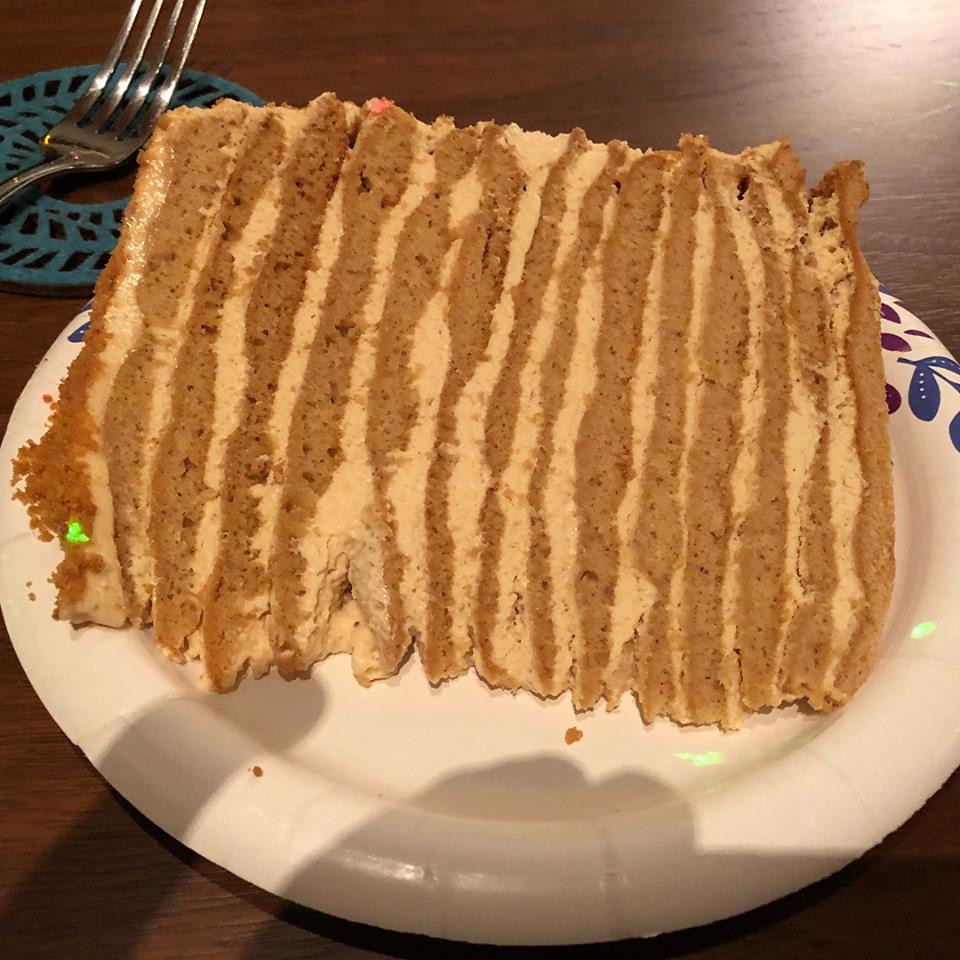
7 pointsClaire's Russian honey cake last night had as many layers as both of those (14).
 7 points
 -
5 pointsDug my old Mark 1 007s out of a packing crate today and spent a few hours listening. Not much wrong with those!5 points
-
Really like these a lot! I got the earbuds as a test. I think I’ll get their Best big ones! I posted this review on Amazon: Fantastic! I have my hearing back, if only for the time I have my Earprints in. Instruments and vocals sound like themselves again. Soundstage is stable again! This was the most surprising aspect of the change. I guess because my hearing loss was only in the high frequencies in my left ear, it screwed up the stability of the soundstage as tones changed. Very frustrating, and I couldn’t really verbalize that until now. I spent hours fiddling with balance, volume, frequency etc. only to walk away angry and frustrated. These Earprints fixed it in 90 seconds! So grateful to have my music back! Now if only they exported their audio correction circuit for my speaker rig! I’d LOVE to have my personal EarPrint for my speakers! How are my dizzy and hearing challenged brothers? Would love to hear from you!4 points
-
4 pointshttps://www.epicurious.com/recipes/food/views/deep-dish-winter-fruit-pie-with-walnut-crumb-3549774 points
-
2 points
-
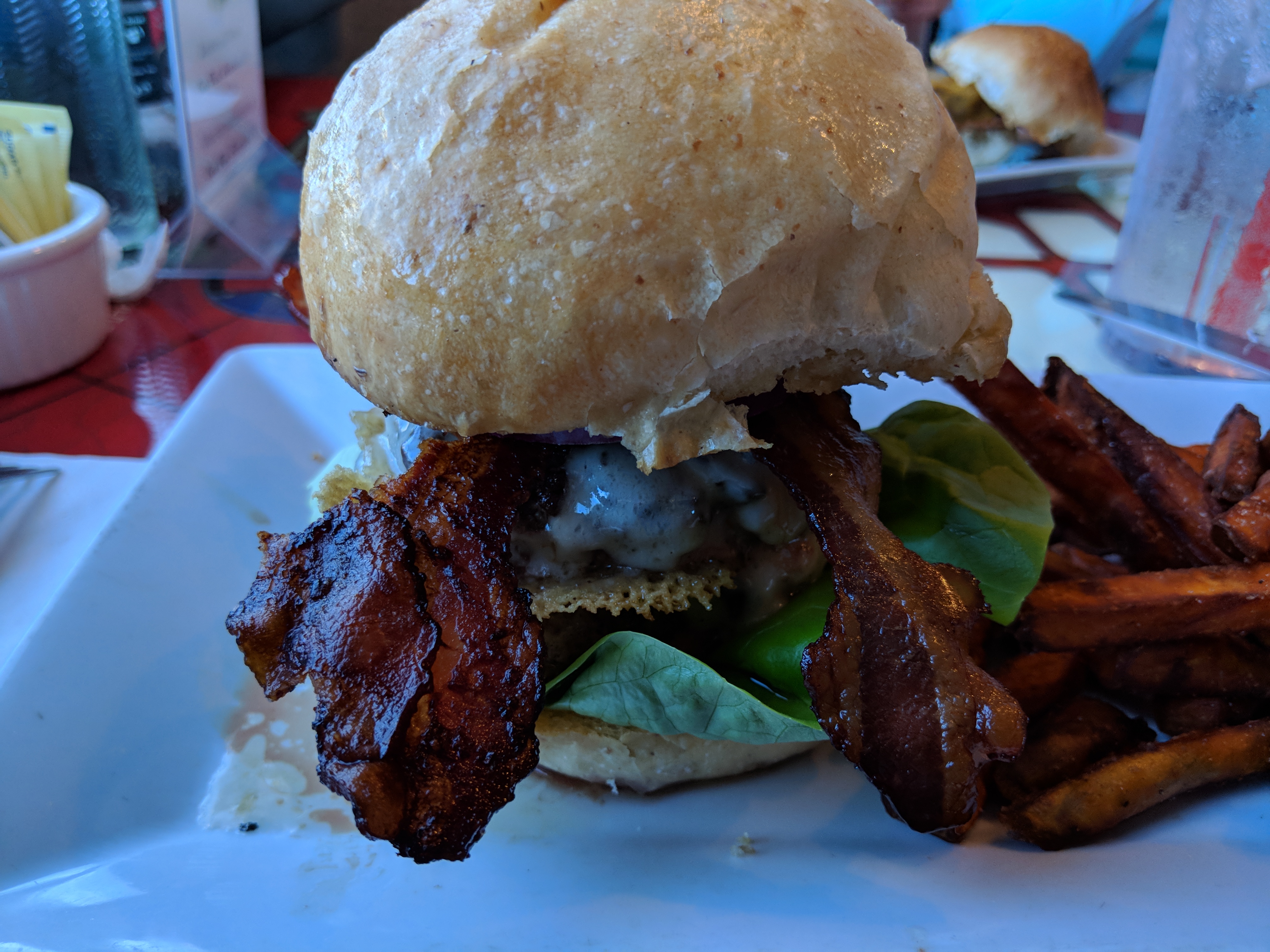
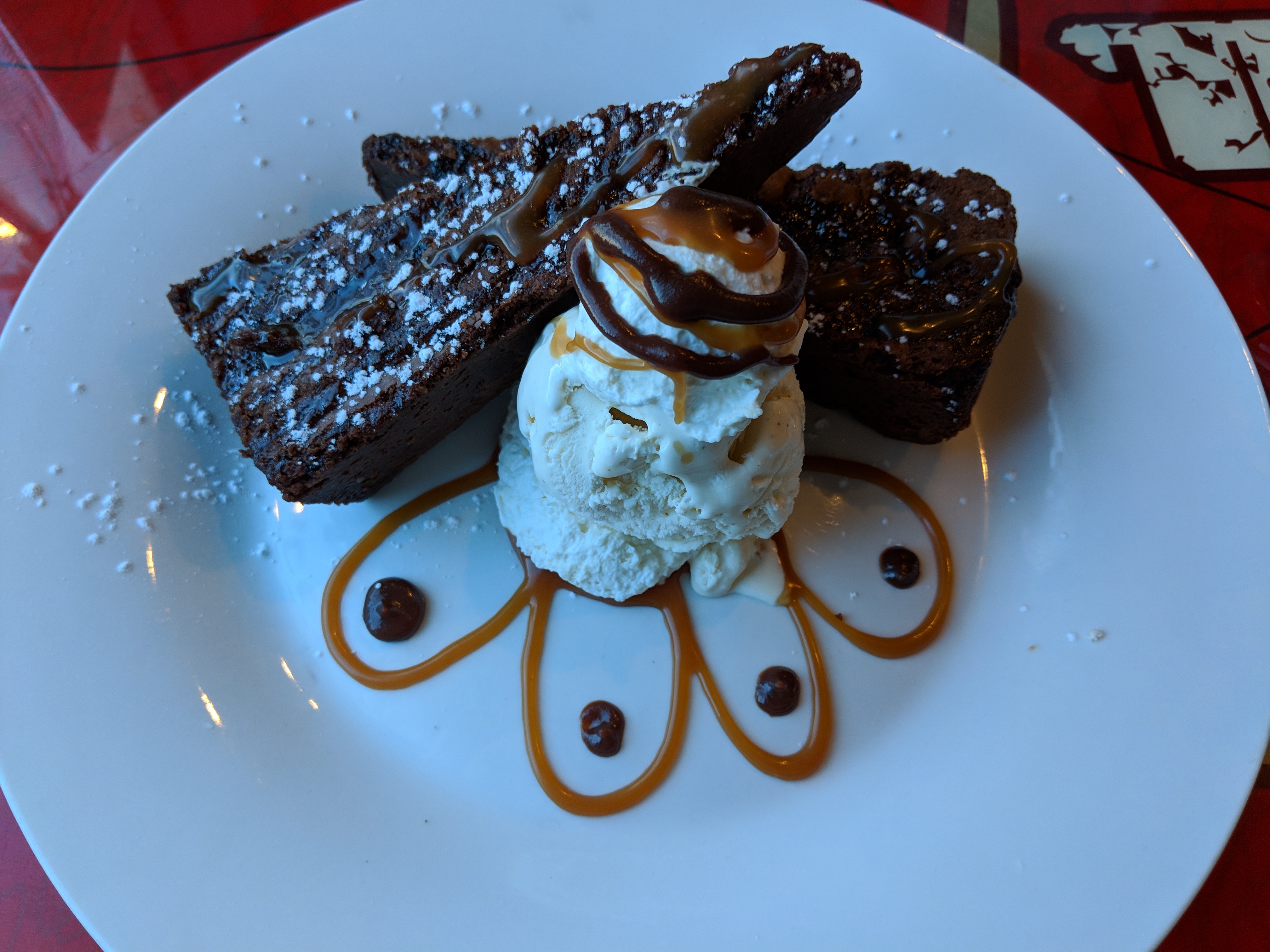
2 pointsDouble bacon cheeseburger and sweet potato fries Caramel chocolate brownie with vanilla ice cream.


 2 points
 -
Mr. Cave reviews the human condition (with Polish subtitles.) Harder and harder to disagree with him ...2 points
-
Robyn Hitchcock — S/T This was right up there in my top albums of the year. A sprawling, pitch black humored, power pop treat.2 points
-
2 points2 points2 pointsMan, I'm fucking old. I had to look up what big-room was. And it solidifies my thoughts that a lot of new music just sucks....even to the point where it shouldn't be called music. From Wikipedia (highight mine)1 pointfrom Kerry, the gr78xx and gr79xx board files I want a few of each if there is going to be a group buy GR79xx.zip GR78xx-v1-2.zip1 point1 pointI got the elite velour and elite fenestrated sheepskin for the HD600/650's too....1 pointNahhh it's still fugly as all shit. Worse than that, the shell doesn't protect the fragile drivers which is kinda its main role...1 point1 point24 hr 120f prime rib roast. Pressure cooker red potatoes. Steamed broccoli.1 point1 point1 point1 pointNot currently, but last night at Dogfish Head Alehouse: Bacon Cheeseburger Rolls: and Shepherd's Pie:1 point1 pointI've got a permanent slight buzzing sound in my left ear. You think you've got problems?1 point1 point














Important Information
By using this site, you agree to our Terms of Use.