July 5, 201511 yr comment_693978 Happy birthday Birgir. Bake yourself a good cake. Cheers [emoji512] Report
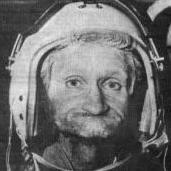
July 6, 201511 yr comment_694110 Thanks everyone!!! I had a slow day with some amp building and then took a trip to the half abandoned US Navy station here. Fun to see if as it is pretty much a large ghost town. I did get some cake, two of my friends picked me up just as I was going to bed and gave me a cake. The plan was to eat it outside but it was so windy that we lit the candles in the car. Almost set it on fire.... Anyway, a pic of my ugly mug with a cake. Report
July 6, 201511 yr comment_694111 happy birthday birgir, the idea of hotboxing with the cake in the car is very amusing to me. if stax and baking give you lungs inhuman enough to blow out that many candles then I need to learn from your example Report
July 6, 201511 yr comment_694118 True story, at collage we had this meter to measure our lung capacity. As was so often the case I was used as a Guinea-pig for some experiments and the last one was total lung capacity. I broke the meter.... Report


Join the conversation
You can post now and register later. If you have an account, sign in now to post with your account.