

All Activity
Past hour
-
@Spritzer. What's the weird stuff added to the Stax SRM-270S? Does it make it sound better than the Stax SRM-252S?
-
Um...Not sure if you're serious, so will play the straight man: The Birth of the Cool is the first of many of Miles Davis' seminal albums. AFAIK, it's always been called that.
Today
-
Thank god they renamed it from Classics in Jazz: Miles Davis
-
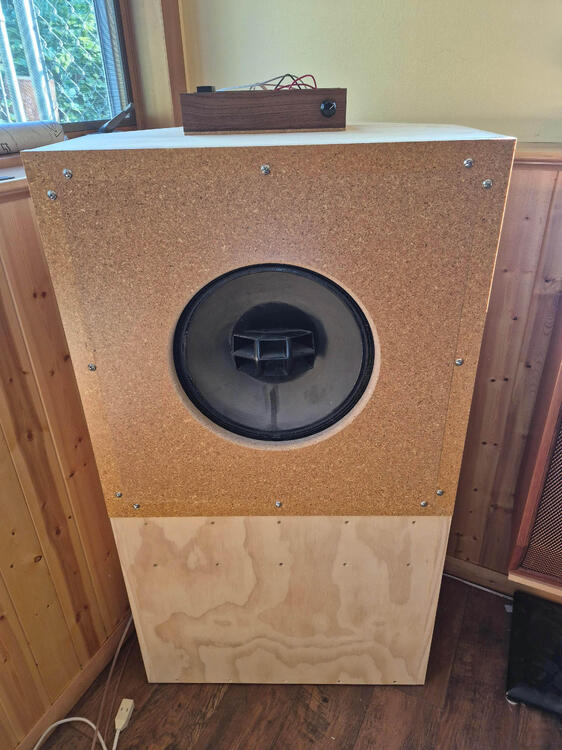
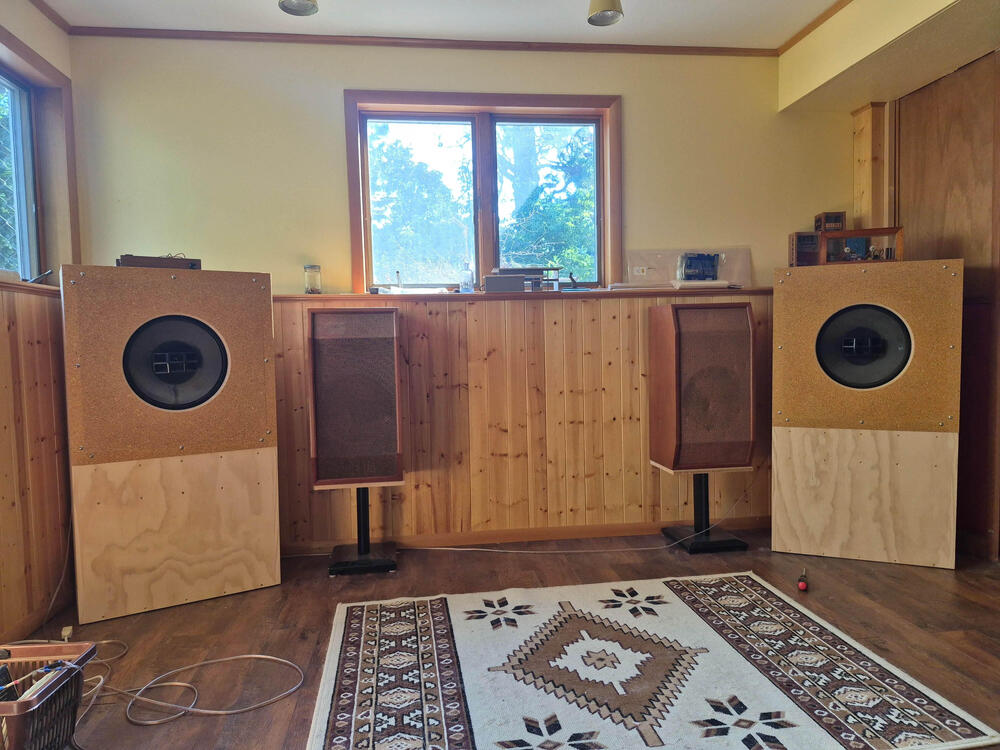
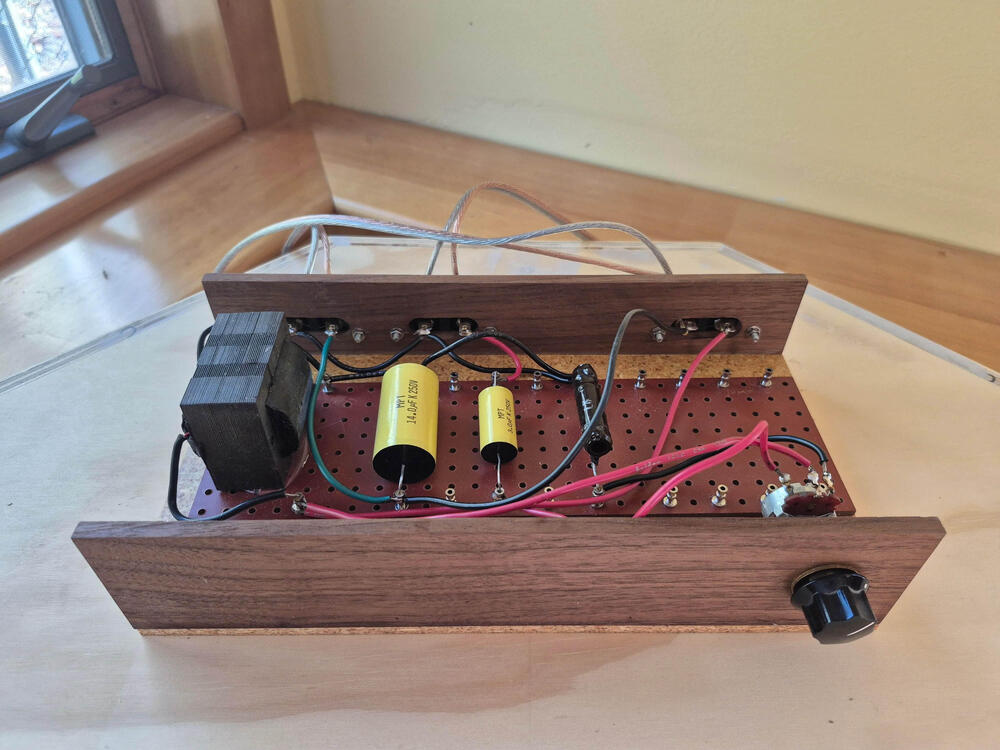
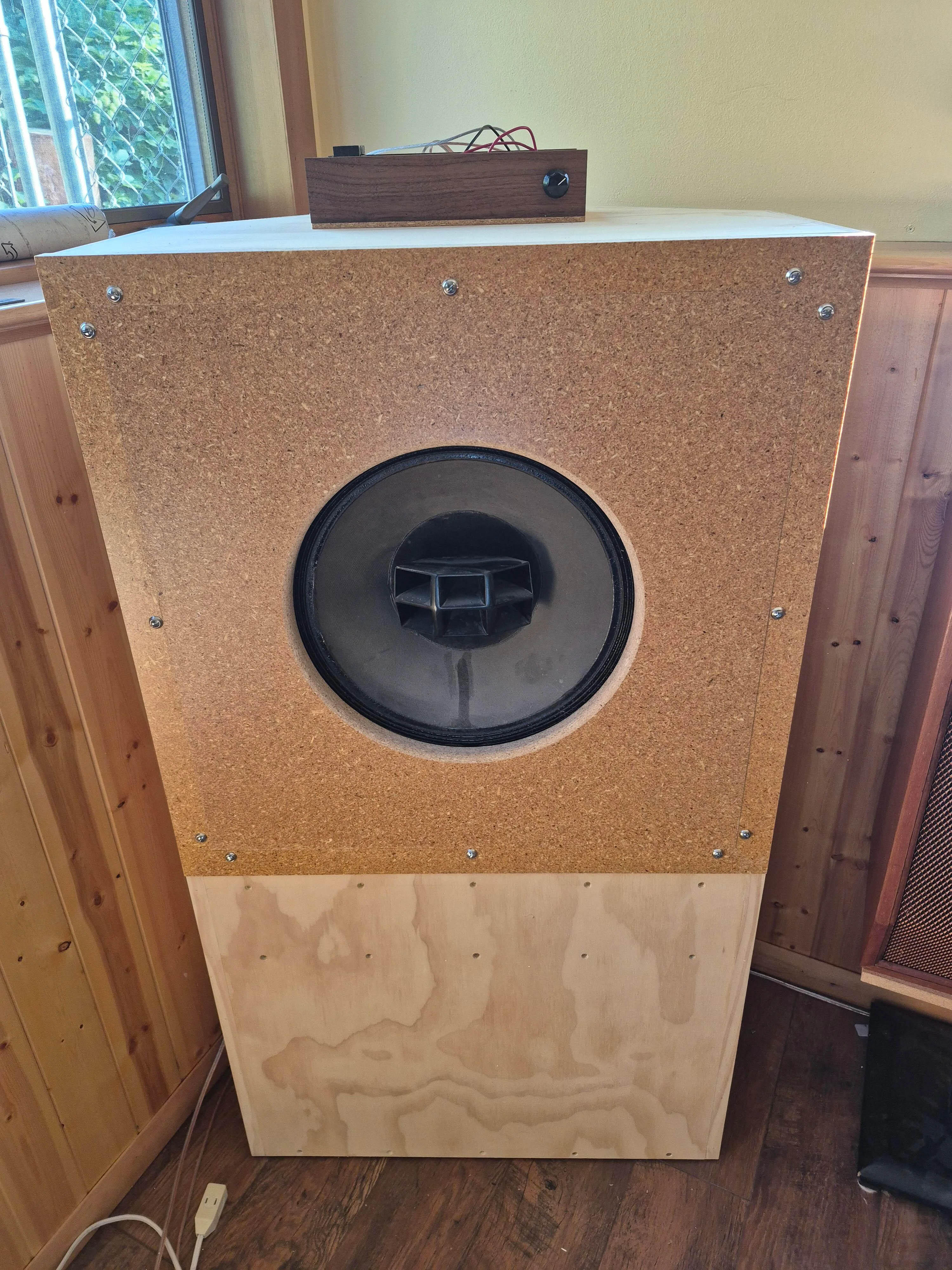
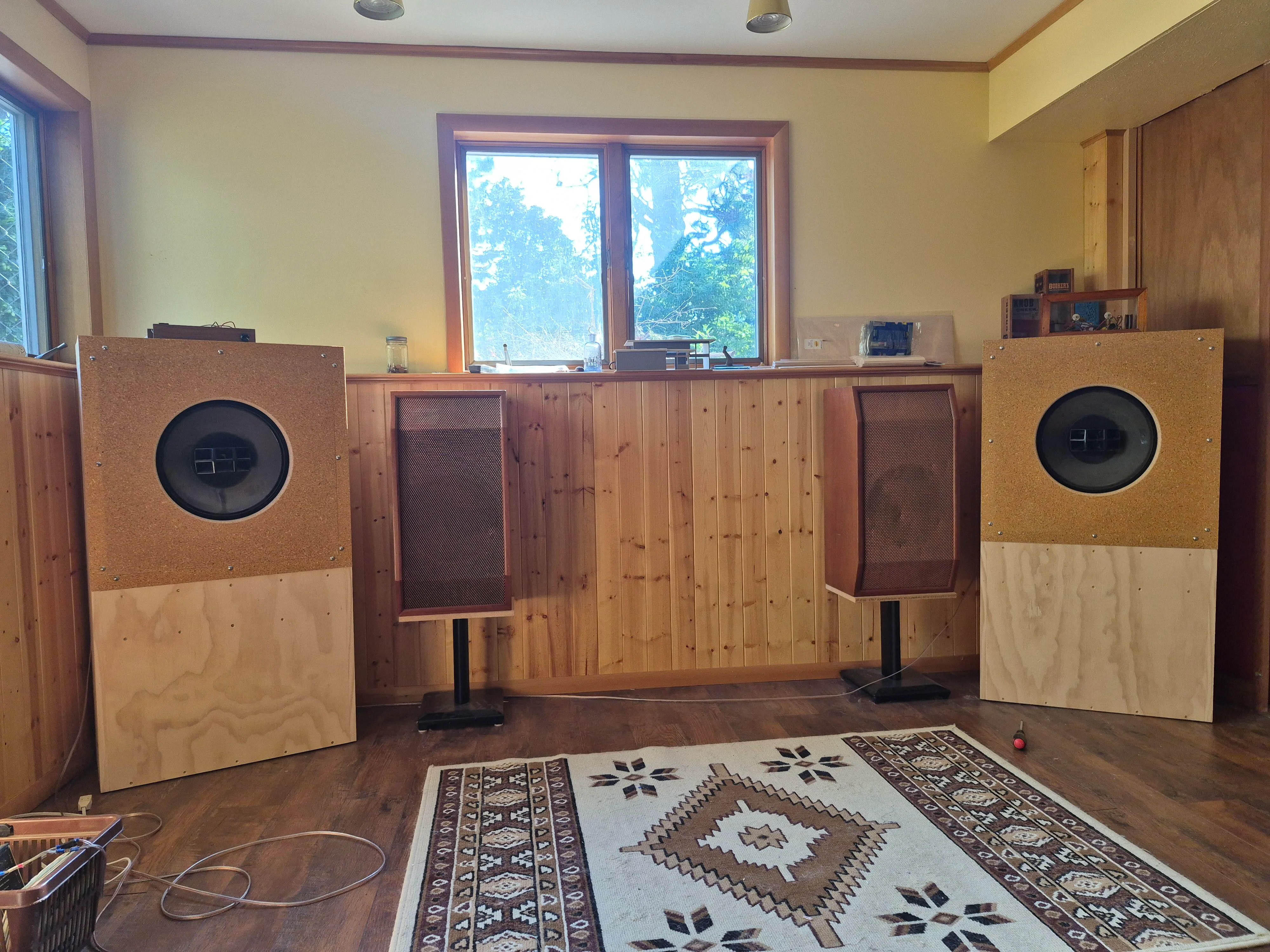
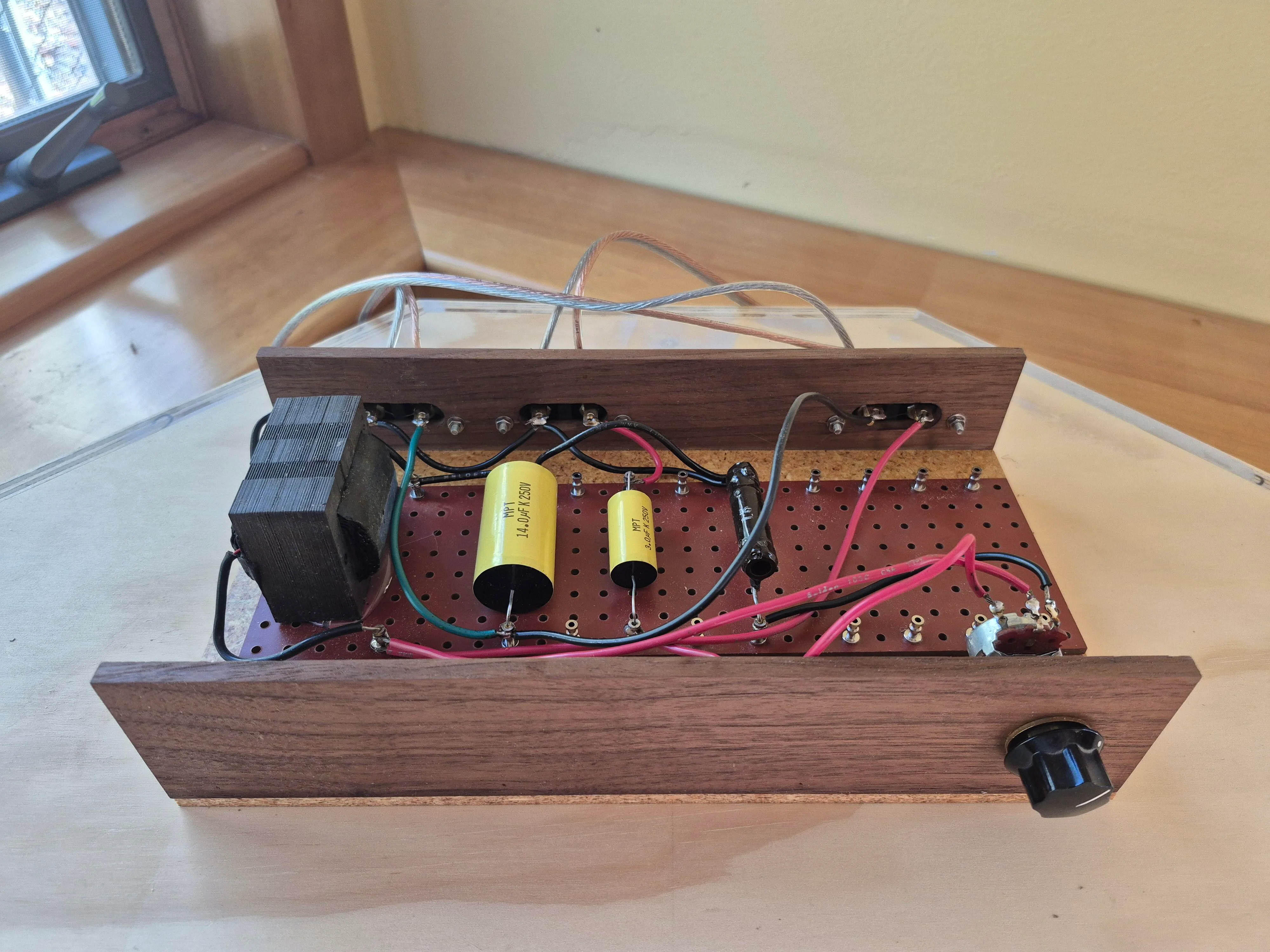
A guy on reddit rehoused Alec 604e in new enclosures:
-
Miles Davis, The Complete Birth of the Cool Music on TIDALMiles Davis - The Complete Birth Of The CoolListen to The Complete Birth Of The Cool on TIDALMeanwhile ... Ars TechnicaFCC abolishes gigabit speed goal, suggesting it is unfair...FCC decides 1Gbps is too fast, standard must be "technologically neutral."This. and just to show the contrast of the passage of 16 years ...who doesn't want to be faster?Thanks Renato, really appreciate the support.I'm not saying, I'm just totally saying.Done. Good Luck!The Queen...
Yesterday
My favorite Jamiroquai album... over time it's also become my son's favorite tooAlways amusing to me that the guy in the band named “Beard” was the only member who didn’t have one. RIPGodspeed, Frank… HSYes, but can your camera play DOOM? https://www.tomshardware.com/video-games/retro-gaming/github-programmer-ports-doom-to-dslr-camera-with-3-inch-tft-lcd-display-canon-eos-550d-with-open-source-magic-lantern-firmware-uses-cameras-button-as-controls-even-plays-soundStarted watching Lanterns (HBOMax). Pretty good so far (1st episode). I've never been much into the comic book stuff (Spiderman, et. al.), but enjoyed Watchmen (movie and series) and am liking this one so far. https://youtu.be/7UIBOsuUwc4 Also watching Reacher s4, mentioned above. Dialog is still cringeable, but watched the first 3 episodes and still enjoyed them. Will continue watching.working through glitches and continuing to make good progress, I’ve now passed the 50% line on my fundraising goal and certainly appreciate all the support received so far!Unfortunately UK only, but…Last week
RIP Frank Beard drummer for ZZ Top. The band is down to one original member(!)Excellent suggestion - have started to slowly learn Proteus, that would be a useful exercise.




















Important Information
By using this site, you agree to our Terms of Use.
Account
Navigation
Search
Configure browser push notifications
Chrome (Android)
- Tap the lock icon next to the address bar.
- Tap Permissions → Notifications.
- Adjust your preference.
Chrome (Desktop)
- Click the padlock icon in the address bar.
- Select Site settings.
- Find Notifications and adjust your preference.
Safari (iOS 16.4+)
- Ensure the site is installed via Add to Home Screen.
- Open Settings App → Notifications.
- Find your app name and adjust your preference.
Safari (macOS)
- Go to Safari → Preferences.
- Click the Websites tab.
- Select Notifications in the sidebar.
- Find this website and adjust your preference.
Edge (Android)
- Tap the lock icon next to the address bar.
- Tap Permissions.
- Find Notifications and adjust your preference.
Edge (Desktop)
- Click the padlock icon in the address bar.
- Click Permissions for this site.
- Find Notifications and adjust your preference.
Firefox (Android)
- Go to Settings → Site permissions.
- Tap Notifications.
- Find this site in the list and adjust your preference.
Firefox (Desktop)
- Open Firefox Settings.
- Search for Notifications.
- Find this site in the list and adjust your preference.