

Leaderboard




Popular Content
Showing content with the highest reputation on 10/08/20 in all areas
-
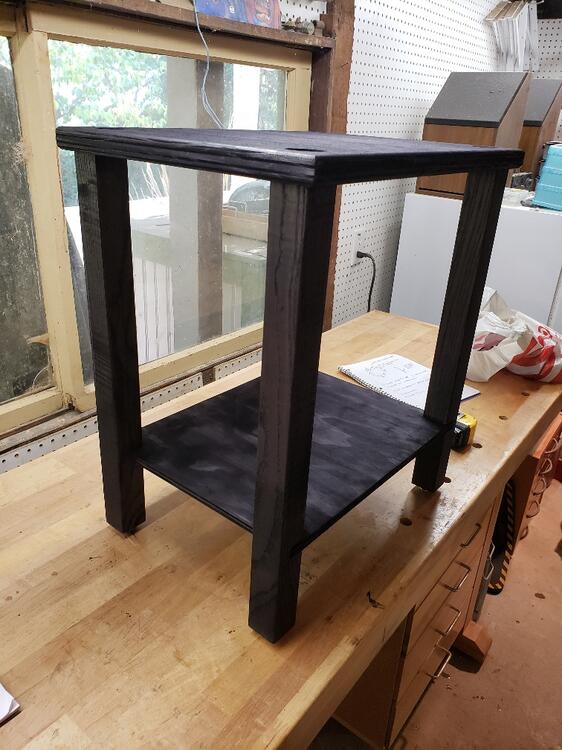
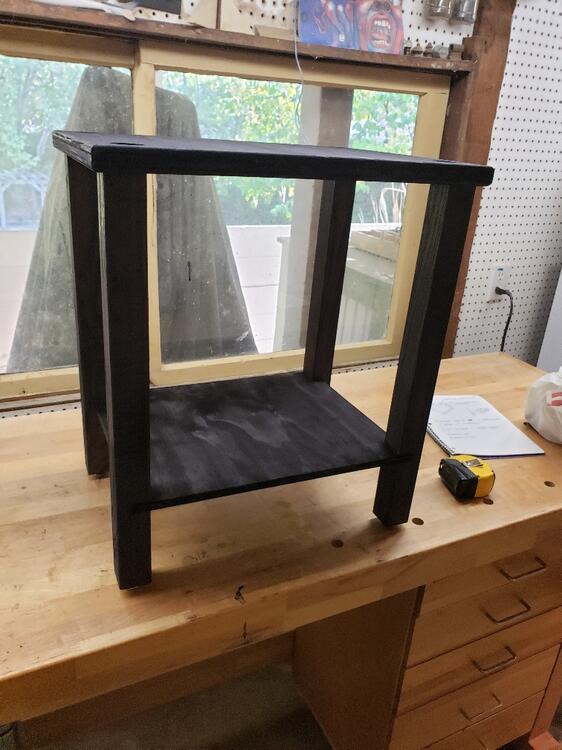
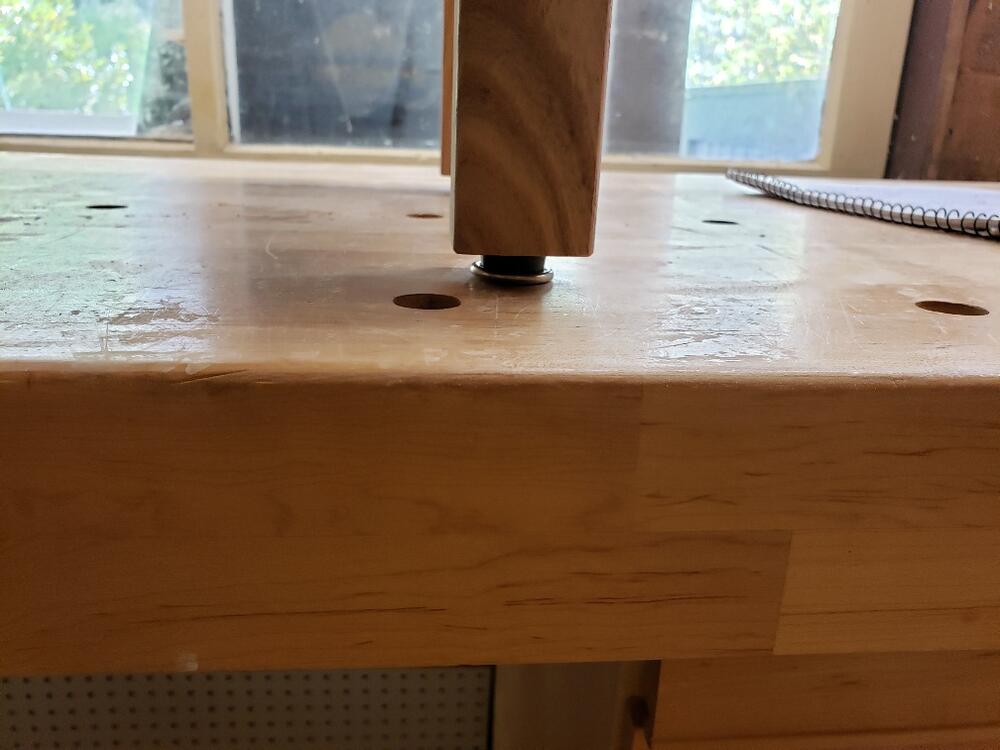
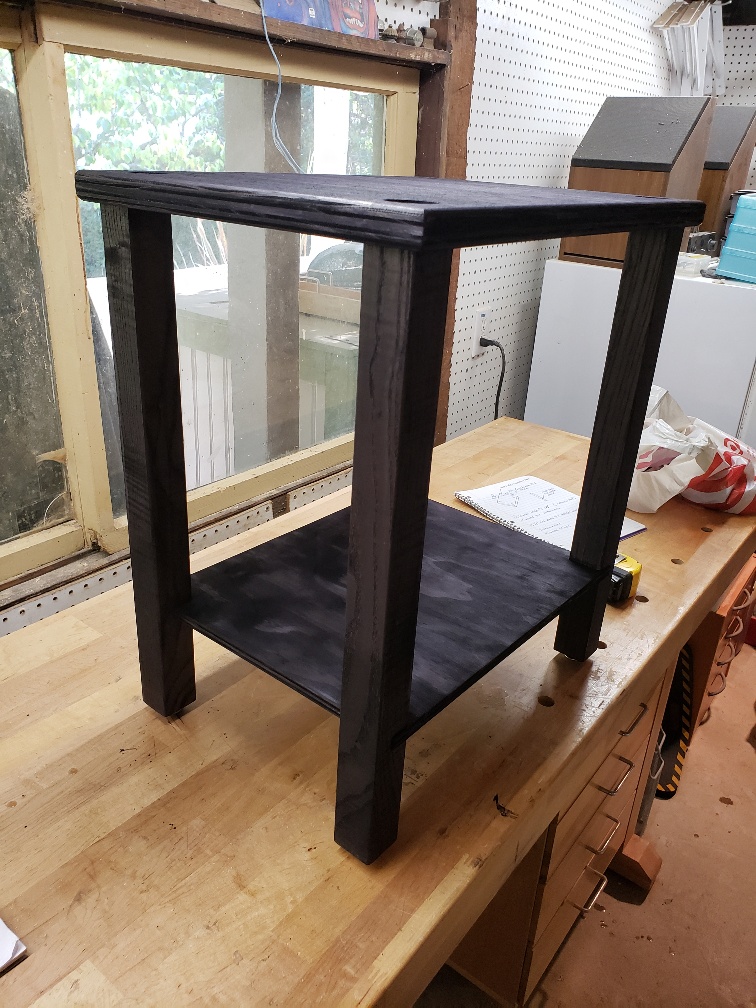
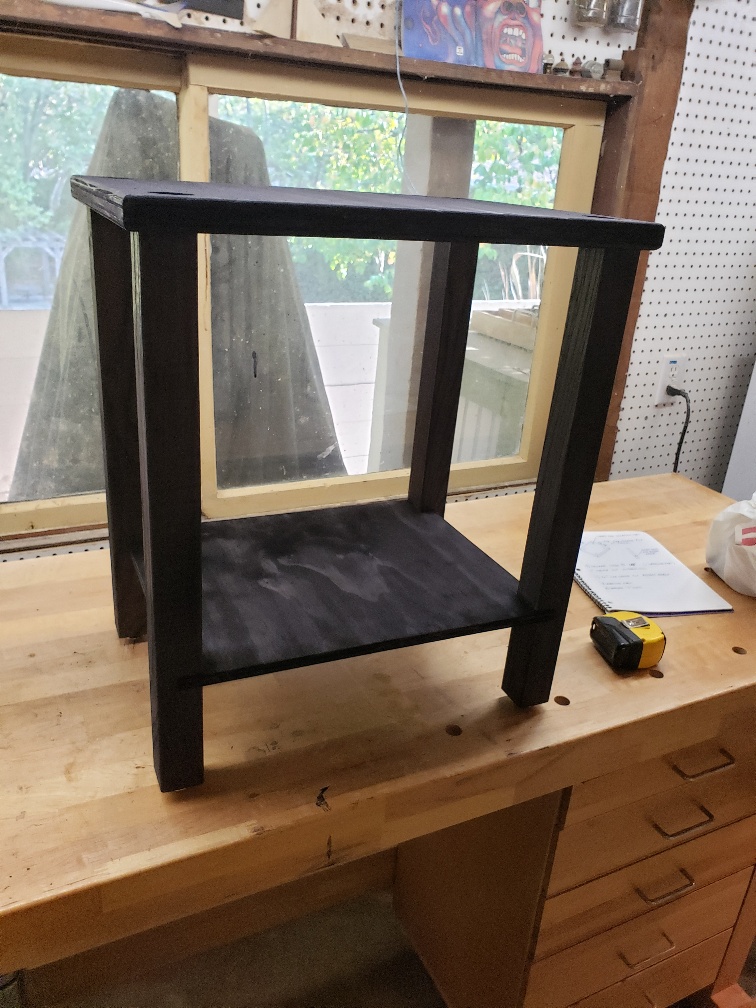
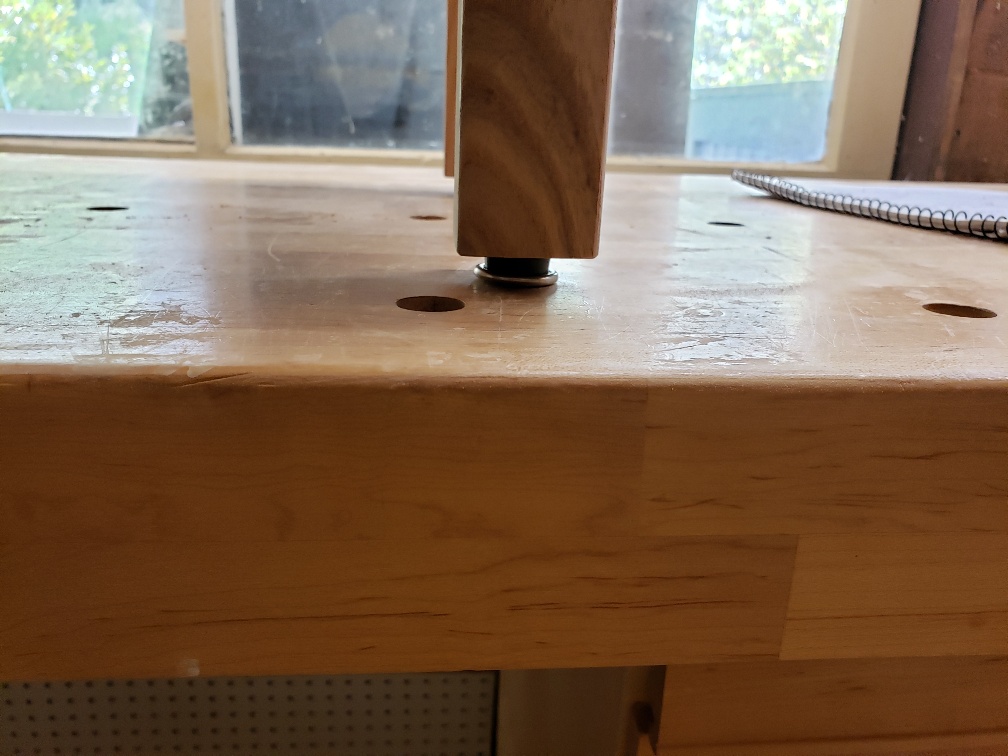
7 pointsGot it stained and milled 1/16" deep, round recesses in the top for the Bigfoot Isolation feet to seat into, otherwise they tend to slide around. Will start the clearcoat process tomorrow. I'm expecting not to have to worry about flies landing in my clearcoat, since they seem to greatly prefer Pence's head.
 7 points
 -
6 points
-
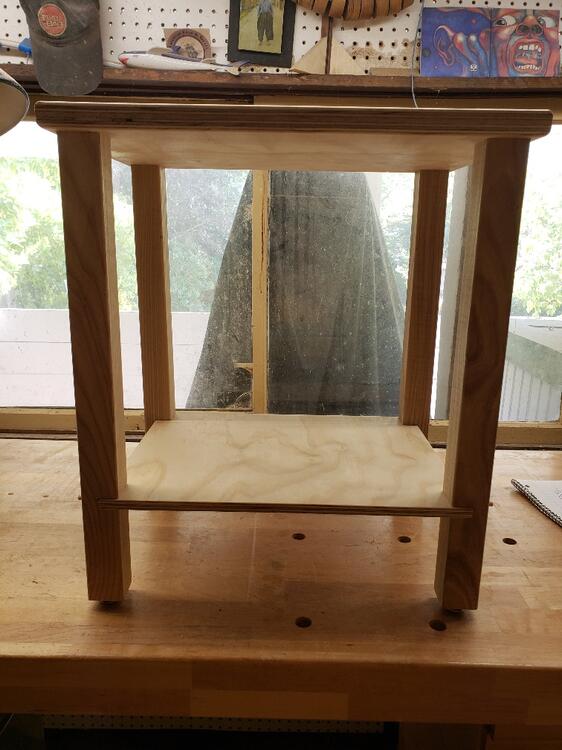
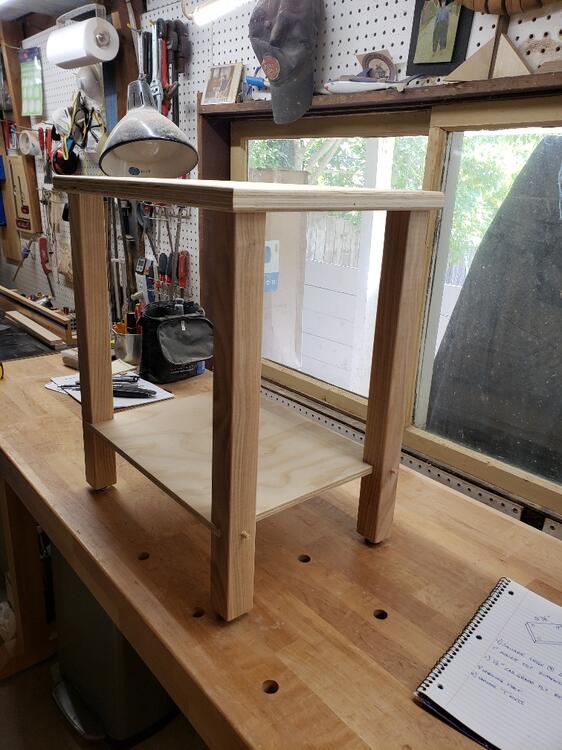
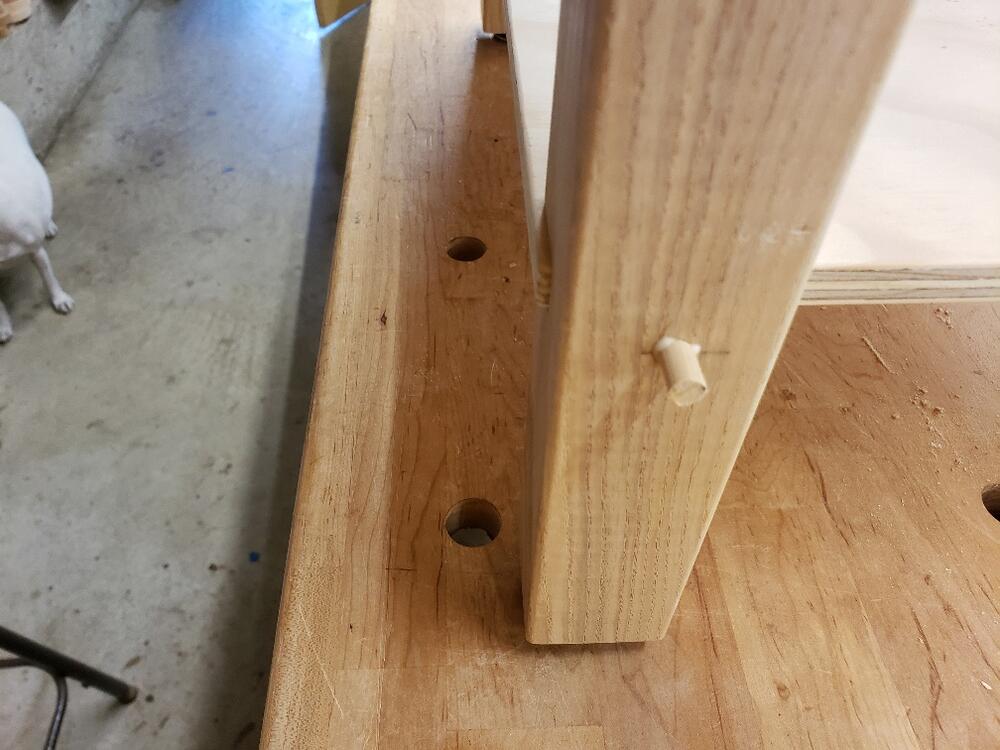
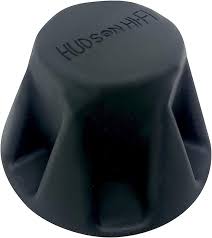
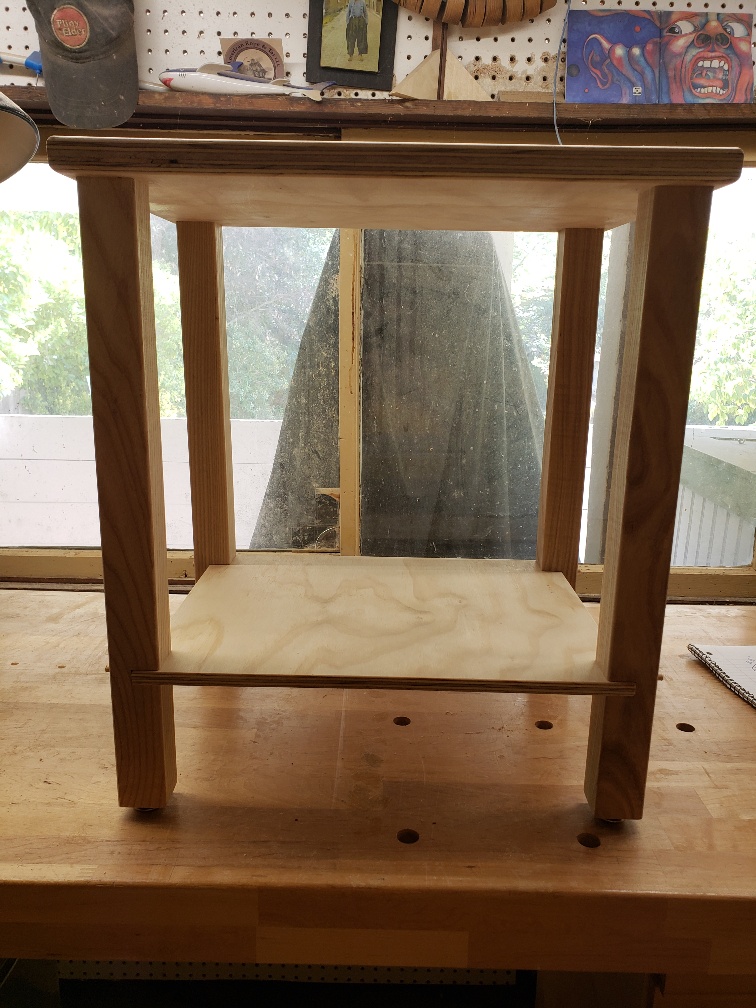
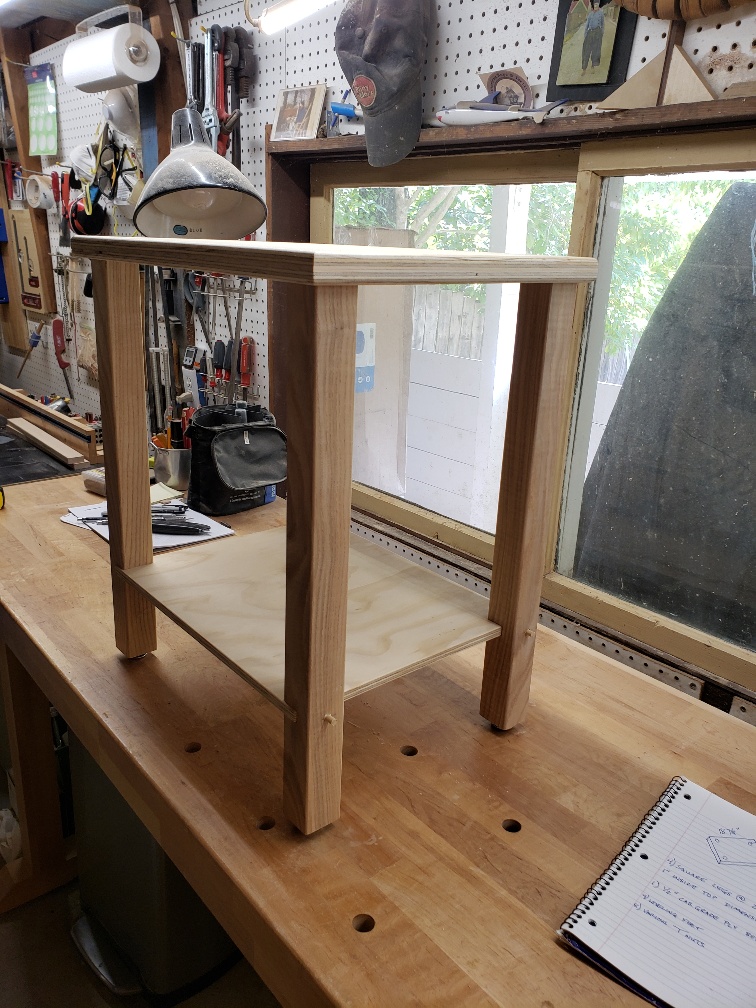
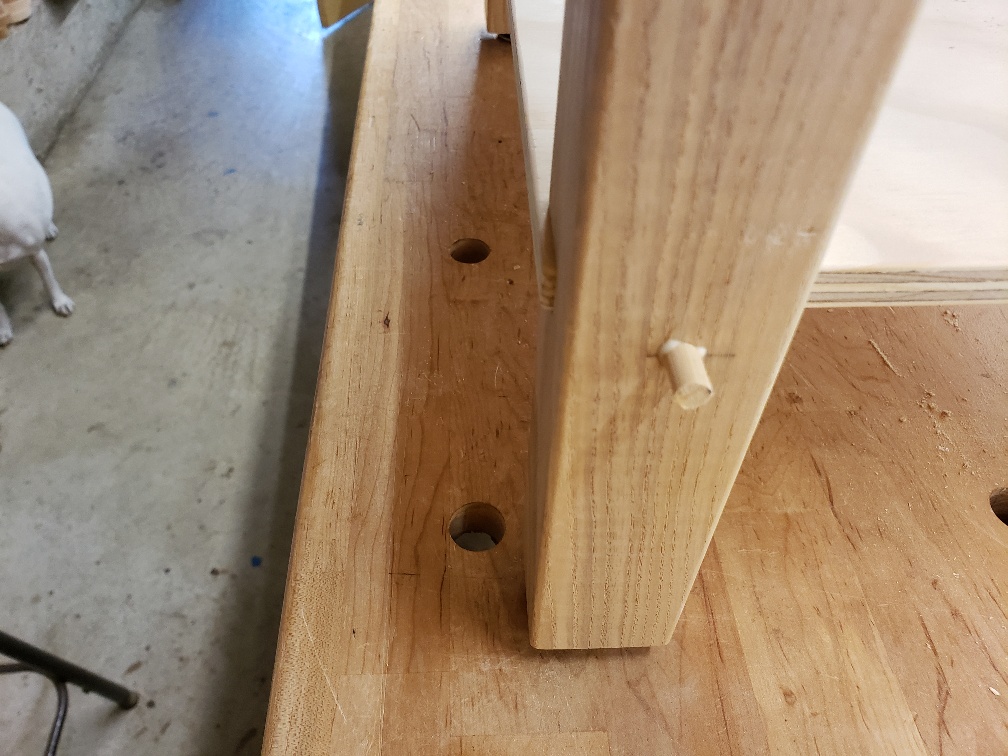
6 pointsI got bored today and decided not to wait for Milo. Just a down and dirty TT stand. The bottom shelf is morticed into the legs, then attached with trim screws that I covered with plugs (plugs still need to be cut flush and sanded). It should hold enough records, as I plan to limit myself this time around. I have a Cherry slab (cutting board) that the TT actually sets on. The Cherry slab will sit on top of this stand with my Hudson HiFi Bigfoot silicone isolation feet between the two surfaces. I plan to Ebonize the stand, then finish with Arm-R-Seal (much to Doug's dismay).
 6 points
 -
4 points
-
4 points
-
4 points
-
Hey guy, read the fuckin' manual for the 747 whatever that is? Assuming it's a B&K unit in which case, just Google. If not... Also, how the hell do you know the tube is near NOS? Did you buy it back in the 50s? Otherwise welcome to the wonderful world of tubes that can and will fail whenever they want regardless off whether or not they've ever been used.3 points
-
Your best bet may be to hire Wilco to follow her around.3 points
-
2 pointsL700 Mk2 impressions based on less than an hour of ownership: First of all, the fit is very much improved. The Mk1 had an idiotic design where the top of the earcup couldn't swivel outwards far enough, and it ended up putting too much pressure on the top of the earpad while the bottom wouldn't even seal properly on some people. The Mk2 has a different y-fork, yoke, whatever you want to call it, which is bent inwards and lets the earcups swivel more, and as suspected it creates a better fit. There's still a bit too much pressure on the temples but it's tolerable and at least it seals. And hopefully we'll have no more flimsy plastic pieces breaking. So, it's a step in the right direction. Those same words can apply to the sound too. The overall tuning seems warmer, tighter, and more focused. I had to EQ the treble down on the Mk1 to make it tolerable, but the Mk2 so far doesn't need it. It's also less diffuse and overly ethereal, more focused and defined, and the bass doesn't have the big midbass bump anymore and is tighter. About the only complaint I have is that the midrange weirdness from the old version is still there, and vocal tonality just sounds off. But a small dip in the EQ around 1.2khz seems to reduce this, so whatever problem is going on seems to be somewhere around 1-1.5khz. The presence region also sounds a bit recessed, kinda like the SR-007 but not to the same extent. Overall, it's definitely better. Sounds a bit more normal, more like vintage Stax and less like bright, alien modern day Stax - but not totally fixed yet.2 points
-
2 points2 points2 pointsCompassion? What the hell does that have to do with anything? You're just being emotionally manipulative. Please fuck off with that nonsense.1 pointSaw them on this tour, though not this particular date. (New Porcupine Tree Live recording from 2008, Indigo2) https://porcupinetreeofficial.bandcamp.com/album/indigo2-2008
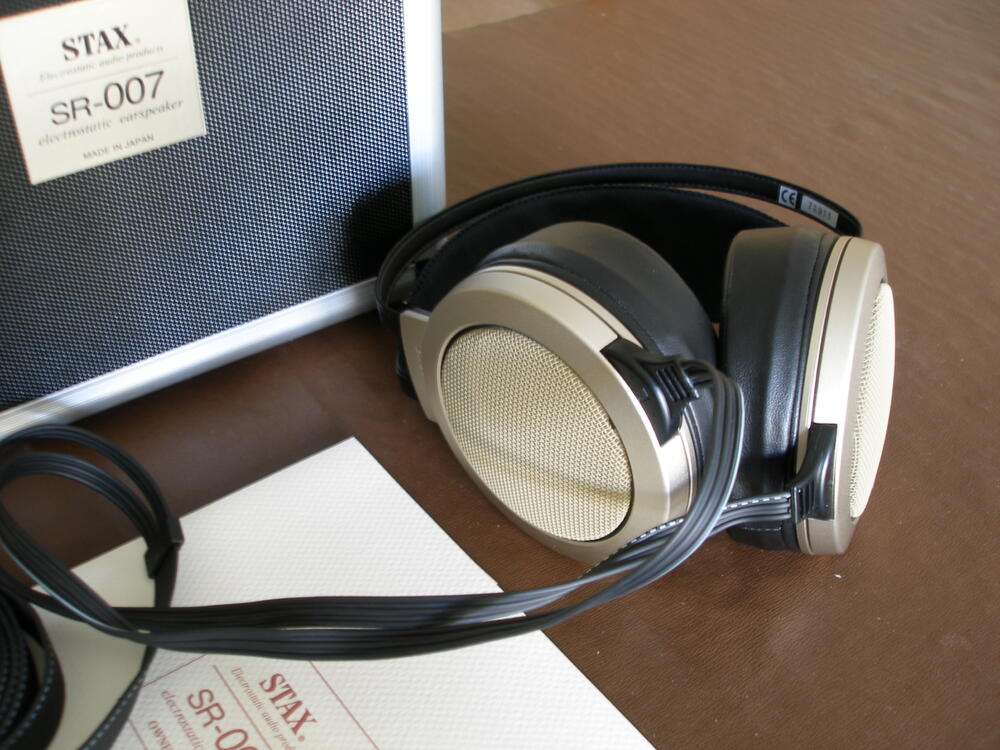
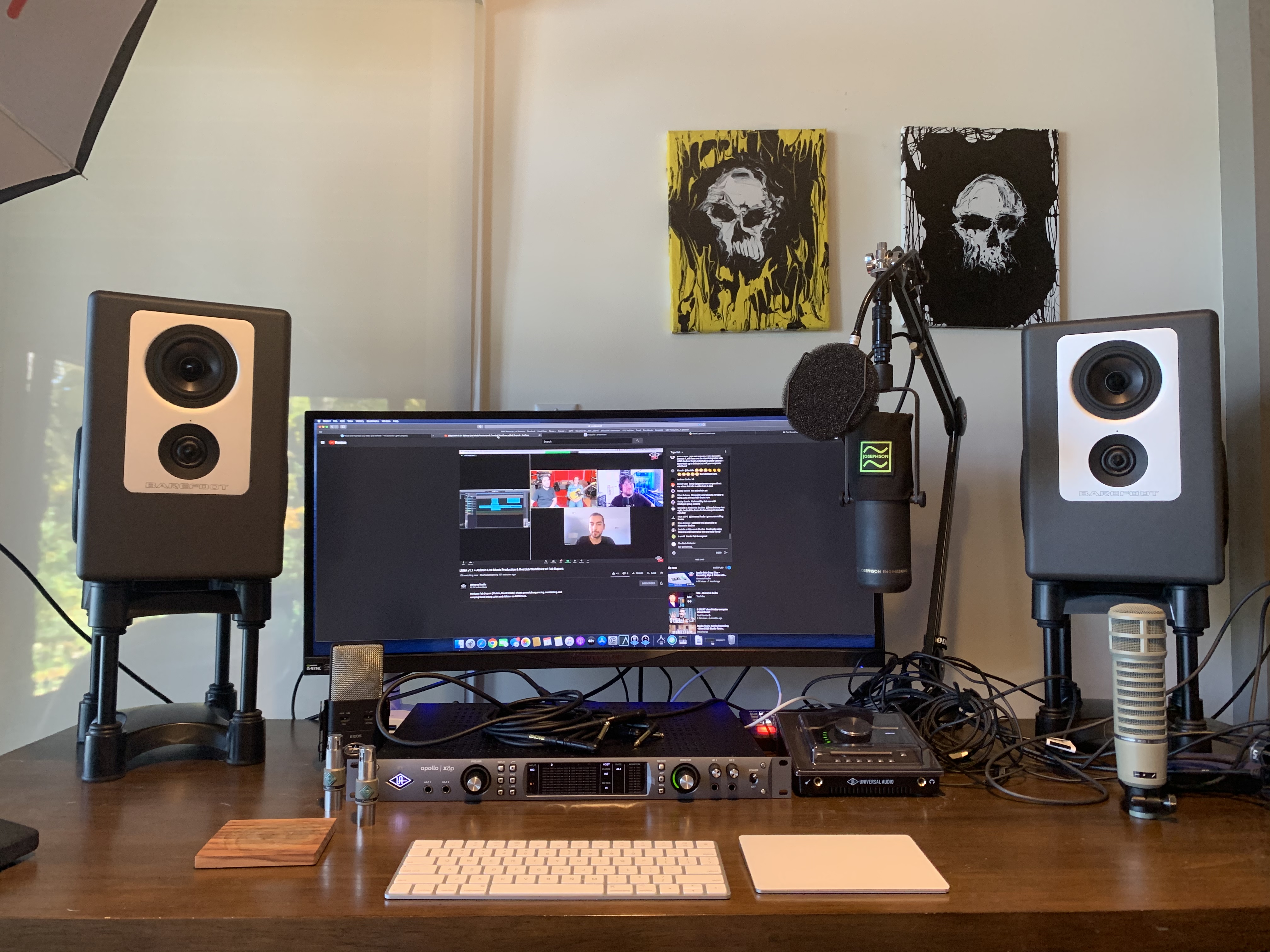
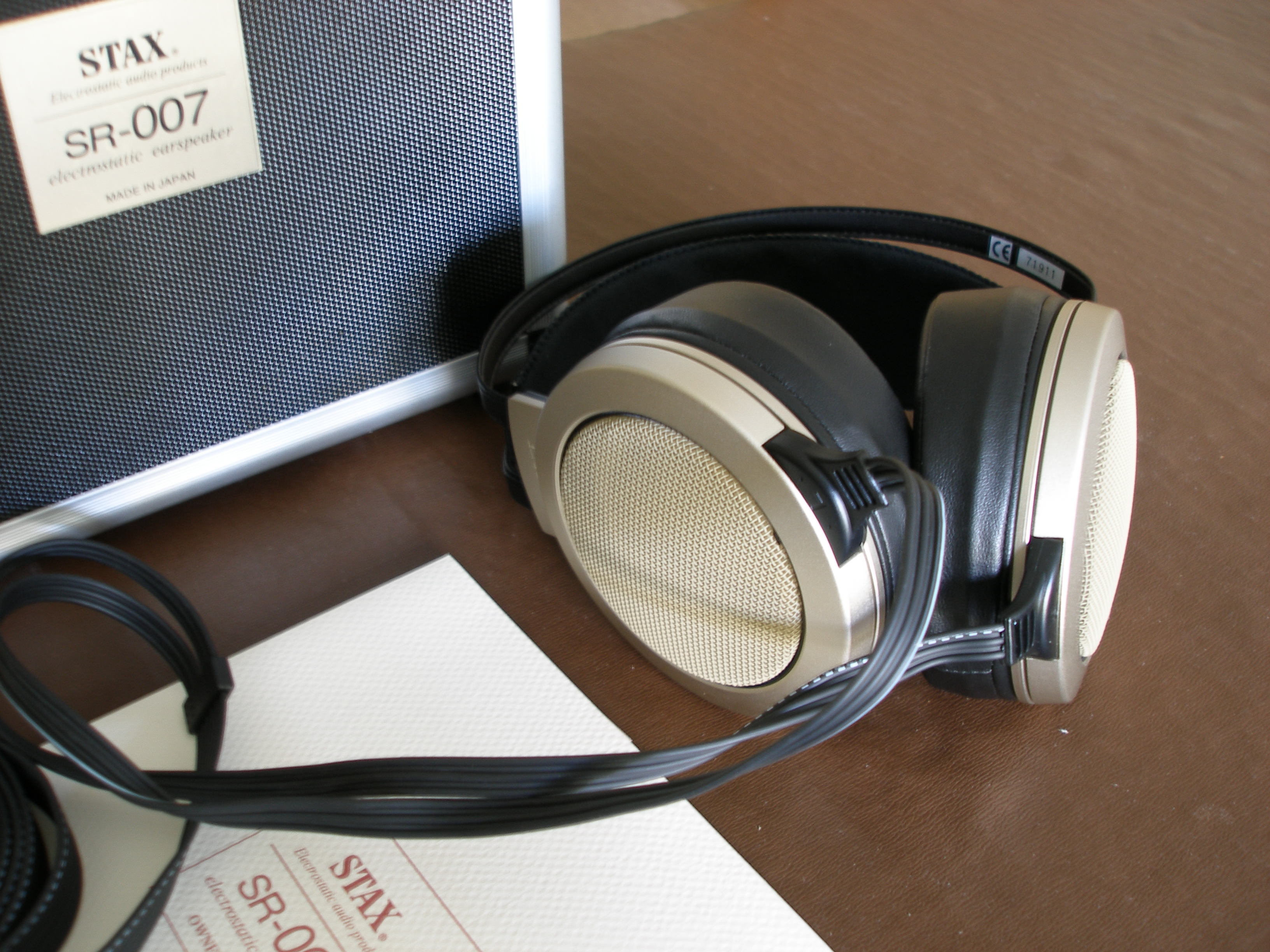
 1 pointI started setting up Foobar2000, and there’s actually a step for synchronizing your collection. TuneFUsion (or FTP, lollers). I already have foobar2000 set up, so it’s a no-brainer for me how I’m going to do it. You can also drop the files in the foobar2000 folder or your iPod folder. Does she have an app called “iTunes Store”?1 pointIf she has an iCloud account, she could upload the .mp3 files to iCloud Drive. Then, if she is also logged into iCloud on her iPhone, she should be able to open the files using Files on her iPhone. Alternatively, I think you can still import those music files into the Music app on a Mac computer (still iTunes on a PC), then sync with the iPhone over USB or wi-fi.1 point1 point1 point1 pointToday’s Tacocat update: She stopped hiding after about 24 hours and is very affectionate. She spends each time I come in her room (keeping them separated for now) unable to decide which she wants more, food or cuddling. She already lets me rub her belly!1 point1 pointFor 2-channel stereo. I have studio monitors that I'm happy enough with, but I've never had a good stereo setup. We keep spending all our money on live music events, so now that that's dead I might as well get something good for recordings.1 point1 pointA pair of mint SR-007 Mk 1's arrived yesterday, so my KGST should be happier now! Bit of a step up from the SR-313's I've been using.
 1 point1 pointYou could do like I do with audio gear. Leave it out of site till you forget you even have it. After it's value goes down, then think about selling it. Then don't because its not worth the time and effort.1 point1 point1 pointOh man. I've been playing RCT since the 90s and I don't have all the boxes.1 pointThree Jewish hooligans cause chaos in a local liquor store, late 1986.1 point
















Important Information
By using this site, you agree to our Terms of Use.
Account
Navigation
Search
Configure browser push notifications
Chrome (Android)
- Tap the lock icon next to the address bar.
- Tap Permissions → Notifications.
- Adjust your preference.
Chrome (Desktop)
- Click the padlock icon in the address bar.
- Select Site settings.
- Find Notifications and adjust your preference.
Safari (iOS 16.4+)
- Ensure the site is installed via Add to Home Screen.
- Open Settings App → Notifications.
- Find your app name and adjust your preference.
Safari (macOS)
- Go to Safari → Preferences.
- Click the Websites tab.
- Select Notifications in the sidebar.
- Find this website and adjust your preference.
Edge (Android)
- Tap the lock icon next to the address bar.
- Tap Permissions.
- Find Notifications and adjust your preference.
Edge (Desktop)
- Click the padlock icon in the address bar.
- Click Permissions for this site.
- Find Notifications and adjust your preference.
Firefox (Android)
- Go to Settings → Site permissions.
- Tap Notifications.
- Find this site in the list and adjust your preference.
Firefox (Desktop)
- Open Firefox Settings.
- Search for Notifications.
- Find this site in the list and adjust your preference.