


grawk
Administrators
-
Joined
-
Last visited
Everything posted by grawk
-
https://levercraftcoffee.com/products/levercraft-ultra-grinder For the budget minded version of that.I'm still a fan of my niche grinder. Tho occasionally I have to pull the K30 back out of storage, for particularly hard light roasted coffee.is that one of the active arm denons, like the Sony biotracers? I've heard good things about those. *edit nope, according to google. Sorry for your loss.who are you trying to convince? Did you post it elsewhere too so that it wasn’t a complete waste of time and effort?seafood and zoodles last night
 Jeff, Sony came out with a new camera for your podcast: https://www.bhphotovideo.com/c/product/1619483-REG/sony_alpha_mirrorless_digital_camera.html?sc_src=email_2476&sc_lid=355549&sc_uid=pcBxVCbSGr&sc_llid=557541&sc_customer=A8DF96A8D886A83B07ABE6FC9C1EA2897E0CADC5A4EE30BD3F3C007F6EFDF313&utm_medium=Email 2476&utm_campaign=Announcement+Emails&utm_source=210126_ANN_ANN_Sony 20210126&utm_content=&utm_term=IMAGE+Sony-01-26-2021-hf_04-02.jpg&encEmail=A8DF96A8D886A83B07ABE6FC9C1EA2897E0CADC5A4EE30BD3F3C007F6EFDF313Unfortunately we haven't had an automated welcome pm in a decade. Anyway, the post was fine, but don't expect others to give you what you're looking for.I'm guessing from your post that you haven't actually read the content here.prime ribeye, black rice, and the cheapest frozen veggie medley at the grocery store.
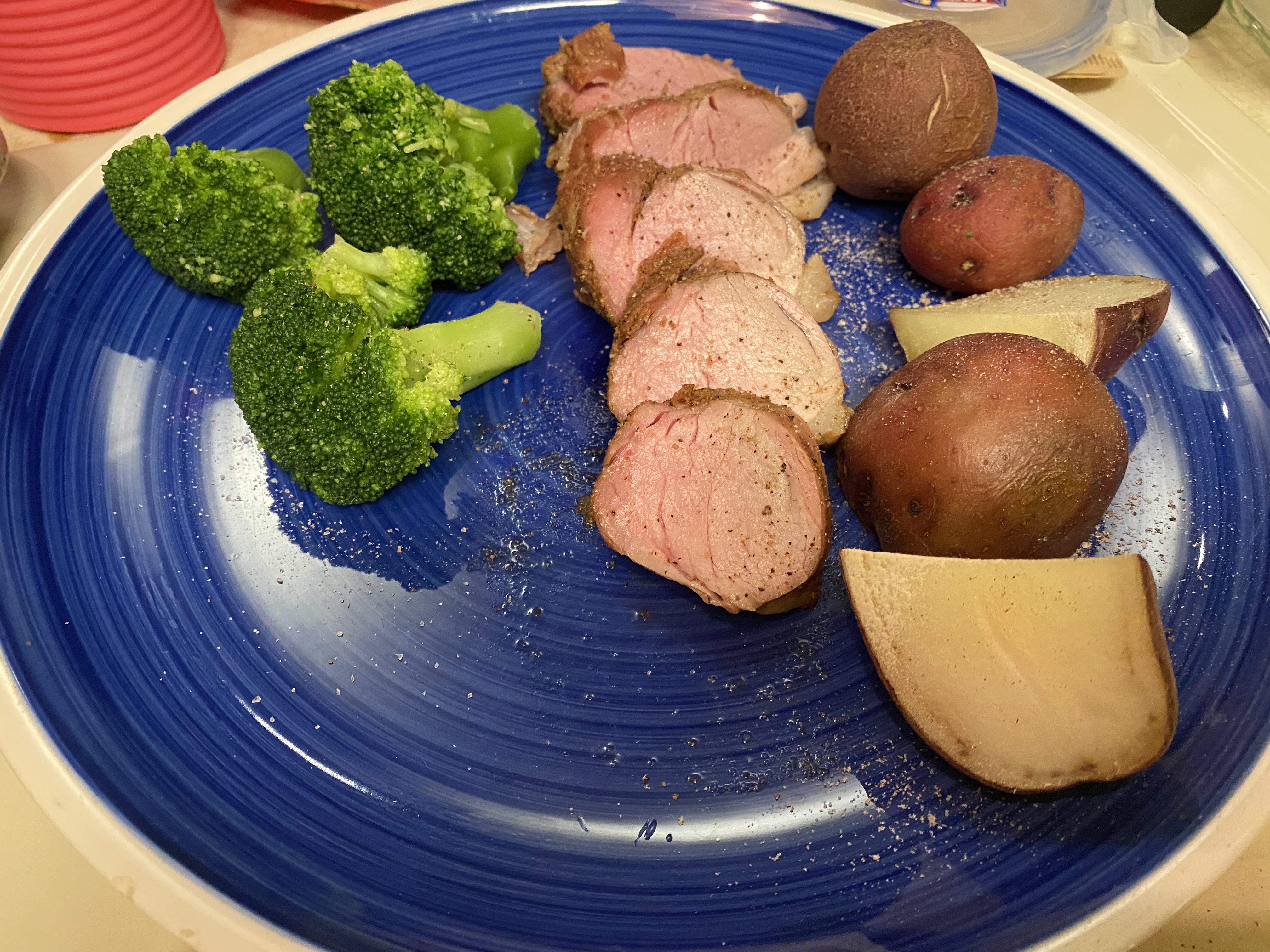
 I watched Munsters more as a kid. I appreciate Addams way more as an adult.my kid's pretty happy with the feel on his Kawai MP11i appreciate the commentary. i’m not commercial yet, but I’m about to take the next step. Once I’m comfortable with the new roaster i haven’t ordered yet I’ll be able to do about 20 lbs a week for sale.he didn't come back between those 2 visitsthere should be play through videos shortlysmoked a tenderloin with cherry rum pellets. it’s tasty.

 I'm running Big Sur on a separate drive on my desktop, and my firewire apogee ensemble is working (via firewire, not via tb3, haven't tested that yet). Pianoteq 6.7 and 7 both work inside the latest logic.I just cancelled my m1 MacBook Pro order because after upgrading my desktop to an i9-9900k with 32gb, it can handle 171 tracks on the logic benchmark, so I can wait a while longer before upgrading my laptop.They're getting to be hard to find, but I love my Sony biotracer...massaman turkey curry












Important Information
By using this site, you agree to our Terms of Use.
Account
Navigation
Search
Configure browser push notifications
Chrome (Android)
- Tap the lock icon next to the address bar.
- Tap Permissions → Notifications.
- Adjust your preference.
Chrome (Desktop)
- Click the padlock icon in the address bar.
- Select Site settings.
- Find Notifications and adjust your preference.
Safari (iOS 16.4+)
- Ensure the site is installed via Add to Home Screen.
- Open Settings App → Notifications.
- Find your app name and adjust your preference.
Safari (macOS)
- Go to Safari → Preferences.
- Click the Websites tab.
- Select Notifications in the sidebar.
- Find this website and adjust your preference.
Edge (Android)
- Tap the lock icon next to the address bar.
- Tap Permissions.
- Find Notifications and adjust your preference.
Edge (Desktop)
- Click the padlock icon in the address bar.
- Click Permissions for this site.
- Find Notifications and adjust your preference.
Firefox (Android)
- Go to Settings → Site permissions.
- Tap Notifications.
- Find this site in the list and adjust your preference.
Firefox (Desktop)
- Open Firefox Settings.
- Search for Notifications.
- Find this site in the list and adjust your preference.