

Leaderboard




Popular Content
Showing content with the highest reputation on 03/21/20 in all areas
-
5 pointsThanks for the hopeful messages and birthday greetings. I had a good day but it feels incredibly weird like the other shoe will drop any moment. Stay safe and healthy, my friends.5 points
-
3 points
-
3 points3 points2 points2 pointsOne small upside of the coronavirus is it helped me catch up on Better Call Saul.
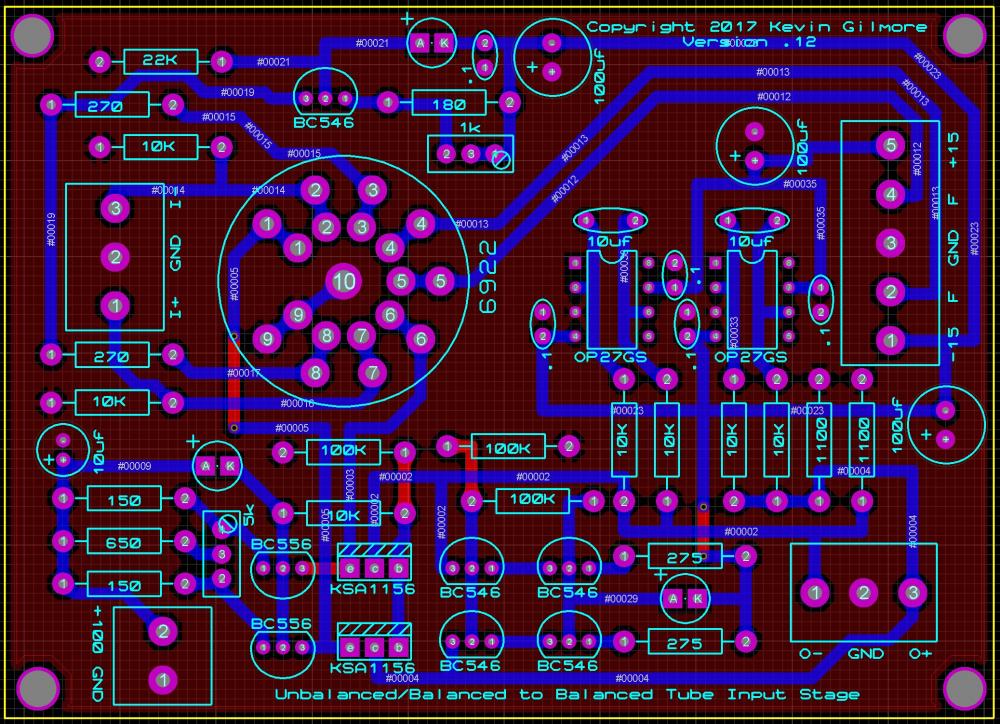
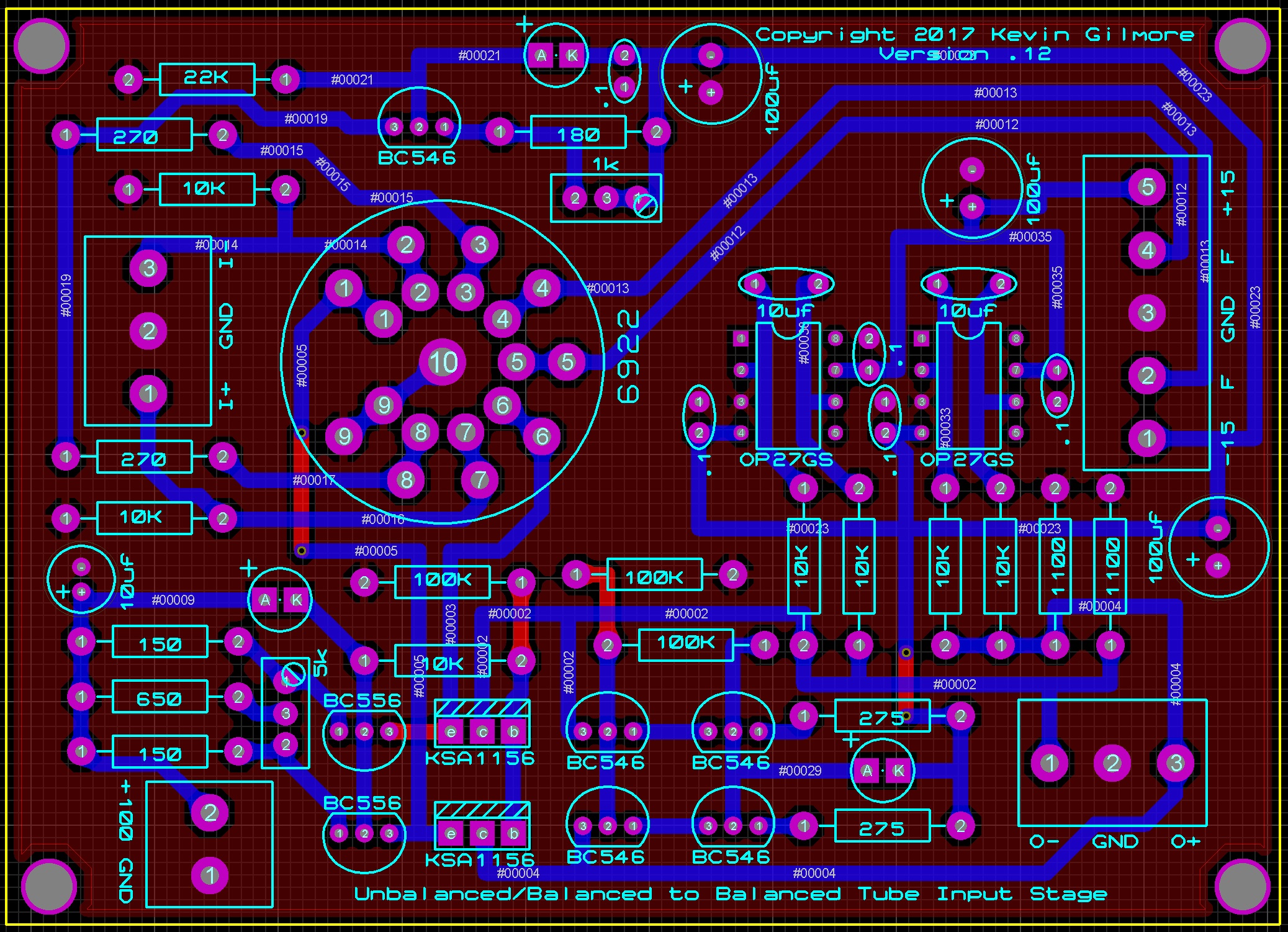
 2 pointshttps://www.levercraft.com/decent-espresso-club This is a small coffee shop in Austin that is roasting far better coffee than I can. He’s hurting right now because he just bought a lot of really expensive Yemeni coffee. If you have it in your budget it’s a cup of a lifetime and would help a small shop survive the trump plague.2 points2 pointsRIP Kenny Cause every hand's a winner, And every hand's a loser, And the best that you can hope for Is to die in your sleep.2 points2 pointsSo I've been looking at a bunch of tube/solid state hybrid dynamic amp schematics, and every one of them is some form of bad, or really bad. (one person/ex company in particular) Low voltage plate, capacitve coupling of a high impedance source into a low impedance, poor balance etc. There had to be a better way. true balanced input. dc coupling. low impedance output. no feedback. proper use of a tube (pure transconducance) etc so I came up with this, work in progress. 4 x 3 inches ubaltobaltubeschem.PDF
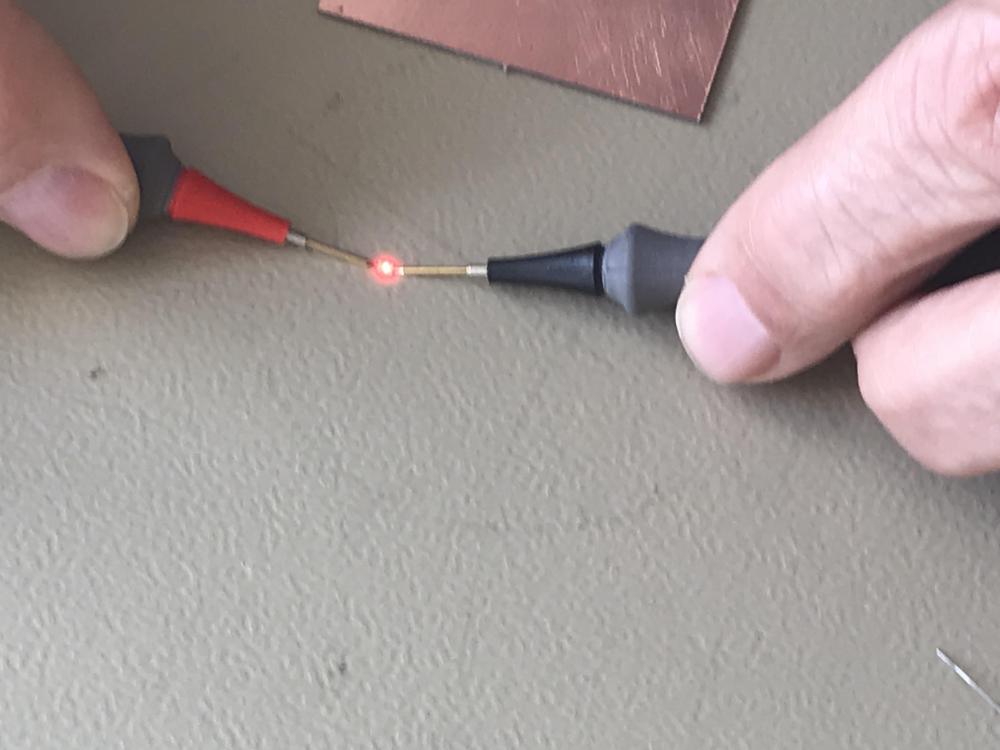
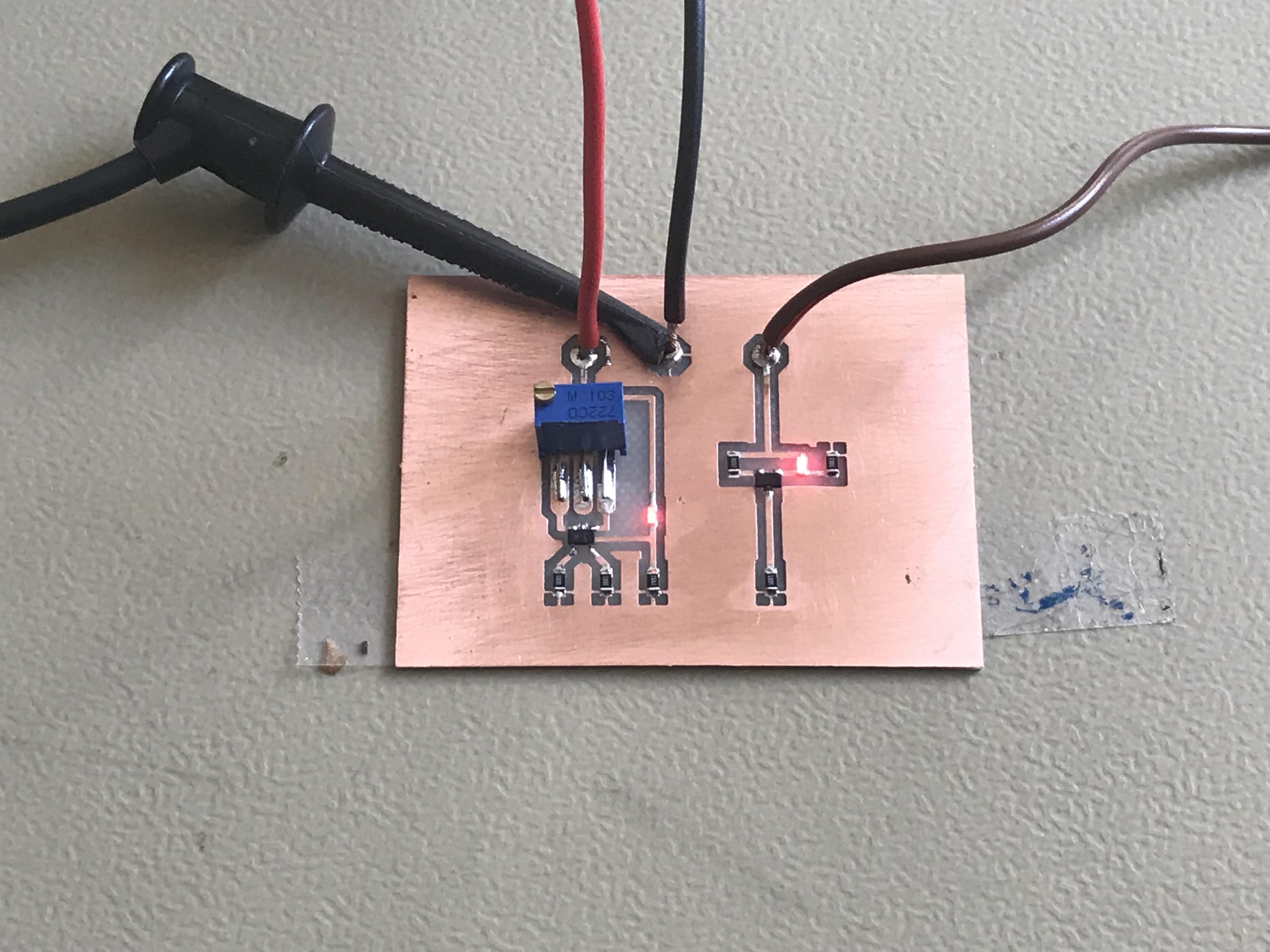
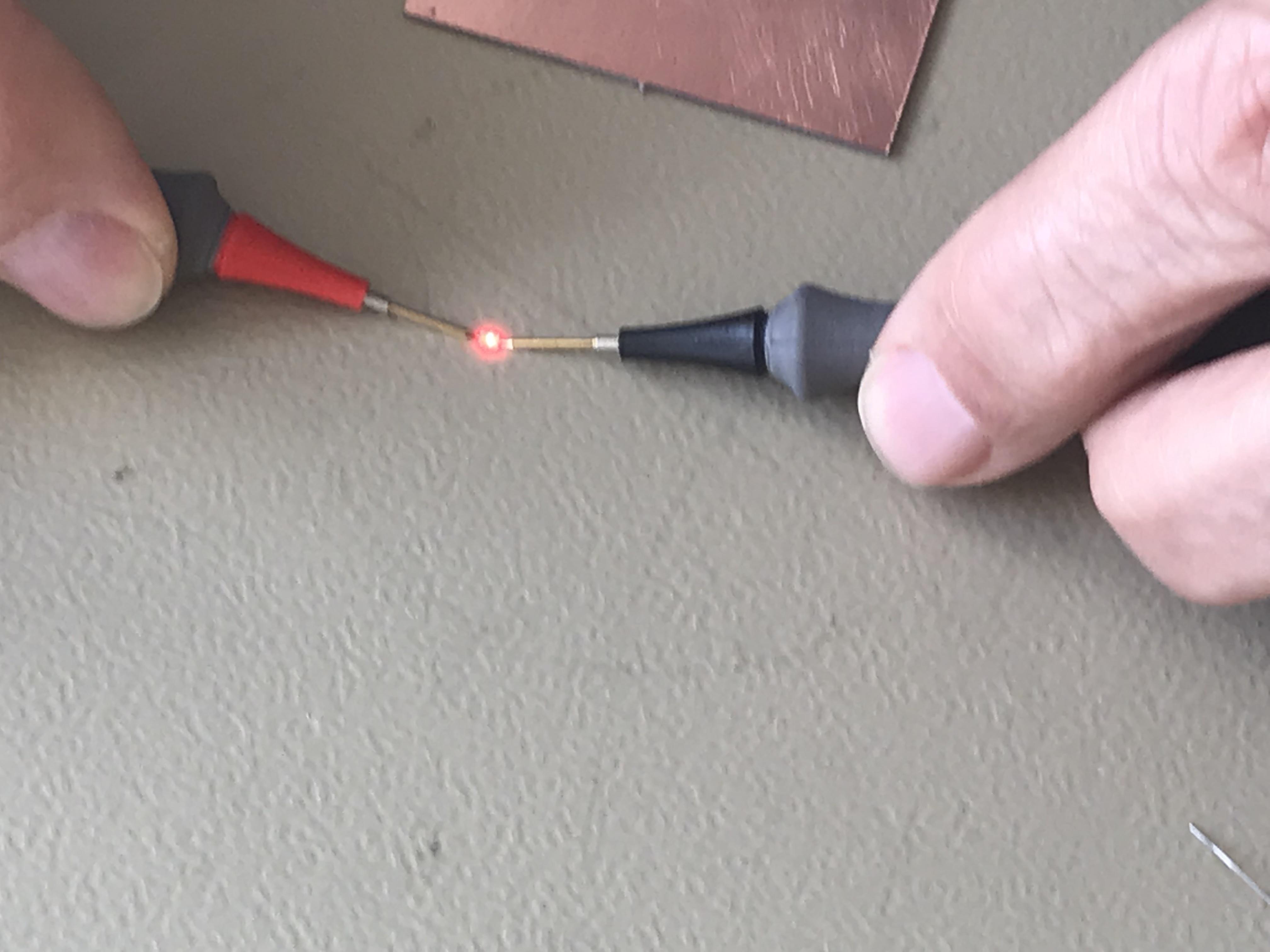
 1 pointWe have been confined at home for 9 days and it seems that we will be at least another two weeks ... The positive is that I am listening to more music than ever. Mammal Hands1 point1 pointIf you're isolated by choice or by mandate, you might be in search of a low latency, high quality way to collaborate, or mix/master remotely, this is the best I've heard of (so far). BTW, Ian Sheppard has been a trusted online audio pro for years (I took his online mastering course a while back) and his Production Advice site has a wealth of (non hyped) info. Edit- Don't expect to be able to "jam live" over the internet. There is too much latency for that IMHO.1 point1 point1 pointThis looks promising... use the Microsoft Remote Desktop app on your Mac to access Microsoft's remote Azure computer (requires a Microsoft account) to run Internet Explorer: https://osxdaily.com/2015/10/19/use-internet-explorer-11-mac-os-x-easy/1 point1 pointThe Thrill is Gone: A Tribute to BB King on relic.com About an hour to go. Most excellent. https://www.udiscovermusic.com/news/bb-king-tribute-tonight/1 pointTest Tone @ Home live right now: http://mixlr.com/illuminator/chat1 point1 pointYou can set up the HP to accept remote connections if it's running Windows 7 or later Professional or Enterprise edition (not Home): https://www.howtogeek.com/howto/windows-vista/turn-on-remote-desktop-in-windows-vista/ Then you can download Microsoft Remote Desktop 10 on your Mac to log into the HP: https://apps.apple.com/ca/app/microsoft-remote-desktop-10/id1295203466?mt=12 or for older Macs, Microsoft Remote Desktop 8: https://apps.apple.com/ca/app/microsoft-remote-desktop-8/id715768417?mt=12 You'll need to know the IP address of the HP (by clicking on the network icon at the bottom of the screen on the menu bar) and then opening network settings and clicking on the (I assume) wi-fi area. Eventually you'll see an IP address that looks like: 192.168.1.101. You'll also need to know the user name and password of the HP computer to enter into the Microsoft Remote Desktop app on your Mac.1 point1 pointDo you like Kenji Kawai? There’s something magical about multiple percussionists.1 point1 pointHave a great, socially distanced Birthday, Al. You can still have fun in isolation!1 point1 pointHappy Birthday, Al! Cheers to a fantastic day and that life will return to normal in the shortest of timeframes. I shall raise a IIPA in your honor tonight!1 point1 point1 point1 pointIn December/January I took a deep dive into rhythmic layering. And every composition is a learning experience for me (forever?) so this one had 13 tracks of percussion (total of about 45).1 point1 point1 point1 point1 point1 pointI'd look at installing Microsoft Remote Desktop to login to a Windows computer if you need it to test something on a casual basis – otherwise, Boot Camp or Parallels/Fusion with a Windows install would be necessary. Otherwise: https://dzone.com/articles/7-ways-you-can-test-your-website-on-internet-explo1 point1 point1 point1 point1 point1 point1 pointI wanted to find out the currents “produced” by Q1 and Q2. Since I don’t have the courage to stick my nose or test pins in a live amplifier I made this test board today. Measurement on the test board indicates voltage cross emitter resistors at R1, R3 and R9 close to 1.10 V. If we actually have 1.10 V than current through small tubes are 2.6 mA and not 3mA that I mentioned in previous post. The Q1 current sources give 3.8 mA each source. I’m considering changing R1 and R3 to 270R and R9 to 180R. Now days I check for the polarity of the LED TLMS1100 by using DMM in diode testing mode. Positive pin on anode and the other on cathode you get a red light. But be careful the LED will easily pop away and it’s not sure you ever will find it again.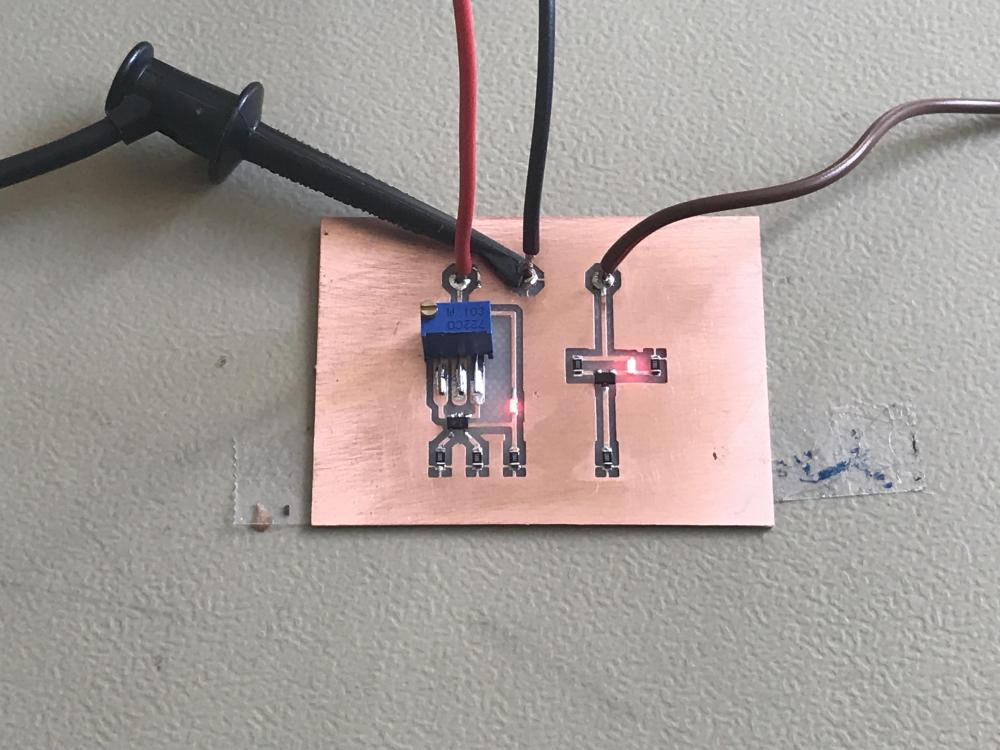
 1 point0 points






















Important Information
By using this site, you agree to our Terms of Use.
Account
Navigation
Search
Configure browser push notifications
Chrome (Android)
- Tap the lock icon next to the address bar.
- Tap Permissions → Notifications.
- Adjust your preference.
Chrome (Desktop)
- Click the padlock icon in the address bar.
- Select Site settings.
- Find Notifications and adjust your preference.
Safari (iOS 16.4+)
- Ensure the site is installed via Add to Home Screen.
- Open Settings App → Notifications.
- Find your app name and adjust your preference.
Safari (macOS)
- Go to Safari → Preferences.
- Click the Websites tab.
- Select Notifications in the sidebar.
- Find this website and adjust your preference.
Edge (Android)
- Tap the lock icon next to the address bar.
- Tap Permissions.
- Find Notifications and adjust your preference.
Edge (Desktop)
- Click the padlock icon in the address bar.
- Click Permissions for this site.
- Find Notifications and adjust your preference.
Firefox (Android)
- Go to Settings → Site permissions.
- Tap Notifications.
- Find this site in the list and adjust your preference.
Firefox (Desktop)
- Open Firefox Settings.
- Search for Notifications.
- Find this site in the list and adjust your preference.